-
-
November 1, 2023 at 2:57 pm
Soufiane El kabil
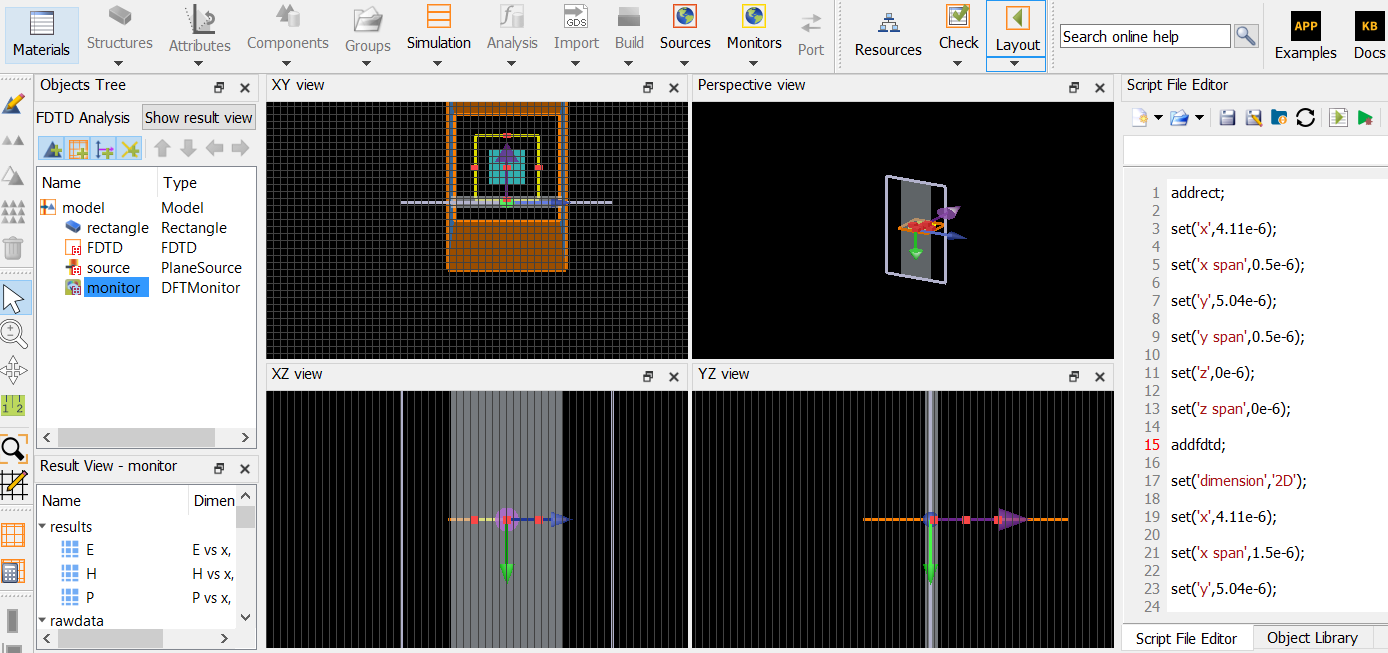
SubscriberI wrote this script to run this simulation "
addrect;
set('x',4.11e-6);
set('x span',0.5e-6);
set('y',5.04e-6);
set('y span',0.5e-6);
set('z',0e-6);
set('z span',0e-6);
addfdtd;
set('dimension','2D');
set('x',4.11e-6);
set('x span',1.5e-6);
set('y',5.04e-6);
set('y span',1.5e-6);
set('z',0e-6);
set('z span',3.98e-6);
set('x min bc','Periodic');
addplane;
set('x',4.11e-6);
set('y',4.54e-6);
set('center wavelength',1.55e-6);
set('wavelength span',0.5e-6);
set('direction','Forward');
addpower;
set('monitor type','2D Z-normal');
set('x',4.11e-6);
set('x span',0.9e-6);
set('y',5.04e-6);
set('y span',0.9e-6);
run; but usually I got this error "\Test1 (2).lsf line 29: Â in run: there was no simulation data. The simulation failed to run.", can somebody help me pleaseÂ
-
November 1, 2023 at 5:02 pm
Amrita Pati
Ansys EmployeeHi Soufiane,
Unfortunately, I am not able to replicate this issue. I can run the simulation successfully.
Can you check the log file and see if that has any additional information? It should be saved in the same location where your simulation is saved. And it's name should be something like simulation_finename_p0.log.
Let me know if you don't see any useful information in the log.
Regards,
Amrita -
November 2, 2023 at 11:37 am
Soufiane El kabil
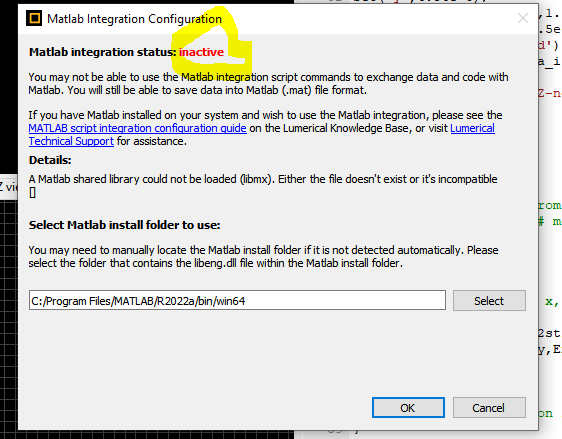
SubscriberHey, the issue was related to the MATLAB integration status. When I attempted to integrate MATLAB and started a new project, the MATLAB integration status appeared to be active. However, I noticed that in order to run the simulation, I needed to change it to inactive, which I don't fully understand. Could you please assist me with this? Typically, the status should be inactive. I have attached a picture to provide further clarity.
Â
Â
-
- The topic ‘Scripts in lumerical’ is closed to new replies.
-
4858
-
1587
-
1386
-
1242
-
1021
© 2026 Copyright ANSYS, Inc. All rights reserved.