Ansys Assistant will be unavailable on the Learning Forum starting January 30. An upgraded version is coming soon. We apologize for any inconvenience and appreciate your patience. Stay tuned for updates.
General Mechanical

General Mechanical

Topics related to Mechanical Enterprise, Motion, Additive Print and more.

Parametrization, solution saving and Parametrization with Python?

    • Elena Maier
      Subscriber

      Hello,

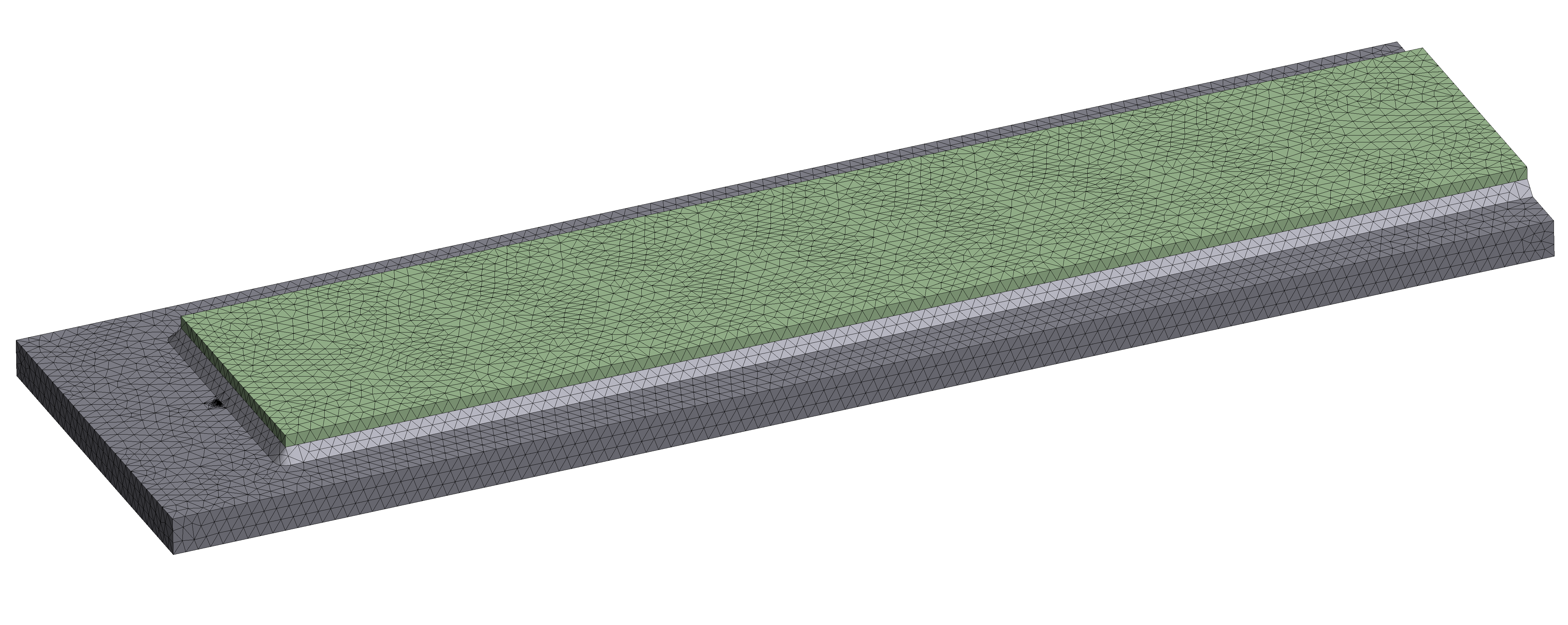
      I have the following model and a question regarding it:

      my model contains a plate and on top of this plate is a smaller plate (cover plate) welded. Also there is a crack in the beginning of the weld, as you can see:

      See picture below:

      The mode is fixed at the right end and it is pulled on the left end, so the model is under a tension.
      I modelled the geometry with DesignModeler.

      I need to do a parameter study with this detail for the stress intesity factor K (SIFS K1). To do this I parametrized all lengths, widths, thiknesses, distances with the marked "P". 

      1.: Is there a way to make the parameters dependent on each other? For example that the length of my plate is 3 times the width of the plate?
      2.: If I use the designpont option, can I get the all K1 and not just minimum and maximum, so is there a possibility to parametrize all K´s? or can I put them in a file to save them. (otherwise I have to keep all solutions and change the actual model, open the model look at it, and do this over and over)
      3.: Is there any possibilty to automize the two questions above with a Python code, so to do the parametrization and data saving throug this automatically.

      Thank you so much for your help!
      I hope I explained my problem good enough to understand.

      Elena Maier

    • mjmiddle
      Ansys Employee

      Replies to each item:

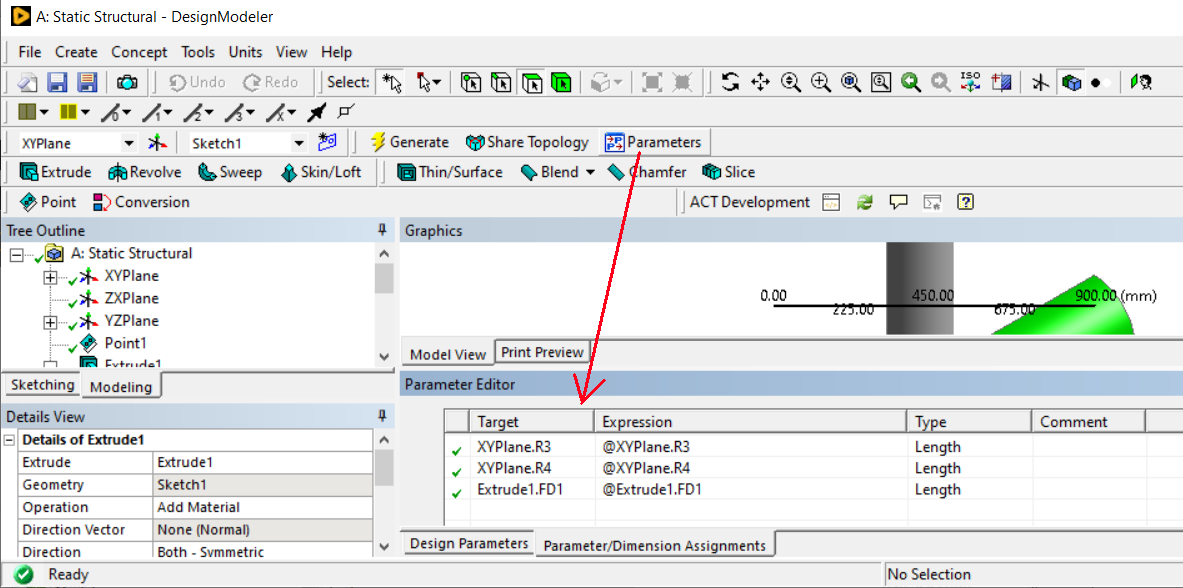
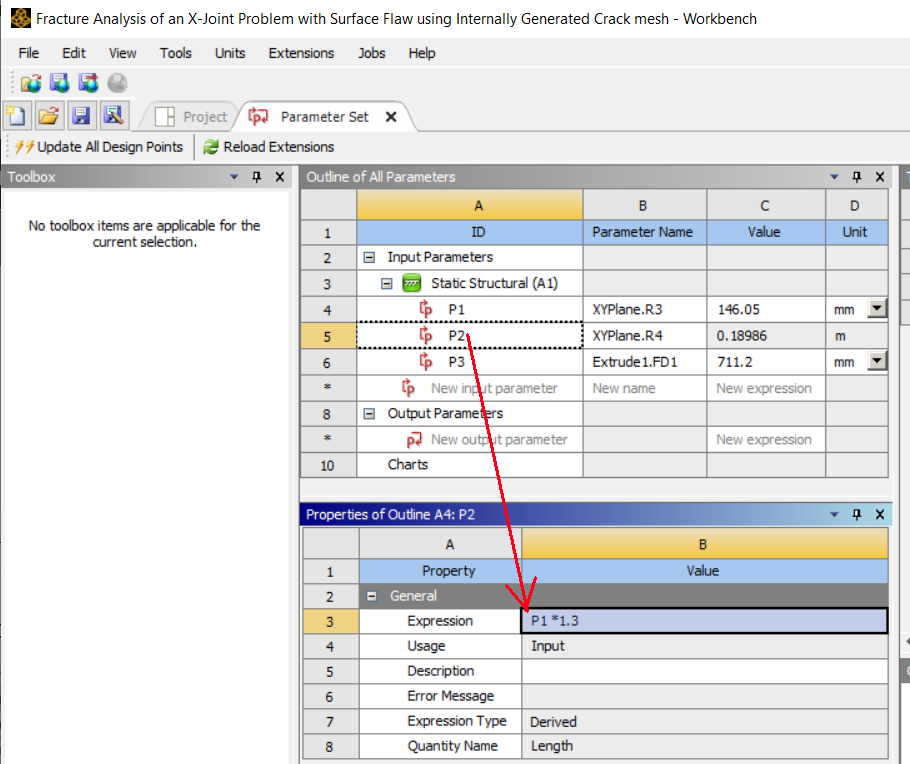
      1. Use the "Parameters" button in DM to define relations to promoted parameters:You can also set relations between some parameters in workbench page if they are input parameters. Set the "Expression" field in the "Parameter Set":
      You can look up both of these further in the Ansys online documentation.

      2. The way that the Ansys applications are set up to do this is to click the "Retain" checkbox for design points. After running the solutions on the design points (otherwise known as "Updating" them), you can right click on a design point row to "Set as Current." Then "Edit" any of the Mesh, Setup, Solution, or Results cells to open Mechanical. In the SIF result, you can right click on the grey box to the upper left of the history data, and choose "Export":
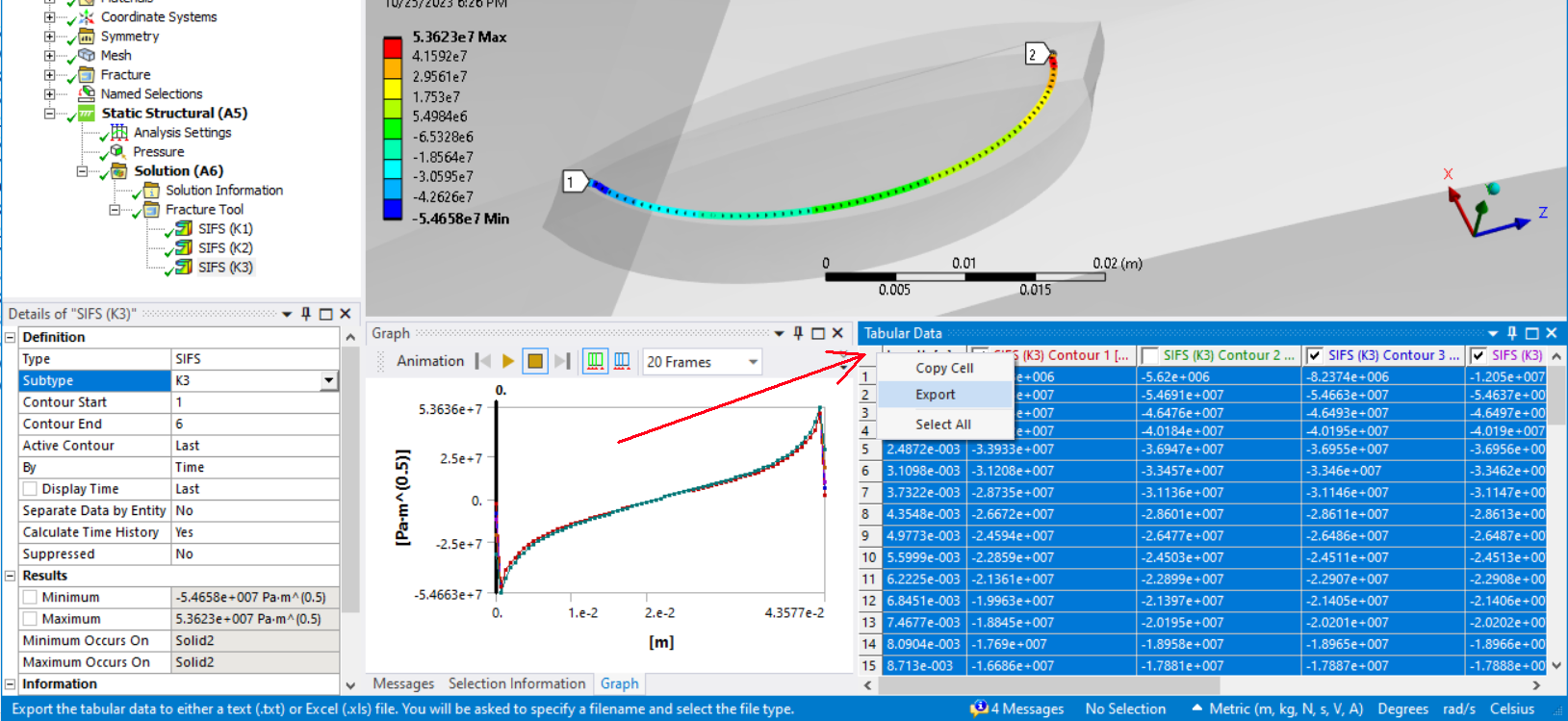
      This will export all the SIF values for each contour at each time point for a particular K1, K2, or K3. It writes a tab delimited text file you can open in Excel or any text editor.

      3. If you want to export this data automatically using python scripting, this gets much more involved, and is not appropriate for a forum post, since we cannot exchange files on the forum. It is meant for questions simpler than what would require models and other example files to be sent. You should submit a support case for this question. It will require a script in Mechanical to directly access the displayed result table seen in Mechanical or set a "Display Time" and evaluate each time to get the data. It will also require an ACT extension to utilize a callback at workbench level so that the script can be sent to Mechanical at the right time while each design point is being solved. If the displayed panel data in Mechanical is being directly extracted, it needs to make sure Mechanical opens and displays after each design point is being solved. When you solve design points, it normally closes all workbench applications, and opens them as background process for each design point.


    • Elena Maier
      Subscriber

      Thank you so much for your help!

      That already helped a lot.

      One question regarding the second point:
      Is there any possibility to perform this step automatically. So that I don´t have the "set as current" and open the modell every time. 
      For example can I export K1 to K6 in an Excelsheet or something like that for all the design points?

    • mjmiddle
      Ansys Employee


      The automatation is what I described in item 3 of my previous post. It will require scripts by some means. Another idea would be to use an APDL script in a command snippet in the Mechanical Outline. But whatever means you choose (review what I said in item 3 again), it’s going to take a script. I think you should submit a support case for this since it’s more involved, and will equire exchanging some files.


Viewing 3 reply threads
  • The topic ‘Parametrization, solution saving and Parametrization with Python?’ is closed to new replies.
[bingo_chatbox]