Hello everyone,
I am currently trying to design a centrifugal pump and want to simulation it in fluent and i need help with a problem on which i try everything for 3 days before comming here.
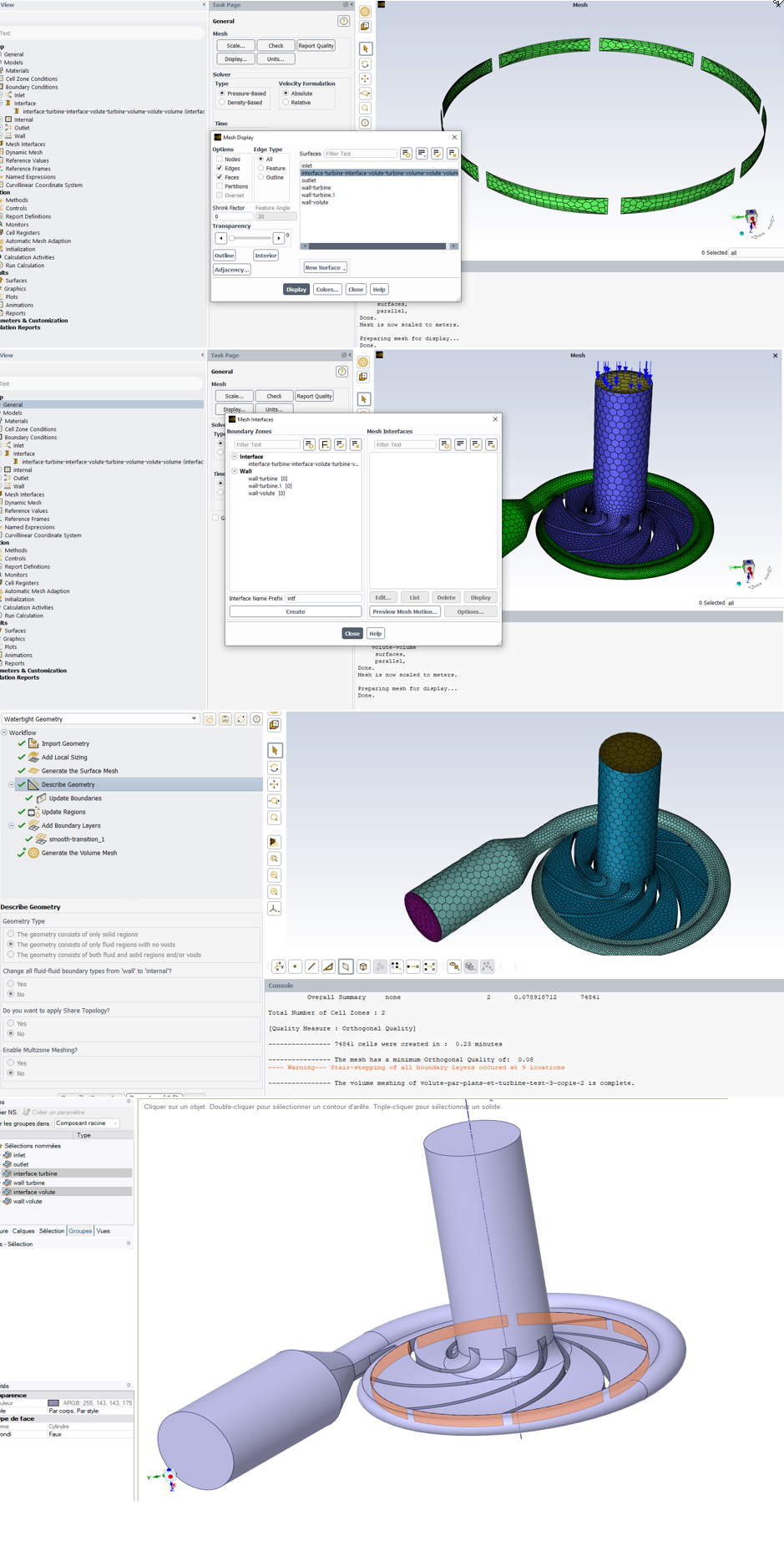
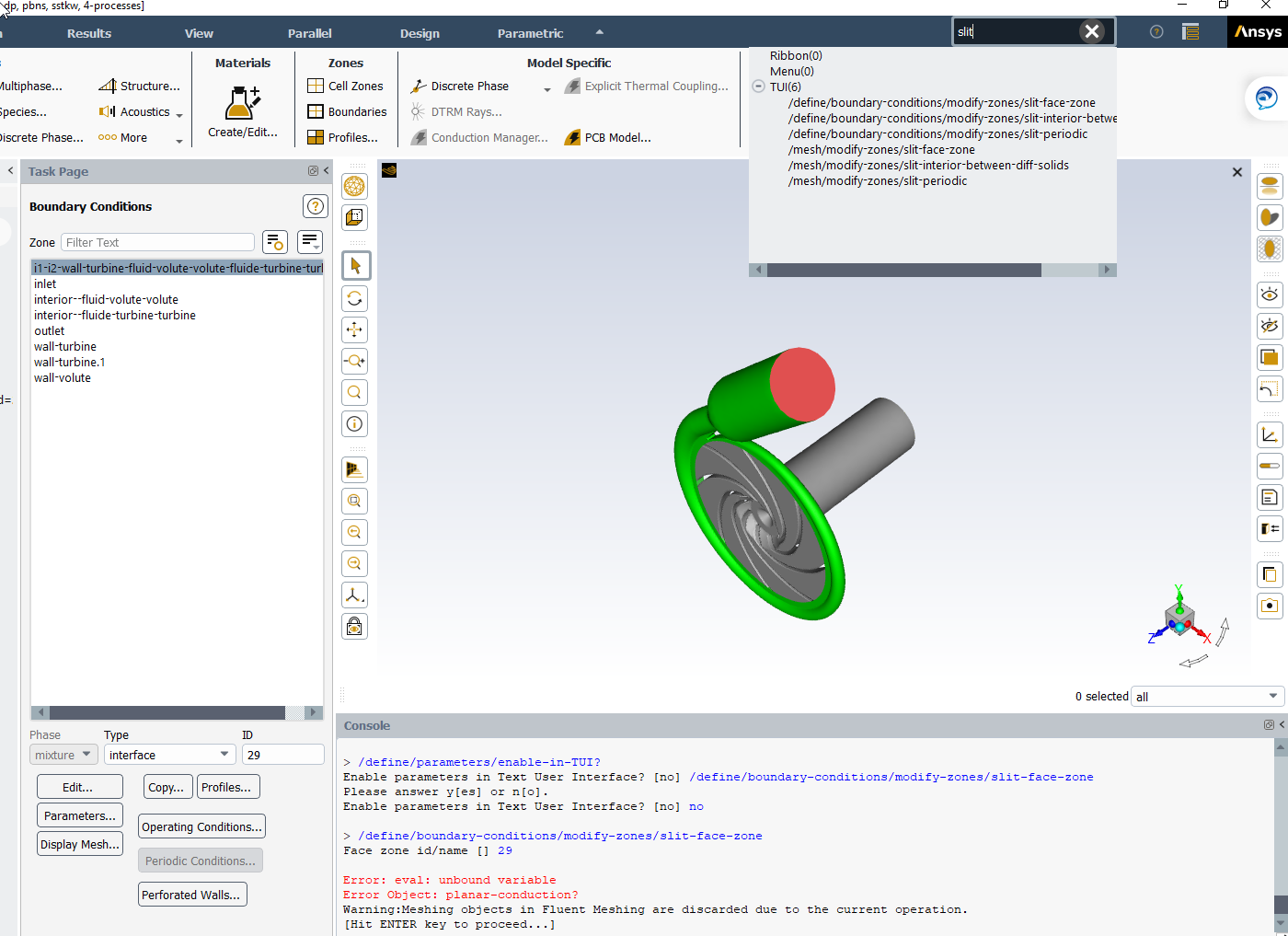
I have prepared my CAD (solidworks), imported it in space claim (volume extract and corrected geometric problems with it), have done my meshing in fluent but when i switch to solution i can't create a surface mesh since only 1 of the 2 interfaces is here (see pictures to understand, looks 'fusionned'). My two NS interface turbine and interface volute disapeared but this weird interfaces is now here. However, i can't creat a mesh interface with it which is annoying. (also, when shown, it isn't yellow as an interface should be but green).
I do not know how to solve this problem, i have tried to modify my CAD, use share in Spaceclaim, use share topology in fluent to 'force' the creation of an interface between the 2 parts i need, change meshing parameters and naming my surfaces many different ways, but nothing change.
In the attached files, you'll find 'stacked pictures' with :
- pics of the Spaceclaim model with NS ans the surfaces i want as an interface
- pics of the fluent meshing with everything done to it
- pics of fluent solutions highlighting the problem
Note :
- I have tried to modify my CAD in order to have only 2 'cylinder' interface surfaces but it doesn't solve the problem. Also for now i do not know if naming all the other surfaces apart from interfaces, inlet and outlet is mandatory for this cfd.
- When i open fluent meshing, i have to switch my interfaces from wall to interface in 'update boundary'
Thanks a lot for the time you'll take to help me, have a great day ! :)


















 You are navigating away from the AIS Discovery experience