-
-
September 5, 2023 at 7:55 pm
sahua1
SubscriberHi,
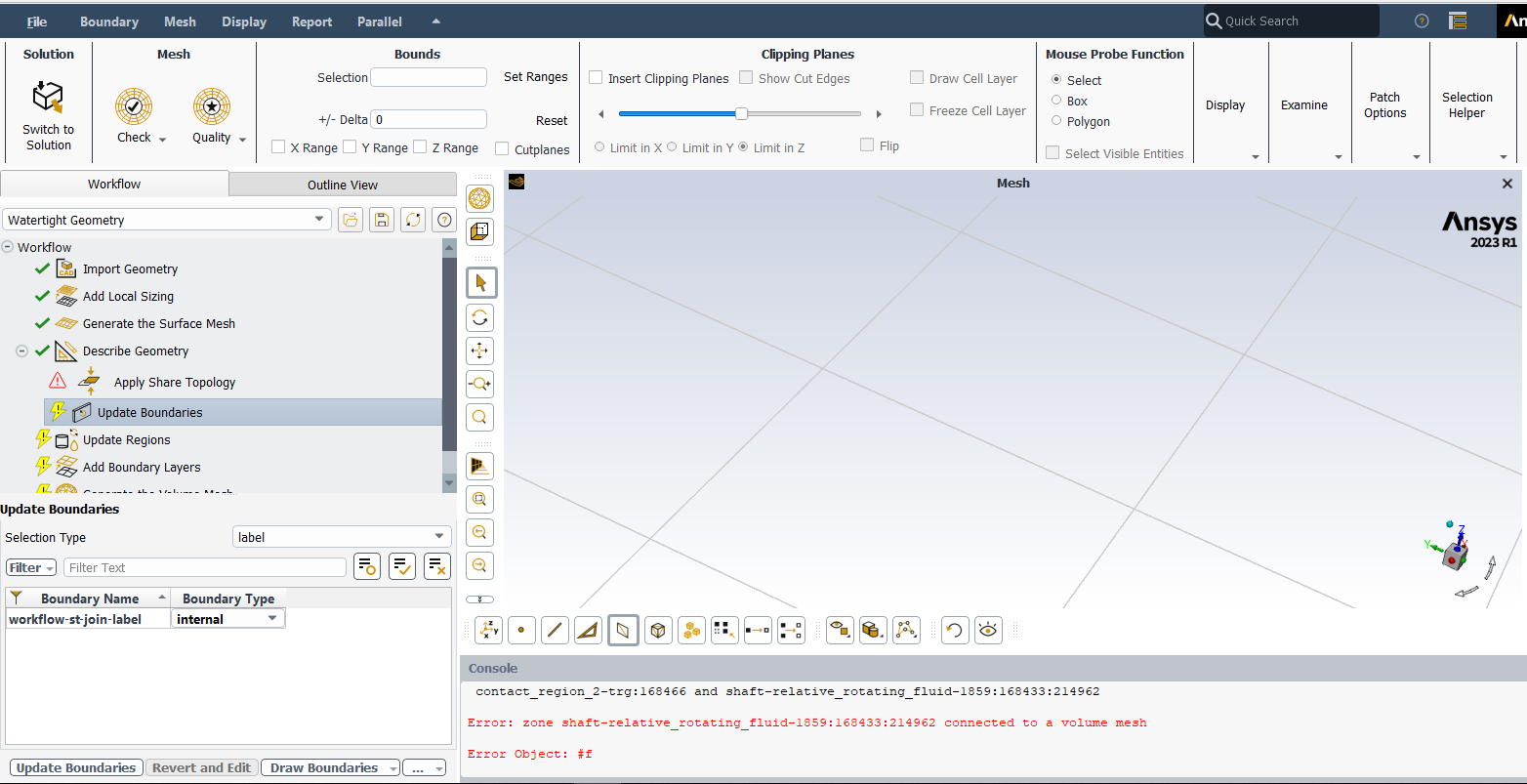
Every time I import a mesh file to the watertight geometry meshing workflow in Ansys Fluent, the named selections I did before changes and I am not sure why this's happening (for example if I already named a volume, it changes into different namings for the surrounding surfaces of this volume) even When I try to rename it again and change its type to internal in the update boundaries it gives me an error since both a surface and a volume are overlapping and in the update regions panel it doesn't show any regions !Â
-
September 6, 2023 at 5:38 am
Keyur Kanade
Ansys EmployeeAre you importing geometry or mesh?Â
You will need to give NS to geometry in SpaceClaim and then import it.Â
Please go through help manual for more detailsÂ
Regards,
Keyur
How to access Ansys Online Help Document
Guidelines on the Student Community
Fluids Engineering Courses | Ansys Innovation Courses
Â
-
September 7, 2023 at 1:14 pm
sahua1
SubscriberHi,
I am importing a mesh file from the meshing workflow to the watertight gemotery mesh workflow in order to convert the meshing I did before into a polyhedral meshing.
Is there anyway I can modify the named selections without going back to the CAD level?
-
September 7, 2023 at 1:28 pm
Keyur Kanade
Ansys EmployeeCan you please describe it correctly.
When you say 'importing mesh from the meshing workflow to the watertight geometry mesh workflow' what does it mean? Do you already have volume mesh or surface mesh with you?Â
Â
Please check following videos
Fluent Meshing Watertight Workflow:
https://www.youtube.com/watch?v=aBxbYRVoRLoÂ
Â
Regards,
Keyur
How to access Ansys Online Help Document
Guidelines on the Student Community
Fluids Engineering Courses | Ansys Innovation Courses
Â
Â
-
September 8, 2023 at 1:56 am
sahua1
SubscriberHi,
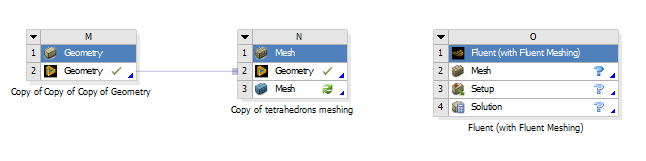
I have already done a volume mesh through Ansys fluent meshing ( the block connected to the geomtery) then saved the file and imported it again in the watertight geomtery ( the block on the right) so I can transfer the tetrahedrons meshing I did before into polyhedral meshing. I already added the named selections in the old meshing file but after importing it, it was all messed up.
-
September 8, 2023 at 3:57 am
Keyur Kanade
Ansys EmployeePlease explain step by step. Is Named Selection a problem or poly conversion?Â
If you have a volume meshing already generated then use File - Read in Fluent Meshing to read that file. Then check if Named Selections are coming or not.Â
For converting tet to poly, you will need to use Fluent solver.Â
But instead of poly conversion in Fluent, I will recommend you to generate poly in Fluent Meshing and then proceed.Â
Please go through help manual for more detailsÂ
Regards,
Keyur
How to access Ansys Online Help Document
Guidelines on the Student Community
Fluids Engineering Courses | Ansys Innovation Courses
Â
-
- The topic ‘How to add a named selection in watertight geometry meshing workflow’ is closed to new replies.

-
5849
-
1906
-
1420
-
1305
-
1021
© 2026 Copyright ANSYS, Inc. All rights reserved.