Hi Jimmy,
This is an easy question. There is an icon in Mechanical with a pull down. Use the Image to File selection and you get the dialog shown below, where you can say you want a white background.
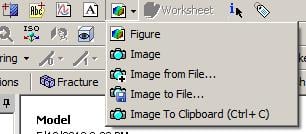

I use this sometimes, but I prefer to configure Mechanical to always have a white background.
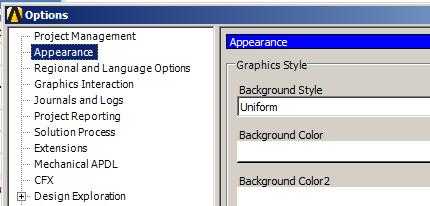
To do that, in Workbench, Tools, Options..., Appearance, change Background Style from Graduated to Uniform and choose white as Background Color.


















 You are navigating away from the AIS Discovery experience