Ansys Assistant will be unavailable on the Learning Forum starting January 30. An upgraded version is coming soon. We apologize for any inconvenience and appreciate your patience. Stay tuned for updates.
Ansys Free Student Software

Ansys Free Student Software

Topics cover installation and configuration of our free student products.

Ansys doesn’t open my SolidWorks files

    • Eric
      Subscriber

      Hello,

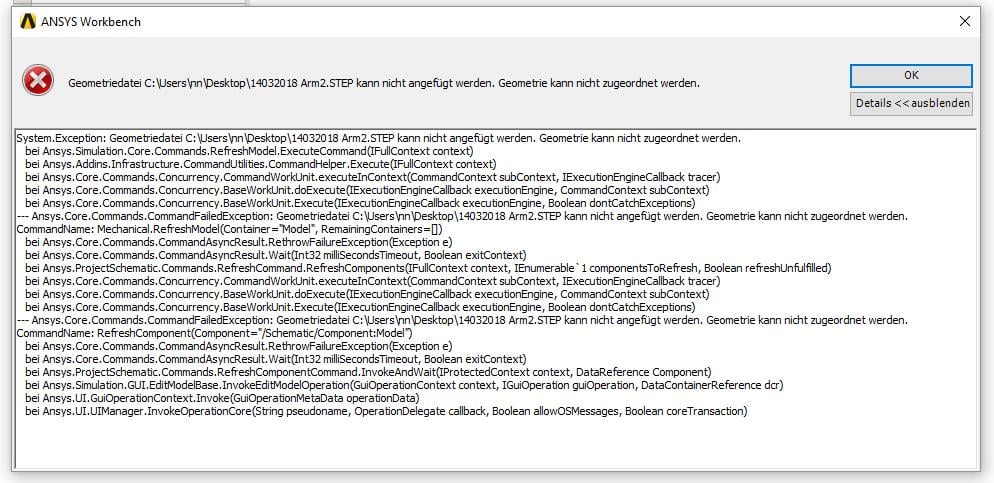
      I'm new to ANSYS and have recently installed Ansys Student 19.0 (Win10 64bit). I would like to open my SolidWorks files in Ansys. When I try to do so there are a lot of error messages popping up. It doesent matter if I take a *.step-, *.igs-, or a *,sldprt-file to open. Please have a look at the attachements for more details.

      Thanks for any help.

      Eric


    • vganore
      Ansys Employee

      It opens perfectly in my 19.0 version.  Try to open SpaceClaim or DM first and then import geometry. 

    • Eric
      Subscriber

      Hello vganore,

      thank you for your comment. Unfortunately this wasn't the solution for my problem. Spaceclaim opens my SolidWorks-file, but i can't save it. It seems to be to big. Can that be the problem? My model has less than 300 areas, but where can i check the number of bodies?  


      I have changed the language to English. Now its easier to talk about the error messages.


    • peteroznewman
      Subscriber

      Hello Eric,


      I am fortunate to have access to both SolidWorks 2017 and a full license for ANSYS.


      If you would like to put your SolidWorks assembly into a zip file and attach that to a post reply below, I will open that file and see if I have any issues.


      One way you can count faces and bodies is to duplicate the Geometry item, then open it in DesignModeler.
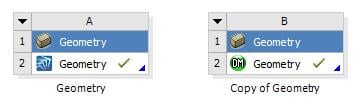


      DesignModeler has a summary for a part.


    • Eric
      Subscriber

      Hello,

      luckiliy I could fix my problem. The solution was to prepare my files with the repair-tools in Spaceclaim. For some reason it looked like my files have to many bodies/surfaces. Now I am able to open it in Ansys (:
      Thanks to all of you that helped me.

      Eric

Viewing 4 reply threads
  • The topic ‘Ansys doesn’t open my SolidWorks files’ is closed to new replies.
[bingo_chatbox]