Ansys Assistant will be unavailable on the Learning Forum starting January 30. An upgraded version is coming soon. We apologize for any inconvenience and appreciate your patience. Stay tuned for updates.
3D Design

3D Design

Topics related to Ansys Discovery and Ansys SpaceClaim.

Basic questions about geometry drawing

    • raju.chowdhury
      Subscriber

      Hi, 

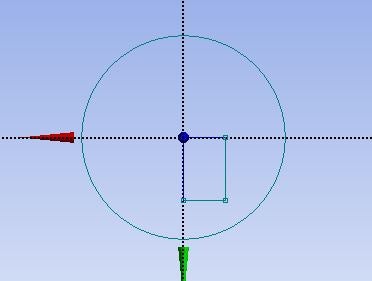
      During geometry drawing, how can I draw a rectangle keeping centre of the coordinate system (like a circle. Please see the attached image. Ususally, a corner of a rectangle starts from the origin)? If I can not do that, which tool I can use to bring the rectangle at the centre of the of the coordinate system?

      After defining a plane, can I shift this plane to a particular point? If so, what tool can I use for that?
    • Akshay Maniyar
      Ansys Employee

      Hi Raju,

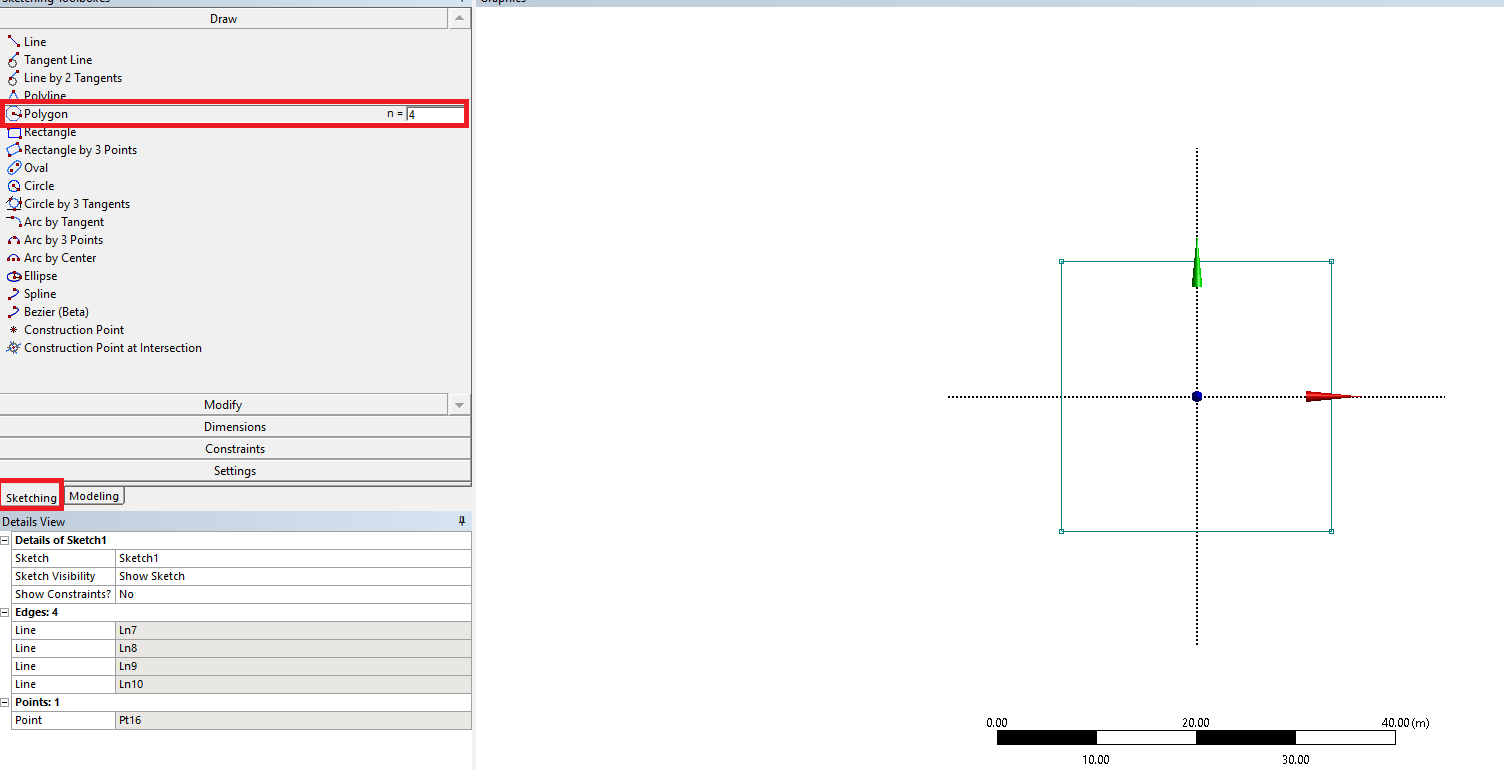
      I guess, you are using Design Modeler for creating the geometry. You can draw a rectangle using the polygon option under sketching with sides equal to 4. First, click on the Polygon tool, enter the number of sides, and now click on the sketch plane for the center of the rectangle.

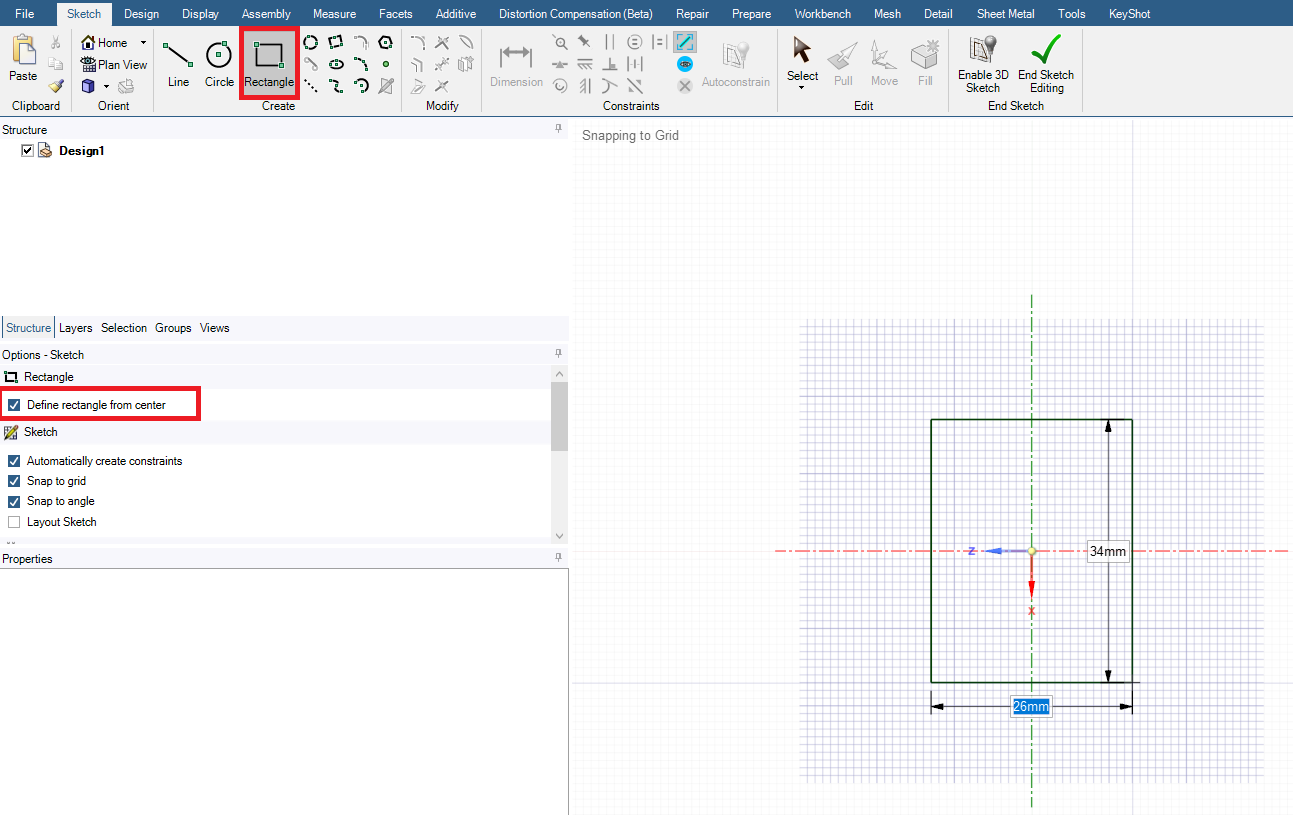
      You can also use SpaceClaim for creating geometry. In SpaceClaim, you can draw a rectangle from the center by selecting the ‘Define rectangle from center’ option as shown in the below image.

      Thank you,

      Akshay Maniyar

      How to access Ansys help links

      Guidelines for Posting on Ansys Learning Forum


Viewing 1 reply thread
  • The topic ‘Basic questions about geometry drawing’ is closed to new replies.
[bingo_chatbox]