TAGGED: integration-point, shell
-
-
May 5, 2023 at 3:52 pm
Cody Kerr
SubscriberIs there a way to set the number of integration points or change the element type (reduced or fully integrated) in Mechanical? It appears that mechanical automatcially creates 3 integration points and reduced integration Shell 281 elements when you use a quadratic mesh on a shell element. All the examples I found online use APDL commands, but is there a way to do it through the mechanical interface?
-
May 6, 2023 at 11:07 am
Akshay Maniyar
Ansys EmployeeHi Cody Kerr,
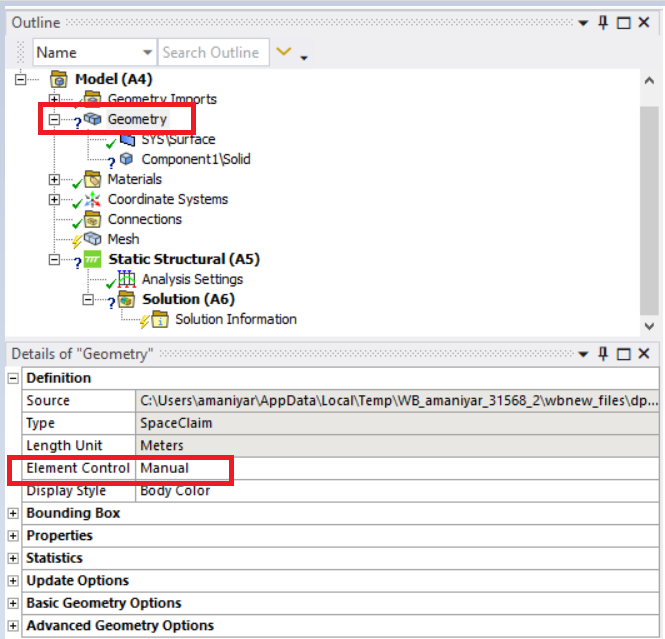
There is an option to change the integration scheme for hexahedral elements. First, you will have to set the element control option under geometry to manual.
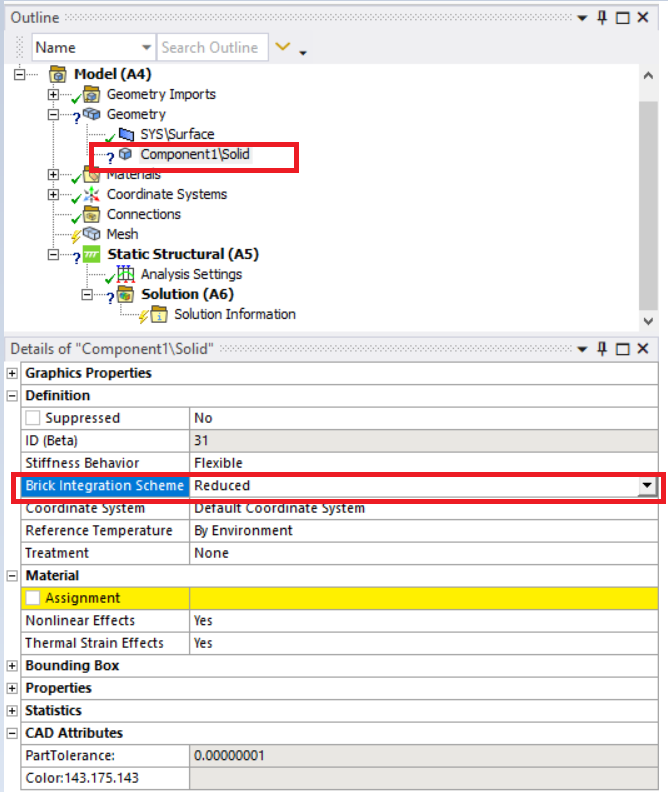
Then, use the ‘Brick integration option’ for 3D solids to set the integration scheme as full or reduced.
The above option is only supported for hexahedral element types as per the Ansys help documentation.
Thank you,
Akshay Maniyar
How to access Ansys help links
Guidelines for Posting on Ansys Learning Forum
-
May 8, 2023 at 12:41 pm
Cody Kerr
SubscriberThank you for the reply. However, this option does not work for the shell elements I am using.
-
May 9, 2023 at 6:04 am
Akshay Maniyar
Ansys EmployeeHi Cody Kerr,
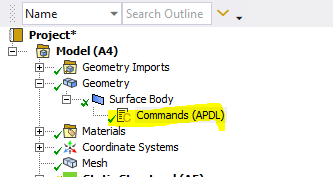
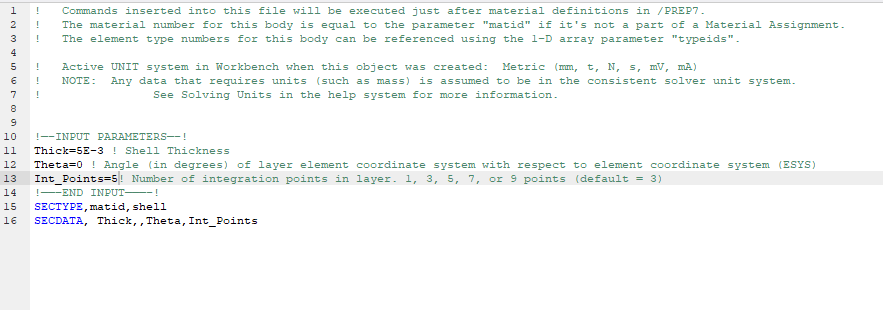
For surface bodies, you will have to use the command snippet to set integration points. As per the Ansys help link I shared previously, the above option is only supported for hex elements.
Thank you,
Akshay Maniyar
How to access Ansys help links
Guidelines for Posting on Ansys Learning Forum
-
May 9, 2023 at 11:51 am
Cody Kerr
SubscriberI can't get MAPDL to open but I didn't know about command snippets, that is exactly what I was looking for thank you! Do you know where I would input the Sectype command to set the number of integration points? After the mesh?
-
May 9, 2023 at 12:17 pm
-
- The topic ‘Set Integration Points in Mechanical’ is closed to new replies.
-
4959
-
1639
-
1386
-
1242
-
1021
© 2026 Copyright ANSYS, Inc. All rights reserved.