Fluids

Fluids

Topics related to Fluent, CFX, Turbogrid and more.

Missing domain in boundary conditions while simulating melting of 3D PCM

    • f20180958
      Subscriber

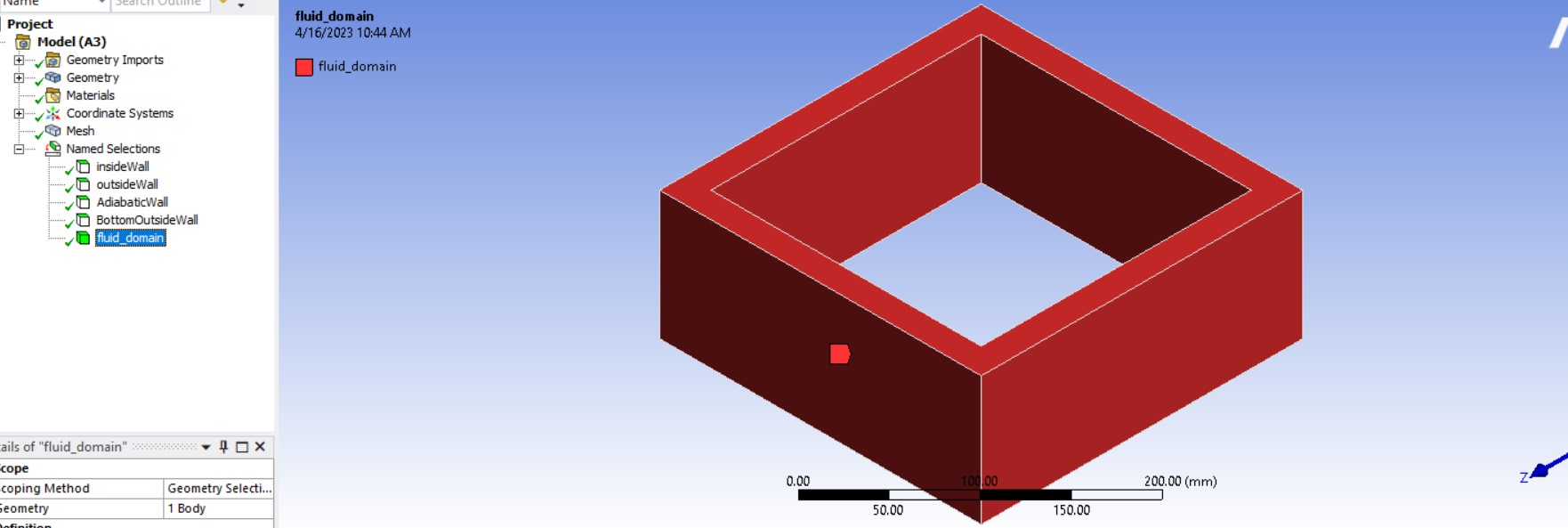
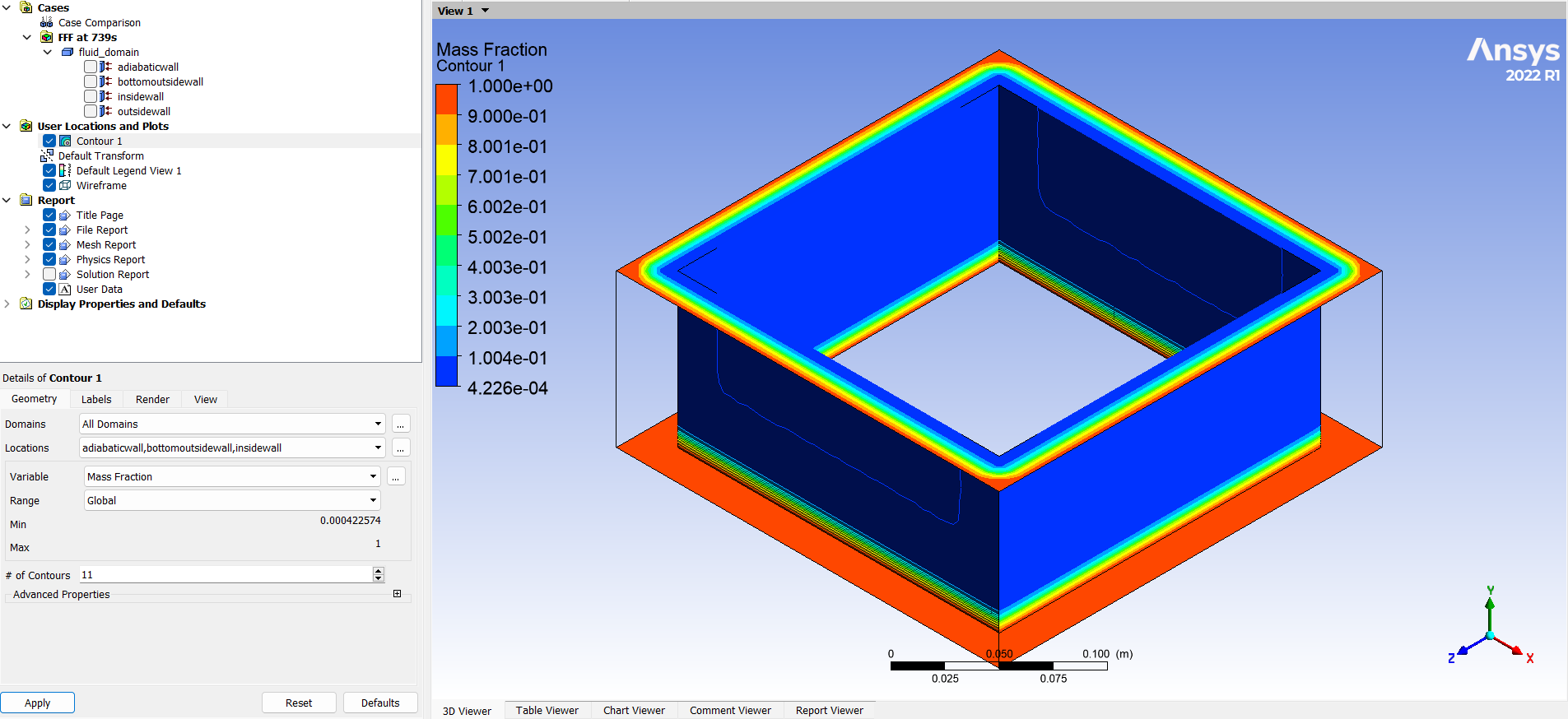
      I am simulating the melting characteristics of a 25 mm thick hollow cube like structure as shown in figure below:

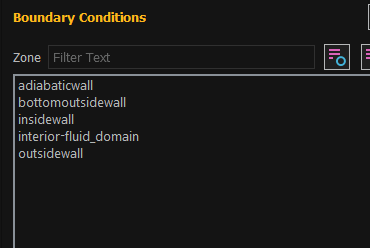
      But in the boundary conditions, I am not able to find the fluid_domain which I named while meshing. Below is the boundary conditions from Fluent setup:

      And here are the named selections from the mesh:

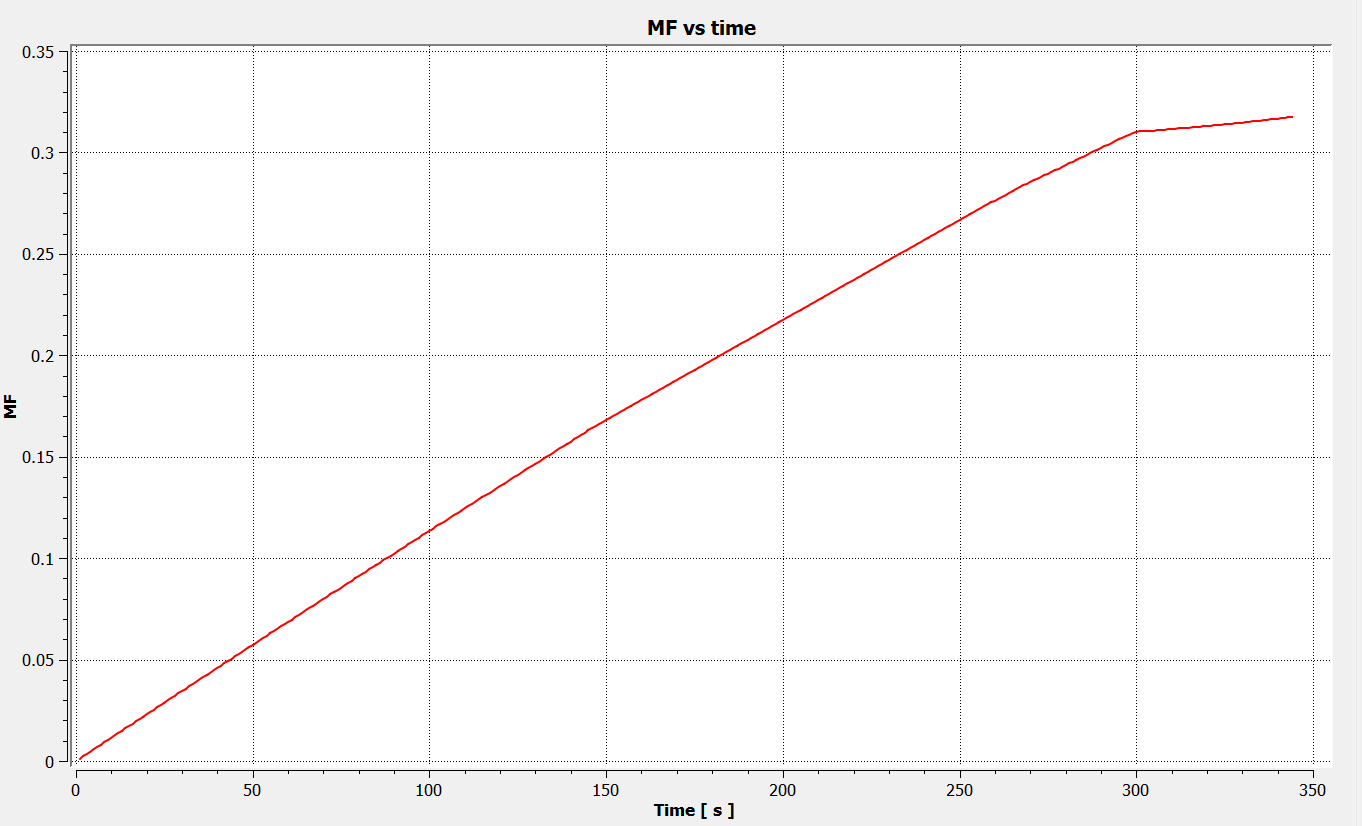
      The aim is to generate a curve with time vs %PCM melted. But because the domain is lacking, I am not able to perform volume integral in post processing to get the desired curve.

    • NickFL
      Subscriber
      You have the fluid domain named selected defined for the body. The rest of the named selections are on faces. This is why the others appear on the Boundary Conditions panel and fluid_domain does not. Boundary conditions, as the name implies, are faces on the boundary. If you want to access the fluid domain, look under Cell Zone conditions. This is where we interact with the volumes themselves.
    • f20180958
      Subscriber

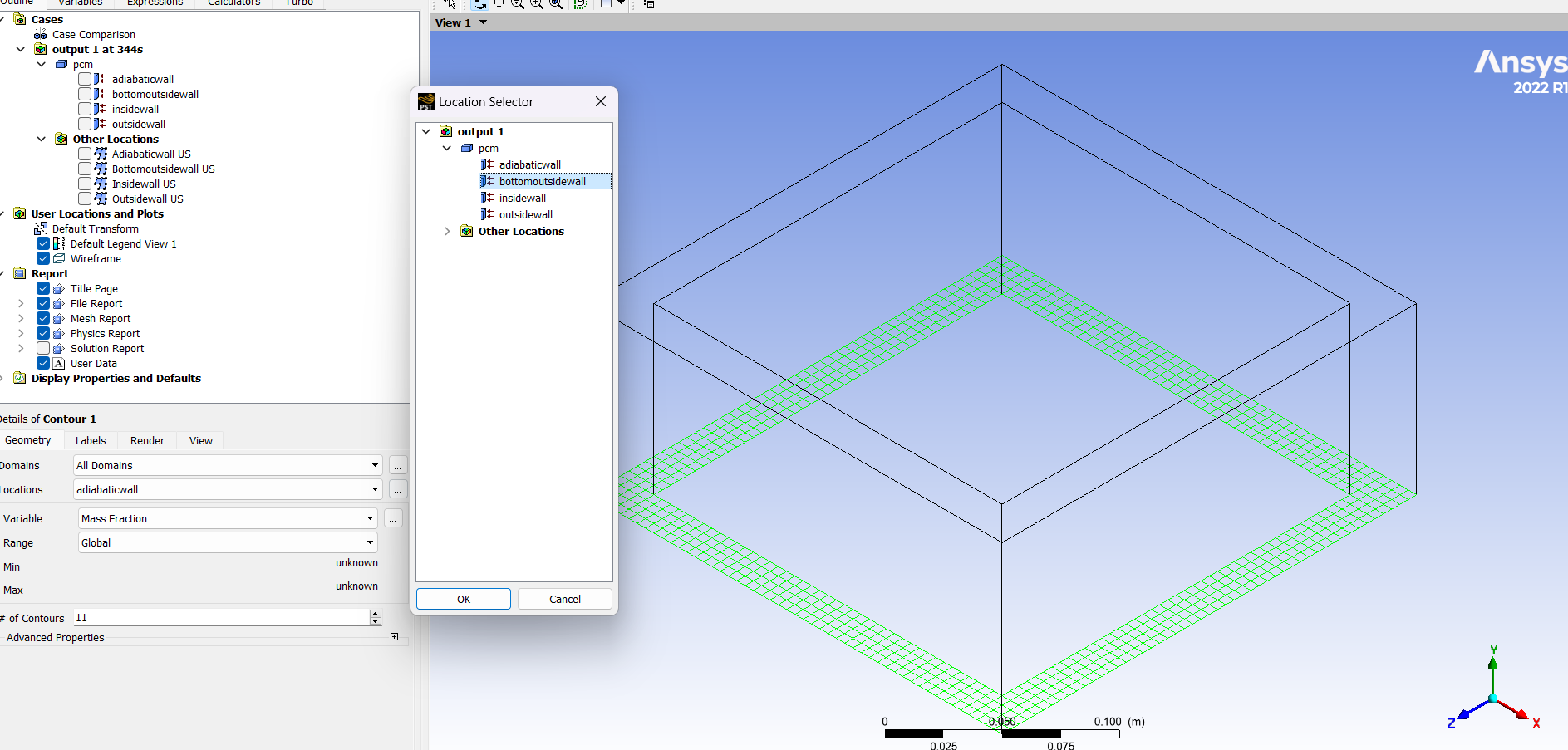
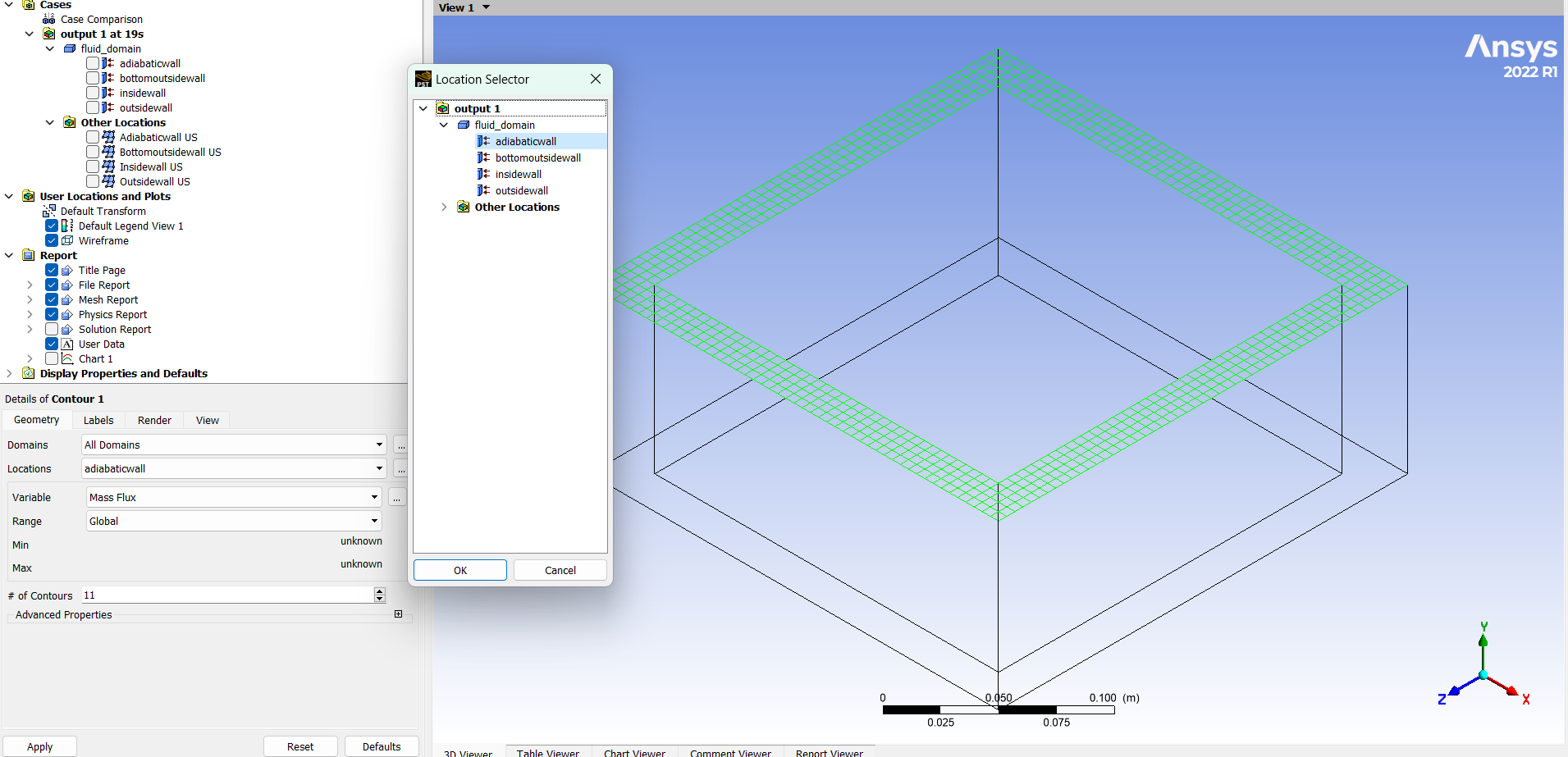
      I am actually facing issues in post processing the data. Like not being able to view the melting in the interior domain of the cube. Only on the surfaces. I am not able to select the interior domain in the locations as shown below:


    • NickFL
      Subscriber

      You are using CFD Post. Did you export the 3D values or only the surface values? If you run a cutplane through the domain do the results show up there? Or is it just the outline. This will help identify what was transferred to the post-processor.

      Is there are reason you cannot post-process the results you want in fluent?

    • f20180958
      Subscriber


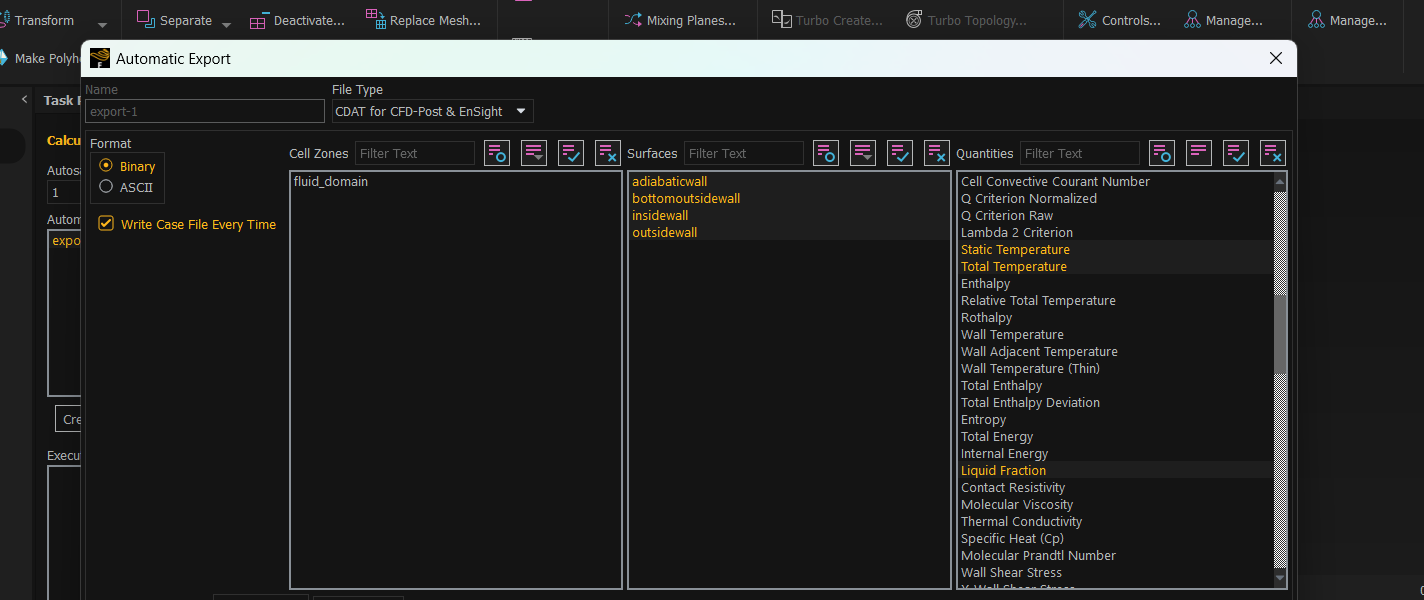
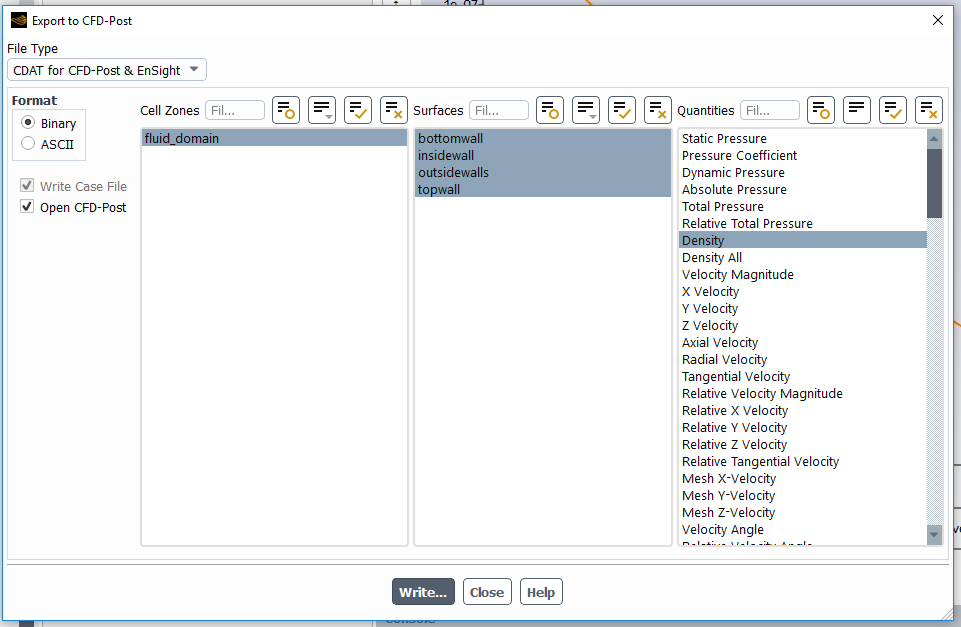
      I did not have the option to export the 3D values, only surface values are available. That was the reason which caught me up in thinking that something might be wrong with the named selections maybe:

      When I run a cutplane, results don’t show up in the volume inside. It is just the outline. I want the complete graph of Melt Fraction (MF) vs time as shown below. It is very easier to do that in CFD-Post as I have used that previously but I am open to using Fluent as well, not sure how to do so though.


      • NickFL
        Subscriber

        Can't you export the cell zone values? Cell zones are the volumes. Surfaces are just that, 2D surfaces.

        Once you have the 3D in CFD Post, then you can use the cutplanes to sample that 3D data.

    • f20180958
      Subscriber

      any hint about how to do that? or where can I learn to do so? If not, I will begin looking for it right now.

      • NickFL
        Subscriber

        Look on the first picture of your last post. You have the surfaces selected (orange) but not the cell zone (fluid_domain).

    • f20180958
      Subscriber

      I'll try it out and will get back.


    • f20180958
      Subscriber

      Still not able to access the inside of the cube in post-analysis


      • NickFL
        Subscriber

        Create a cutplane under Users Locations and Plots. Then plot what you want on this surface. You will see that the results are there.


    • f20180958
      Subscriber

      Ah, I get it. Alright. Thanks a lot @NickFL. That's a lot of effort you put in to help me out. Appreciate it.

Viewing 8 reply threads
  • The topic ‘Missing domain in boundary conditions while simulating melting of 3D PCM’ is closed to new replies.