-
-
March 18, 2023 at 8:47 am
Aras karimi
SubscriberHello Ansys community,
Â
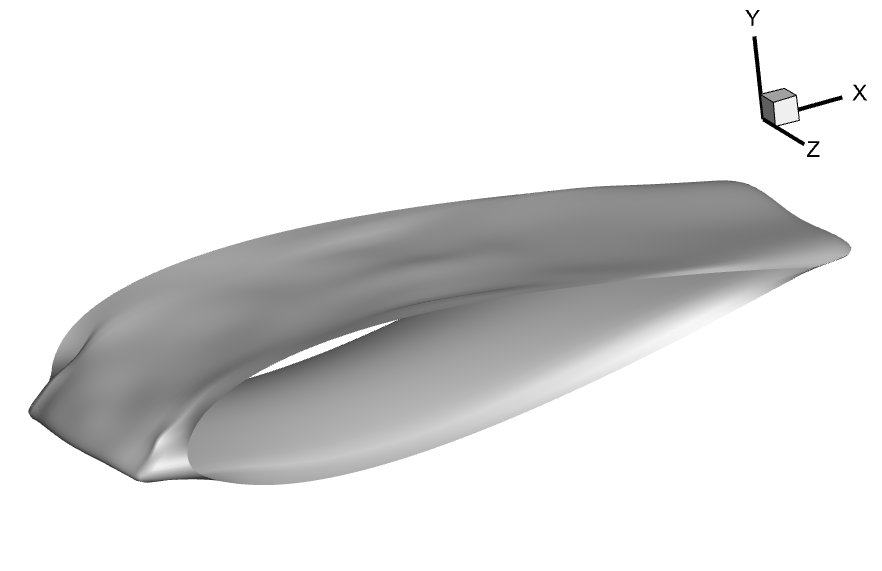
I have a some of XYZ data of a 3D geometry in text format(.txt).These data are export from Tecplot software.I want to create the geometry from these points in Design Modeler and use Anasys Fluent to simulate the flow on it.
What steps do you suggest so that I can convert the text file to solid geometry in Design Modeler ?
Â
Thank you for your help with my question
-
March 20, 2023 at 6:03 am
Nanda
Ansys EmployeeHi Aras,
You need to create a coordinate file format which will be recognized by Ansys Designmodeler. Let’s say you are trying for a curve and you input only X, Y, and Z coordinate data points. When you put this data into designmodeler, you’ll get an error and zero points will be generated. You need to add 2 more columns to your data points to make the data compatible with designmodeler. The supported file formats are *.txt, *.csv . Just copy the data points you have into an excel sheet, add the necessary columns using the format given below, and save the file in .txt or .csv format. Make sure all the coordinates have exact number of decimals.
Coordinate file format
Column 1
Column 2
Column 3
Column 4
Column 5
Group number (Integer>0)
ID number (Integer>0)
X-coordinate
Y-coordinate
Z-coordinate
1 for open curve
2 for closed curve
1
 0.1000
 0.5000
 0.0000
Â
2
 0.2000
 1.0000
 0.0000
Â
3
 0.3000
 1.5000
 0.0000
Â
4
 0.4000
 2.0000
 0.0000
Â
5
 0.5000
 2.5000
 0.0000
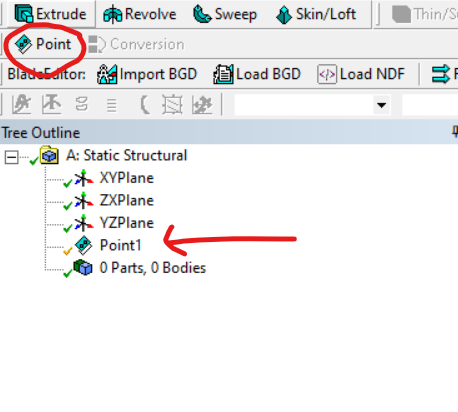
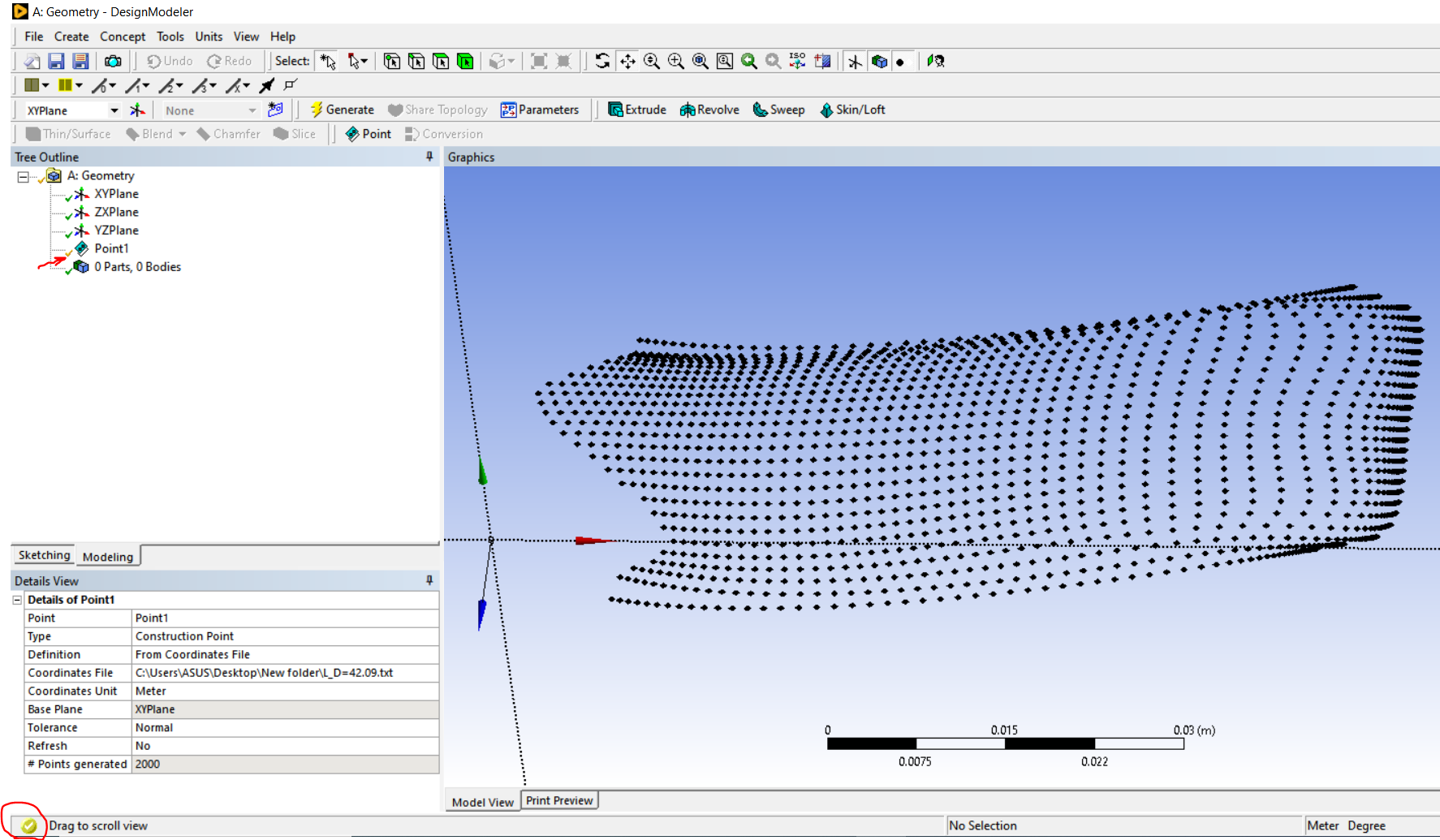
 Now all you need to do is import this file into Designmodeler using POINT tool. Make sure your units in DM and your data are similar. Once your points are generated, you can generate a curve using 3D CURVE tool.
Regards,
Nanda.
-
March 20, 2023 at 11:10 am
Aras karimi
SubscriberHi Dear Nanda,
This type of text file format is for the case that the 3D geometry does not have distortions on its surfaces, in which case we can put its Z column in the text file as zero and easily open it in Design Modeler.
But my 3D geometry has distortions and roughness on its surfaces, which usually cannot be considered as zero column in the text file.
How can I convert XYZ data from this geometry to solid geometry in Design Modeler ?Best regards
-
March 20, 2023 at 12:37 pm
Nanda
Ansys EmployeeHi Aras,
I have just made a generic format for a better understanding, you can try with x,y, and z data you have and generate a model using the same method. Let me know if this doesn't help.
Regards.
-
March 21, 2023 at 4:14 pm
Aras karimi
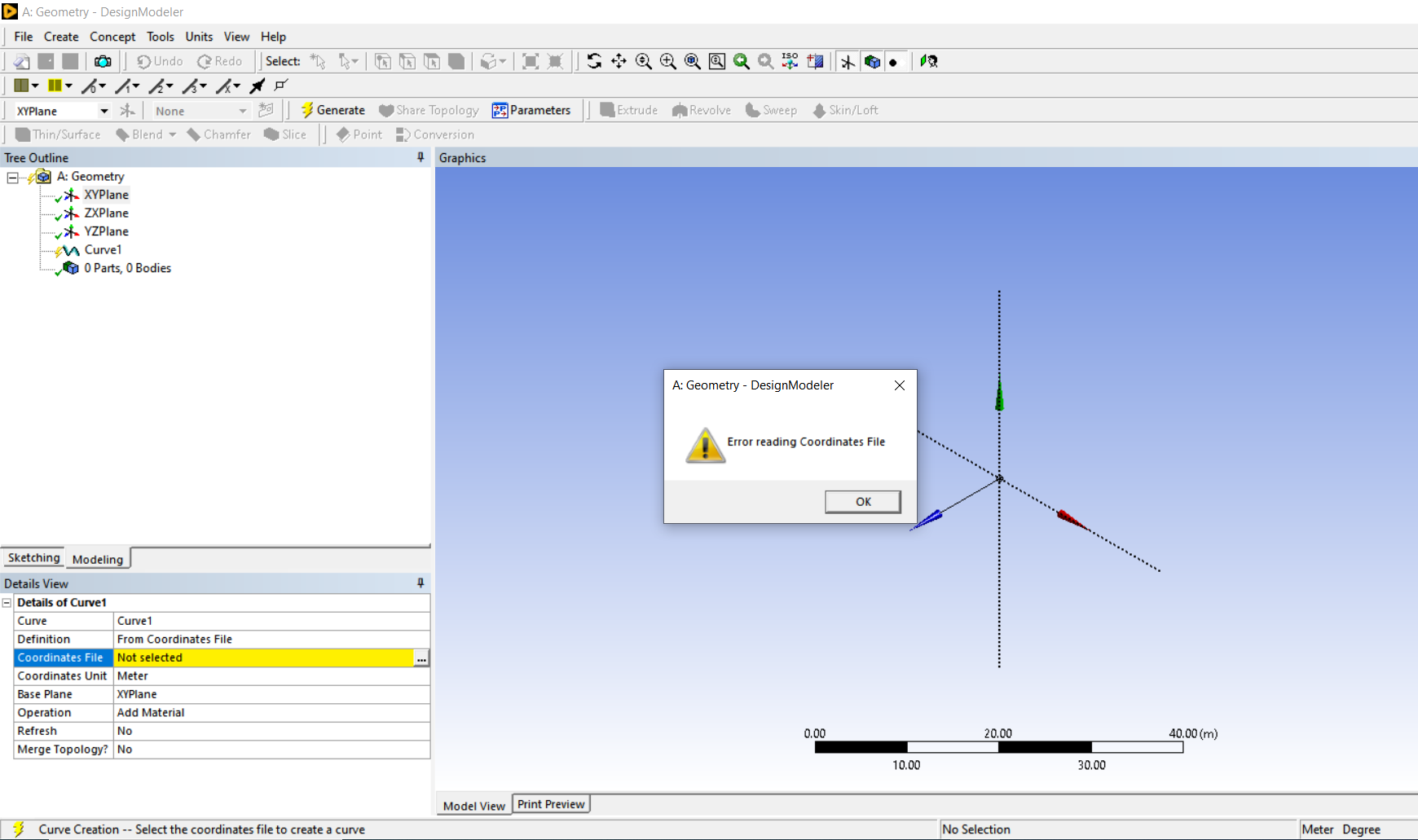
SubscriberI created the XYZ geometry data text file in the format you sent above (in the z column, I put the z specific values of the geometry instead of zero) and tried to open it in Design Modeler, but I get an error of not reading the file.
How can I attach the geometry text file here ? -
March 22, 2023 at 3:16 pm
Nanda
Ansys EmployeeHello Aras,
We are not allowed to download any kind of files, can you put a screenshot of the error you're facing?
Regards,
Nanda.
-
March 22, 2023 at 4:23 pm
Aras karimi
Subscriber-
March 22, 2023 at 4:28 pm
-
-
March 22, 2023 at 4:34 pm
Aras karimi
SubscriberI have been struggling with this problem for a long time to create a solid geometry for these points. If possible, I will attach the notepad data file here.
-
March 22, 2023 at 5:07 pm
Nanda
Ansys Employee-
March 22, 2023 at 5:31 pm
-
-
March 23, 2023 at 10:52 am
-
- The topic ‘Importing XYZ point data, making a surface for the bed of a CFD solution domain’ is closed to new replies.
-
4683
-
1565
-
1386
-
1242
-
1021
© 2025 Copyright ANSYS, Inc. All rights reserved.