Ansys Assistant will be unavailable on the Learning Forum starting January 30. An upgraded version is coming soon. We apologize for any inconvenience and appreciate your patience. Stay tuned for updates.
3D Design

3D Design

Topics related to Ansys Discovery and Ansys SpaceClaim.

view manipulation in spaceclaim drawing

TAGGED: 

    • samLeap
      Subscriber

      When placing a plan view in spaceclaim, the orientation is not quite right. The snap to face was used to place the PLAN view, but it is not in the right orientation, the view needs an in plane rotation so it is placed appropriately. What controls the local XY axis of the initial placement ? this doesn't seem to be tied to global orientation as part is tilted somewhat.

      Even initially default plan view was tilted in 2 planes which is why snap to face had to be used initially.

      Any help appreciated.

    • Gaurav Sharma
      Ansys Employee

      Hi samLeap

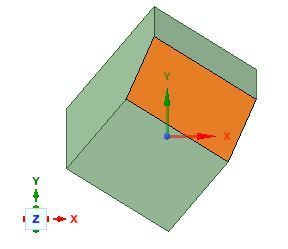
      For a part which is not inclined with global axis, we can create a plan view and the same can be called in the design sheet. I tried this approach by creating a plan view named "tilted" and it appears to be working fine for me:


      Can you please elaborate more on whats going wrong at your end or what am I missing to reproduce your observation.

      Thanks & Regards,

      Gaurav

    • samLeap
      Subscriber

      Your view is nicely oriented, perhaps because face is rectangular, in my customer's case it is basically an elbow bend transition. he clicks on a circular face, and the plan view has the view rotated 45 degrees in plane.

      I will try the named view approach.

      • Gaurav Sharma
        Ansys Employee

        samLeap 

        I understand. By any chance is it possible to share the customer's geometry (or a simplified sample) that will help me reproduce it at my end. It seems like an interesting case to discuss with development.

        In case the model is confidential, you can send it through e-mail to us at ansys-discovery-support@ansys.com

        Thanks & Regards,

        Gaurav

    • samLeap
      Subscriber

      I asked customer for model, but he is unable to share. He manually did a planar rotation.

      • Gaurav Sharma
        Ansys Employee

        samLeap 

        Other way round can be having a plane placed at the desired location and use a plan view with reference to this plane. That should help.

        Please let me know if I can provide any further assistance.

        Best Regards,

        Gaurav

Viewing 3 reply threads
  • The topic ‘view manipulation in spaceclaim drawing’ is closed to new replies.
[bingo_chatbox]