Ansys Assistant will be unavailable on the Learning Forum starting January 30. An upgraded version is coming soon. We apologize for any inconvenience and appreciate your patience. Stay tuned for updates.
3D Design

3D Design

Topics related to Ansys Discovery and Ansys SpaceClaim.

Discovery Spaceclaim to Workbench

TAGGED: 

    • ajones
      Subscriber

      Hi, 

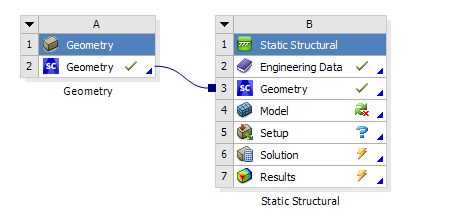
      I am running Discovery and Workbench 2019R2. After creating a Geometry in Discovery Spaceclaim using a Discovery Essentials License, I export it to workbench. I am then unable to link that model to Mechanical.  

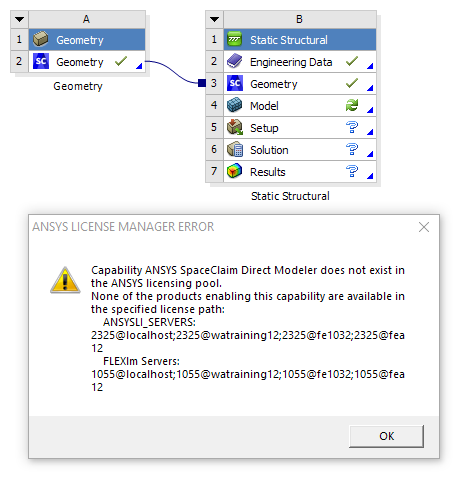
      Mechanical opens fine (I have a Mechanical Pro License) but the Geometry fails to attach with an error stating that I do not have a SCDM license in the pool. 

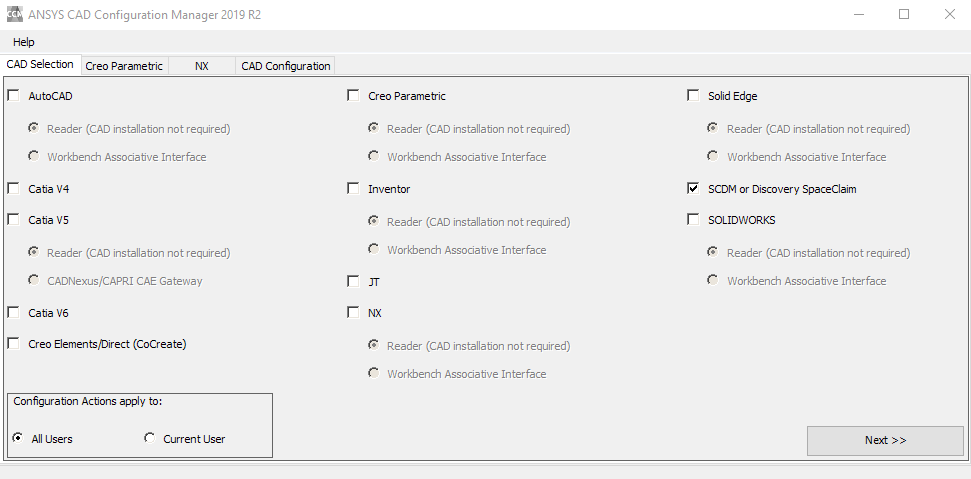
      Is there an issue with the Discovery Plug-in? I have run the CAD configuration for SCDM and Discovery but this made no difference. 

    • Naresh Patre
      Ansys Employee

      Hello Alex

      Can you cross check whether you selected "SCDM or Discovery SpaceClaim" option within SpaceClaim and configured? Also, was the configuration successful?

    • ajones
      Subscriber

      Hi Naresh Patre


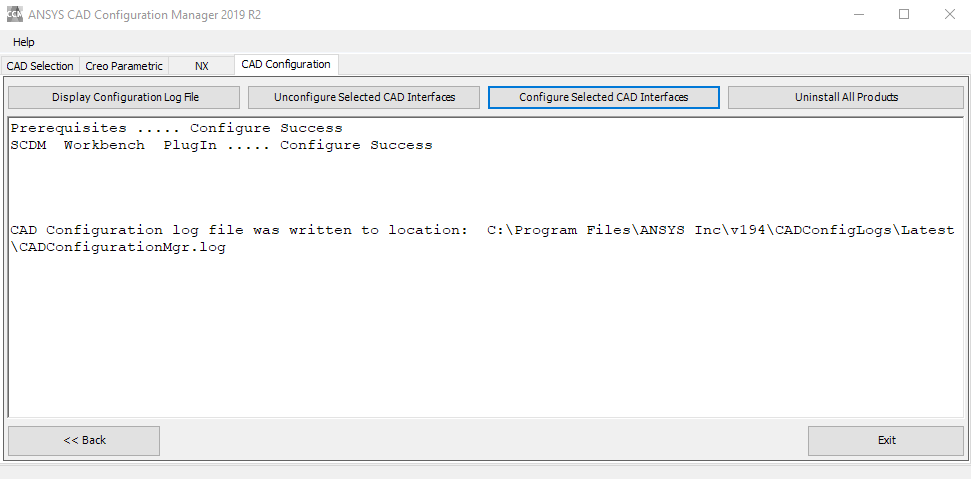
      I selected SCDM or Discovery Spaceclaim then ran the configuration. 

      It was successful but does only show the SCDM Workbench plug in. 

    • Naresh Patre
      Ansys Employee

      Hi Alex

      I am checking with the team and will let you know. Meanwhile, you can open a new Workbench session and import the Discovery SpaceClaim geometry and proceed further. 

    • ajones
      Subscriber

      Hi Naresh Patre

      Thanks for the update

      I imported the Discovery Geometry into a new workbench session and the same error occurred when trying the update the Model component. 

    • Naresh Patre
      Ansys Employee

      Hello Alex

      Which Discovery Essential license do you have - subscription or enterprise (floating)?

    • ajones
      Subscriber

      Hi Naresh Patre


      I have an Enterprise Essentials license

      It seems that this problem can be fixed by using SCDM as an external CAD system. Not sure why this works though. 

    • Naresh Patre
      Ansys Employee

      Hello Alex

      Good to know that you are able to import the file using External CAD option. I am investigating this issue and will let you know.

    • Naresh Patre
      Ansys Employee

      Hi Alex

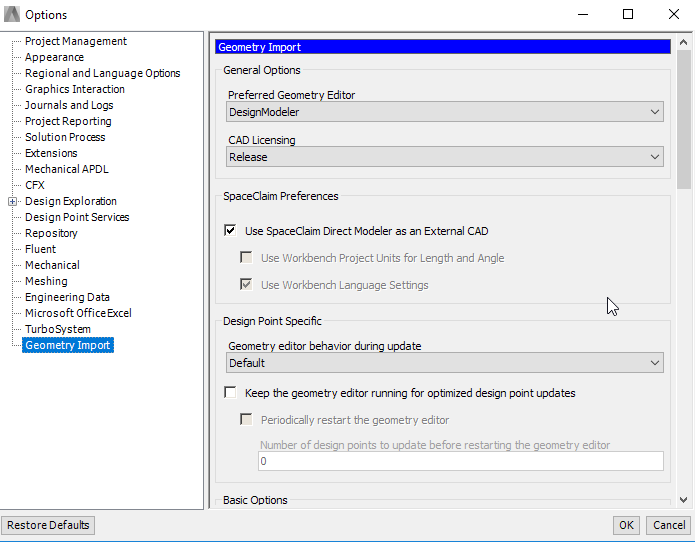
      Can you disable "Use SpaceClaim Direct Modeler as an External CAD", then repeat the process to reproduce the error and once done, send the client side diagnostics as per steps listed in below article? Send the Diagnostics zip file to ansys-discovery-support@ansys.com.

      Discovery Enterprise licensing: Gathering diagnostic information - Knowledge Base - Ansys Discovery Forum

    • ajones
      Subscriber

      Hi Naresh ,

      Sorry I have taken so long to get back to you, this problem seems to have been resolved with workbench 2019R2 no longer requiring a SCDM license to transfer imported CAD geometry from Discovery Spaceclaim to Mechanical. Even when SCDM isnt treated as an external CAD

      Not sure what changed, but it has done the trick

      Thanks for your help 

Viewing 9 reply threads
  • The topic ‘Discovery Spaceclaim to Workbench’ is closed to new replies.
[bingo_chatbox]