TAGGED: Discovery AIM
-
-
May 12, 2021 at 12:56 pm
thornyak
Subscriber
Hello!
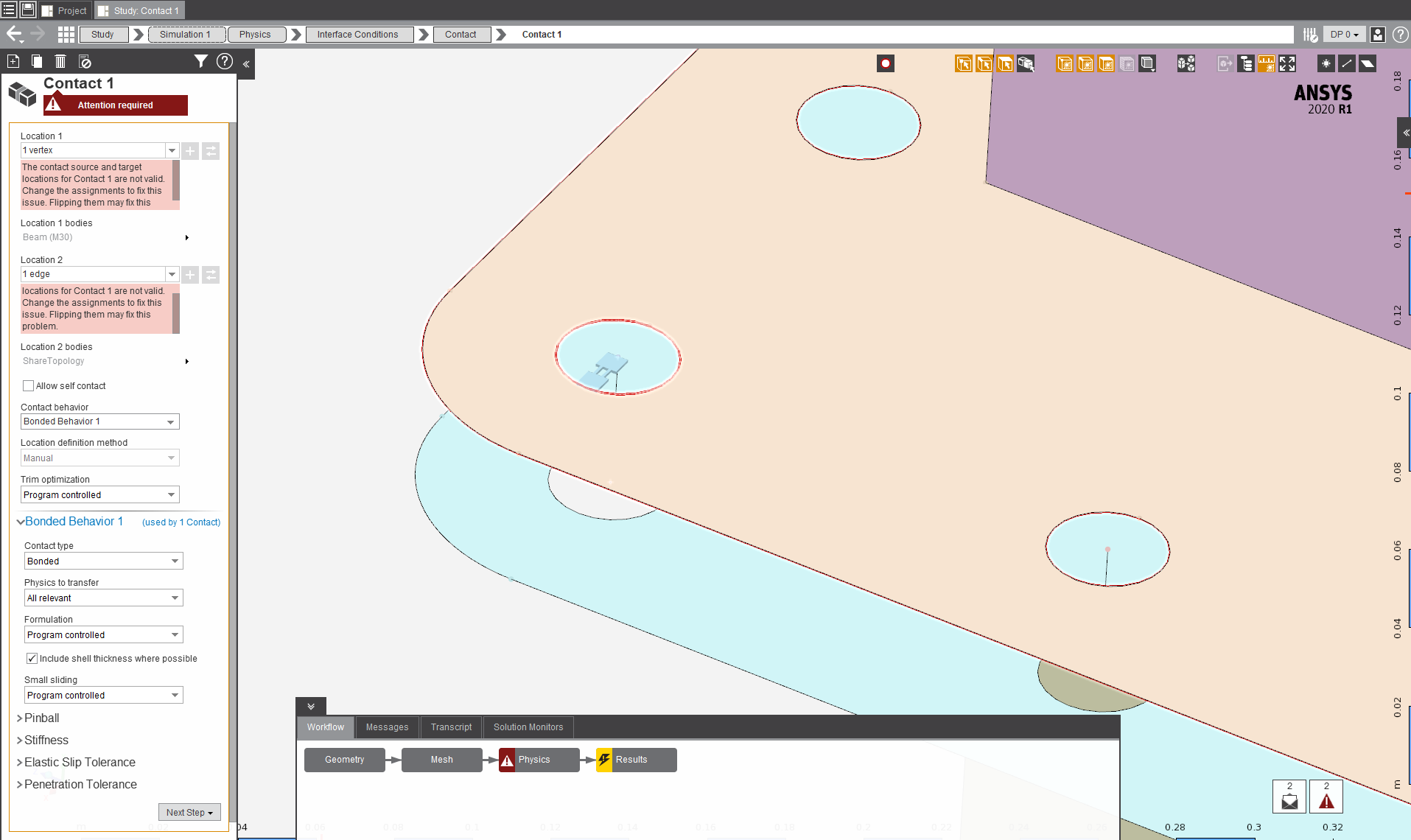
In AIM 2020R1, If I try to model a bolted connection with beam element (line body), then I can't set up bonded contact between beam's vertex and bolt hole's edge. Can you explain this please?
Other:
Can you recommend a workflow/best practice for idealising bolted connections inside AIM if I need to create multiple identical bolts, please? Are there any tips&tricks to speed up the bolt generating process instead of manually and individually create one bolt and it's connection to the plate?Regards.
-
May 13, 2021 at 9:31 am
subashni.satish
Forum ModeratorHello Tamas
Bonded contact cannot be applied on vertices. You can add a Beam end release interface condition to define the interaction between the Beam and the edge.
Bolt Pretension Structural condition can be Modelled as per bolt location or as common for all locations, but modelling the bolt beam element interaction needs to be done manually at each location.
-
May 13, 2021 at 10:03 am
thornyak
SubscriberHello Subashni
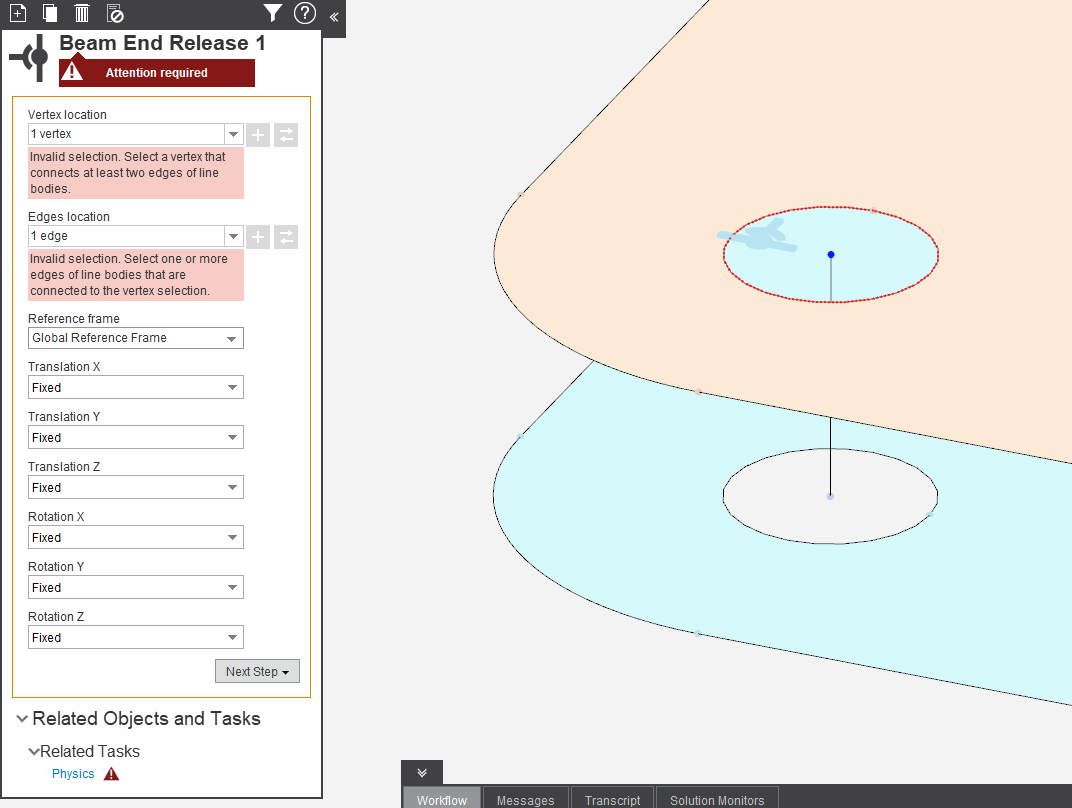
Beam End Release only can be applied on vertices sharing two or more beams, see AIM' help:
"To define a beam end release:
1. For Vertex location, select the vertex location where the end release is to be applied. This vertex must
be shared by two or more beams."See following pitcutre as well:
Â
Can you illustrate me (or send a file)Â how to idealise a bolted connection with shell elements for plates and beam elements for the bolts including the bolt holes as well, please?Â
-
May 31, 2021 at 7:23 am
thornyak
SubscriberHello Subashni
Can you give me an update about this post?
-
- The topic ‘Contact between vertex and edge not working in AIM’ is closed to new replies.

-
6515
-
1906
-
1463
-
1309
-
1022
© 2026 Copyright ANSYS, Inc. All rights reserved.