Fluids

Fluids

Topics related to Fluent, CFX, Turbogrid and more.

DPM File Read Issue

TAGGED: 

    • Theodore St George
      Subscriber

      Hello, I've been trying to use DPM File Read with Execute Commands and having an error.

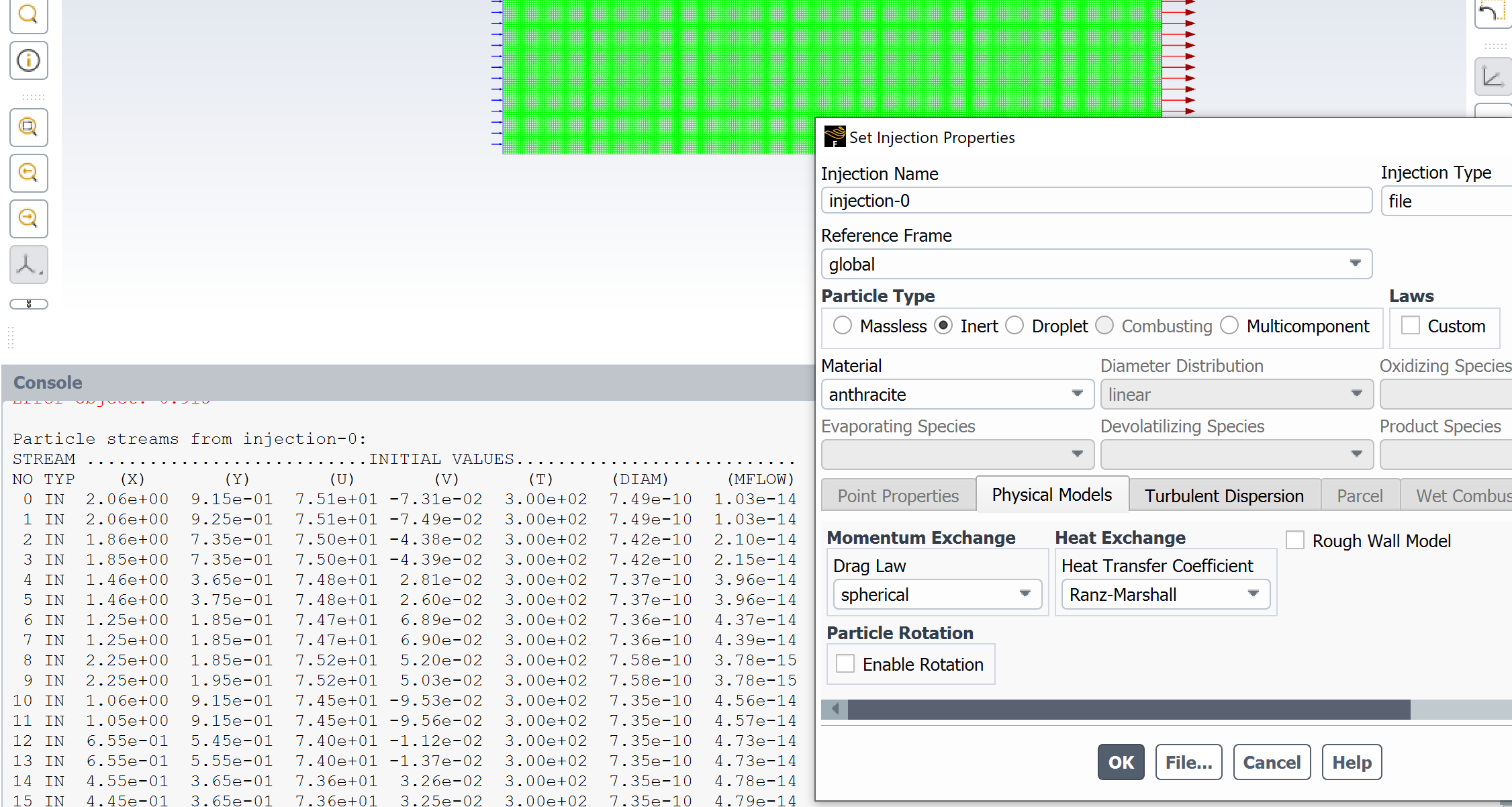
      I've created a .inj file with an UDF and am able to create a file injection that is able to import the particles correctly (image below)

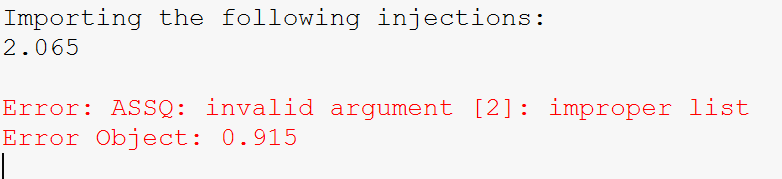
      This shows up in the TUI after selecting List Particles in the Injections panel. However, if i try to just read in the .inj file with the Read... command I get the following:

      These two values correspond to the first two x,y values shown in the prior image. For the project I'm working on, I need to create a new injection file every DPM iteration, so I'm deleting the prior injection with Execute Commands: 

      define/injections/delete-injection/injection-0

      I then read in the new injection file:

      file/read-injections/injection-0.inj

      However, the last command creates the same result as the Read... command within the Injections panel. 

      Is there anything I'm missing here?


    • Rob
      Forum Moderator

      Why are you creating and reading a new file every DPM update? 

      As a guess (I've not tried this) when you delete the injection file what happens to the injection itself? It's possible the loss of the file is scrambling something in the set up: scheme can be sensitive to "odd" workflows. 

    • Theodore St George
      Subscriber

      Rob, I'm checking each cell for condensation conditions, then creating an injection reflecting that. I'm importing/deleting the injection every DPM iteration as it needs to iterate to reach steady state.

      Turning off the injection-import command, it successfully deletes the injection file, the hangup is on the Read command. I am able to record a macro with the following sequence, which is sucessful and can achieve the same result, albeit significantly slower:

      Injections -> Create

      Set Injection Properties -> Injection Type -> File

      File... ->(selected file)

      Particle Type -> Droplet 

      OK

      Like I mentioned previously, there seems to be an issue with Read... command, both in the Injections window, as well as within the Execute Command. Here are the first two lines of the injection if you would like to try yourself.

      (( 1.45500e+00 3.65000e-01 0.00000e+00 7.05281e+01 2.44332e-02 0.00000e+00 7.584407125289650098826768098747e-10 3.00042e+02 3.937350888379334781415850515206e-15 ) )
      (( 1.45500e+00 3.75000e-01 0.00000e+00 7.05283e+01 2.26287e-02 0.00000e+00 7.584305312919913066064120444926e-10 3.00042e+02 3.941777374810613041885301707001e-15 ) )


    • Rob
      Forum Moderator

      Ah, are you deleting the injection, or deleting the injection file? The former ought to work but will need you to create a new injection. 

    • Theodore St George
      Subscriber

      I'm just deleting the injection, the injection file is overwritten with the new data each iteration from the UDF. Does the Read command not create a new injection?

    • Rob
      Forum Moderator

      No, I think you need to delete the injection and then create an injection. The TUI commands may well be safer than GUI macros too. 

    • Theodore St George
      Subscriber

      Rob, thanks for the help, looks like 

      define/injections/create injection-0 ... file ... injection-0.inj accomplishes what i'm looking for. What's the use case for the read-injections or the Read... command?

    • Rob
      Forum Moderator

      That's to allow an injection setup to be written and then read into another case. So, the file also contains surface settings, material types etc.  The injection-file you're using is the postion data etc of the particles. Very subtle difference!  It's a function that's useful where you set up many similar models, less so for "one off" work. 

Viewing 7 reply threads
  • The topic ‘DPM File Read Issue’ is closed to new replies.