Ansys Assistant will be unavailable on the Learning Forum starting January 30. An upgraded version is coming soon. We apologize for any inconvenience and appreciate your patience. Stay tuned for updates.
Electronics

Electronics

Topics related to HFSS, Maxwell, SIwave, Icepak, Electronics Enterprise and more.

How to find the face number on HFSS model

    • Thomas Rodriguez
      Subscriber
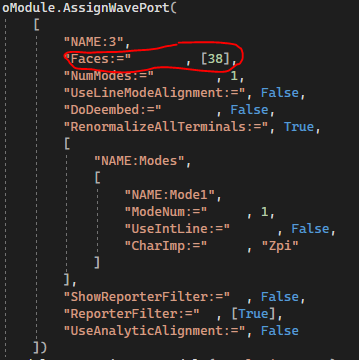
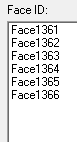
      I am trying to run a script that builds a transistor and assigns an excitation to one of the faces of a box (there are a few boxes that need an excitation, but I want to get one working before I add the others). However, whenever I try to run the code, I get an error that that FaceID is incorrect. When I try to look up the FaceID of all the objects, the numbers are getting bigger each time I run the code. So the code has to change each time, which confuses me. I delete all the objects on the HFSS model before I run the script everytime so that I can see my device being built each time. What should I do fix this issue? This is a big bottleneck for my work.
    • gbonomo
      Subscriber

      I am also very interested in this topic, have you found any solution?

    • Praneeth
      Ansys Employee

      Hi Thomas,

      Thank you for reaching out to the Ansys learning forum and your patience is much appreciated.

      If you are interested to select a particular face, then you can use "select face by plane" instead of face id. Please go through "selecting faces by plane" section of the HFSS help document for detailed information. Alternatively, you can go through this online help link - Ansys Electronics 2023 R1 - Selecting Faces by Plane.

      Best regards,
      Praneeth.

Viewing 2 reply threads
  • The topic ‘How to find the face number on HFSS model’ is closed to new replies.
[bingo_chatbox]