TAGGED: animation-playback, fluent, particle-tracking
-
-
November 13, 2022 at 8:55 am
Nicholas Alberg
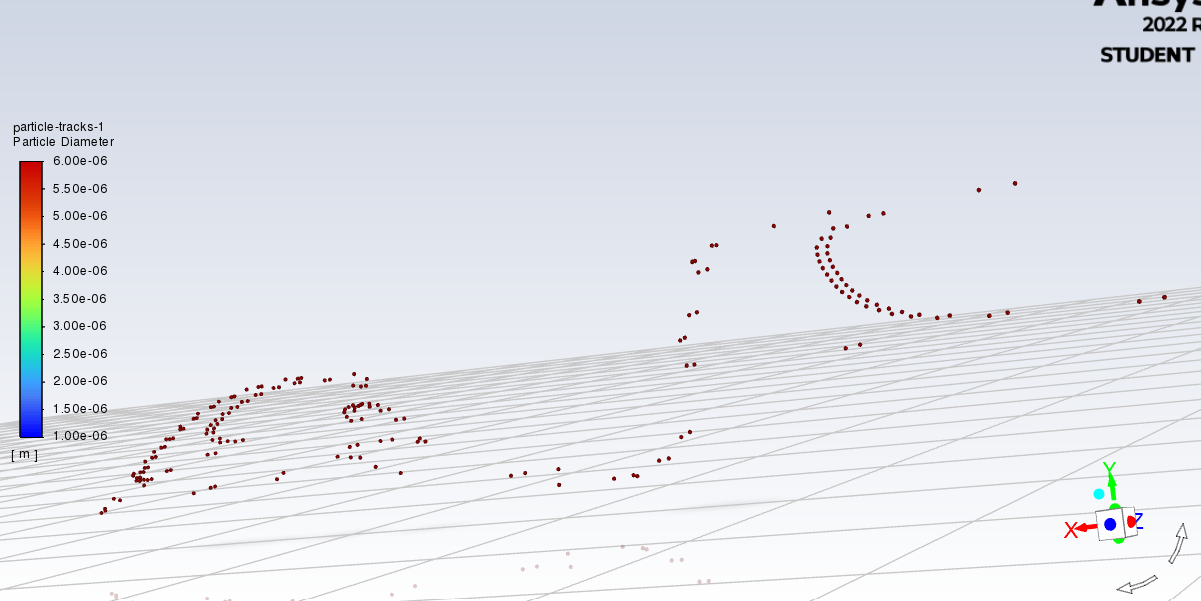
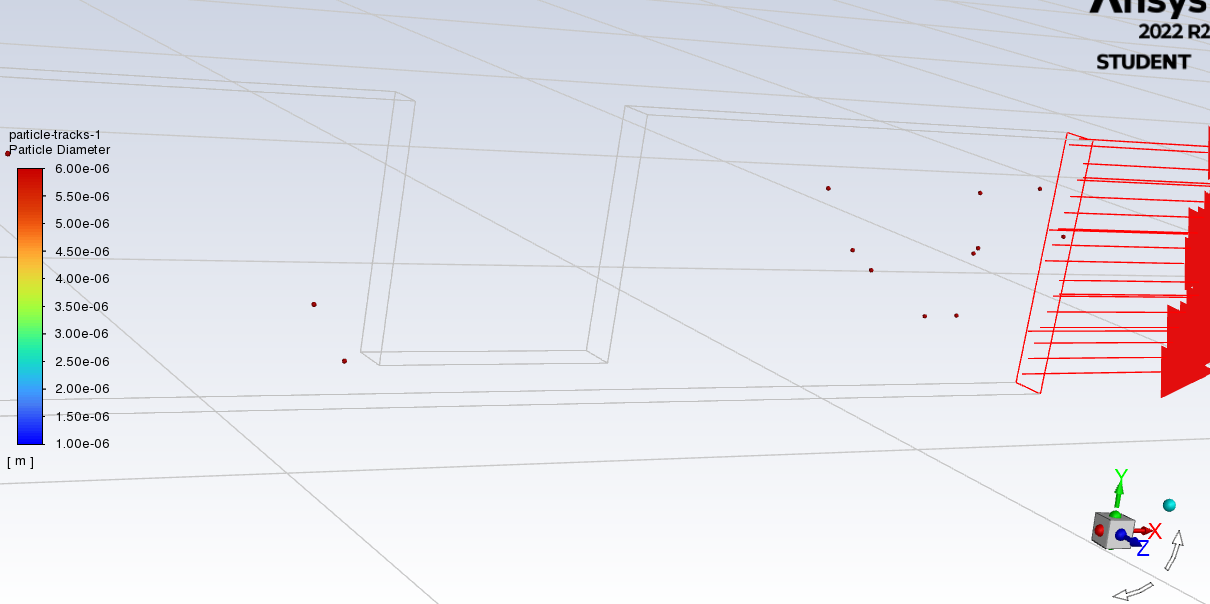
SubscriberI'm currently trying to model particle flow in a microfluidic chip and as such am trying to create an animation of the particle tracking. However, eventhough 'draw mesh' was checked in the particle-tracks object during setup, the mesh does not appear in the created animation (first picture). I've been able to display the mesh with the particle tracking both before calculation and after calculation (second picture), but once pressing calculate the particle tracking used for the animation appears in a second window, without the mesh. Is there any way to display the mesh in the created animation, so I can visualize the channels themselves as the particles move through?
Thanks in advance
-
November 15, 2022 at 11:58 am
Rob
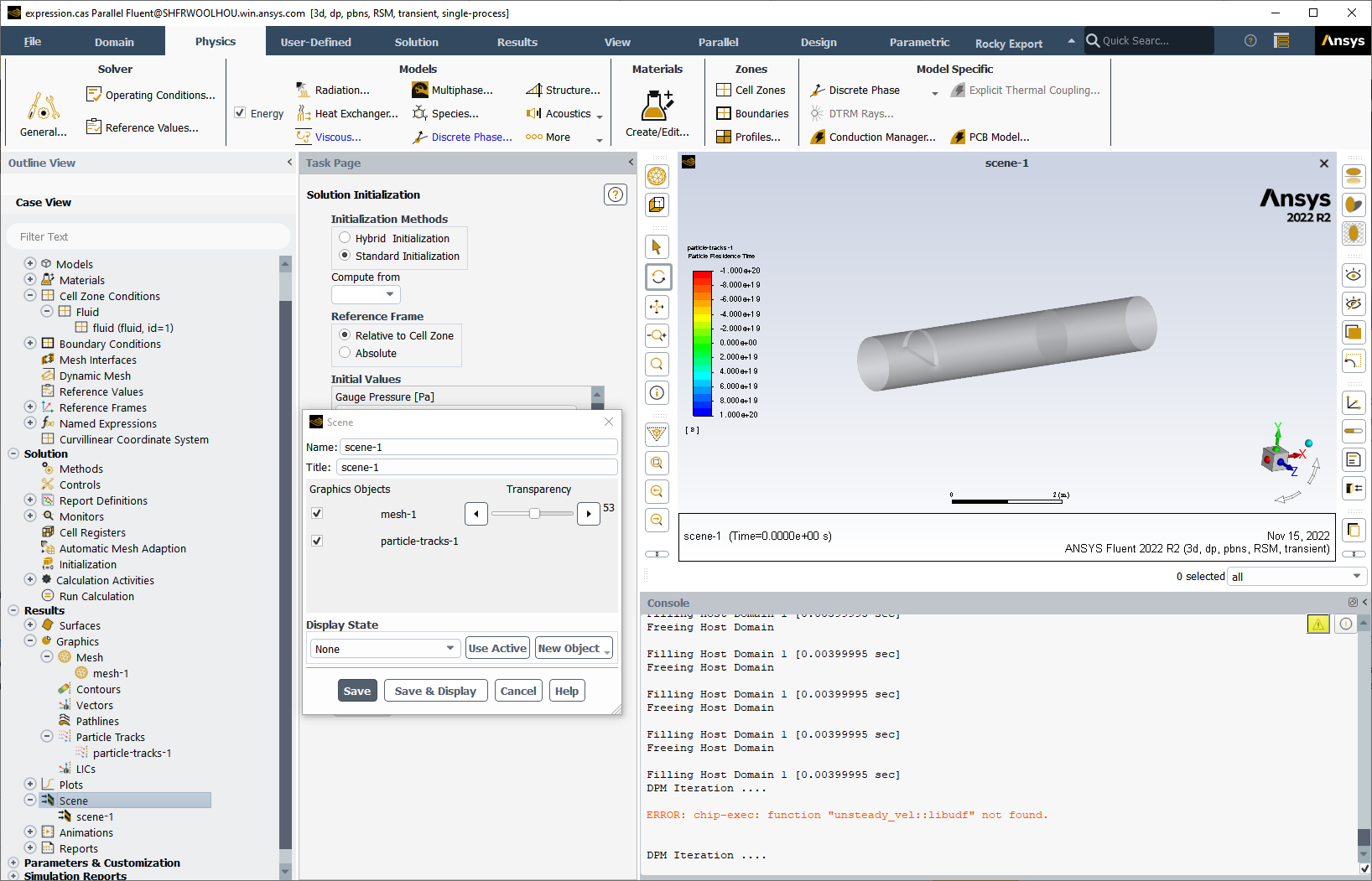
Forum ModeratorWhen we added the scenes into Fluent the "show mesh" option in the panels stopped working in the way it used to. Instead, create a mesh object showing all the walls/inlets etc as you want to see it (if you want to show the wall faces do so, transparancy comes later). Then create the particle scene. Finally, in the Display section in the tree create a Scene with the mesh and particles. Create the animation of that. The image summarises the steps. Â
It's a more long winded method than before, but the results are worth it.Â
-
November 15, 2022 at 8:01 pm
Nicholas Alberg
SubscriberThanks for the elaborate answer Rob!
-
- The topic ‘Display mesh during particle tracking animation’ is closed to new replies.

-
6319
-
1906
-
1457
-
1308
-
1022
© 2026 Copyright ANSYS, Inc. All rights reserved.