Hello Simon,
Here is a link to the APDL code in a Sandwich.inp file: https://jmp.sh/D6RpYMU
Here is a link to the ANSYS 2022 R1 archive file: https://jmp.sh/16sUstc
In Sandwich.inp, look for the following lines
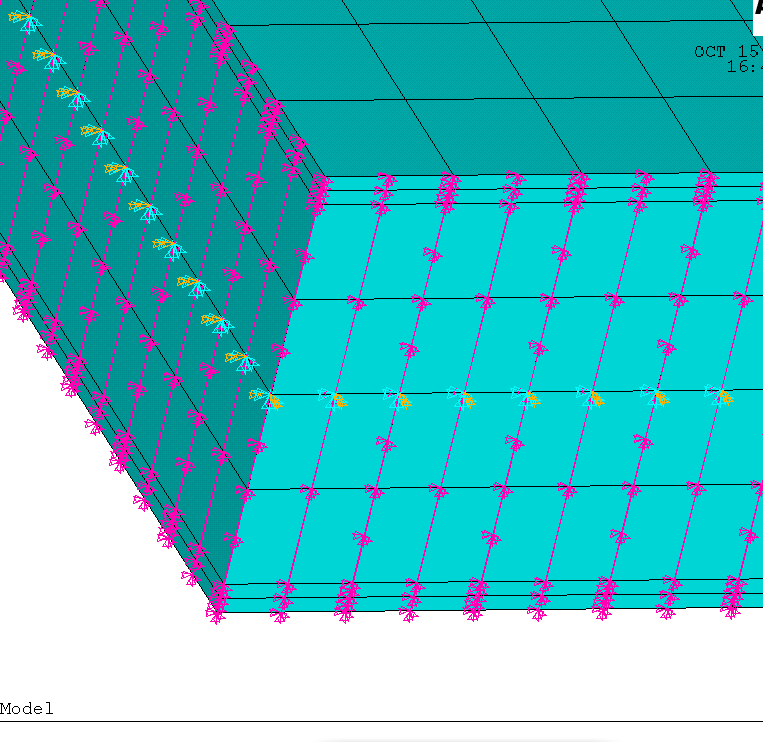
/com,*********** Create Remote Point “Internal Remote Point” ***********
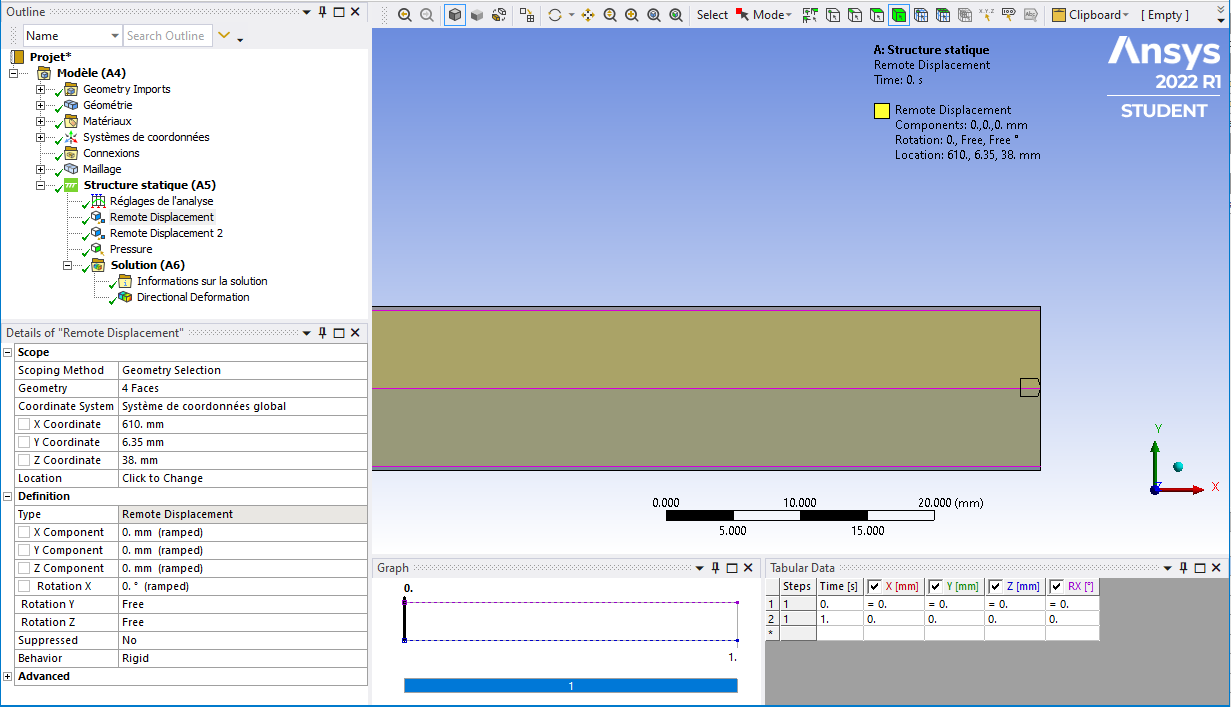
! ——– Remote Point Used by “Remote Displacement” ——–
*set,tid,6
*set,cid,5
et,cid,174
et,tid,170
keyo,tid,2,1               ! Don’t fix the pilot node
keyo,tid,4,0               ! Activate all DOF’s due to large deformation
keyo,cid,12,5              ! Bonded Contact
keyo,cid,4,2               ! Rigid CERIG style load
keyo,cid,2,2               ! MPC style contact
eblock,10,,,24
(15i9)
     2159        5        5        5        0      344      349      801      840
     2160        5        5        5        0      345      344      840      839
     2161        5        5        5        0      346      345      839      838
     2162        5        5        5        0      348      346      838      802
     2163        5        5        5        0      344      341      350      349
     2164        5        5        5        0      345      342      341      344
     2165        5        5        5        0      346      343      342      345
     2166        5        5        5        0      348      347      343      346
     2167        5        5        5        0      341      339      340      350
     2168        5        5        5        0      342      338      339      341
     2169        5        5        5        0      343      337      338      342
     2170        5        5        5        0      347      336      337      343
     2171        5        5        5        0      339      665      672      340
     2172        5        5        5        0      338      666      665      339
     2173        5        5        5        0      337      667      666      338
     2174        5        5        5        0      336      671      667      337
     2175        5        5        5        0      665      668      484      672
     2176        5        5        5        0      666      669      668      665
     2177        5        5        5        0      667      670      669      666
     2178        5        5        5        0      671      482      670      667
     2179        5        5        5        0      670      482      961     1000
     2180        5        5        5        0      669      670     1000      999
     2181        5        5        5        0      668      669      999      998
     2182        5        5        5        0      484      668      998      964
-1
*set,_npilot,1121
_npilot836=_npilot
type,tid
mat ,cid
real,cid
tshape,pilo
en,2183,_npilot
tshape
/com,*********** Create Remote Point “Internal Remote Point 2” ***********
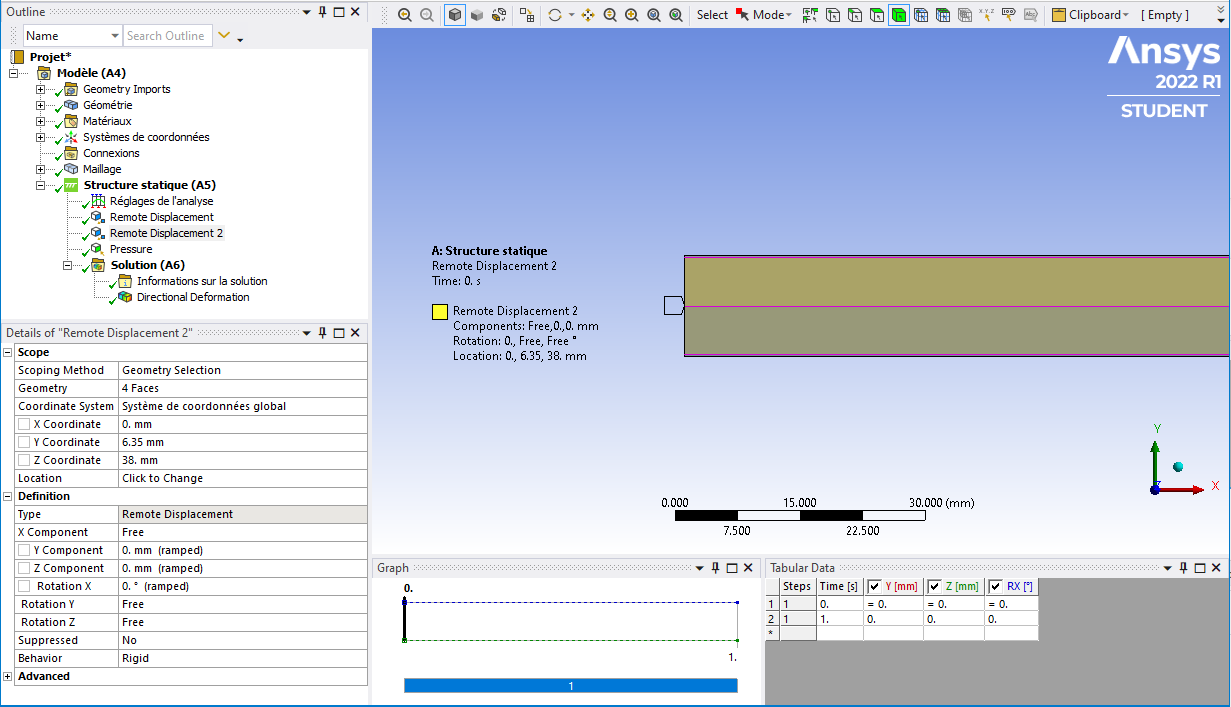
! ——– Remote Point Used by “Remote Displacement 2” ——–
*set,tid,8
*set,cid,7
et,cid,174
et,tid,170
keyo,tid,2,1               ! Don’t fix the pilot node
keyo,tid,4,0               ! Activate all DOF’s due to large deformation
keyo,cid,12,5              ! Bonded Contact
keyo,cid,4,2               ! Rigid CERIG style load
keyo,cid,2,2               ! MPC style contact
eblock,10,,,24
(15i9)
     2184        7        7        7        0      412      478      807      803
     2185        7        7        7        0      478      479      806      807
     2186        7        7        7        0      479      480      805      806
     2187        7        7        7        0      480      473      804      805
     2188        7        7        7        0      480      475      474      473
     2189        7        7        7        0      479      476      475      480
     2190        7        7        7        0      478      477      476      479
     2191        7        7        7        0      412      411      477      478
     2192        7        7        7        0      475      273      274      474
     2193        7        7        7        0      476      272      273      475
     2194        7        7        7        0      477      271      272      476
     2195        7        7        7        0      411      335      271      477
     2196        7        7        7        0      273      795      794      274
     2197        7        7        7        0      272      796      795      273
     2198        7        7        7        0      271      797      796      272
     2199        7        7        7        0      335      733      797      271
     2200        7        7        7        0      795      800      481      794
     2201        7        7        7        0      796      799      800      795
     2202        7        7        7        0      797      798      799      796
     2203        7        7        7        0      733      483      798      797
     2204        7        7        7        0      481      800      967      962
     2205        7        7        7        0      800      799      966      967
     2206        7        7        7        0      799      798      965      966
     2207        7        7        7        0      798      483      963      965
-1
*set,_npilot,1122
_npilot839=_npilot
type,tid
mat ,cid
real,cid
tshape,pilo
en,2208,_npilot
tshape
Down in the Solution part of the input file is where the displacements are applied to those two pilot nodes:
d,1121,ux,0.
d,1121,uy,0.
d,1121,uz,0.
d,1121,rotx,0.
d,1122,uy,0.
d,1122,uz,0.
d,1122,rotx,0.
Good Luck!


















 You are navigating away from the AIS Discovery experience