Ansys Assistant will be unavailable on the Learning Forum starting January 30. An upgraded version is coming soon. We apologize for any inconvenience and appreciate your patience. Stay tuned for updates.
Fluids

Fluids

Topics related to Fluent, CFX, Turbogrid and more.

Fluent 2.5D follow-up

    • vedama
      Subscriber

      Hello,

      As a follow-up to my earlier question (https://community.ansys.com/?status%2F38737-38737-1658880053%2F), what do you mean by the mesh is revolved but is not 2.5D? It is still a one-cell thick mesh, which is what is specified in the documentation.

      If I cannot revolve/rotate the mesh, and have to just extrude (translate), that doen't seem to work either. I tried to just extrude another 2D mesh to make it one cell thick, ie 2.5D, and I get the same error message:

      "~~~~~~~~~~~~~~~~~~~~~~~~~ Adaption is not permitted ~~~~~~~~~~~~~~~~~~~~~~~~~~
      Reason:
      - Selected adaption mode: PUMA (2.5D)
      is inappropriate for the current mesh
      ~~~~~~~~~~~~~~~~~~~~~~~~~~~~~~~~~~~~~~~~~~~~~~~~~~~~~~~~~~~~~~~~~~~~~~~~~

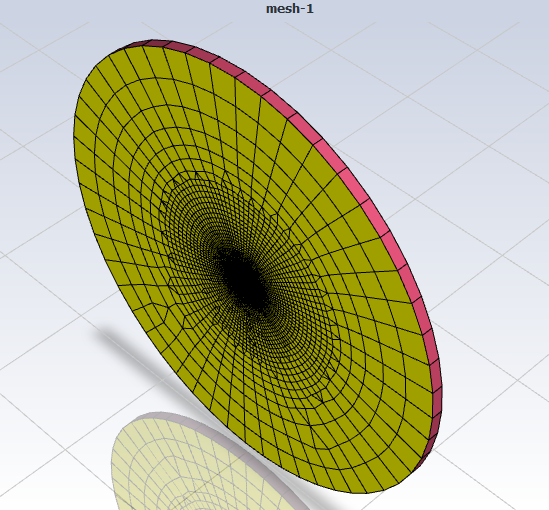
      Here is an isometric view of my extruded/translated one-cell thick 2.5D mesh:
    • Rob
      Forum Moderator

      In the other image it looks like the volume collapses to an axis. What did you extrude, and which Fluent solver are you using? Ie 2d, 3d etc. 

      • vedama
        Subscriber

        I made a 2D grid which I extruded (rotated for the first case, translated for the second) by one cell. So it's a 3D prism grid but just one cell thick.

        I'm using Fluent's 3D solver in parallel

    • Rob
      Forum Moderator

      Anything set that conflicts with https://ansyshelp.ansys.com/account/Secured?returnurl=/Views/Secured/corp/v221/en/flu_th/flu_th_chp_adaption.html this lot? 

      • vedama
        Subscriber

        No, I believe my grid conform to all the limitations. I'd be happy to send it to you, if you wish or if that's possible.

    • Rob
      Forum Moderator

      We're not able to do that. By all means post the mesh on here and someone other than Ansys Staff may have a look. 

      What's the cell quality like? Also, why do you want it to be one cell thick? Fluent allows 2d and 2d-axisymmetric models. 

      • vedama
        Subscriber


        I was using 2D but I ran into a couple of issues. There were these non-physical oscillations present in the solution that I couldn’t explain. I asked about them here (/forum/forums/topic/wild-oscillations-in-cp-and-cf/) but to no reasonable answer. At which point I was told to switch over to PUMA since it is more robust. I also keep getting a notification that hanging node adaption for 2D will be phased out and that I should switch to PUMA 2.5D.

        As for mesh quality, it’s a poor mesh and I’ve done this intentionally, to evaluate the improvement in grid + solution after adaption. Does the mesh quality affect why PUMA 2.5D doesn’t work though? This is what I get when I evaluate mesh quality:

        Minimum Orthogonal Quality = 5.24949e-01 cell 69 on zone 2 (ID: 37 on partition: 19) at location (-1.86587e-02 1.40334e-01 -1.22467e-03)
        Maximum Aspect Ratio = 3.12470e+04 cell 38 on zone 2 (ID: 388 on partition: 5) at location ( 5.54834e-01 7.61255e-02 -6.64337e-04)


    • Rob
      Forum Moderator

      I wonder if the high aspect ratio is causing a problem. When the cell is split the aspect ratio will increase by about a factor of 4, and that's potentially going to mean the cell centre can't be accurately placed in the mesh.  

      • vedama
        Subscriber

        Why would the 2.5D algorithm be deemed incompatible if there is a high aspect ratio cell? It should still perform the adaption and then if I end up with a negative volume or a bad cell, so be it. But I'm not even able to activate the algorithm.

    • Rob
      Forum Moderator

      There may be a check, the PUMA tool is designed for poly cells so it'll be working out the centroid position: that calculation may be failing. 

      • vedama
        Subscriber

        So how do I fix it?

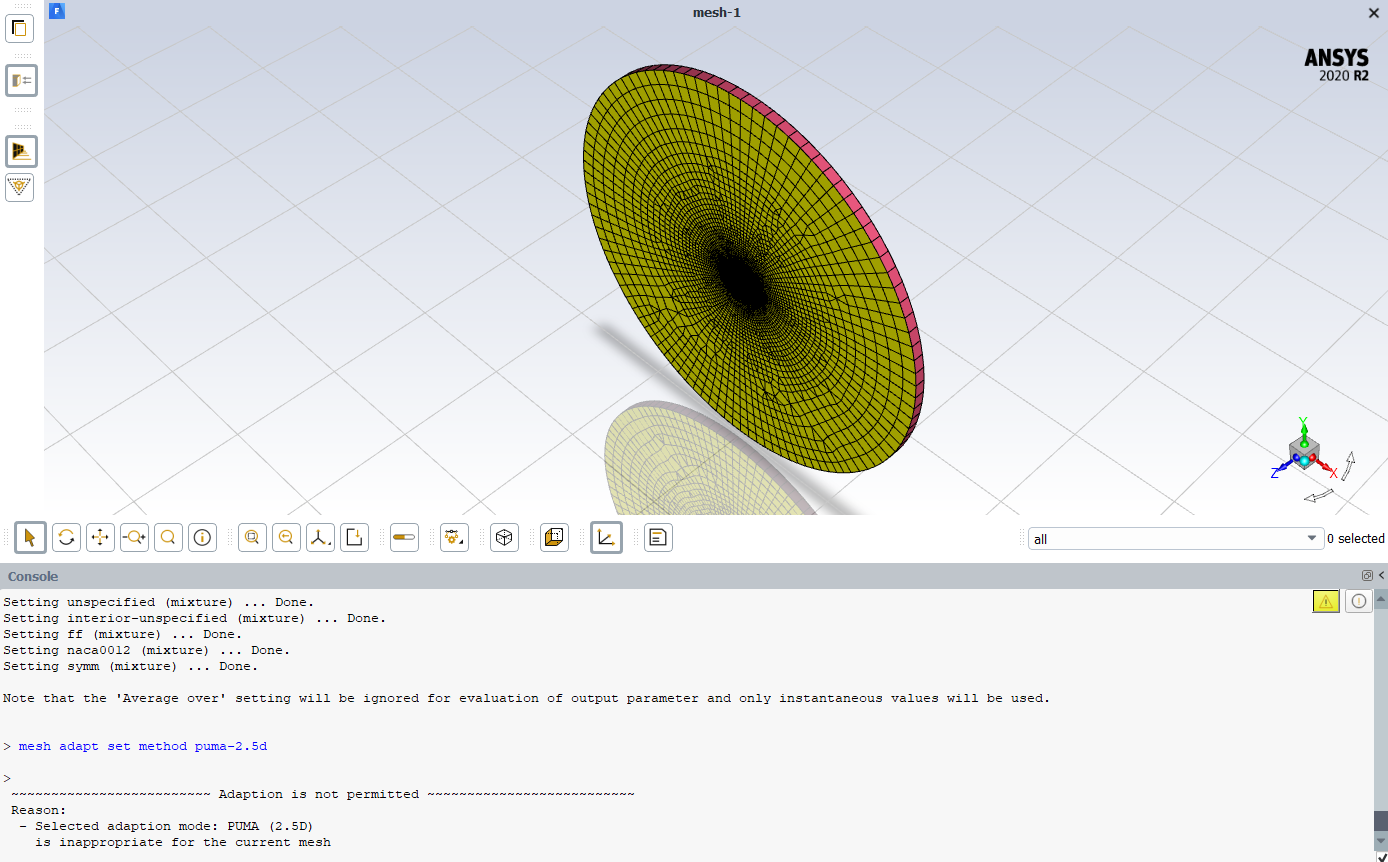
        Image 1) I tried a much finer mesh and I get the same error.

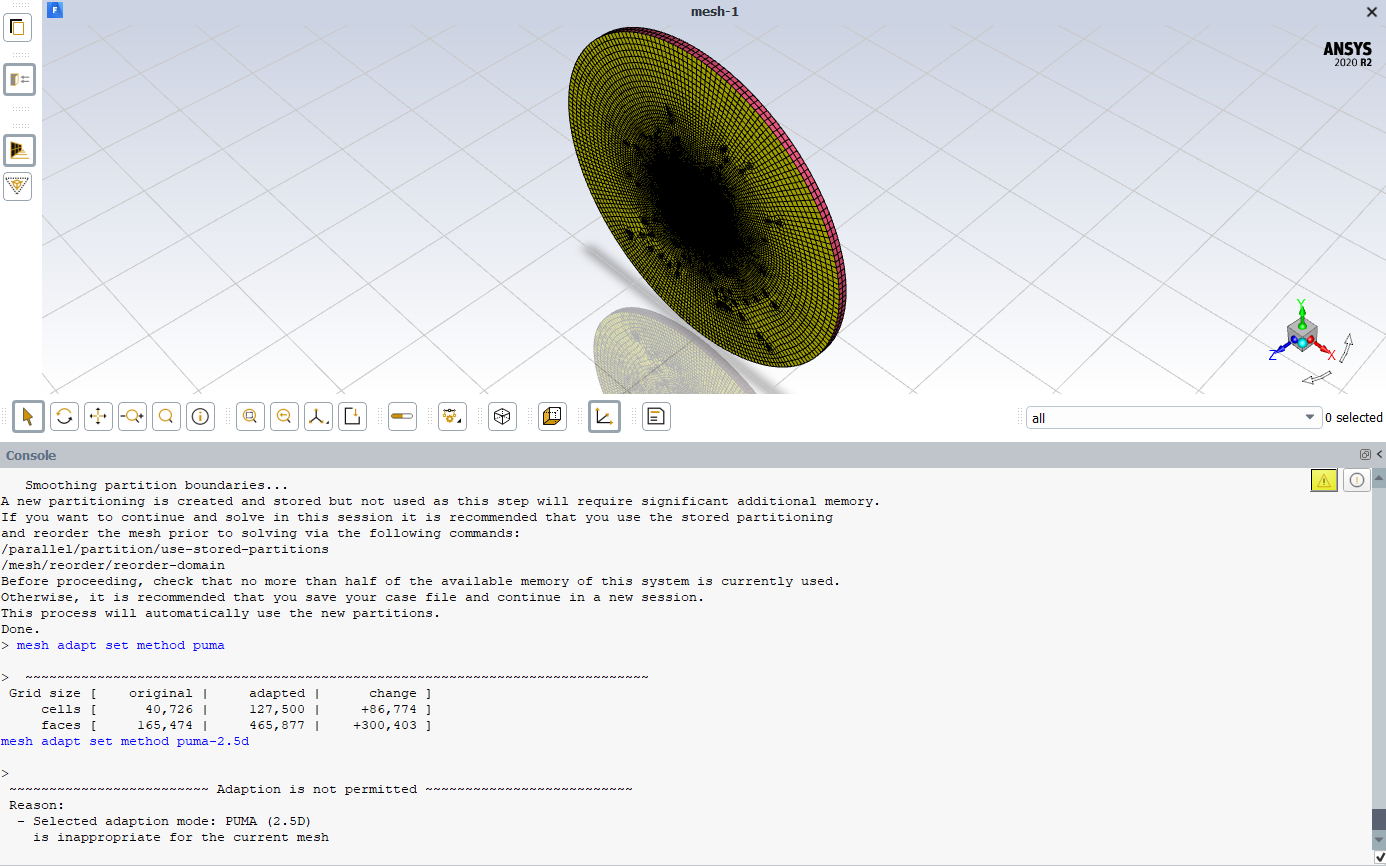
        Image 2) I converted the domain to polyhedra cells (against Fluent's recommendation) and I get the same error.

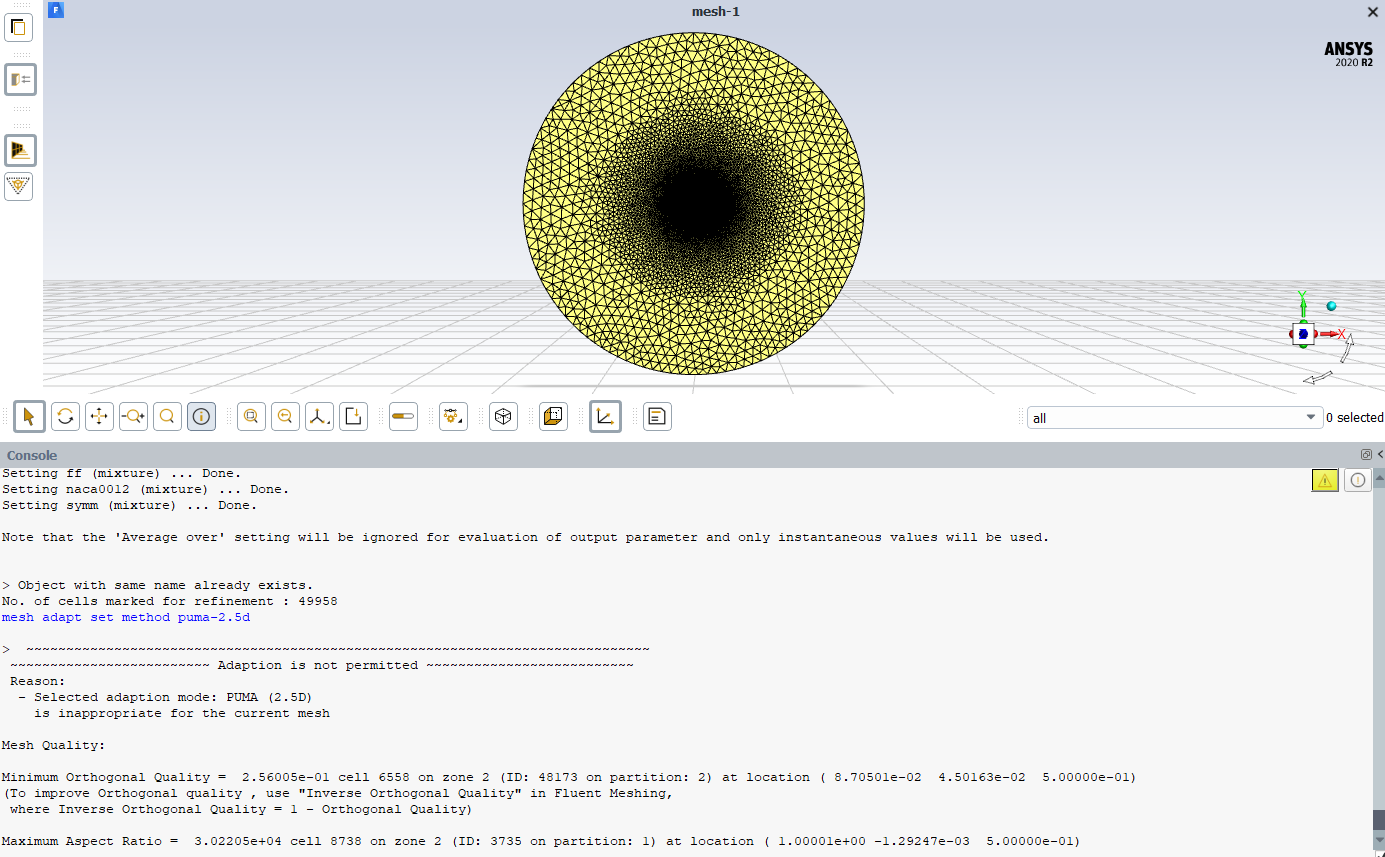
        Image 3) I made it so there's only tetrahedrals (inviscid, no high aspect ratio boundary layer cells) and I get the same error.

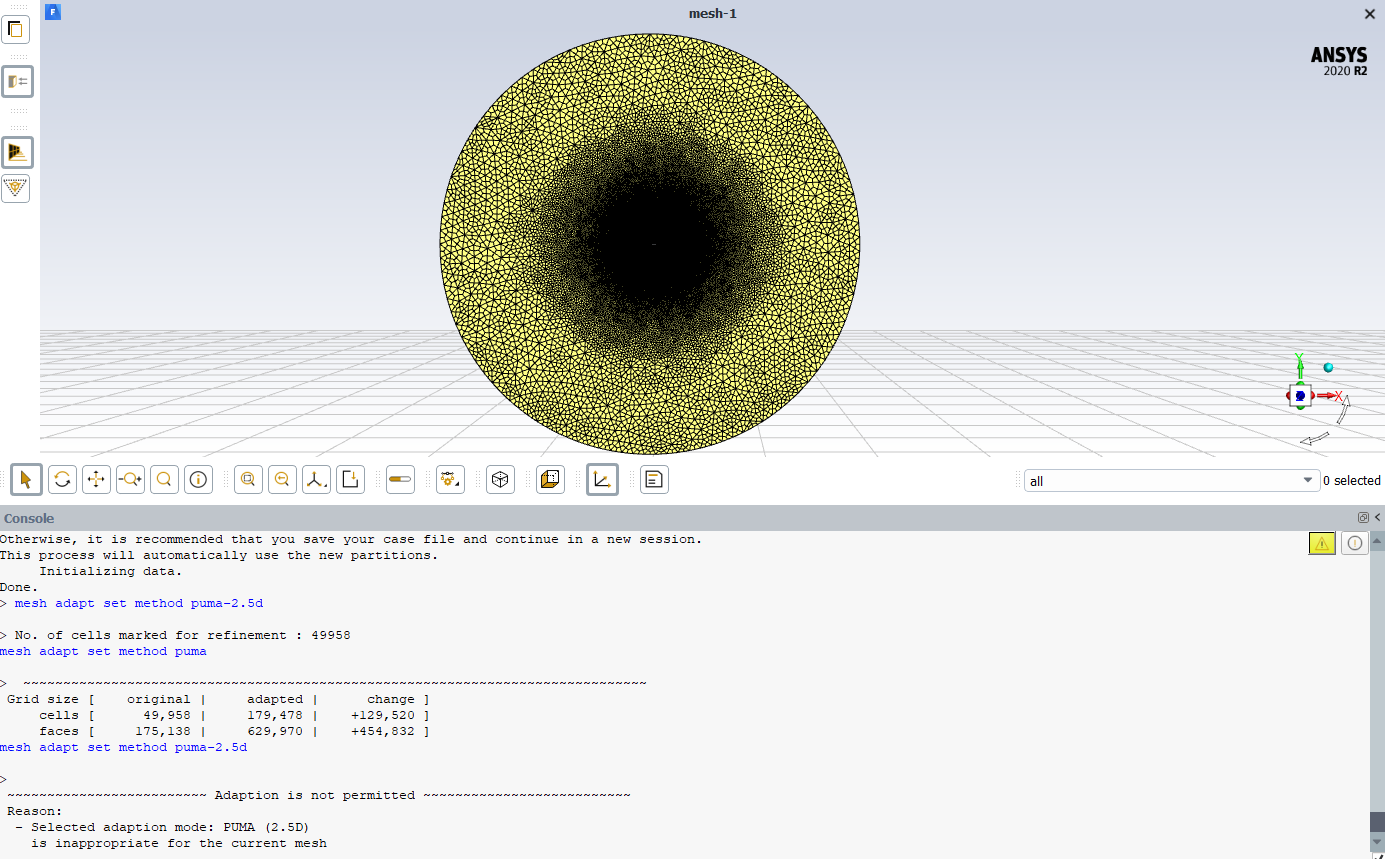
        Image 4) I converted tets-only grid to polyhedral cells and I get the same error.

    • Rob
      Forum Moderator

      What is the aspect ratio in each case? 

Viewing 6 reply threads
  • The topic ‘Fluent 2.5D follow-up’ is closed to new replies.
[bingo_chatbox]