

-
-
May 12, 2022 at 6:24 pm
sjlee
SubscriberMy university has academic research LS-DYNA license, but I found this academic research LS-DYNA only allows for NCPU = 1.
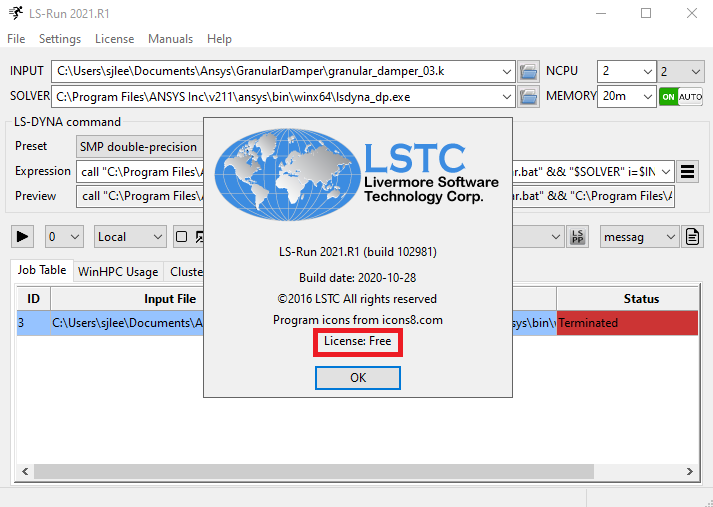
I tried with a higher # of NCPU for faster simulation, but LS-RUN does not work for any NCPU higher than 2 (as attached).
Considering even the student version works with NCPU up to 4, it is quite strange.
I checked the license from the Help menu and found the license is Free (as also shown in the attached).
Am I using the correct license? Would you please shed some light?
May 13, 2022 at 12:05 pmGeorge Karnos
Ansys EmployeeIf you choose License from the top menu, what is displayed? Example:
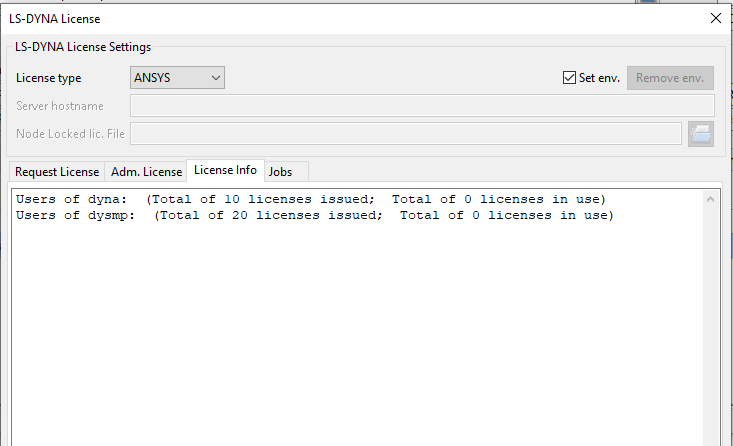 Do you have the Environment variable set:
Variable:LSTC_LICENSE
Variable Value: ANSYS
May 18, 2022 at 4:14 pmSubscriberThank you. Please see attached below.
The Environment variable was set as advised, but my LS-DYNA still does not work with NCPU higher than 1.
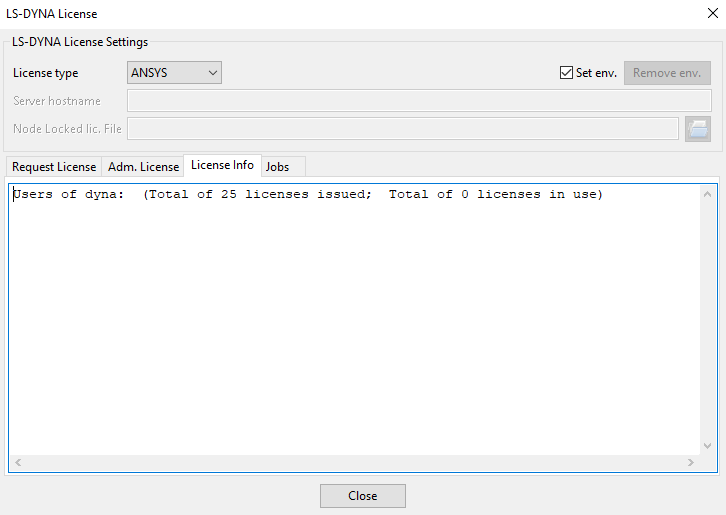

May 18, 2022 at 4:15 pmAnsys EmployeePlease post the screen shots as we are not permitted to open files.
May 19, 2022 at 6:57 pmSubscriberPlease see below. Hopefully it works this time.
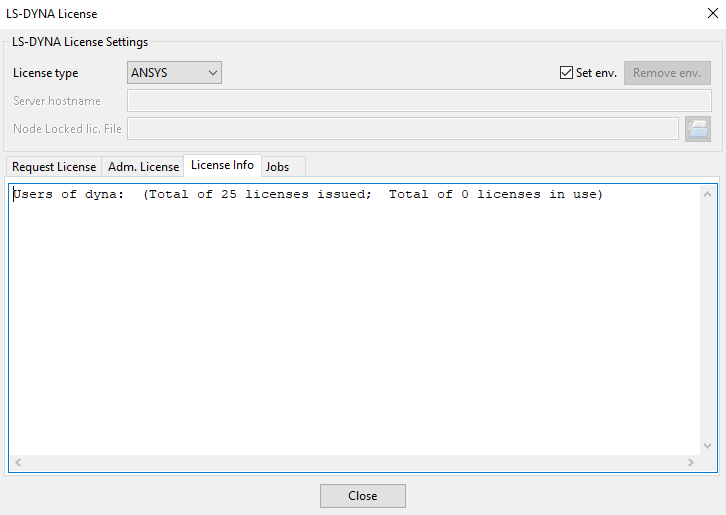

May 19, 2022 at 6:59 pmAnsys EmployeeThere are no LS-DYNA Parallel licenses displayed.
This means the license server is not serving any hpc licenses.
May 19, 2022 at 7:01 pmSubscriberOh, Thanks.
Viewing 6 reply threads- The topic ‘Academic research LS-DYNA only works with NCPU = 1?’ is closed to new replies.
Innovation Space Trending discussions
 Top Contributors
-
peteroznewman
 6535
6535 -
scabo
 1906
1906 -
Dennis Chen
 1463
1463 -
javat33489
 1311
1311 -
Shyam Prasad V Atri
1022
Top Rated Tags
© 2026 Copyright ANSYS, Inc. All rights reserved.
Ansys does not support the usage of unauthorized Ansys software. Please visit www.ansys.com to obtain an official distribution.
-


The Ansys Learning Forum is a public forum. You are prohibited from providing (i) information that is confidential to You, your employer, or any third party, (ii) Personal Data or individually identifiable health information, (iii) any information that is U.S. Government Classified, Controlled Unclassified Information, International Traffic in Arms Regulators (ITAR) or Export Administration Regulators (EAR) controlled or otherwise have been determined by the United States Government or by a foreign government to require protection against unauthorized disclosure for reasons of national security, or (iv) topics or information restricted by the People's Republic of China data protection and privacy laws.

 You are navigating away from the AIS Discovery experience