

TAGGED: ansys-fluent, ansys-student, fluid, fluid-flow, transient-analysis
-
-
October 18, 2021 at 7:02 am
ESL
SubscriberI am a student using ANSYS Fluent at university.
I would like to ask you a question about saving simulation animations.
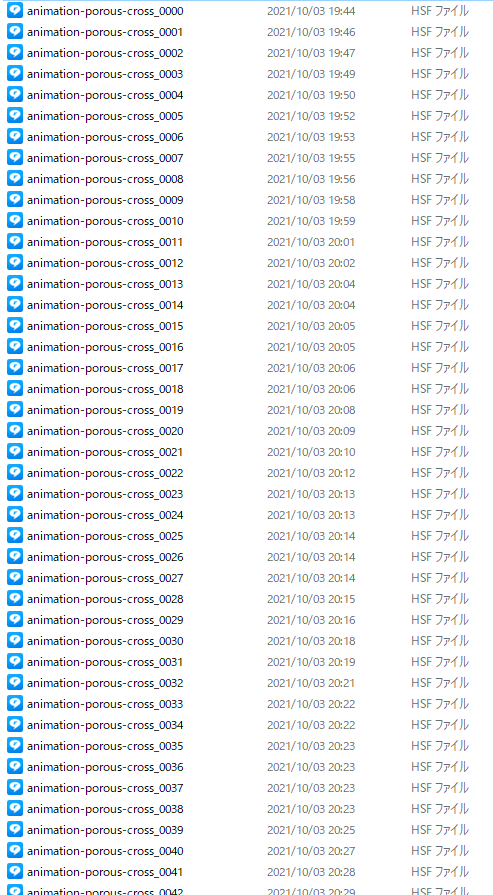
I am doing transient calculations and I am saving the frames for each time step as HSF files.
When I do this, the animation for each time step is saved as shown in the figure, but is it possible to output these files consecutively into one file?
For example, if I run a 10-second simulation that saves at a time step of 0.1 second, a total of 100 frames will be created.
I would like to output a file that combines all of them into one.
I would appreciate your advice.
October 18, 2021 at 9:59 amDrAmine
Ansys EmployeeNo you cannot do that. You need after having the files to playback the files and stores animation as video or pictures. After that you can remove all HSF frames.
October 19, 2021 at 9:06 amSubscriberThank you for your reply.
Do you mean that saving the animation as a video or image is done on Ansys?
Or do you mean that you need to use your own PC functions (or software) to record it?
Also, regarding animation on Fluent, is it possible to specify the background color (e.g. white)?
I apologize for my ignorance, but I would appreciate your advice.
October 19, 2021 at 11:16 amAnsys EmployeeYou can do saving the animation using the Playback feature inside Ansys Fluent (after finishing your run).
You can provide the background color under preferences and under the Picture Options.
Viewing 3 reply threads- The topic ‘How to save the animation’ is closed to new replies.
Innovation Space Trending discussions
 Top Contributors
-
peteroznewman
 6625
6625 -
scabo
 1906
1906 -
Dennis Chen
 1469
1469 -
javat33489
 1311
1311 -
Shyam Prasad V Atri
1022
Top Rated Tags
© 2026 Copyright ANSYS, Inc. All rights reserved.
Ansys does not support the usage of unauthorized Ansys software. Please visit www.ansys.com to obtain an official distribution.
-


The Ansys Learning Forum is a public forum. You are prohibited from providing (i) information that is confidential to You, your employer, or any third party, (ii) Personal Data or individually identifiable health information, (iii) any information that is U.S. Government Classified, Controlled Unclassified Information, International Traffic in Arms Regulators (ITAR) or Export Administration Regulators (EAR) controlled or otherwise have been determined by the United States Government or by a foreign government to require protection against unauthorized disclosure for reasons of national security, or (iv) topics or information restricted by the People's Republic of China data protection and privacy laws.

 You are navigating away from the AIS Discovery experience