

TAGGED: ansys-maxwell, coil-design, M, maxwell-3d, maxwell3d
-
-
October 8, 2021 at 8:01 am
msamet
SubscriberIs there any shortcut to simply design rectangular coils?
Hi, MSaad,The user defined Segmented polygon helix cannot create rectangular cross sections. I would suggest you to draw separate turns (multiple separated rectangular turns stacking up) rather than a connected helix because the geometry is more symmetrical and takes much shorter time to simulate. The simulated results would not have much difference from a connected helix. You just need to draw one turn and use "duplicate along the line" to simply create multiple turns in one step.
October 13, 2021 at 12:36 pmNavya Chode
Forum ModeratorHi @msamet If you have an Ansys account, you can use the spiral coil creator ACT extension to create complex 3D helix structures.
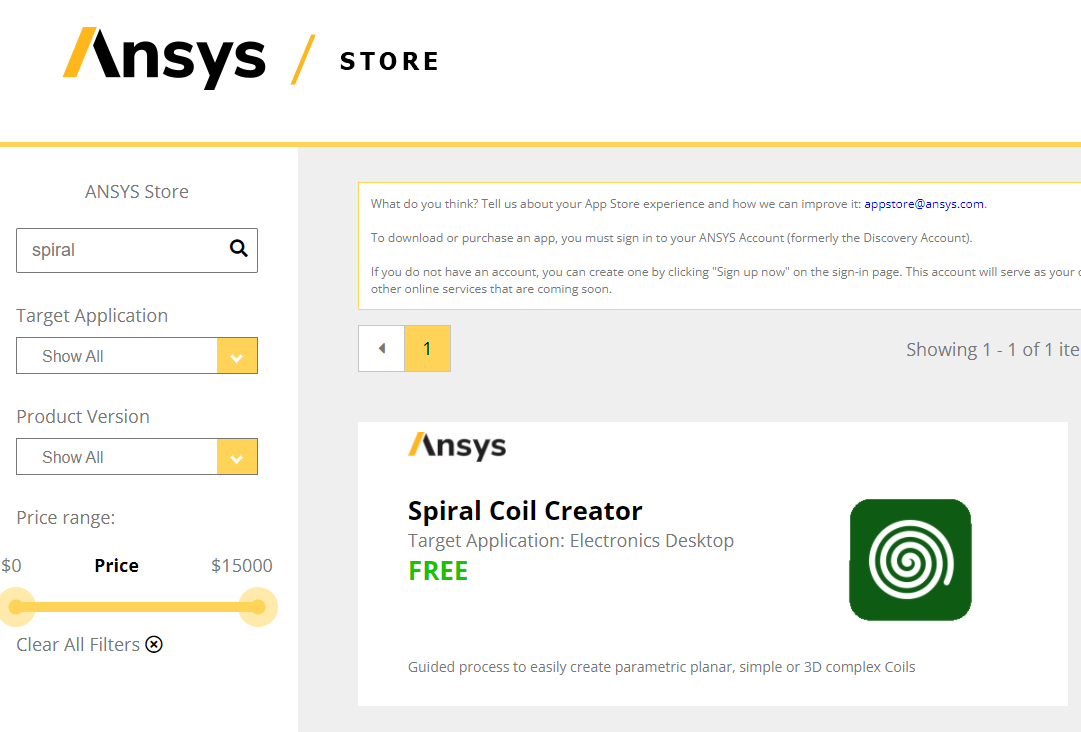
Go to ANSYS Store Catalog
Log in, Provide any necessary information. and download the tool kit as shown below screenshot.
 After download and unzip the package.
Go to View>Act extensions on AED.
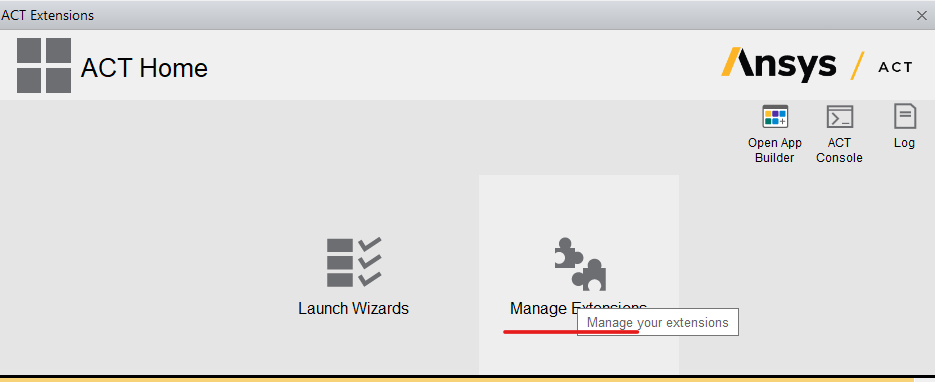
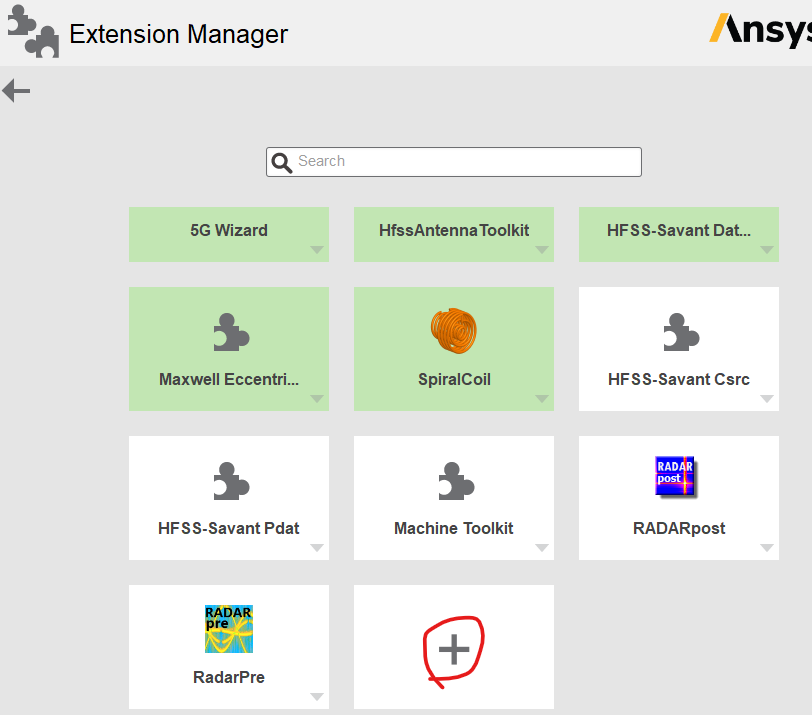 Browse to the below file
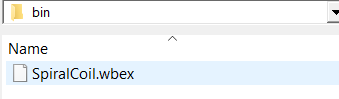
After it is installed. come back to act extension wizard and launch it
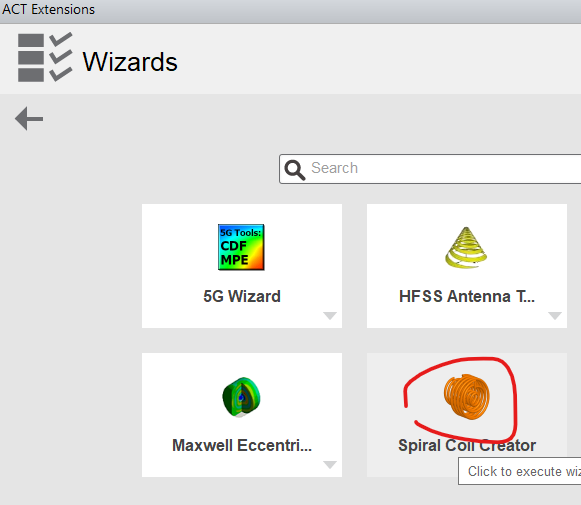 Follow on-screen instructions to create a rectangular Helix
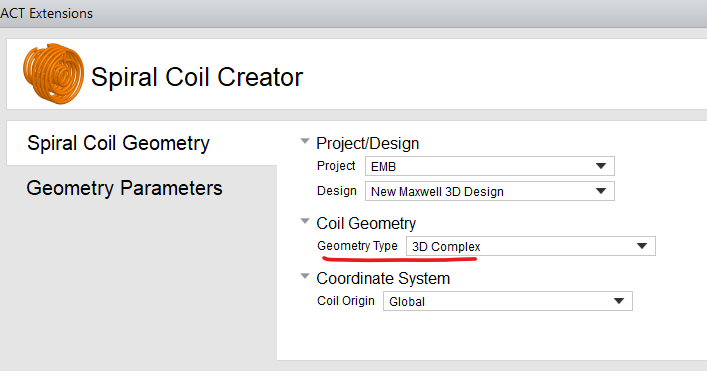
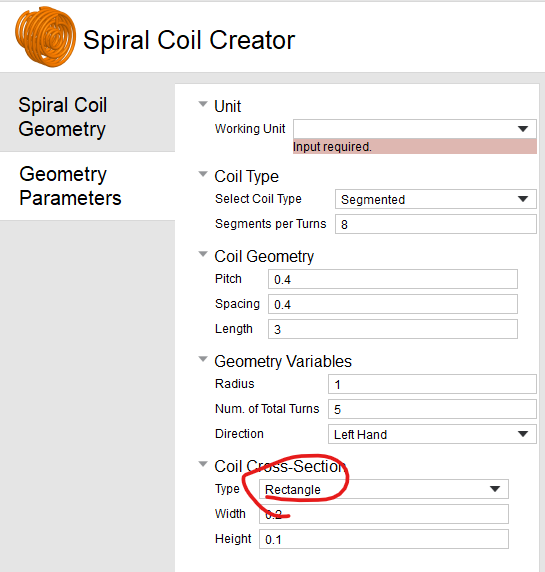
Regards Navya
October 13, 2021 at 1:53 pmForum ModeratorHi @msamet Looks like the above method still gives only circular helix Sorry I didn't notice that.
The other ways you can do that may be
1) Under the draw option you have an Equation based curve.
You can look at Maxwell help on how to use this . But I don't know the equation for rectangular helix.
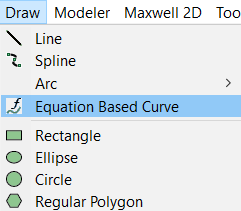 2) This can be the simplest.
I am not sure what is your application but you can represent a helix with just a stacked, closed rectangular loops and assign excitation to each loop.
The results will not be much different from using a helix.
Regards Navya
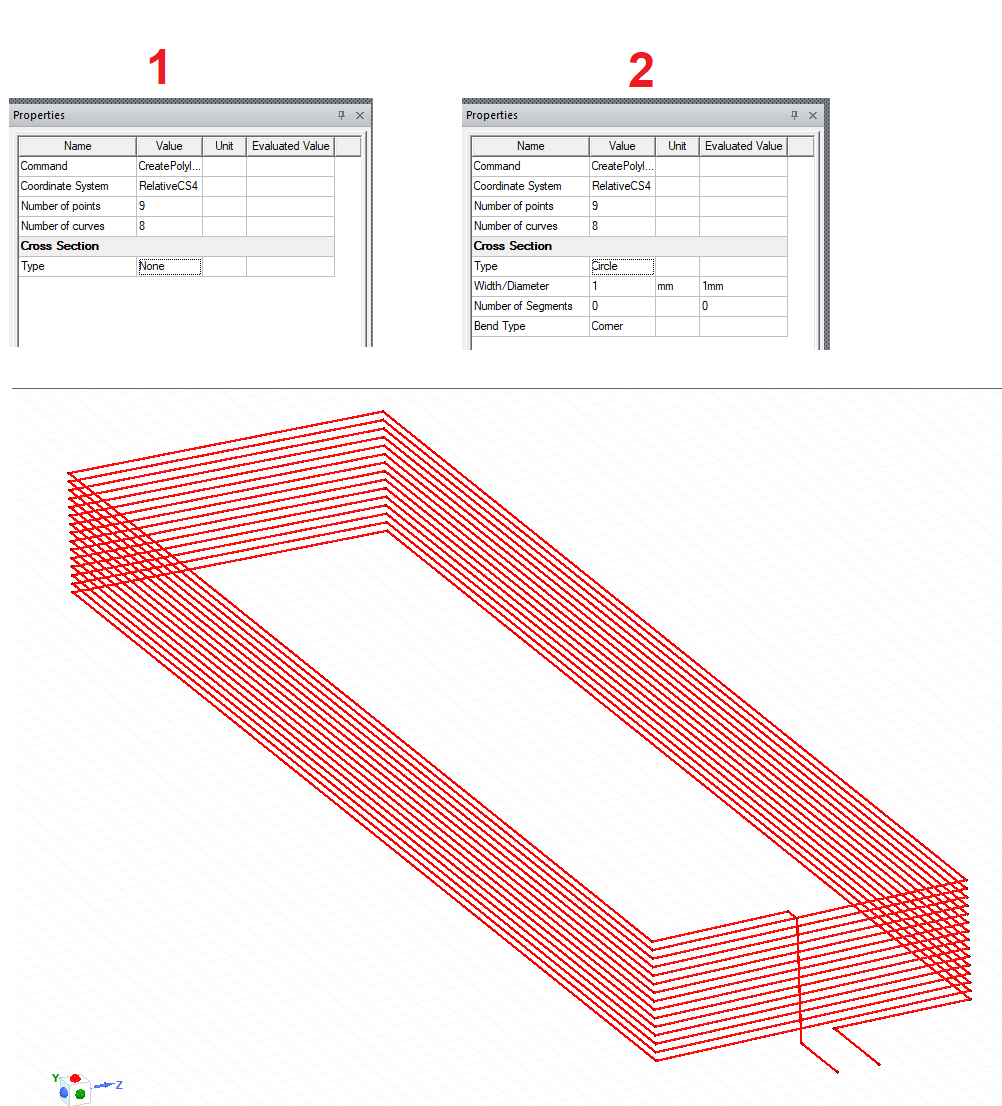
October 14, 2021 at 5:38 amSubscriberThanks for your comments. I was able to do it by drawing polyline in the shape of rect helix and give it a thickness
Viewing 3 reply threads- The topic ‘Maxwell 3D Rectangular Helix Design (Not Square)’ is closed to new replies.
Innovation Space Trending discussions
 Top Contributors
-
peteroznewman
 6044
6044 -
scabo
 1906
1906 -
Dennis Chen
 1431
1431 -
javat33489
 1308
1308 -
Shyam Prasad V Atri
1021
Top Rated Tags
© 2026 Copyright ANSYS, Inc. All rights reserved.
Ansys does not support the usage of unauthorized Ansys software. Please visit www.ansys.com to obtain an official distribution.
-


The Ansys Learning Forum is a public forum. You are prohibited from providing (i) information that is confidential to You, your employer, or any third party, (ii) Personal Data or individually identifiable health information, (iii) any information that is U.S. Government Classified, Controlled Unclassified Information, International Traffic in Arms Regulators (ITAR) or Export Administration Regulators (EAR) controlled or otherwise have been determined by the United States Government or by a foreign government to require protection against unauthorized disclosure for reasons of national security, or (iv) topics or information restricted by the People's Republic of China data protection and privacy laws.

 You are navigating away from the AIS Discovery experience