
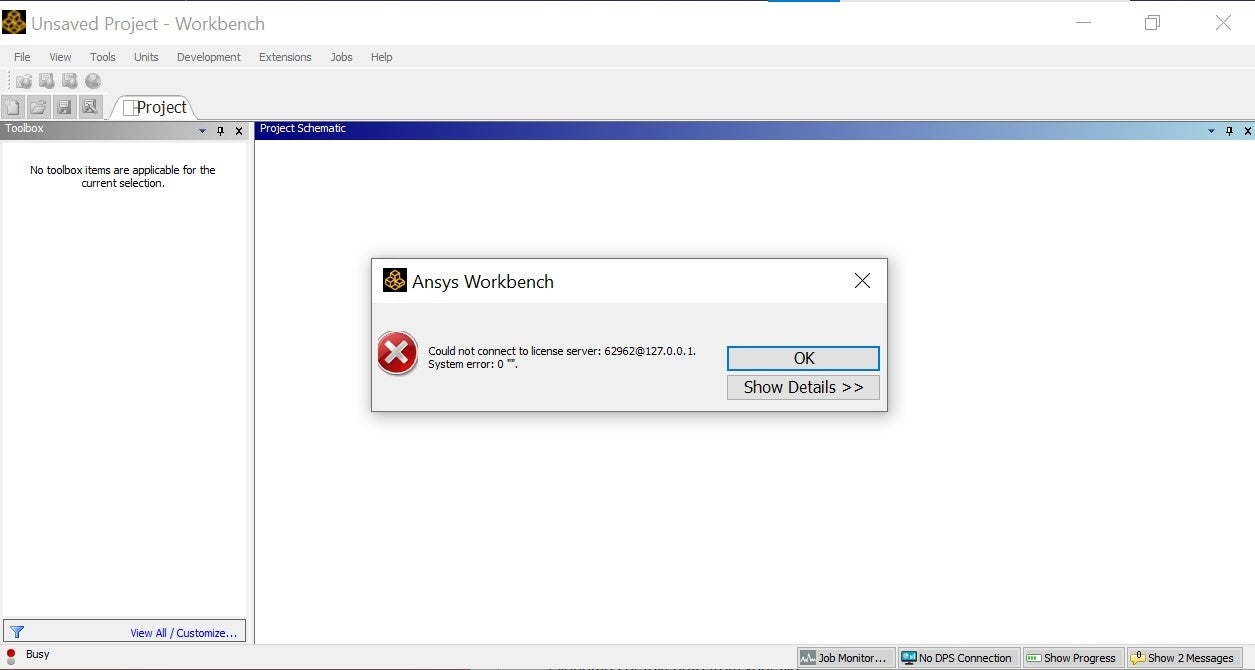
i get lisence error saying could not connect to lisence server 62962@.1.2.7.0.0.1. System Error: )””

TAGGED: lisence
-
-
September 29, 2021 at 2:37 pm
shreeniwas_patil
SubscriberOctober 1, 2021 at 1:46 pmGeorge Karnos
Ansys EmployeeI will ask you to please stop opening new threads concerning the same issue.
Please concentrate on the following link:
/forum/discussion/comment/132076#Comment_132076
October 1, 2021 at 2:47 pmshreepatil14
SubscriberI actually followed the exact same procedure again also added firewall exceptions but only 4 toolbars are there which cannot be expanded in tree modular and spaceclaim doesnot function properly .
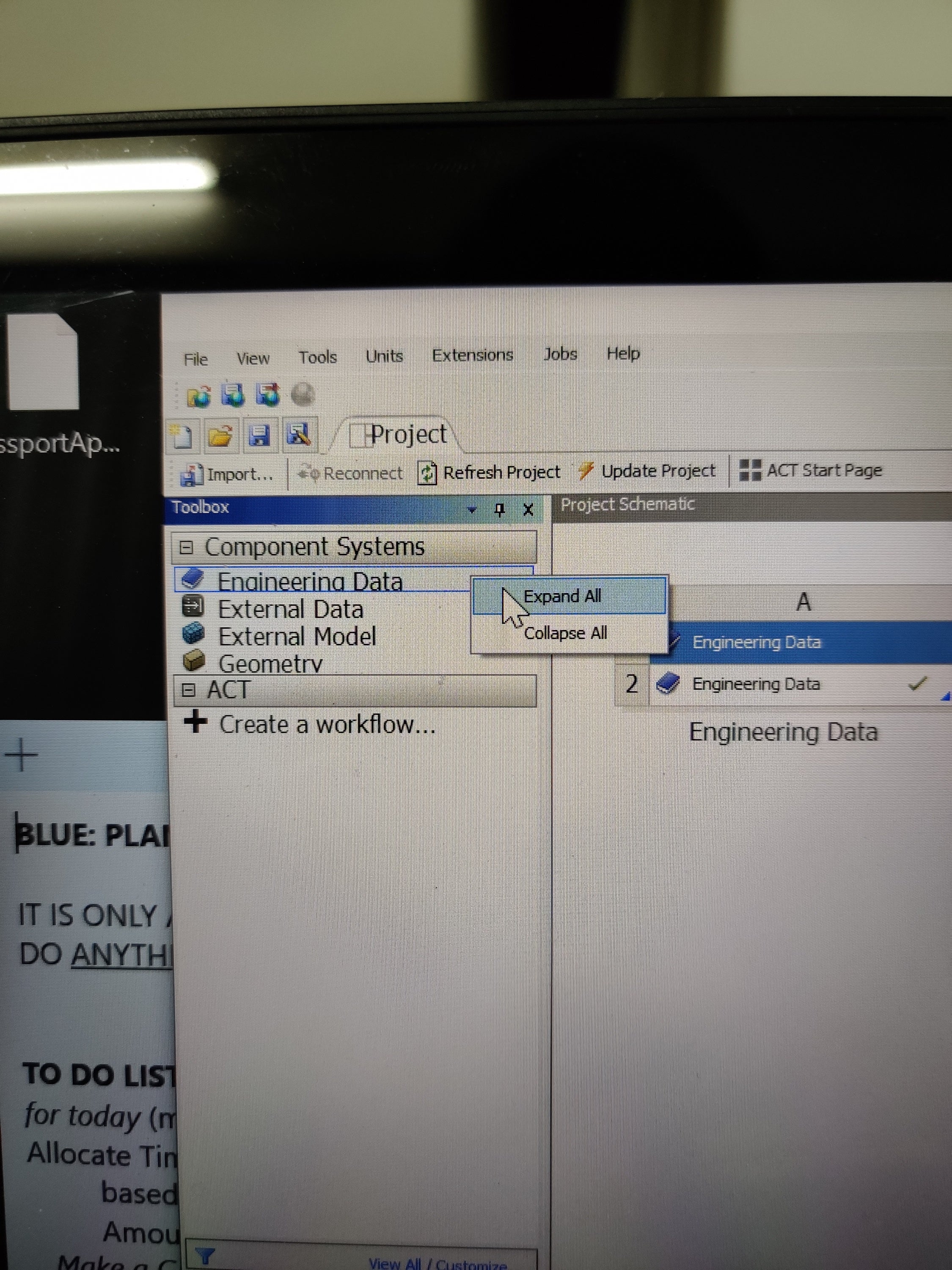 It only shows lisence error
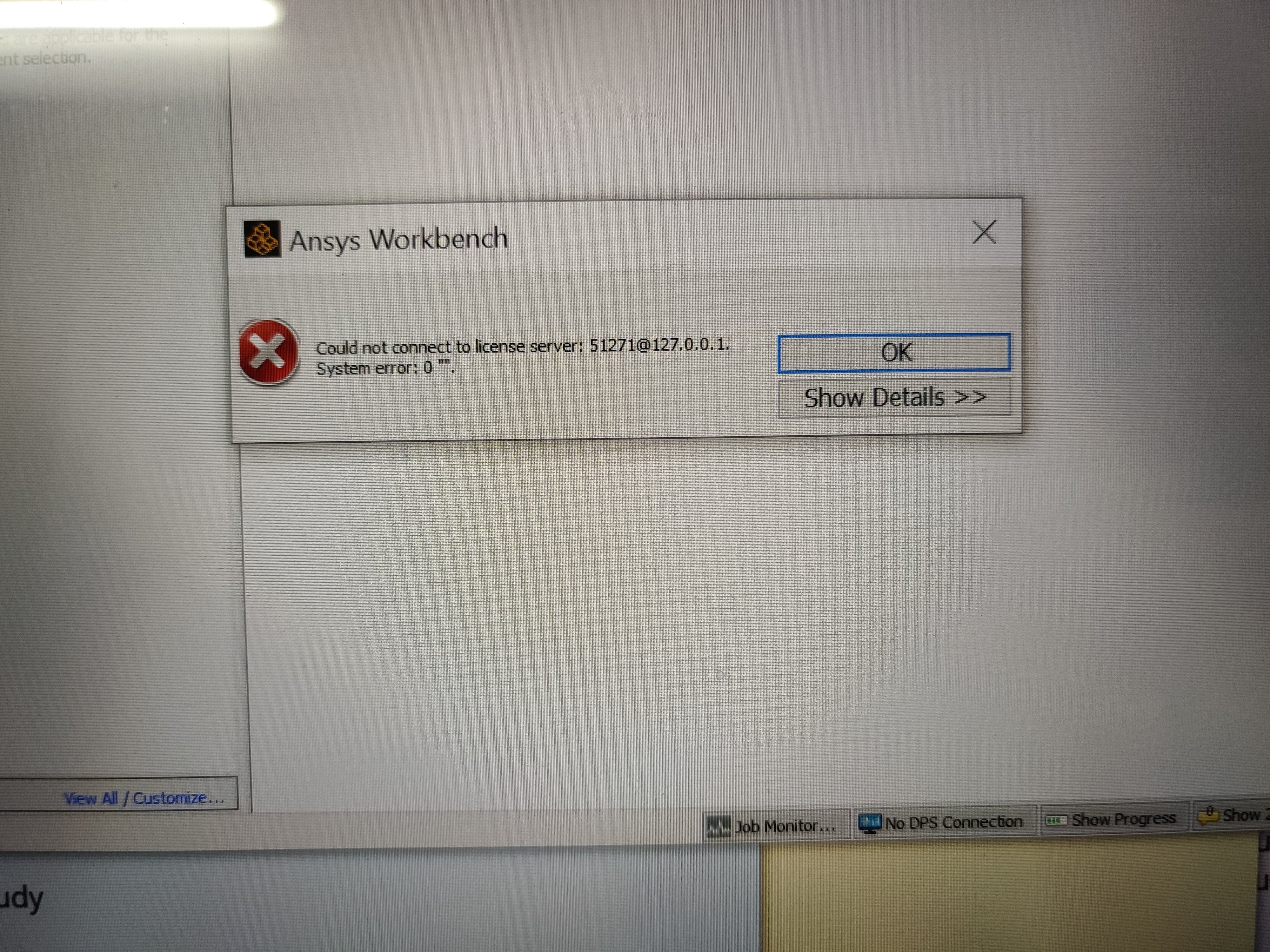 The previous thread / link doesnot solve the query.
It's almost been a month since I asked this doubt I hope that my ansys software works properly as I am in college project called TIFAN SAE INDIA and I am in dire need of this software I am literally writting in notebooks to learn ansys drawing program windows and all
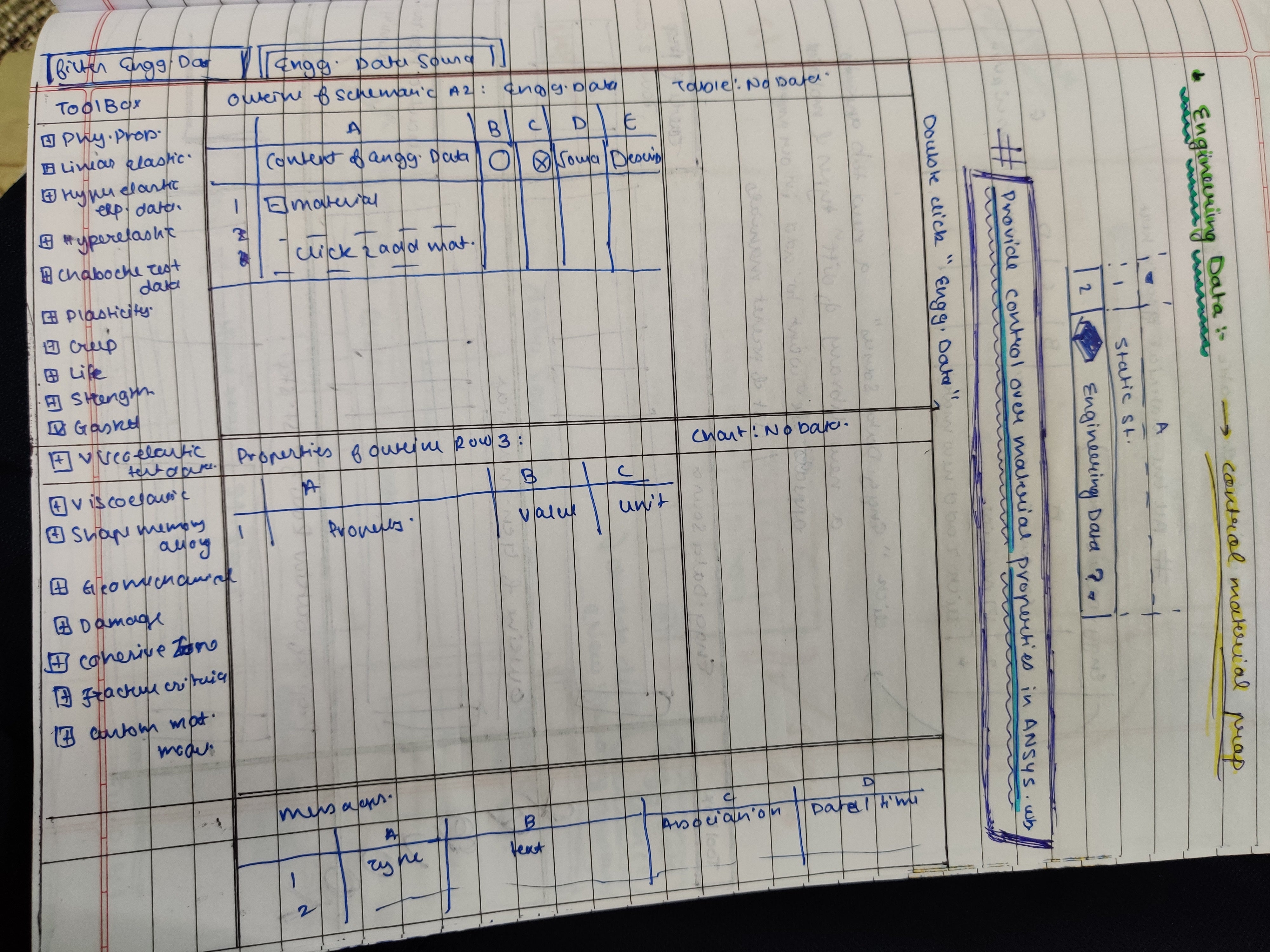 See .......
Please solve this
October 1, 2021 at 4:11 pmAnsys EmployeeCan you try setting the following Windows system environment variable:
Variable: ANSYSCL_BIND_TO_LOOPBACK
Variable Value: 1
October 2, 2021 at 5:17 amSubscriberDone
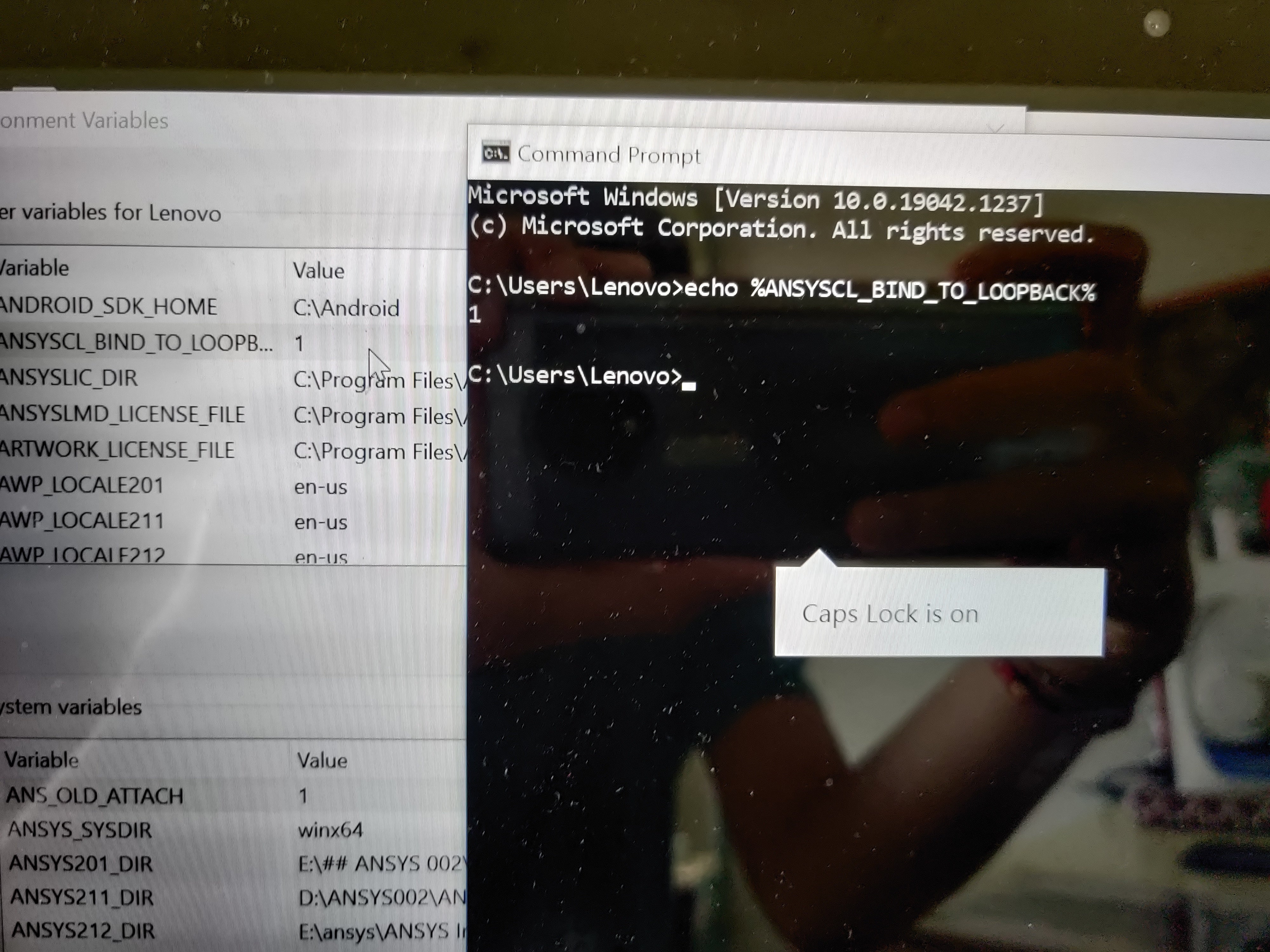 What next
October 2, 2021 at 11:46 amAnsys EmployeeTry to run Workbench
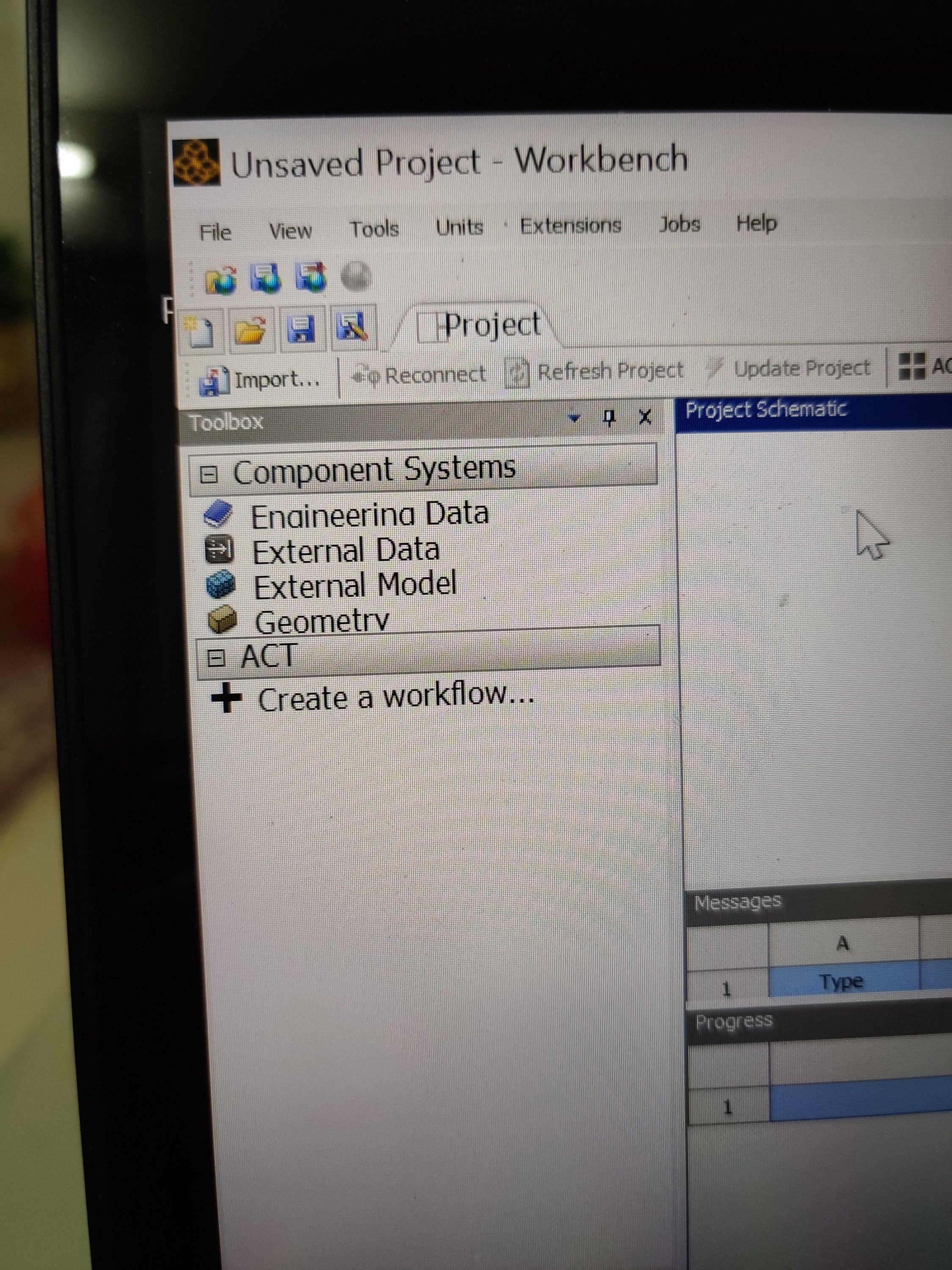
October 2, 2021 at 2:48 pmSubscriberIt shows Could not connect to license server: 50774@127.0.0.1. System error: 0".
And only 4 systems are visible in component system
October 5, 2021 at 6:47 amSubscriberShall I try to reinstall ansys and again ask query if problem arises
October 5, 2021 at 12:18 pmSubscriberHello ƒæï
Can you please answer my question
October 5, 2021 at 12:22 pmAnsys EmployeeUninstall.
rename the c:\Program Files\Ansys Inc directory to ANSYS Inc_old
Reinstall by right-click on setup.exe and choosing run as administrator
try to run.
Post the results.
October 5, 2021 at 3:27 pmSubscriber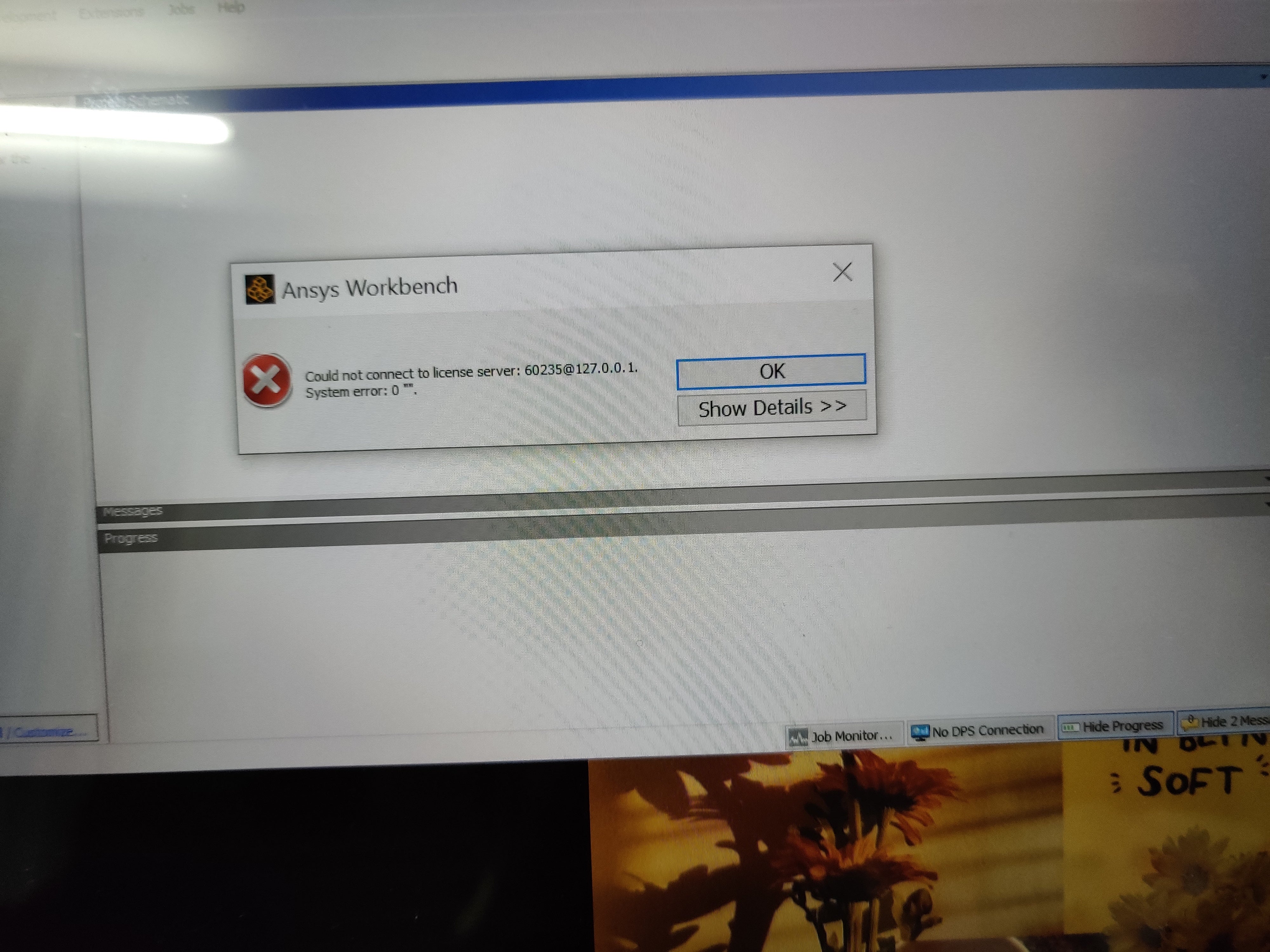
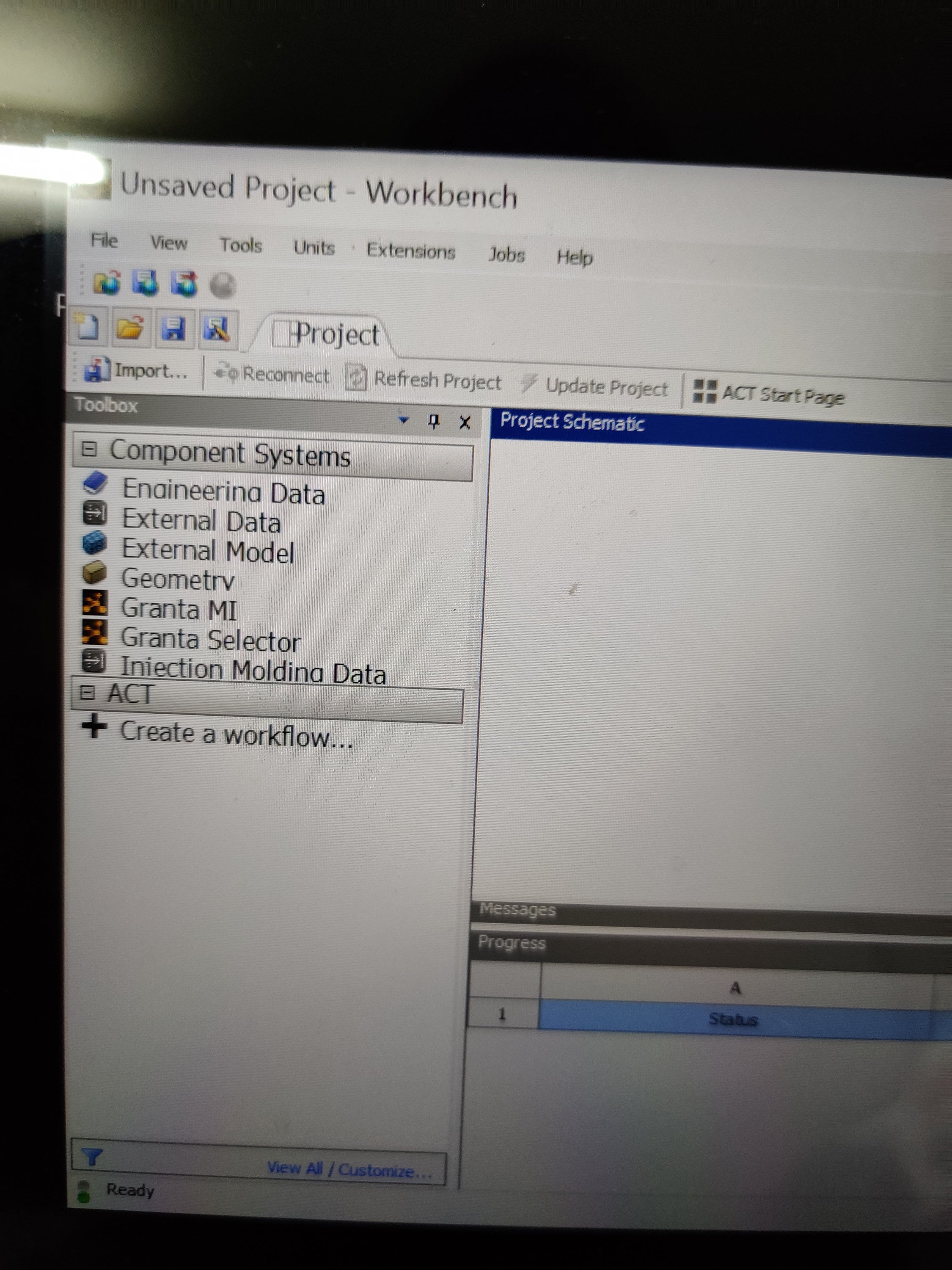 Along with lisence error
But it shows 6 system instead of 4
October 5, 2021 at 3:29 pmAnsys EmployeeWhat is the size of the downloaded installation file?
Are there any errors in the install.log or install.err file under c:\program files\amsys Inc\Ansys Student
October 5, 2021 at 3:57 pmSubscriberFile size is.
Downloaded file size. 77,17,726kb
Extract downloaded file size.
Size. 7.42GB. 7,97,02,63,130 bytes
Size on disk. 7.42 GB. 7,97,06,19,392 bytes
Contains 201 files 156 folders
# Setup 15,177kb
Install.err is not present and install.log seems to have no problem
October 5, 2021 at 7:26 pmCD18mn
SubscriberI am having the exact same problem only with the 2020 R2 version of ANSYS, I have also tried all previous solutions and those above which do not seem to help
October 6, 2021 at 3:26 amSubscriberHope our queries get quickly resolved
October 6, 2021 at 12:45 pmSubscriberPlease answer my query as deadline for our project is closing in
October 6, 2021 at 1:01 pmANSYS_MMadore
Forum ModeratorCan you please open a command prompt and run the command "set" without the quotes and send the FULL output?
October 6, 2021 at 2:45 pmAnsys EmployeeAre you using any type of VPN software?
Also, can you post any errors listed in any of the .out or .log files under: %TEMP%\.ansys
These are debug files and log files for licensing.
October 6, 2021 at 3:34 pmSubscriberI use no vpn software
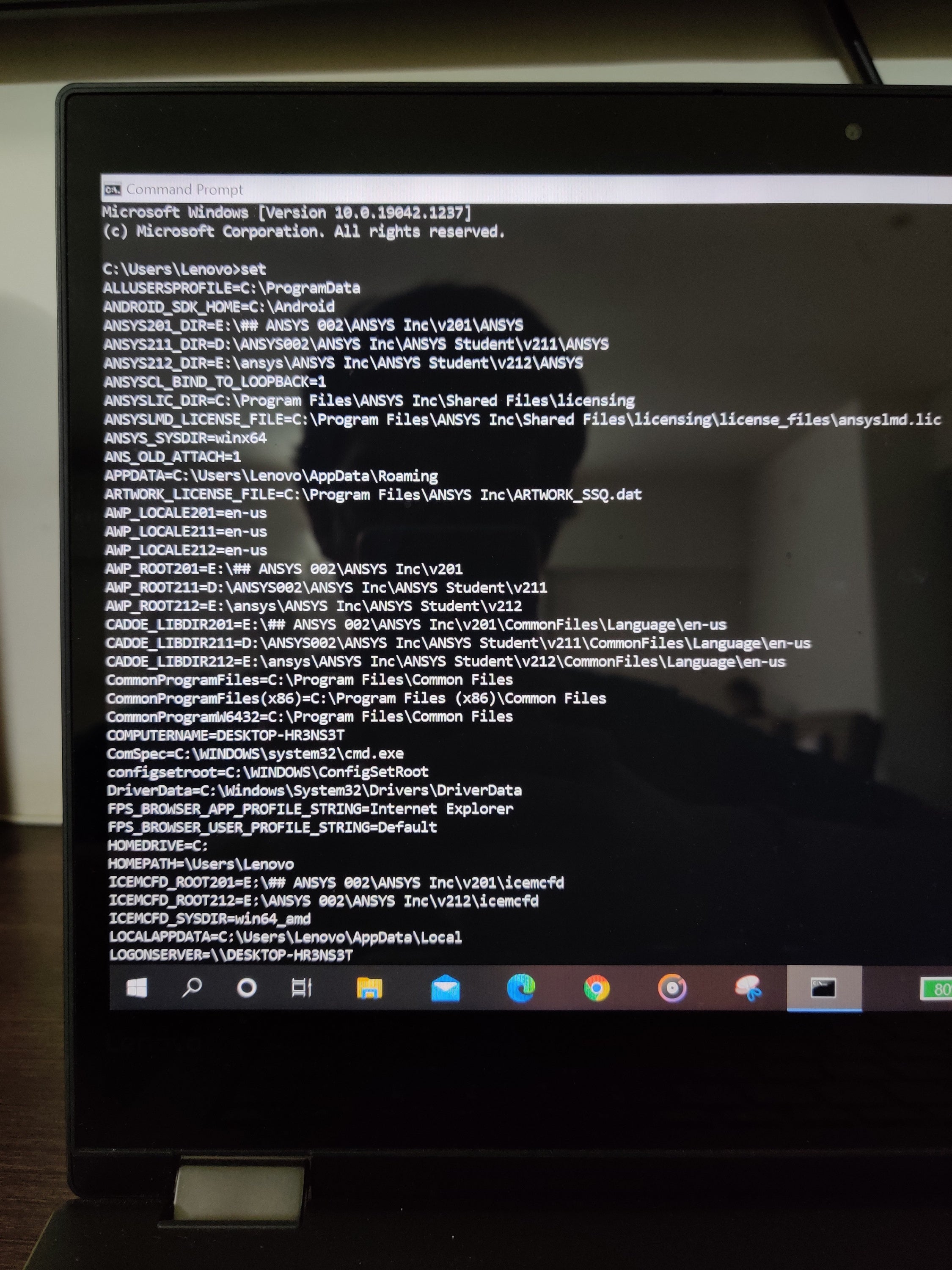
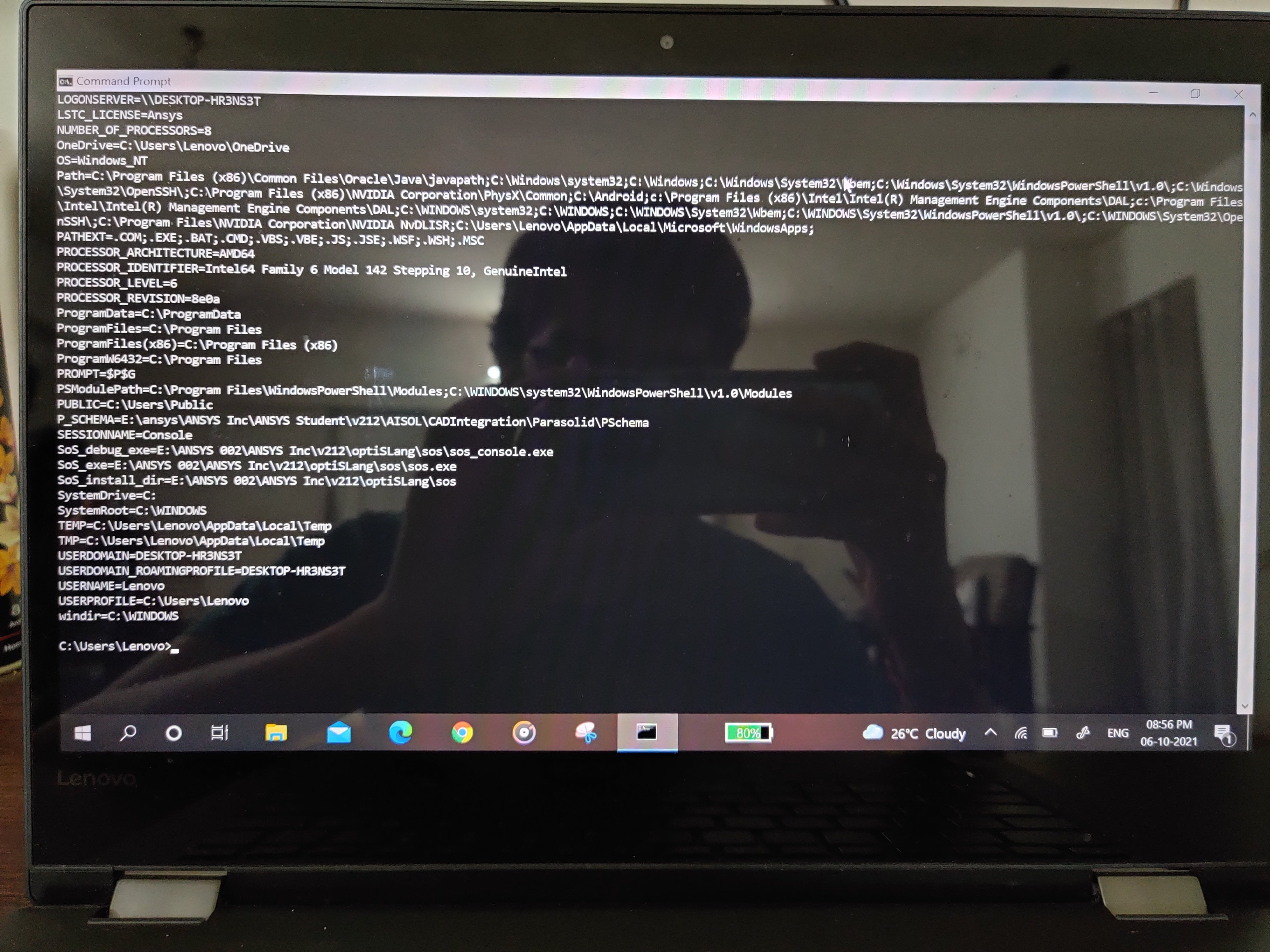 Can you tell me where to find %temp%\.ansys file and how to see errors listed in it
October 6, 2021 at 3:37 pmForum ModeratorPlease try deleting the variables ANSYSLIC_DIR and ANSYSLMD_LICENSE_FILE.
For guidance on Environment Variables please refer to this link. You need to delete the variables I've named above.
https://www.onmsft.com/how-to/how-to-set-an-environment-variable-in-windows-10
October 6, 2021 at 4:05 pmSubscriberDone .
but workbench still shows lisence error
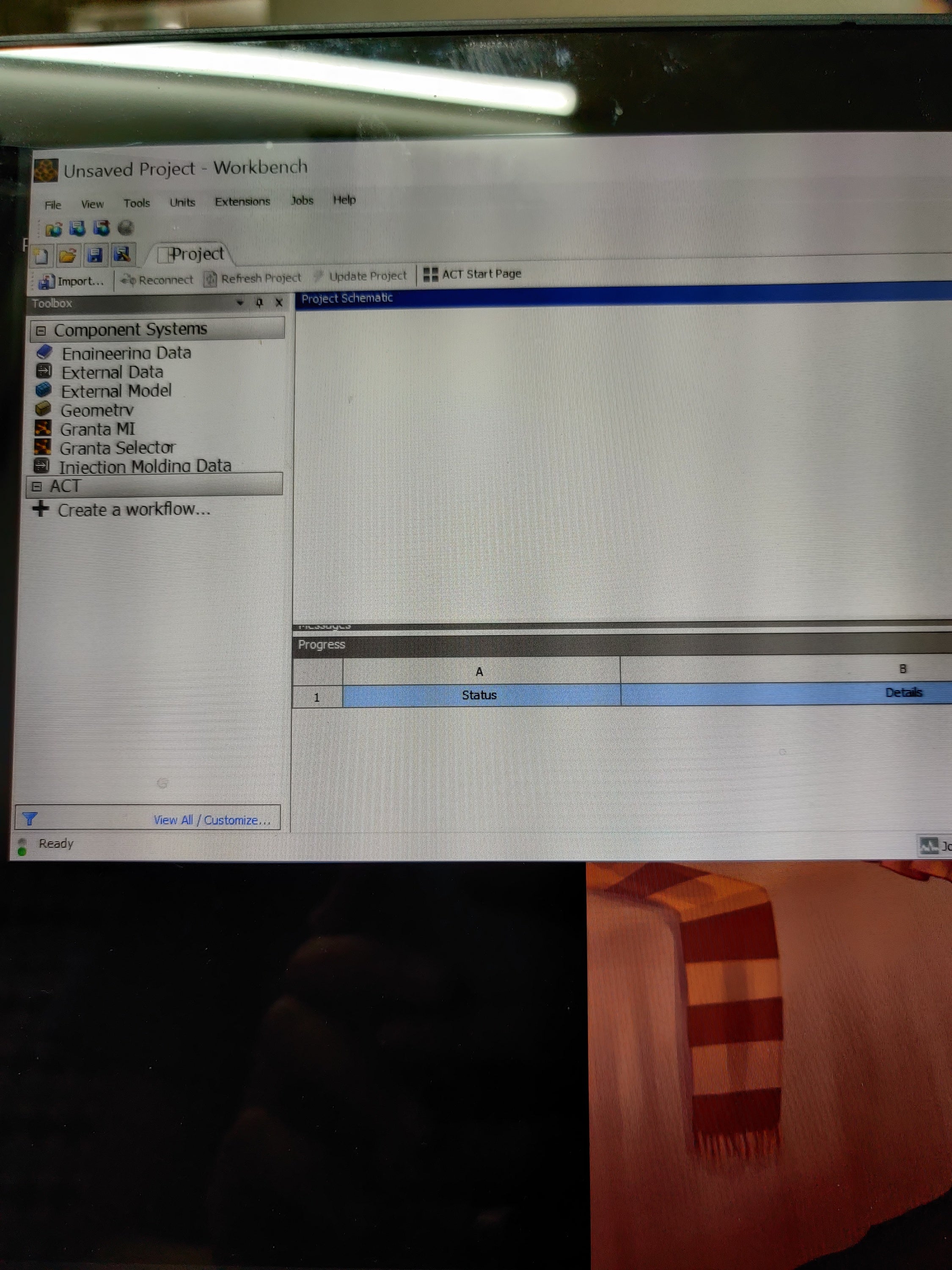 And only 7 tools of component system
October 6, 2021 at 4:24 pmAnsys EmployeeOpen File Explorer and type in %TEMP%\.ansys
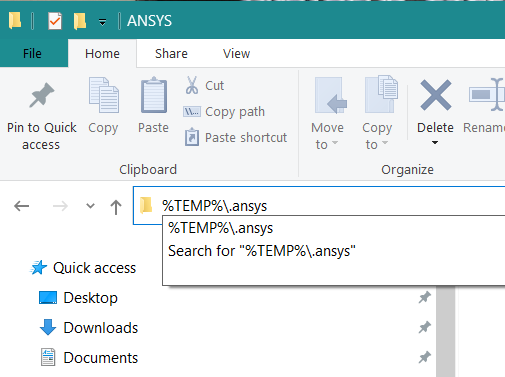
Under this directory, you will see .out files. You can view them with notepad.
Also, I see that you have multiple versions installed:

Do the other versions work?
If not, I recommend removing ALL Ansys versions and install 2021 R2
October 7, 2021 at 4:50 amVaibhav Dixit
Ansys Employee
To see %temp%\.ansys folder, you can refer the steps shared by Geo.
Or You go to 'Run' > Type that path there > hit 'Enter' in Keyboard. Share all files placed there.
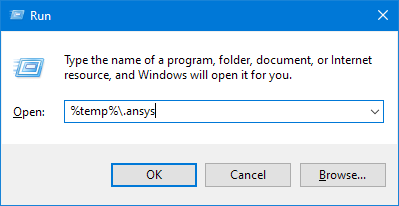
October 7, 2021 at 5:07 amSubscriberActually as explained previously I deleted all previous versions and am reinstalling ansys r21
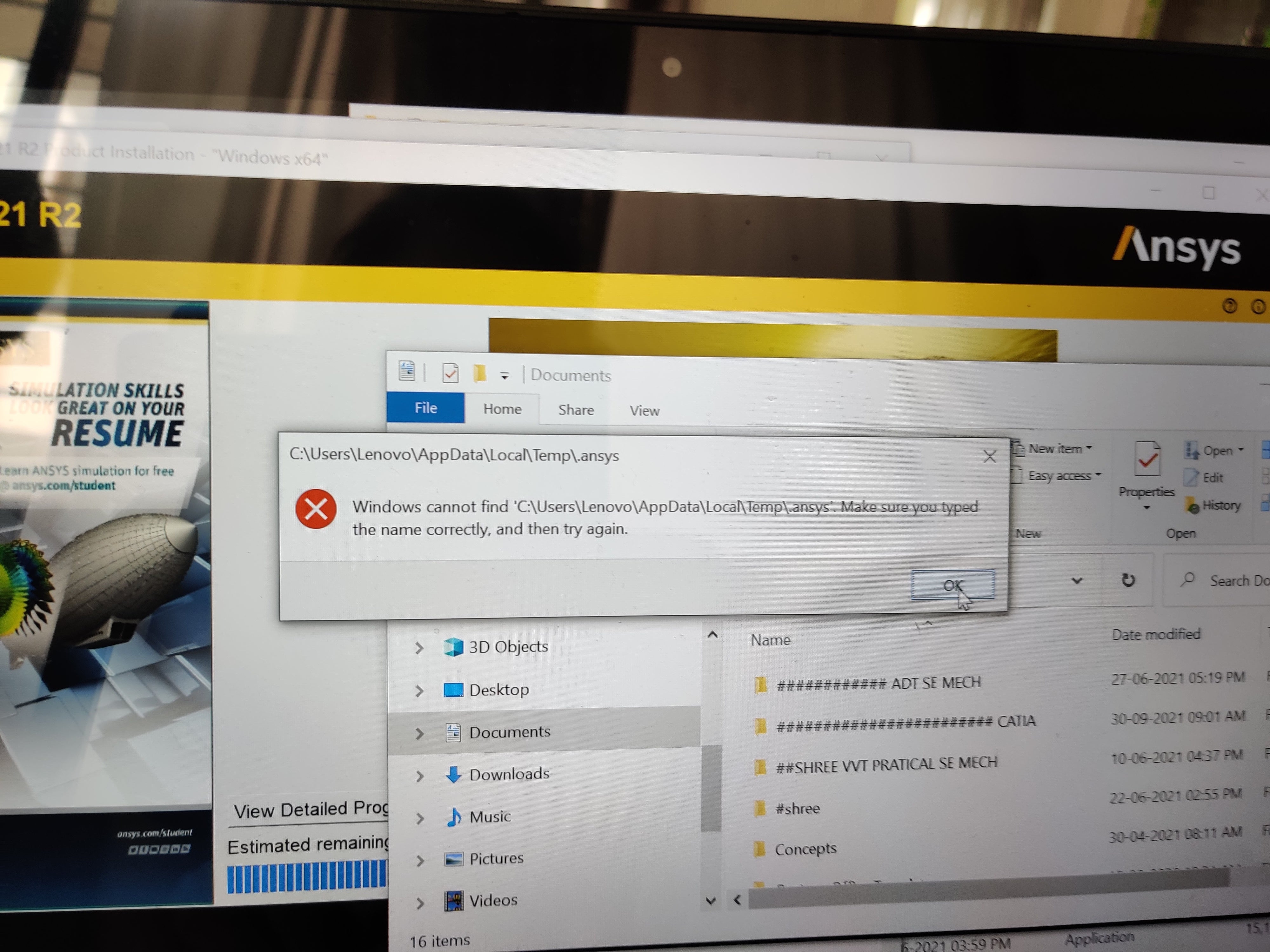
October 7, 2021 at 5:08 amSubscriberPlease answer my query if the problem arises again
October 7, 2021 at 6:00 amSubscriberAfter reinstalling again lisence error appeared and only component system present with 6 tools
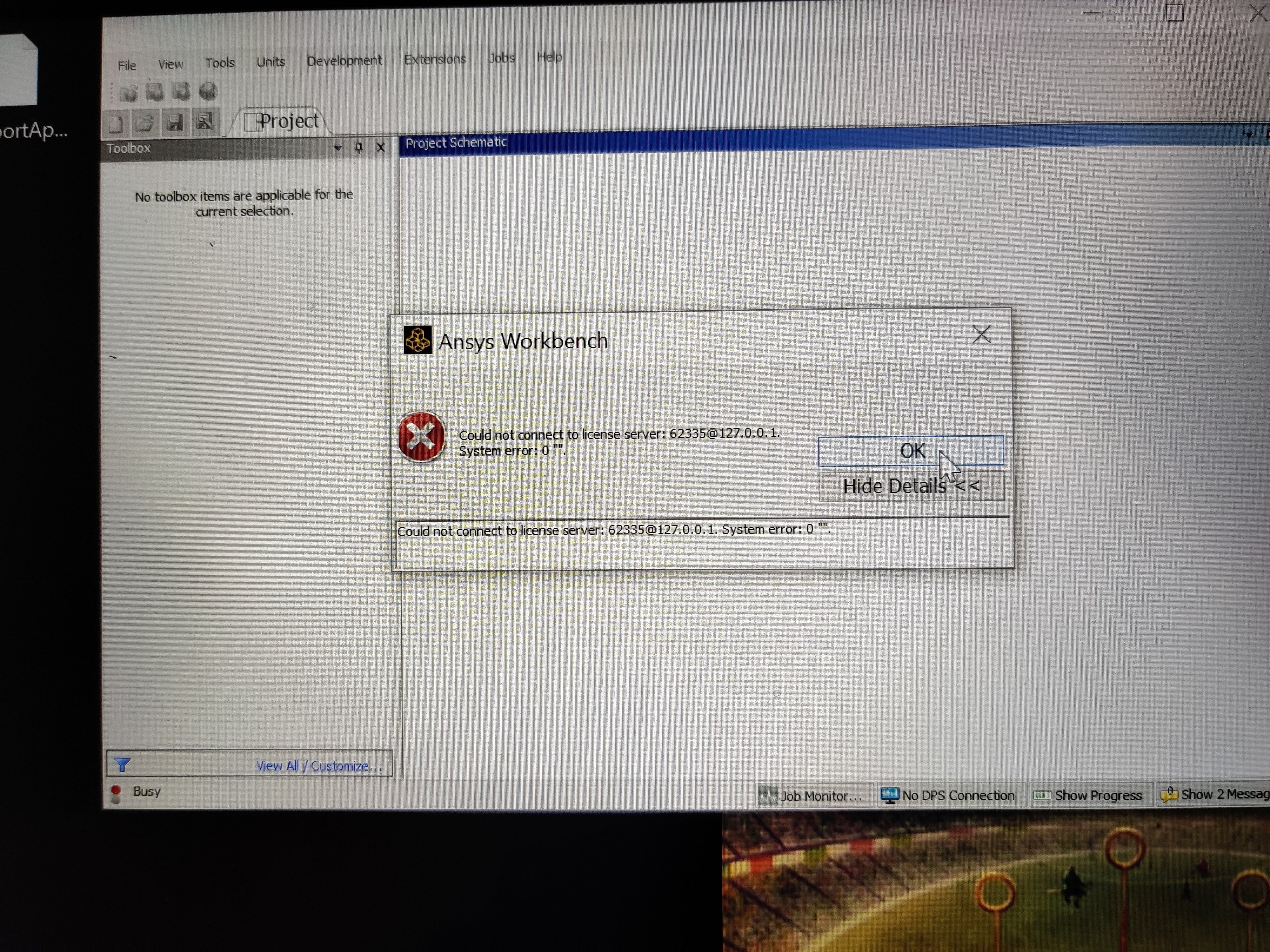
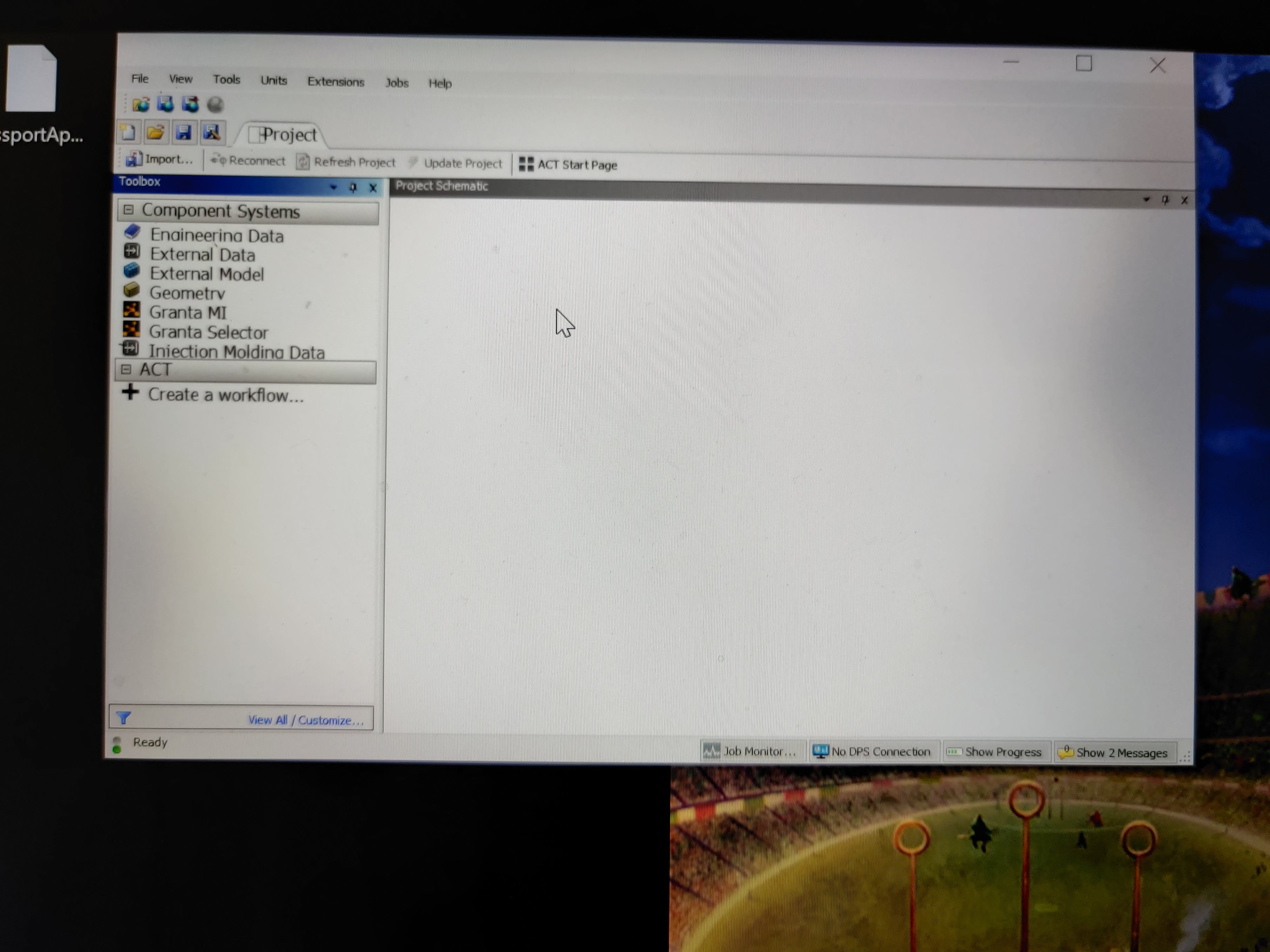
What should I do next
October 7, 2021 at 8:01 amAnsys EmployeeGo to %temp% directory , it make open "C:\Users\Lenovo\Appdata\Local\Temp"
Do you see folder '.ansys' there?
Can you create a new file there in temp directory?
October 7, 2021 at 8:21 amSubscriberThese are files that opened up
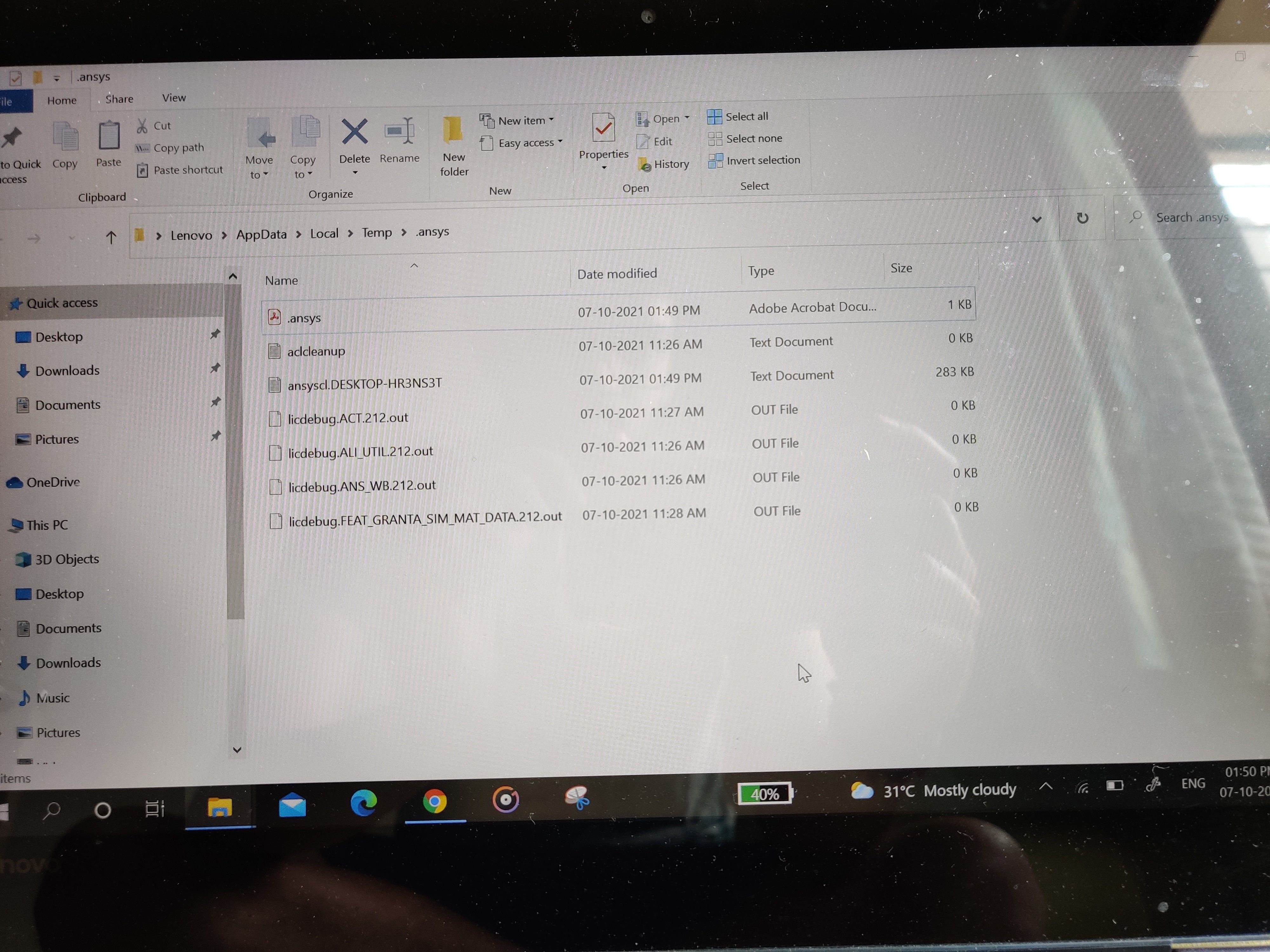 I created a new file named 'NEW FILE'
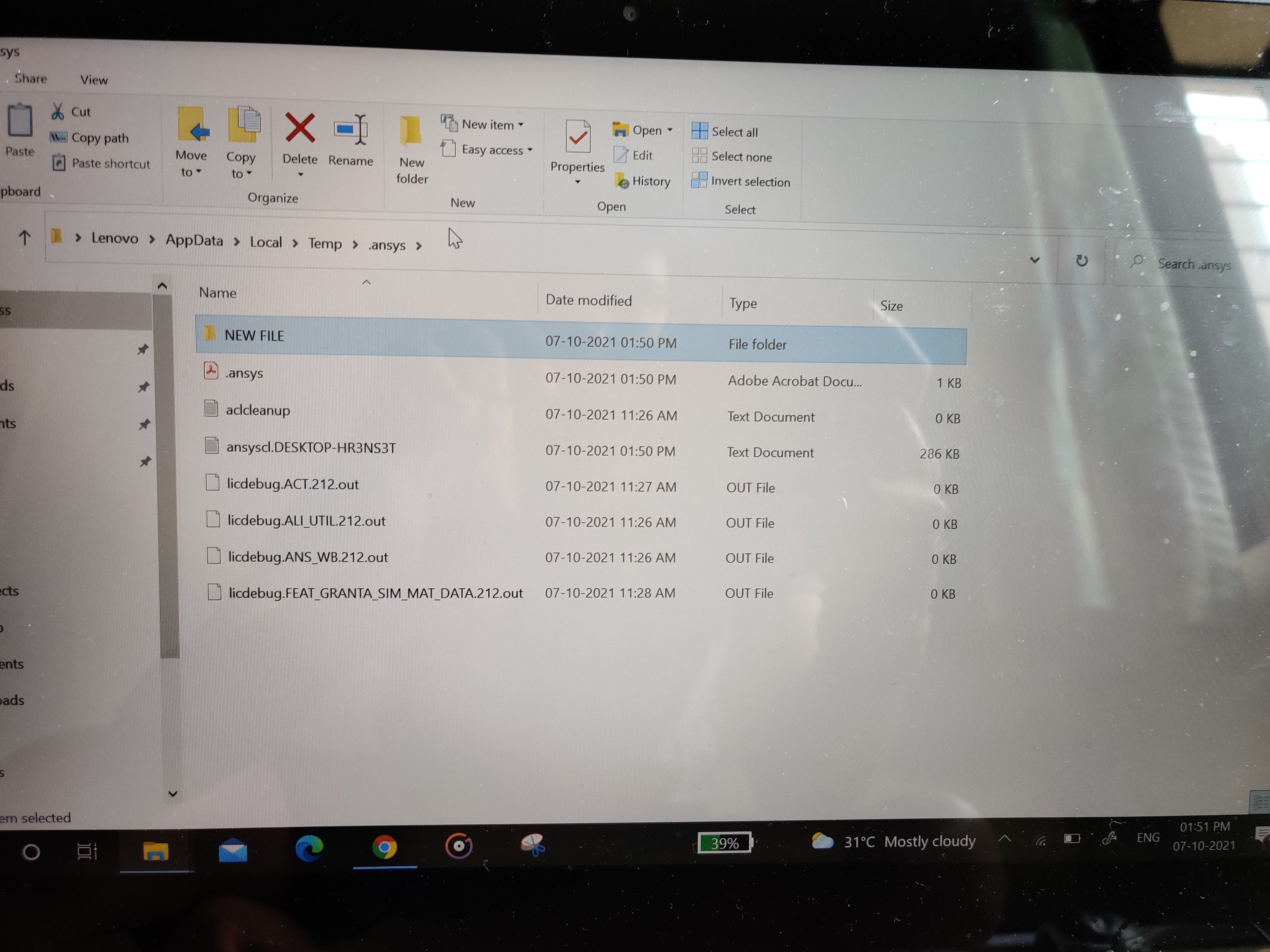
October 7, 2021 at 9:24 amAnsys EmployeeKindly share file ansyscl.Desktop-HR3NS3T to 'india-systems-support@ansys.com'.
Can you run these commands in command prompt and share their output:
ping localhost
ping localhost -4
ping %computername%
To take screenshot, you can use 'PrtScr' (Print Screen) button on your keyboard. After capture, you can paste the screenshot in Microsoft Paint.
Thanks
Vaibhav
October 7, 2021 at 11:37 amSubscriberi have submitted to the given mail-id
October 7, 2021 at 12:00 pmSubscriber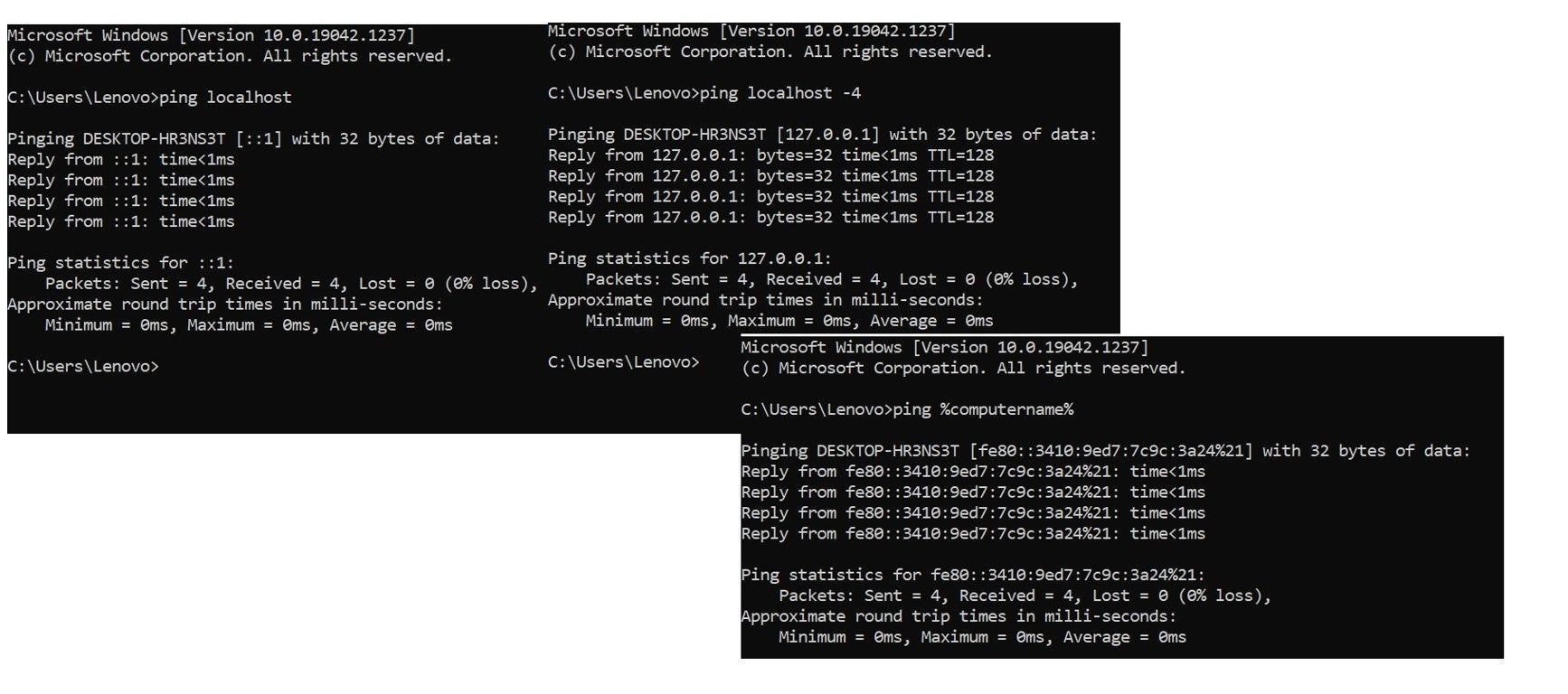 October 7, 2021 at 12:16 pmSubscriberI shared same files on india-systems-support@ansys.com
October 7, 2021 at 12:41 pmAnsys EmployeeReceived
October 7, 2021 at 12:51 pmSubscriberNext step?
October 7, 2021 at 1:00 pmAnsys EmployeeWhat is the output of command: ping %computername% -4
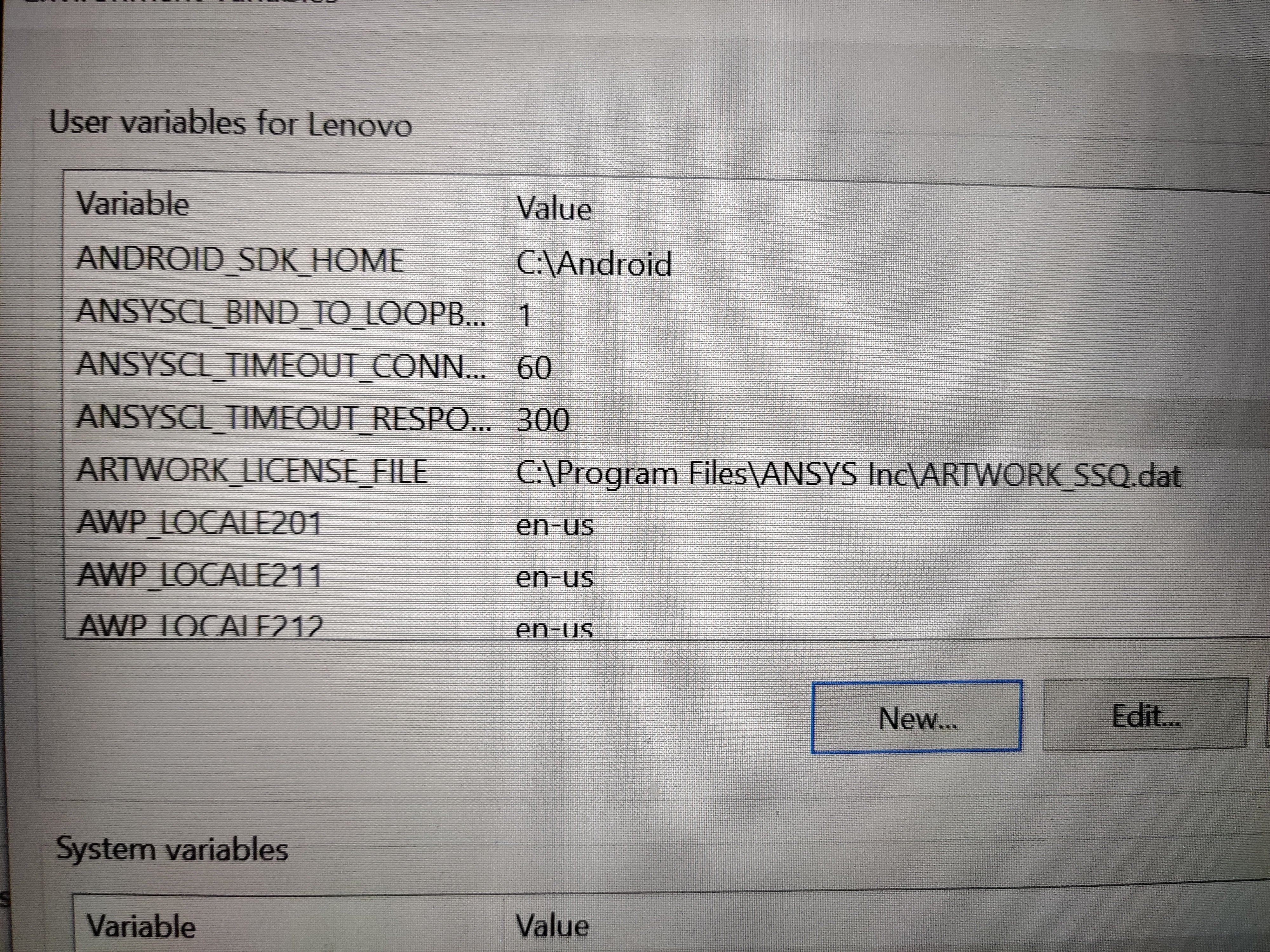
October 7, 2021 at 1:04 pmAnsys EmployeeAdd these Environment Variables and try again. Yesterday, Geo has explained how to check and add an Environment variable.
ANSYSCL_TIMEOUT_CONNECT = 60
ANSYSCL_TIMEOUT_RESPONSE = 300
October 7, 2021 at 1:05 pmSubscriber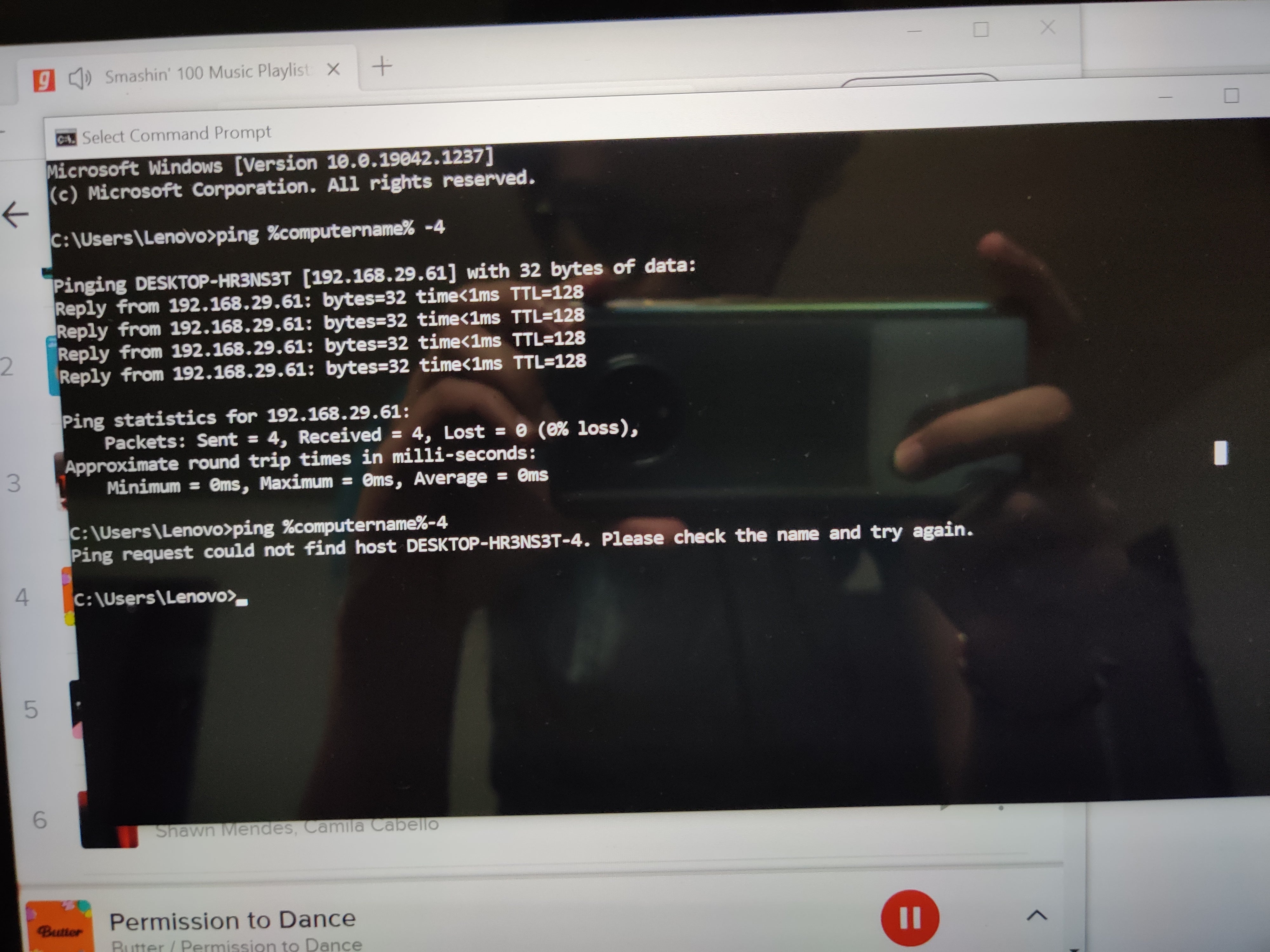 I have shared 2 o/p as I didn't get if there was space between (- and %)
1. With space. 2. Without space
October 7, 2021 at 1:27 pmAnsys EmployeeNow Try this one
October 7, 2021 at 1:37 pmAnsys EmployeeAlso:
Can you please open a dos command prompt window and run:
WMIC /OUTPUT:c:\temp\_WMICsoftware.log product get name,version /format:list
This should create c:\temp\_WMICsoftware.log
Please paste the contents of that file. (open in notepad and copy and paste to here))
October 7, 2021 at 2:26 pmSubscriberDone adding env. Variable
I tried adding in cmd prompt but it showed Invalid File Name
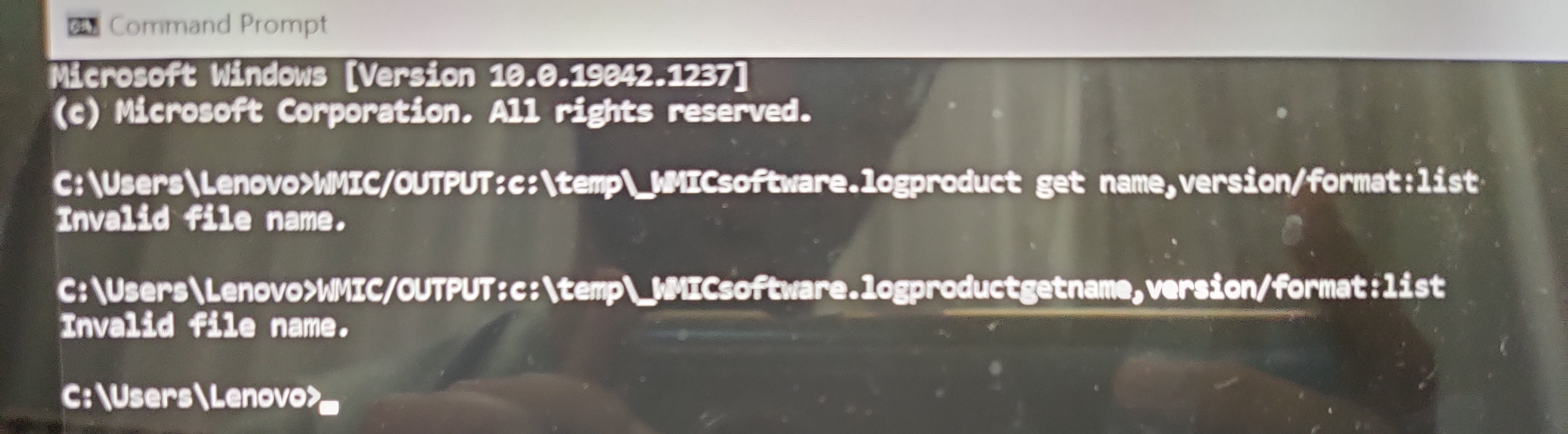
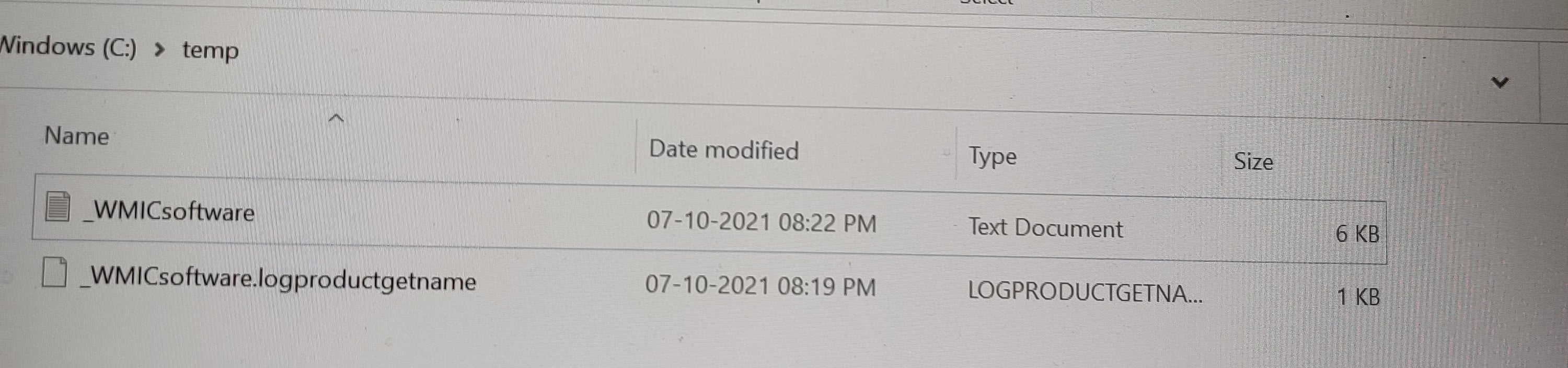
October 7, 2021 at 2:28 pmAnsys EmployeeMake sure a directory c:\temp exists. If it does not, create that directory.
Then try the command again
October 7, 2021 at 2:37 pmAnsys EmployeeI see you left out a space...Between _WMICsoftware.log and product and get and name...
WMIC /OUTPUT:c:\temp\_WMICsoftware.log product get name,version /format:list
Try copying the above command and pasting it in the command prompt or the run field.
October 7, 2021 at 3:12 pmSubscriberName=VBA (3821b)
Version=6.01.00.1234
Name=DS License Server
Version=6.222.02460
Name=Microsoft VC++ redistributables repacked.
Version=12.0.0.0
Name=Quick Heal Total Security
Version=19.00
Name=Intel(R) Management Engine Components
Version=1.0.0.0
Name=Microsoft Visual C++ 2013 x86 Minimum Runtime - 12.0.21005
Version=12.0.21005
Name=Microsoft Visual C++ 2013 x86 Additional Runtime - 12.0.21005
Version=12.0.21005
Name=
Version=
Name=Microsoft VC++ redistributables repacked.
Version=12.0.0.0
Name=Intel(R) Chipset Device Software
Version=10.1.17695.8086
Name=Intel(R) Management Engine Driver
Version=1.0.0.0
Name=Microsoft Visual C++ 2017 x64 Minimum Runtime - 14.13.26020
Version=14.13.26020
Name=Java 8 Update 261 (64-bit)
Version=8.0.2610.12
Name=Intel(R) Trusted Connect Service Client x86
Version=1.50.638.1
Name=Intel(R) Trusted Connect Service Client x64
Version=1.50.638.1
Name=Microsoft Update Health Tools
Version=2.83.0.0
Name=Visual Basic for Applications (R) Core - English
Version=6.5.10.32
Name=Microsoft Visual C++ 2013 x64 Additional Runtime - 12.0.21005
Version=12.0.21005
Name=Dolby Audio X2 Windows API SDK
Version=0.8.8.88
Name=Adobe Refresh Manager
Version=1.8.0
Name=Adobe Acrobat Reader DC
Version=21.007.20095
Name=Intel(R) Management Engine Components
Version=1.0.0.0
Name=Microsoft Visual C++ 2013 x64 Minimum Runtime - 12.0.21005
Version=12.0.21005
Name=Dassault Systemes Software VC9 Prerequisites x86-x64
Version=9.1.2
Name=Microsoft Visual C++ 2012 x64 Additional Runtime - 11.0.61030
Version=11.0.61030
Name=Microsoft Visual C++ 2017 x86 Additional Runtime - 14.13.26020
Version=14.13.26020
Name=Dassault Systemes Software Prerequisites x86-x64
Version=8.1.3
Name=Microsoft Visual C++ 2017 x64 Additional Runtime - 14.13.26020
Version=14.13.26020
Name=
Version=
Name=Microsoft Visual C++ 2012 x86 Additional Runtime - 11.0.61030
Version=11.0.61030
Name=Microsoft Visual C++ 2012 x64 Minimum Runtime - 11.0.61030
Version=11.0.61030
Name=Microsoft Visual C++ 2017 x86 Minimum Runtime - 14.13.26020
Version=14.13.26020
Name=Visual Basic for Applications (R) Core
Version=6.5.10.53
Name=Microsoft Visual C++ 2012 x86 Minimum Runtime - 11.0.61030
Version=11.0.61030
Name=Dolby Audio X2 Windows APP
Version=0.8.6.75
Name=Java Auto Updater
Version=2.8.261.12
Name=
Version=
Name=Java(TM) SE Development Kit 13.0.1 (64-bit)
Version=13.0.1.0
October 7, 2021 at 3:29 pmAnsys EmployeeThere is a software installed named : Quick Heal Total Security
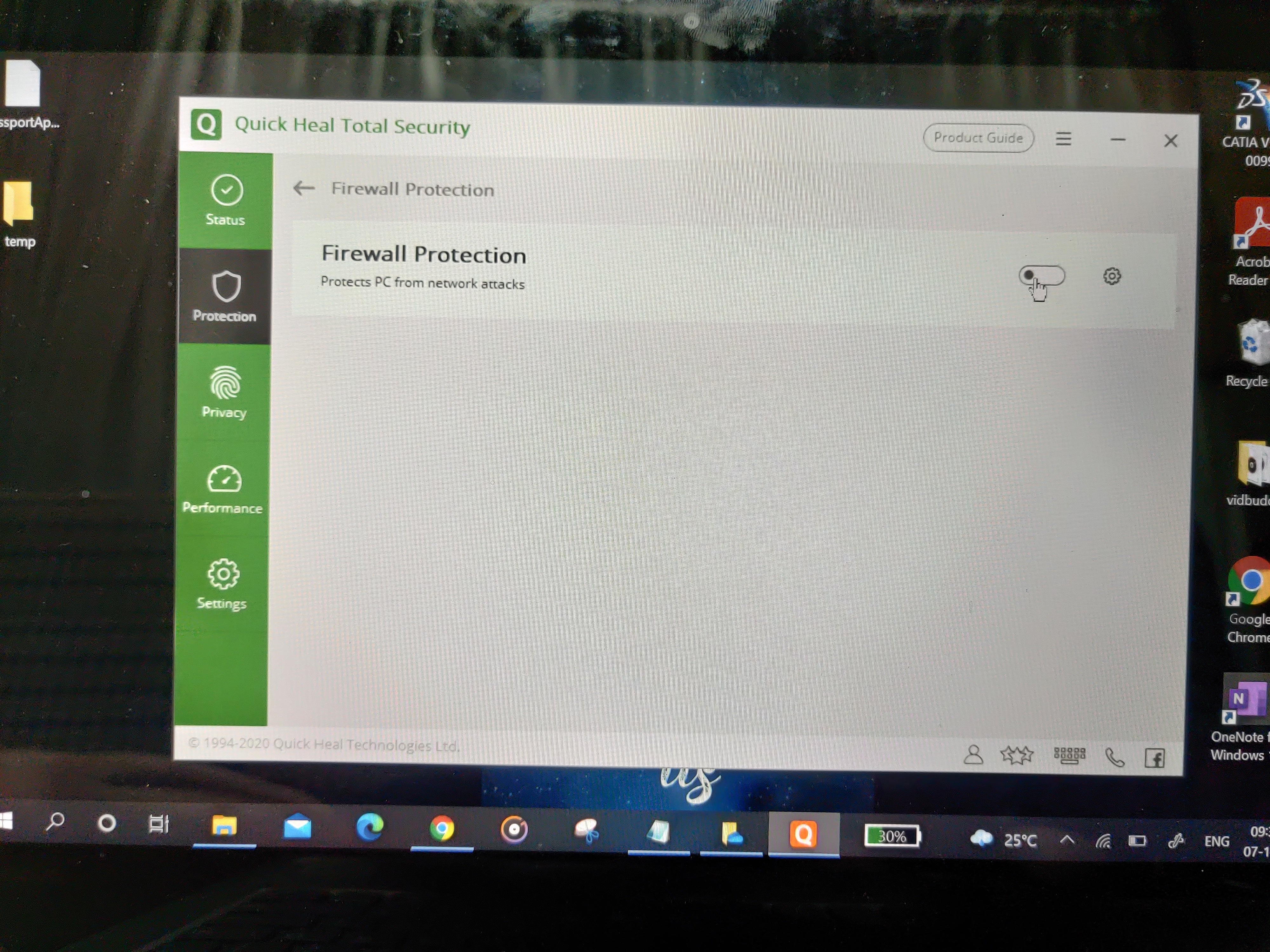
Have you tried turning off the firewall in Quick Heal Total Security?
October 7, 2021 at 4:04 pmSubscriberTurned off firewall
October 7, 2021 at 4:26 pmSubscriberThank you very much for your help
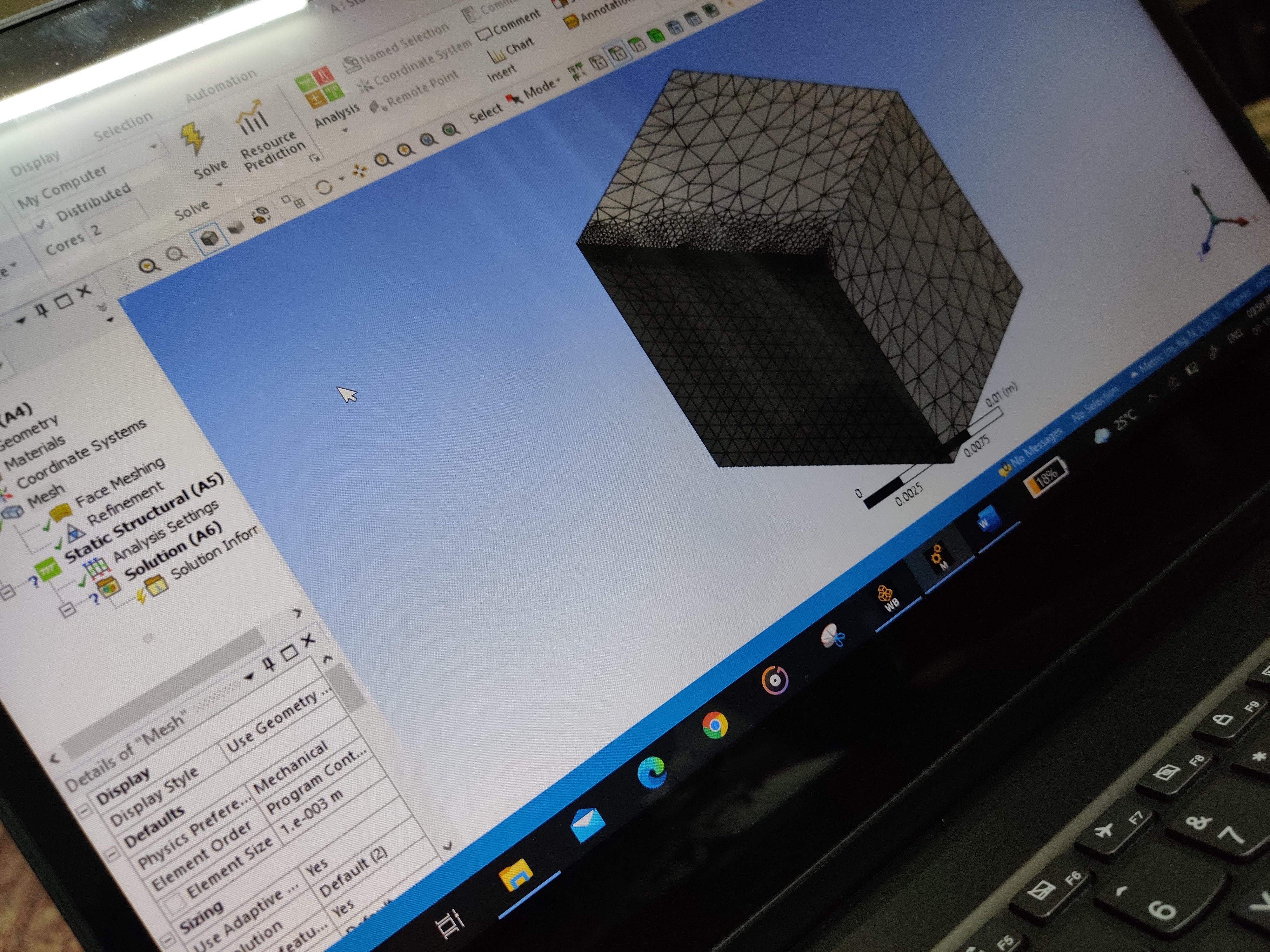
Now ansys is working
October 7, 2021 at 4:50 pmAnsys EmployeeExcellent!
I will go ahead and close this thread.
Viewing 46 reply threads- The topic ‘i get lisence error saying could not connect to lisence server 62962@.1.2.7.0.0.1. System Error: )””’ is closed to new replies.
Innovation Space Trending discussions
 Top Contributors
-
peteroznewman
 6880
6880 -
scabo
 1906
1906 -
Dennis Chen
 1544
1544 -
javat33489
 1344
1344 -
NickFL
1217
Top Rated Tags
© 2026 Copyright ANSYS, Inc. All rights reserved.
Ansys does not support the usage of unauthorized Ansys software. Please visit www.ansys.com to obtain an official distribution.
-


The Ansys Learning Forum is a public forum. You are prohibited from providing (i) information that is confidential to You, your employer, or any third party, (ii) Personal Data or individually identifiable health information, (iii) any information that is U.S. Government Classified, Controlled Unclassified Information, International Traffic in Arms Regulators (ITAR) or Export Administration Regulators (EAR) controlled or otherwise have been determined by the United States Government or by a foreign government to require protection against unauthorized disclosure for reasons of national security, or (iv) topics or information restricted by the People's Republic of China data protection and privacy laws.

 You are navigating away from the AIS Discovery experience