Ansys Assistant will be unavailable on the Learning Forum starting January 30. An upgraded version is coming soon. We apologize for any inconvenience and appreciate your patience. Stay tuned for updates.
Fluids

Fluids

Topics related to Fluent, CFX, Turbogrid and more.

    • SV
      Subscriber

      where can I find skewness of mesh for Ansys Fluent?

    • DrAmine
      Ansys Employee
      Mesh check. You can increase mesh check verbosity to increase the output printed in the console.
    • DrAmine
      Ansys Employee
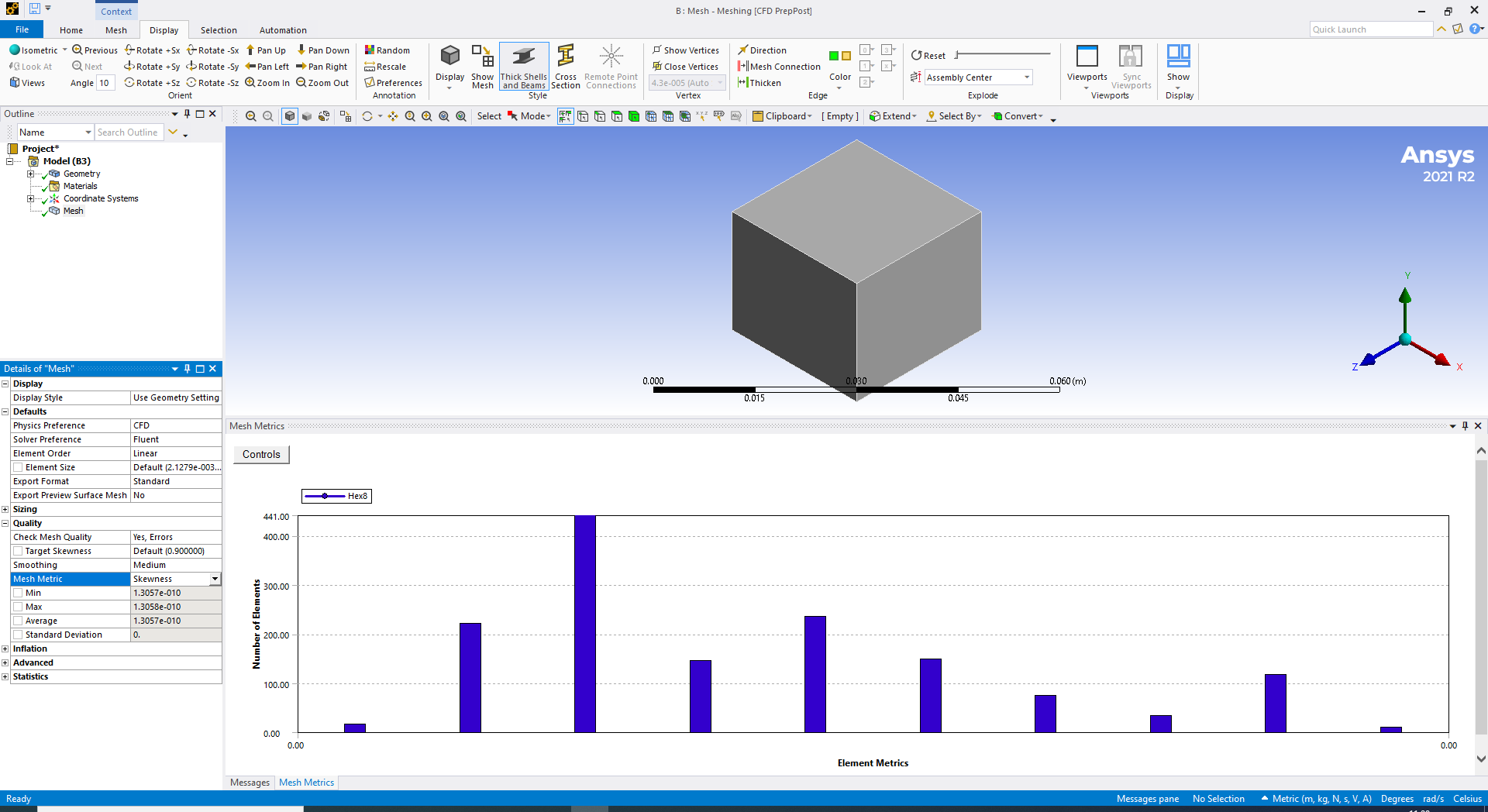
      Skewnes is standard metrics under Quality.
    • SV
      Subscriber
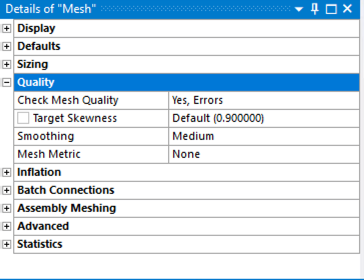
      Please look at this picture. I see the skewness here, but it does not say how much is skewness for the mesh. Do you know how much is the skewness for this mesh. Thank you
    • Rob
      Forum Moderator
      Mesh Metric => Skewness rather than "none". The interface has changed a couple of times in the last 3-4 main releases so the options have moved, you'd have looked in Statistics in R18-ish.


    • DrAmine
      Ansys Employee
      And you need to do that again inside Fluent but since a couple of releases I am seeing that the values are printed are consistent but again I will more rely on the values printed by Fluent as you want to solve in Fluent.
    • SV
      Subscriber
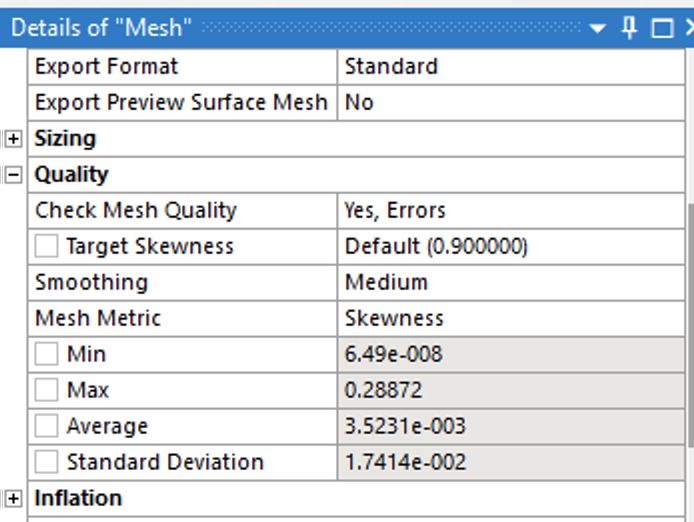
      Thank you, I can see the skewness now (min, max, average). is there any way to say to Ansys Fluent to improve the skewness? For instance if you click on Target Skewness Default (0.9) what would happen?


    • Rob
      Forum Moderator
      Given skew is bad over about 0.9 I'd not worry in this case. There are some functions in Fluent that can improve the mesh, but they're not generally used now: they're from the "good old days" when the meshing tools weren't as reliable.
Viewing 7 reply threads
  • The topic ‘skewness’ is closed to new replies.
[bingo_chatbox]