Ansys Assistant will be unavailable on the Learning Forum starting January 30. An upgraded version is coming soon. We apologize for any inconvenience and appreciate your patience. Stay tuned for updates.
General Mechanical

General Mechanical

Topics related to Mechanical Enterprise, Motion, Additive Print and more.

Unable to input maximum and minimum values in the Result section of analysis

    • MCK_Pandaleon
      Subscriber

      Hello!

      I am having issues with solution parameters on ANSYS Workbench 2020 r2. All seems fine until I want to solve.

      I want to visualise both total and directional deformations as well as the voltage applied on the piezo-eletric ceramic that I am studying. I am unable to solve because I have to input the maximum, minimum and average deformation and when they occur but I am unable to input anything in those specific areas.

      I encounter this issue with transient and static structural analysis and also with modal+harmonic responses.

      Thanks in advance!

    • ErKo
      Ansys Employee
      Hi

      Can you show some images of the errors/issues you are having so we can try and help - also explain a bit more in detail.

      Thanks

      Erik
    • MCK_Pandaleon
      Subscriber
      I am studying a simplified transducer with only the piezoelectric ceramic and the coupling module on top. The voltage applied is a slot signal that goes from -100V to 100V at a frequency of 200kHz (which is supposed to be the driving frequency).
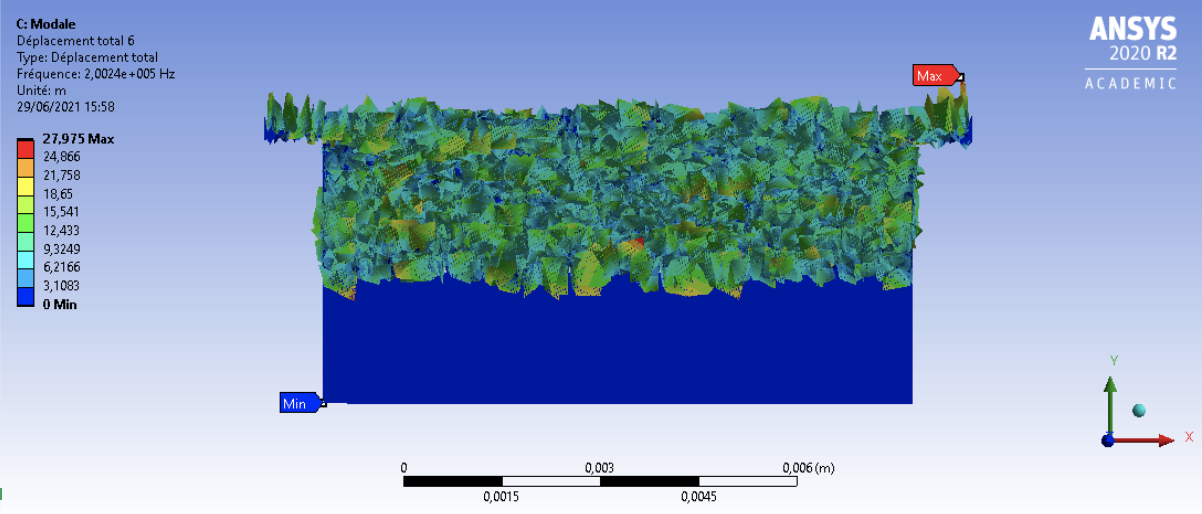
      I will first launch modal analysis to then visualise total deformations for different resonance modes, but the results I get don't make much sense : the piezo is absolutely not deformed and the coupling module seem to be too deformed.
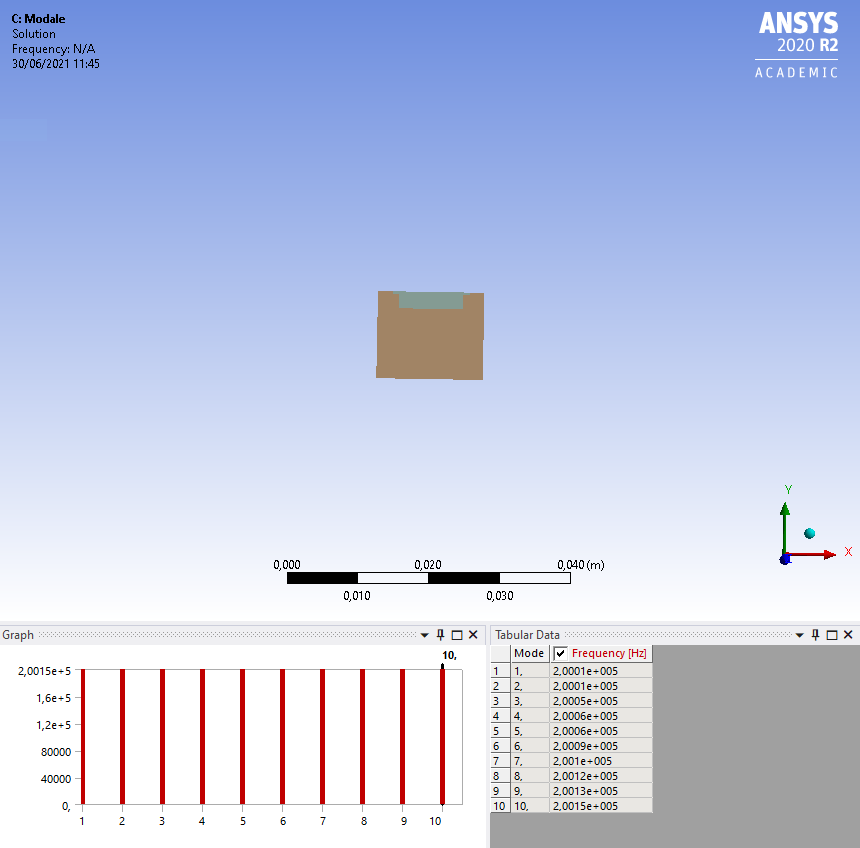
      This the result for one of the modes, when I create them from the results of the modal analysis, which are here :


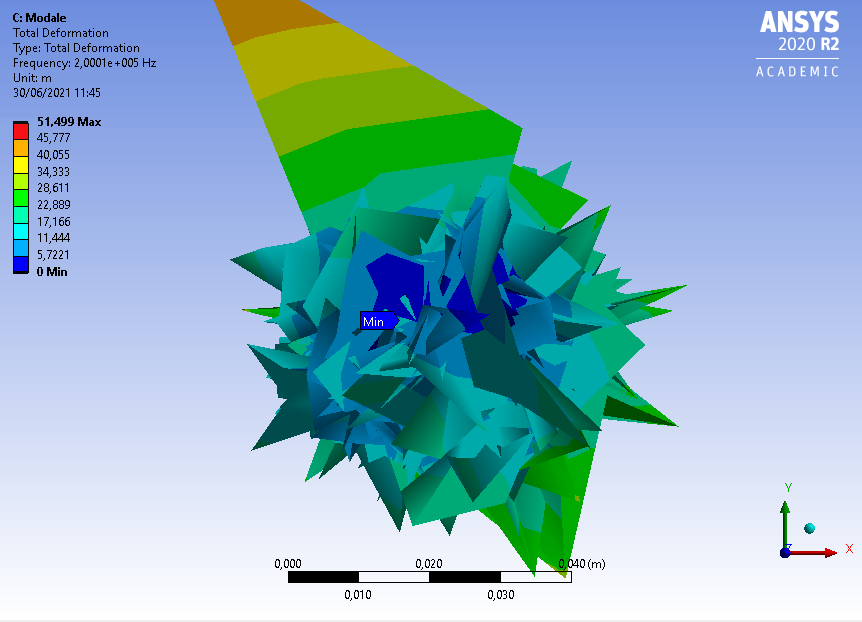
      When I add the backing module around this first part the results are even worse :
      The proportions of the deformation are simply impossible.
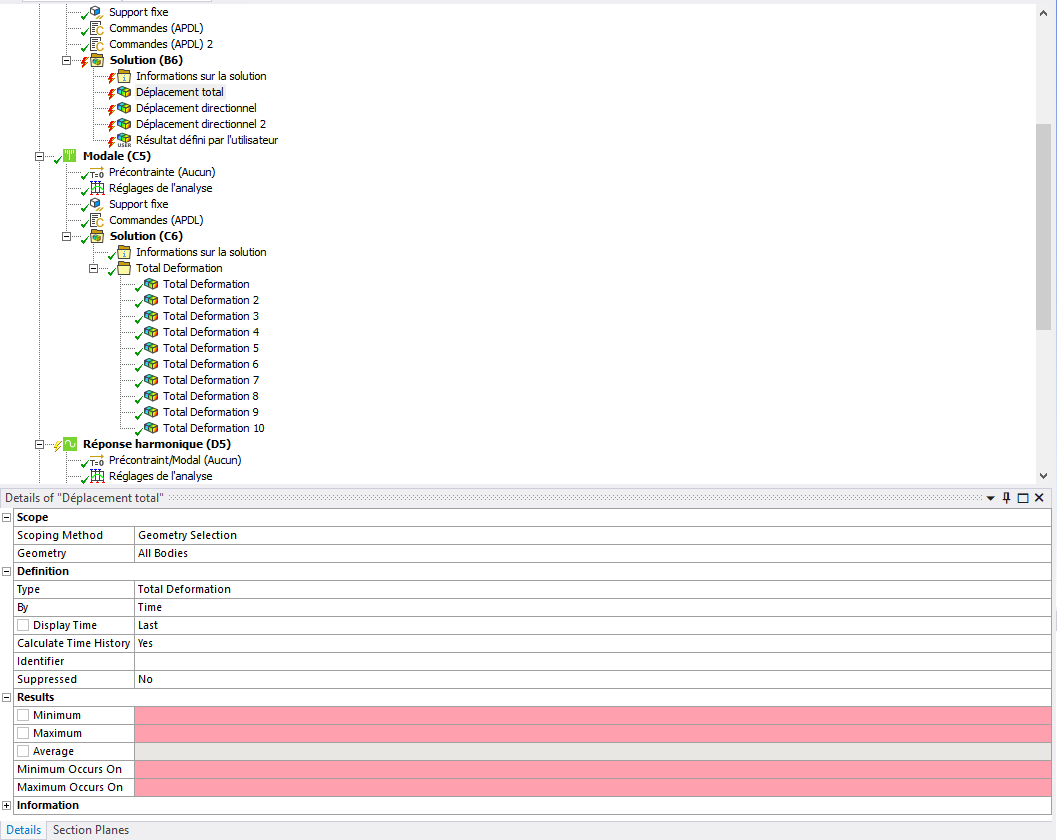
      As for the Static and transient structural analysis I get this issue :
      I am supposed to input values in the places highlighted in red but I cannot input anything.
      I also get a warning because I am using multiple dimension analysis even if all the analysis are set on the same dimension setting.
      For the commands I am not sure of the one used for the transient and static analysis, but the one used for the modal and harmonic responses is :
      'd, positive, 100
      d, negative, 0 '


    • ErKo
      Ansys Employee
      Hi

      Just run a full harmonic response no need for modal - the results you see are strange because the nonpiezo material is softer so it behaves funny like this.

      So just run the full harmonic response and excite your piezo - plot the displacements and deformation of the piezo only (so scope results to that part only) and see that it behaves as expected.

      Erik
    • MCK_Pandaleon
      Subscriber
      This does work , but I still have an issue with the command of the transient and static structural analysis.
      I want to impose a slot voltage that varies from +100V to -100V at a frequency of 200kHz. How do I do this?
      The electrodes are named selections (positive and negative), I thought of putting a time frequency table in place but I haven't managed to do so. Therefore, the simulation doesn't work well.
    • ErKo
      Ansys Employee
      That is good - piezo are normally done in freq. domain using harmonic response.

      For static use just d,exc,volt,100, and for transient, use a table called for instance voltexcite shown below (that varies with time) instead of a constant:
      like this:
      /PREP7
      CMSEL,S,EXC,NODE
      CP,NEXT,VOLT,ALL
      ALLSEL,ALL
      CMSEL,S,GROUND,NODE
      CP,NEXT,VOLT,ALL
      ALLSEL,ALL

      /SOLU
      KBC,1
      *DIM,tbexc,TABLE,4,,,TIME
      tbexc(1,0) = 0,0.0000011,0.0000022,0.000002225
      tbexc(1,1) = 0, 100,0,0
      *DIM,voltexcite,TABLE,31,1,1,TIME ! Time values
      voltexcite(1,0,1) = 0.
      voltexcite(2,0,1) = 2.5e-007
      voltexcite(3,0,1) = 2.25e-006
      voltexcite(4,0,1) = 2.5e-006
      voltexcite(5,0,1) = 2.75e-006
      voltexcite(6,0,1) = 4.75e-006
      voltexcite(7,0,1) = 5.e-006
      voltexcite(8,0,1) = 5.25e-006
      voltexcite(9,0,1) = 7.25e-006
      voltexcite(10,0,1) = 7.5e-006
      voltexcite(11,0,1) = 7.75e-006
      voltexcite(12,0,1) = 9.75e-006
      voltexcite(13,0,1) = 1.e-005
      voltexcite(14,0,1) = 1.025e-005
      voltexcite(15,0,1) = 1.225e-005
      voltexcite(16,0,1) = 1.25e-005
      voltexcite(17,0,1) = 1.275e-005
      voltexcite(18,0,1) = 1.475e-005
      voltexcite(19,0,1) = 1.5e-005
      voltexcite(20,0,1) = 1.525e-005
      voltexcite(21,0,1) = 1.725e-005
      voltexcite(22,0,1) = 1.75e-005
      voltexcite(23,0,1) = 1.775e-005
      voltexcite(24,0,1) = 1.975e-005
      voltexcite(25,0,1) = 2.e-005
      voltexcite(26,0,1) = 2.025e-005
      voltexcite(27,0,1) = 2.225e-005
      voltexcite(28,0,1) = 2.25e-005
      voltexcite(29,0,1) = 2.275e-005
      voltexcite(30,0,1) = 2.475e-005
      voltexcite(31,0,1) = 2.5e-005
      ! Load values
      voltexcite(1,1,1) = 0.
      voltexcite(2,1,1) = 100.
      voltexcite(3,1,1) = 100.
      voltexcite(4,1,1) = 0.
      voltexcite(5,1,1) = -100.
      voltexcite(6,1,1) = -100.
      voltexcite(7,1,1) = 0.
      voltexcite(8,1,1) = 100.
      voltexcite(9,1,1) = 100.
      voltexcite(10,1,1) = 0.
      voltexcite(11,1,1) = -100.
      voltexcite(12,1,1) = -100.
      voltexcite(13,1,1) = 0.
      voltexcite(14,1,1) = 100.
      voltexcite(15,1,1) = 100.
      voltexcite(16,1,1) = 0.
      voltexcite(17,1,1) = -100.
      voltexcite(18,1,1) = -100.
      voltexcite(19,1,1) = 0.
      voltexcite(20,1,1) = 100.
      voltexcite(21,1,1) = 100.
      voltexcite(22,1,1) = 0.
      voltexcite(23,1,1) = -100.
      voltexcite(24,1,1) = -100.
      voltexcite(25,1,1) = 0.
      voltexcite(26,1,1) = 100.
      voltexcite(27,1,1) = 100.
      voltexcite(28,1,1) = 0.
      voltexcite(29,1,1) = -100.
      voltexcite(30,1,1) = -100.
      voltexcite(31,1,1) = 0.

      D,EXC,VOLT,%voltexcite%
      D,GROUND,VOLT,0



Viewing 5 reply threads
  • The topic ‘Unable to input maximum and minimum values in the Result section of analysis’ is closed to new replies.
[bingo_chatbox]