

TAGGED: cpu, processing-speed
-
-
June 11, 2021 at 3:39 pm
cqtavee
SubscriberHi All
I recently noticed that my computer was running under a very low CPU usage during emulation. Does anyone know how to get higher CPU usage (maybe closer to 100%)? I guess a higher CPU usage can greatly increase the simulation speed.
June 14, 2021 at 7:48 pmLito
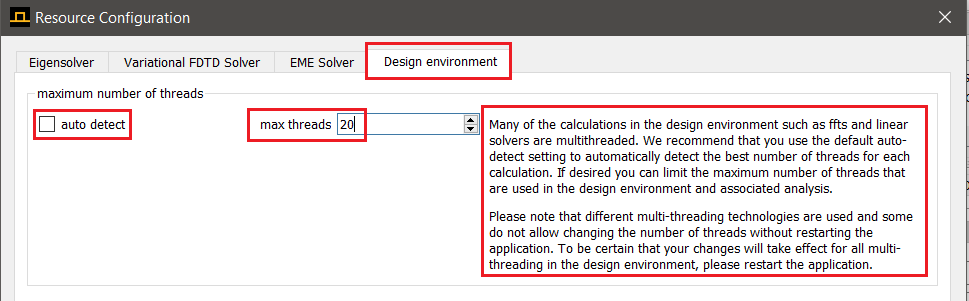
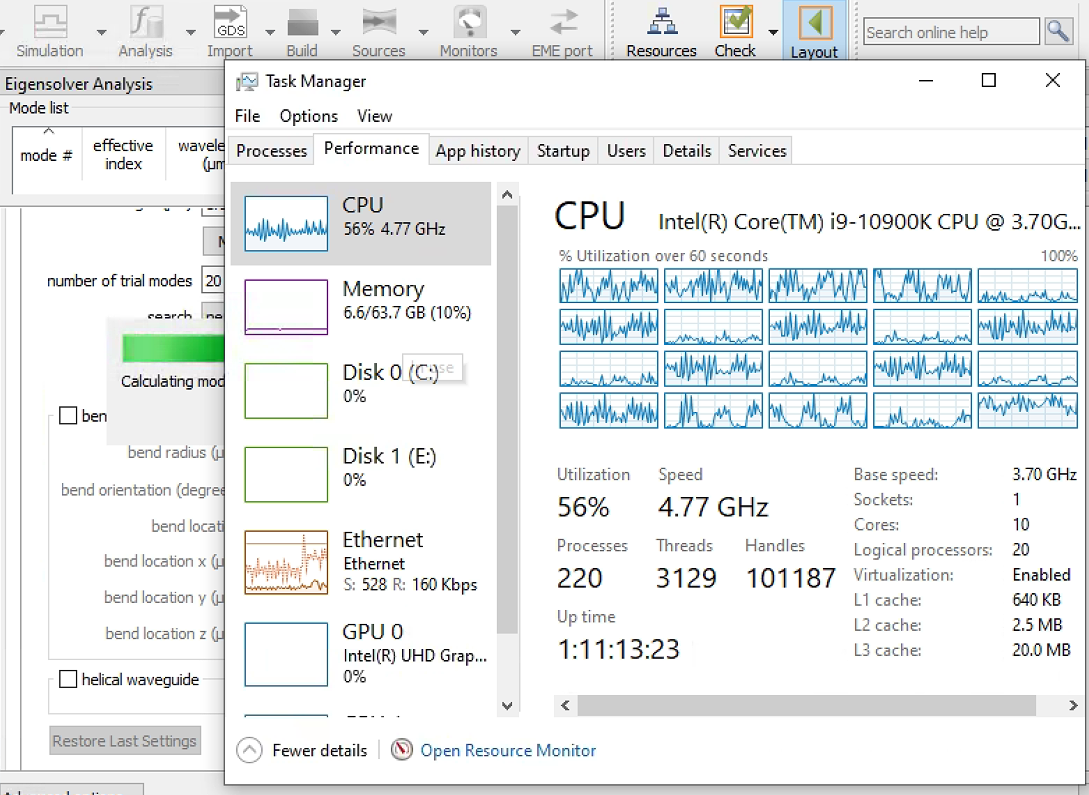
Ansys EmployeeCalculating modes or other computations within the CAD uses the settings from the Design Environment tab in the Resources Configuration. It should automatically detect the number of Cores on your machine and use this to run the calculations. Otherwise, set this to the maximum number of Logical processors/threads on your machine.
 Best
Lito
Best
Lito
June 22, 2021 at 7:03 pmSubscriberThanks! It works!
June 22, 2021 at 7:14 pmAnsys EmployeeYou are welcome. Glad to hear this.
Best Lito
Viewing 3 reply threads- The topic ‘Low CPU usage during the simulation’ is closed to new replies.
Innovation Space Trending discussions
 Top Contributors
-
peteroznewman
 6625
6625 -
scabo
 1906
1906 -
Dennis Chen
 1469
1469 -
javat33489
 1311
1311 -
Shyam Prasad V Atri
1022
Top Rated Tags
© 2026 Copyright ANSYS, Inc. All rights reserved.
Ansys does not support the usage of unauthorized Ansys software. Please visit www.ansys.com to obtain an official distribution.
-


The Ansys Learning Forum is a public forum. You are prohibited from providing (i) information that is confidential to You, your employer, or any third party, (ii) Personal Data or individually identifiable health information, (iii) any information that is U.S. Government Classified, Controlled Unclassified Information, International Traffic in Arms Regulators (ITAR) or Export Administration Regulators (EAR) controlled or otherwise have been determined by the United States Government or by a foreign government to require protection against unauthorized disclosure for reasons of national security, or (iv) topics or information restricted by the People's Republic of China data protection and privacy laws.

 You are navigating away from the AIS Discovery experience