

-
-
April 16, 2022 at 6:02 pm
IddleDiddle
SubscriberApril 18, 2022 at 10:40 amManish Dubey
Ansys Employee
From the shared snapshot it appears that 84% of memory is in use. Could you please share the memory specification of the system? Do you see an error in solve.out file if generated?
Is this issue specific to this model or to any other simple model with very few elements?
Thanks
Manish
April 19, 2022 at 11:43 amSubscriber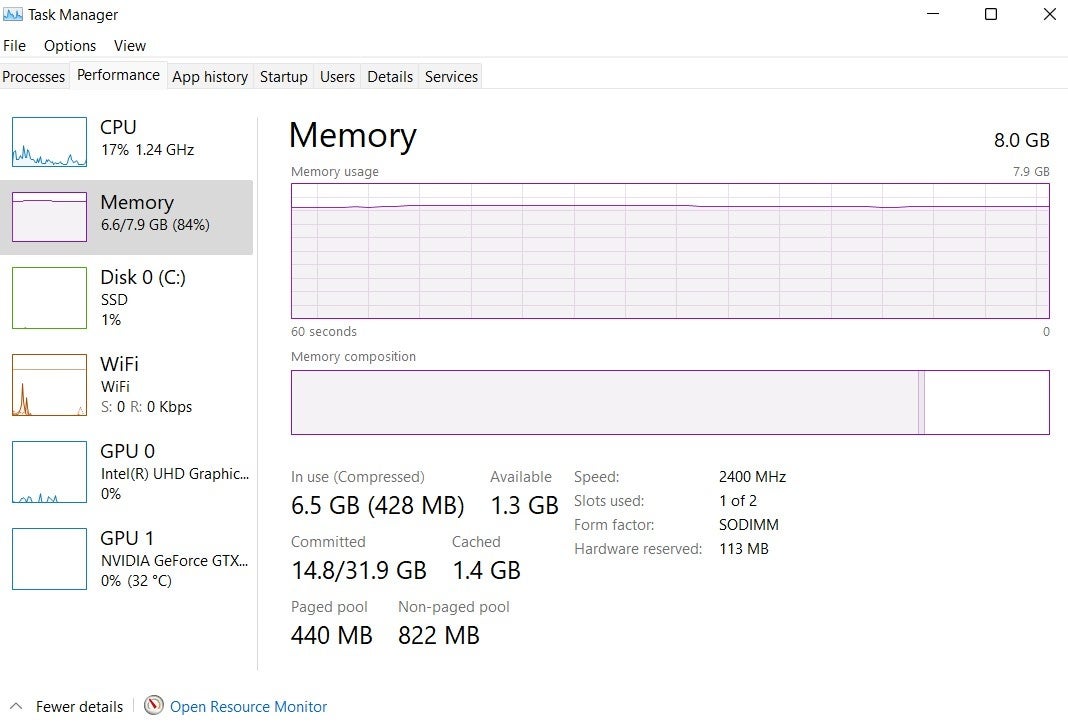 I've attached an image of the memory, please let me know if that is what you are looking for.
I can't see a solve.out file in the project files.
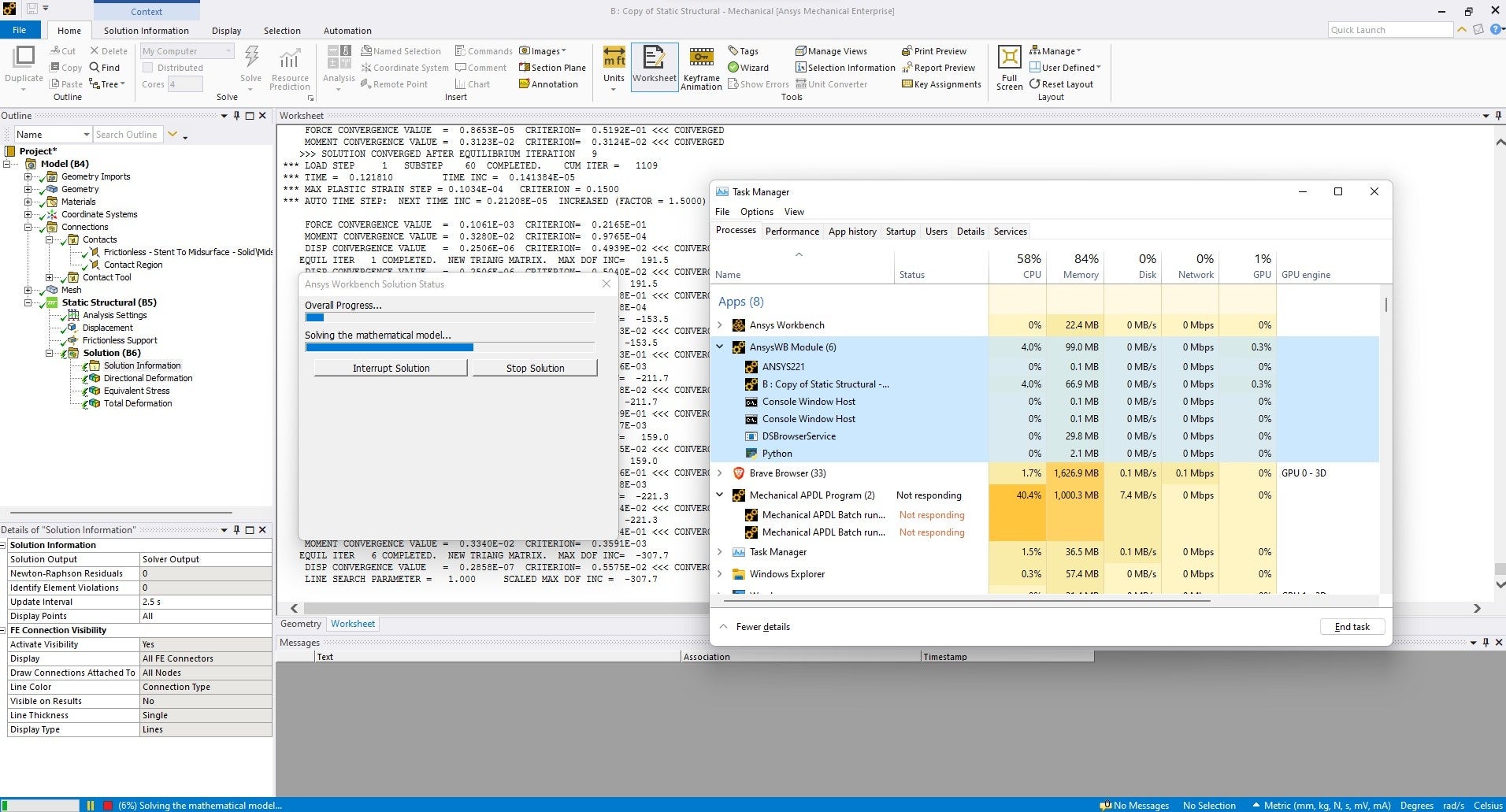
I believe the issue is model specific, it failed after 47hrs of running. I have attached a screenshot of the errors I received after it failed. I am fairly confident that all of the contact conditions are ok, so it may lie in the analysis settings.
 I will try to debug the solution with the advice from the error warnings above. But I would appreciate any insight or guidance!
For context, I am radially expanding a coronary stent using a balloon. The displacement is from 3mm to 6mm. I have attached a photo of the geometry and the analysis settings too.
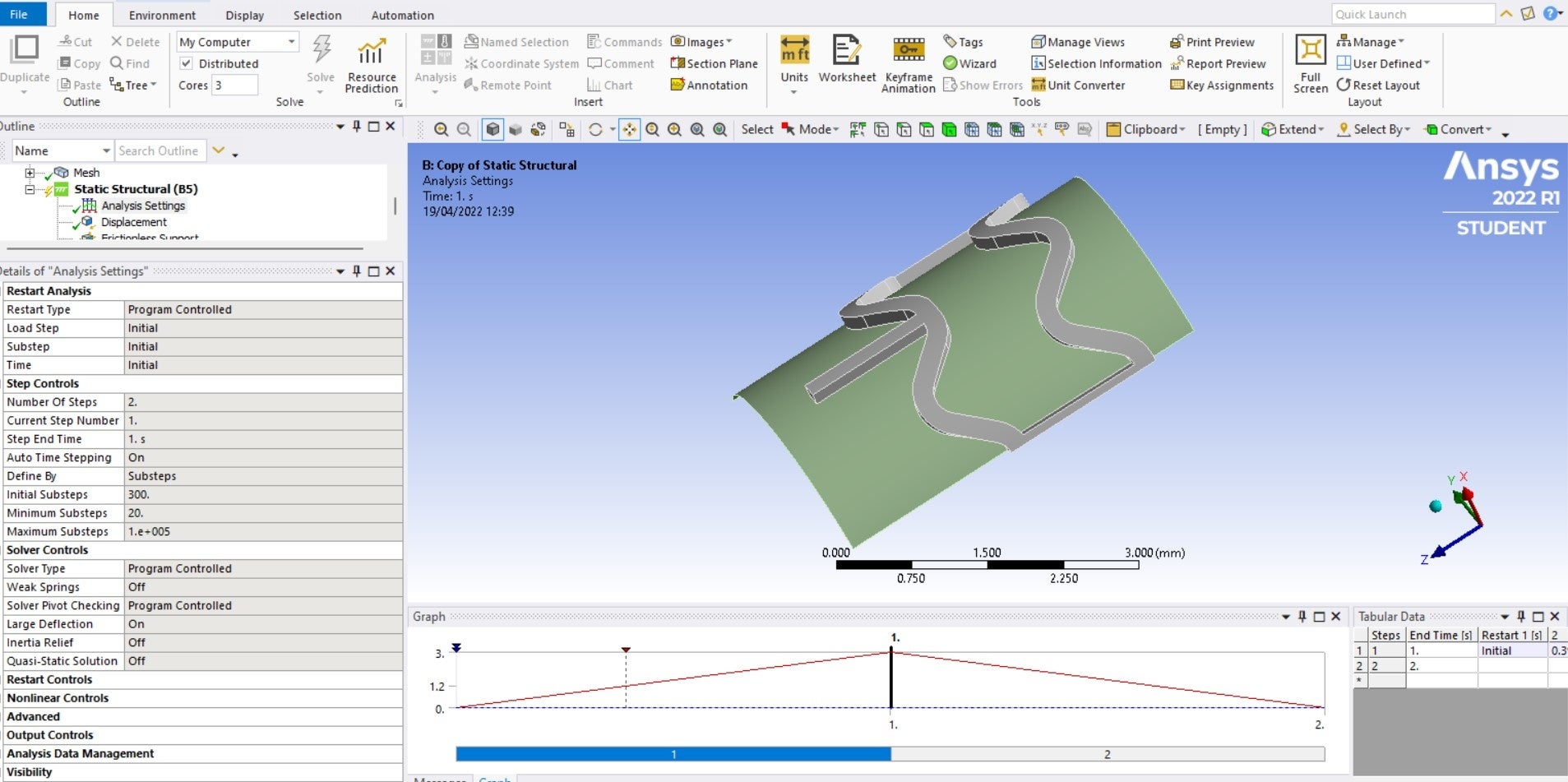
May 10, 2022 at 7:08 amvishavjeet062
Subscriber
It seems you have 8GB ram in your workstation. And if you start a simulation with large deformation, it obviously take time depends on your non linearity. (Material, geometry, contact)
In your case,
1) Try restarting your workstation before start the simulation.
2) Do clear generated data before start the simulation.
3) Check your mesh quality.(aspect ratio)
4) Check contact settings with contact tool.
Viewing 3 reply threads- The topic ‘Workbench stuck from 5-10% in preparing/solving mathematical model’ is closed to new replies.
Innovation Space Trending discussions
 Top Contributors
-
peteroznewman
 4904
4904 -
scabo
 1598
1598 -
Dennis Chen
 1386
1386 -
javat33489
 1242
1242 -
Shyam Prasad V Atri
1021
Top Rated Tags
© 2026 Copyright ANSYS, Inc. All rights reserved.
Ansys does not support the usage of unauthorized Ansys software. Please visit www.ansys.com to obtain an official distribution.
-


The Ansys Learning Forum is a public forum. You are prohibited from providing (i) information that is confidential to You, your employer, or any third party, (ii) Personal Data or individually identifiable health information, (iii) any information that is U.S. Government Classified, Controlled Unclassified Information, International Traffic in Arms Regulators (ITAR) or Export Administration Regulators (EAR) controlled or otherwise have been determined by the United States Government or by a foreign government to require protection against unauthorized disclosure for reasons of national security, or (iv) topics or information restricted by the People's Republic of China data protection and privacy laws.

 You are navigating away from the AIS Discovery experience

