-
-
June 9, 2020 at 9:52 am
moritz.mantel
SubscriberHello everyone,
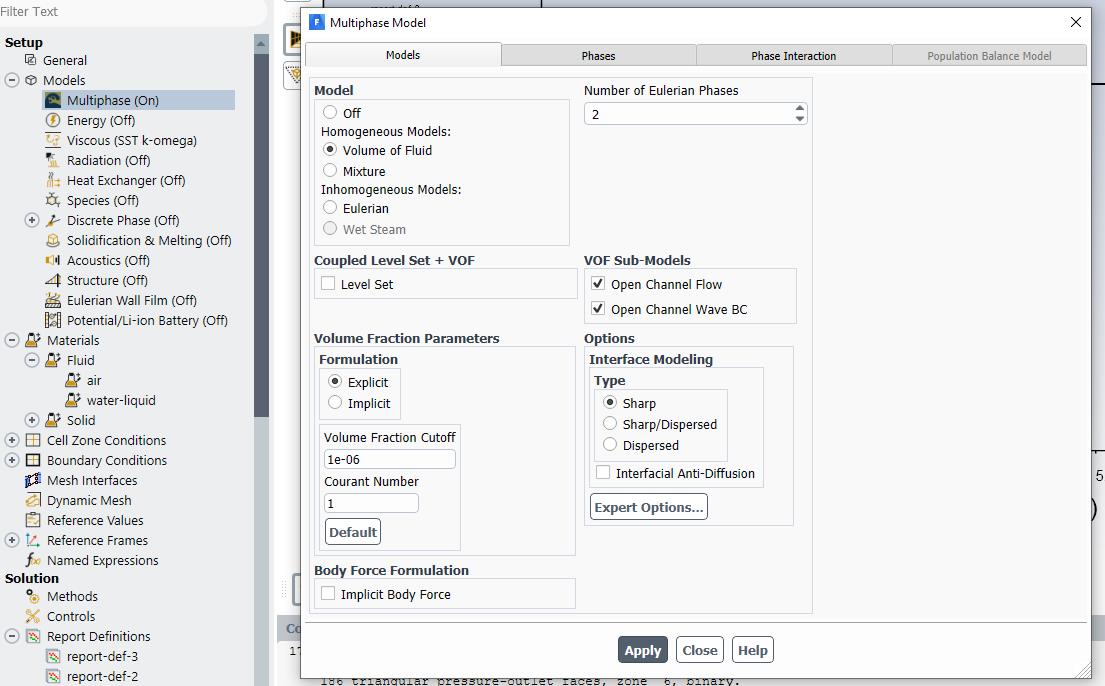
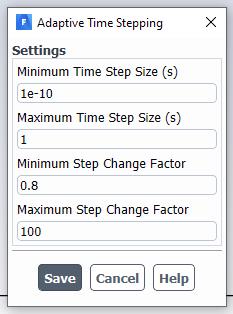
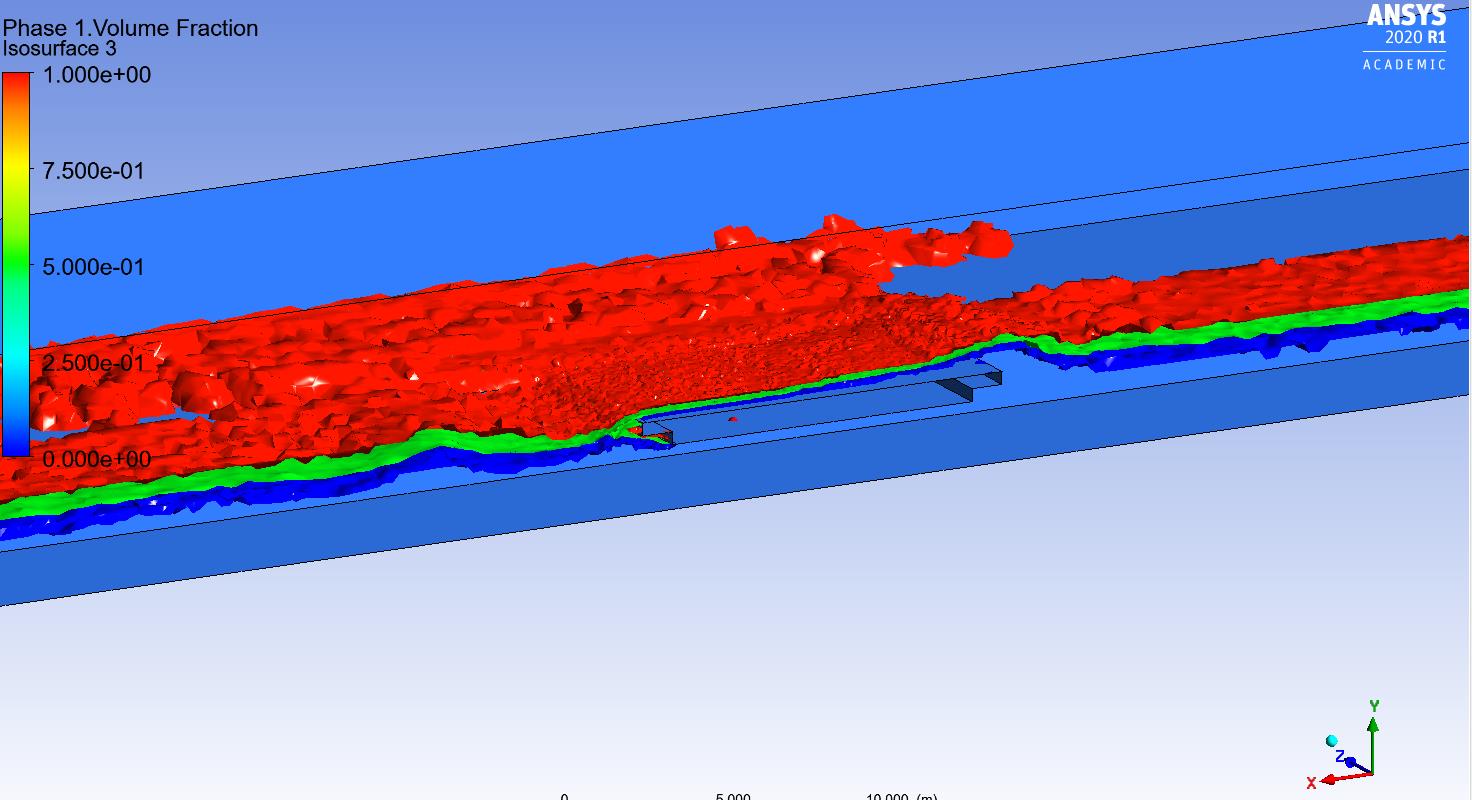
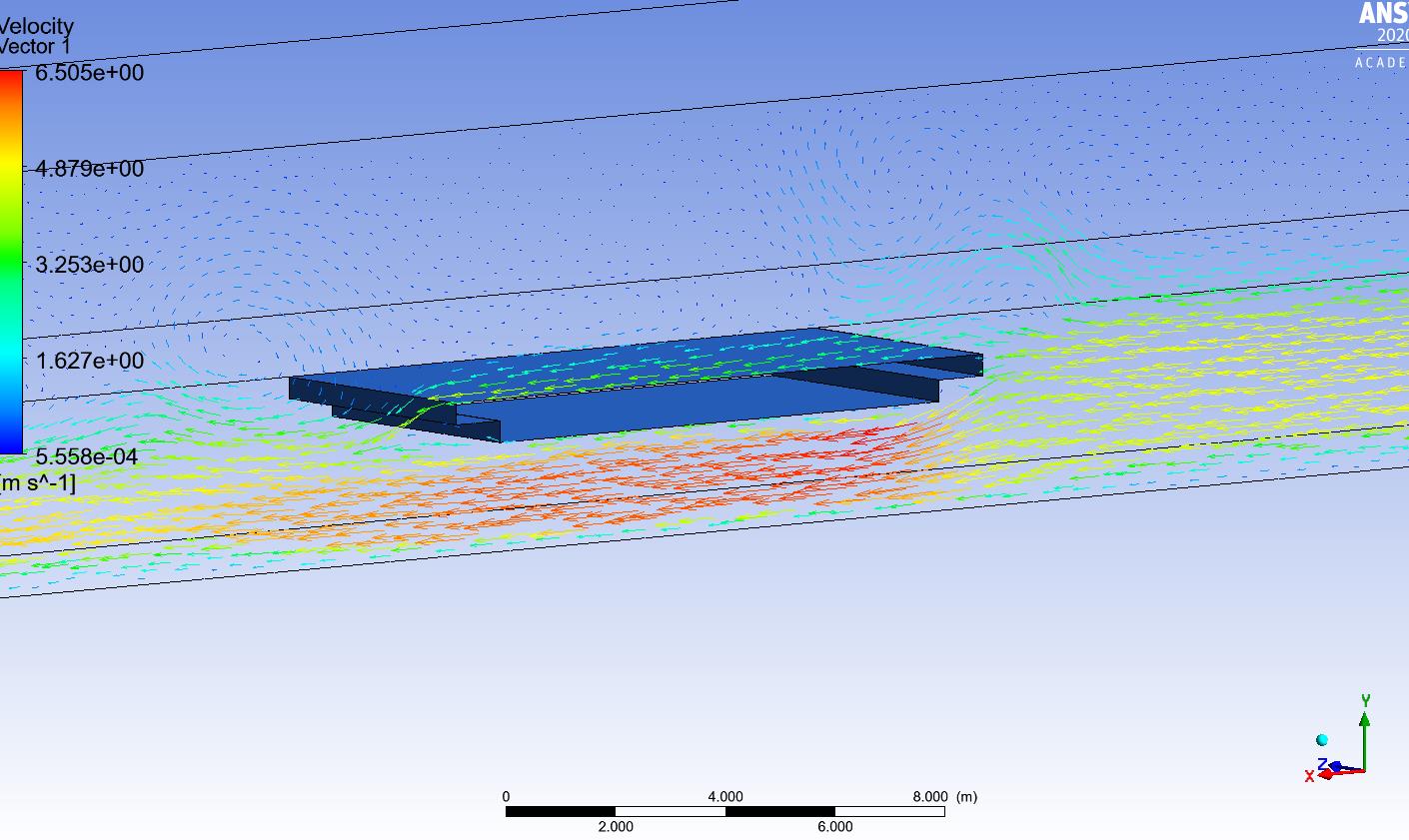
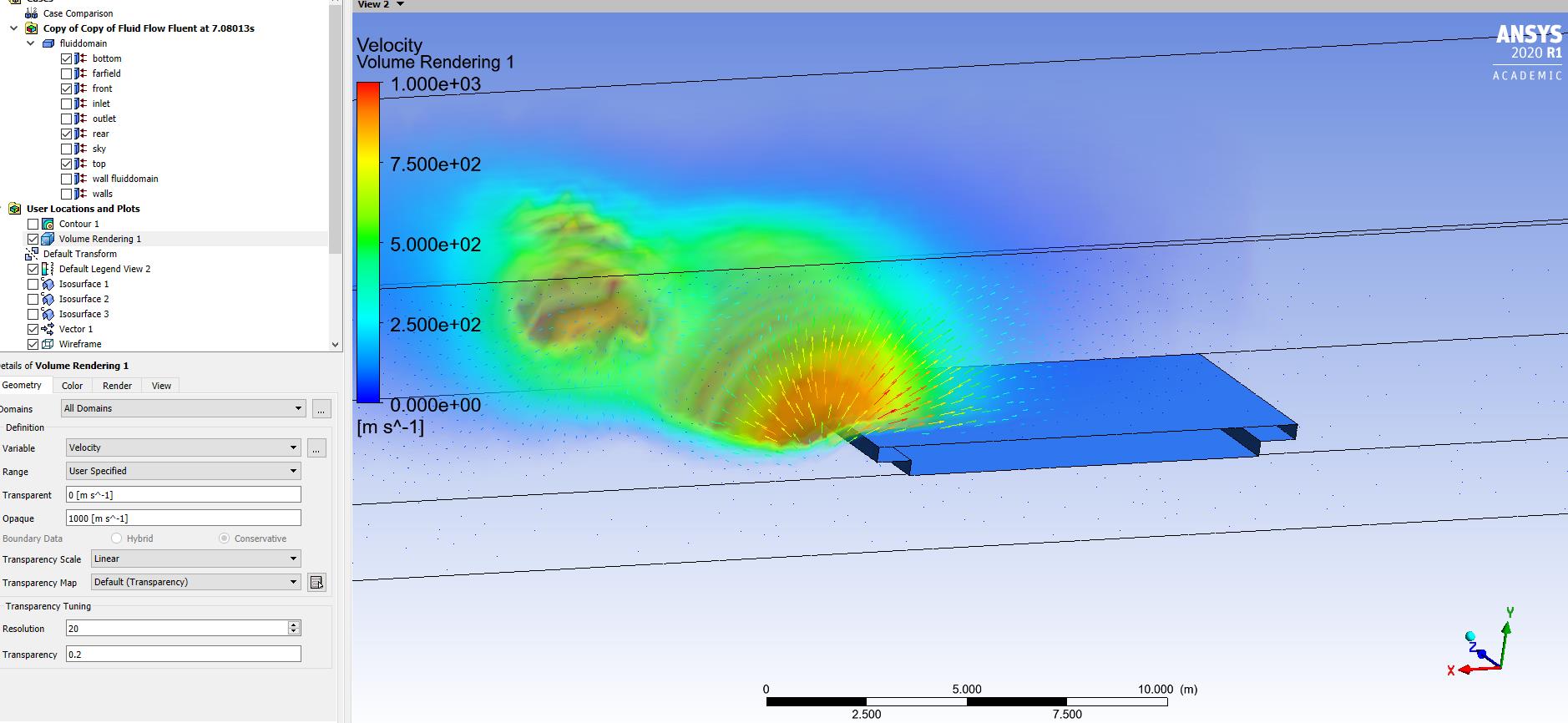
i´m doing a transient, open channel flow simulation and it´s working fine in the beginning, but i keep on getting errors from time to time in my simulation, where the velocity magnitude at one point is about 100000 m/s, while it should be maximal about 10 m/s. These errors are only in one time step and i don´t quite understand whats happening there. I´m using the explicit volume of fluid formulation, and when the error occurs the simulation stops, because the global courant number is higher than 250 for the time step. I also tried adaptive time stepping with maximal step change factor of 100 and a very small minimal time step size, but the simulation is still stopping when the error occurs. (What is really sad because i actually want to let the computer do it´s thing over night)
So the first question, does anyone have an idea ehy these errors in the velocity occur ? Until the error the simulation looks always very reasonable with no errors in any value. (??)
The second question, is it possible to "jump" back to some time steps before the error and initialize the calculation with that time step, so that i can change my setup and hopefully the error will not occur with the changed setup.Â
the third question, should i actually use the implicit volume of fluid formulation to avoid errors like this ?Â
I can provide any kind of information to my simulation, screenshots, animations and so on if you are interested, or if needed to answer my questions.
Thank you very much,
MoritzÂ
-
June 9, 2020 at 10:43 am
moritz.mantel
SubscriberBy the way, the errors alway occur in the primary phase wich is air and not in the secondary phase, water, which i am interested in.
-
June 9, 2020 at 10:52 am
Amine Ben Hadj Ali
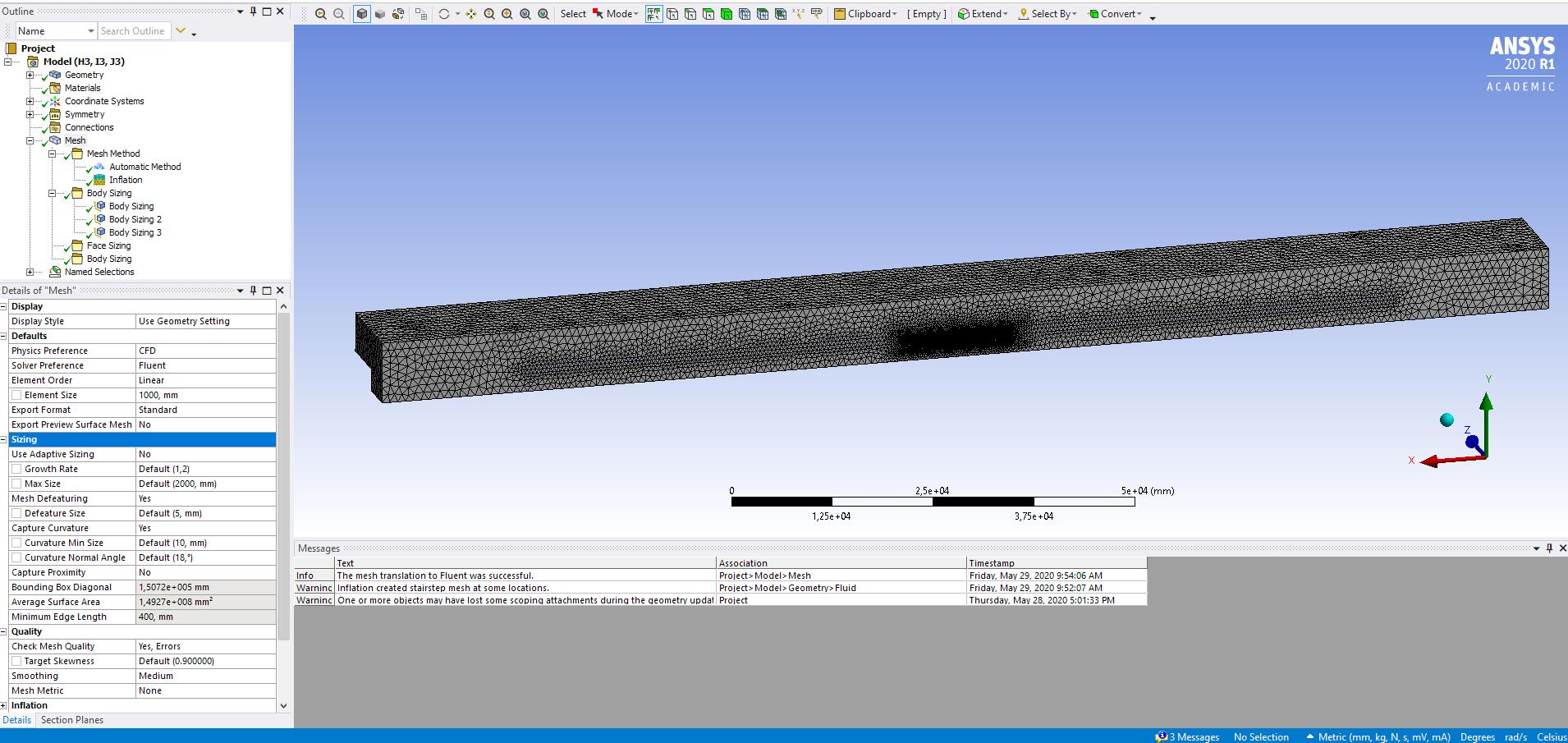
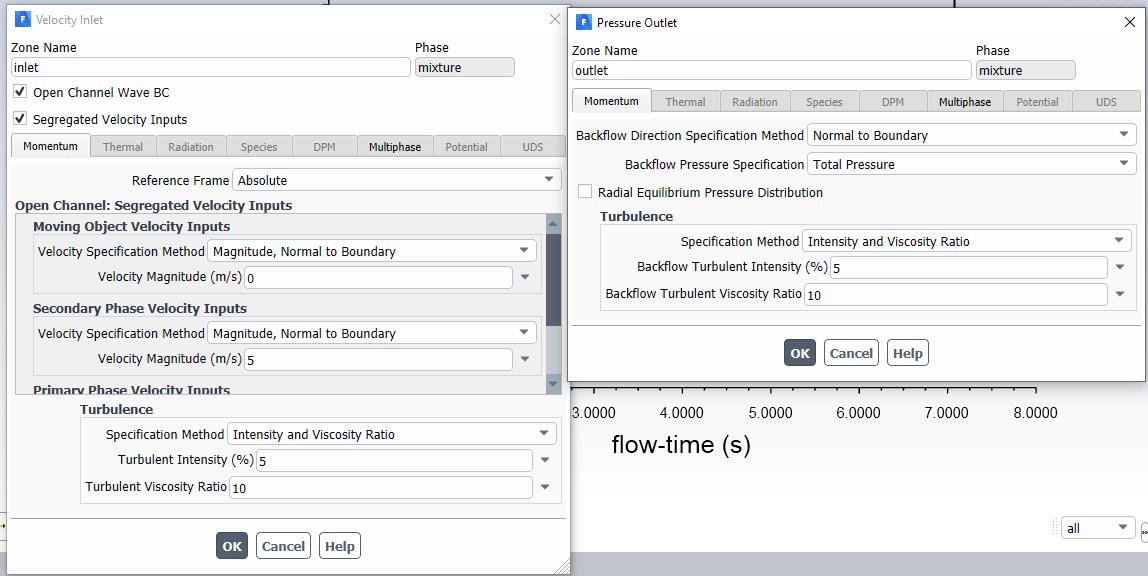
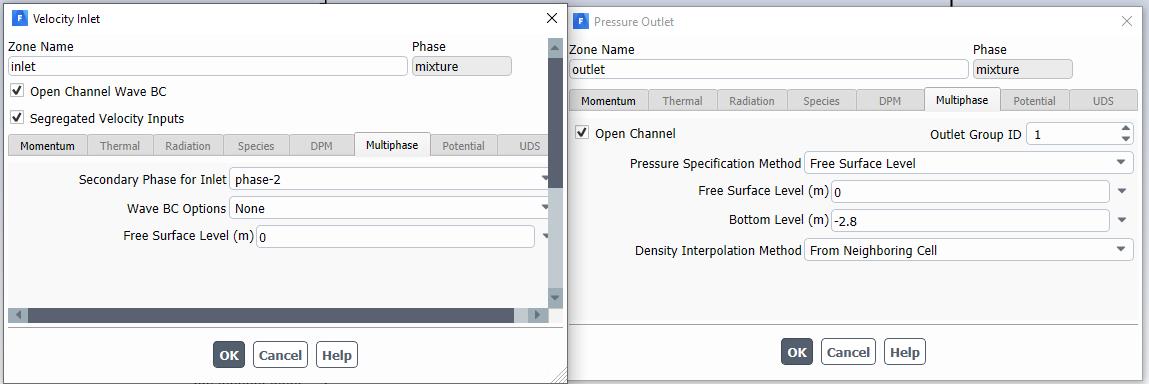
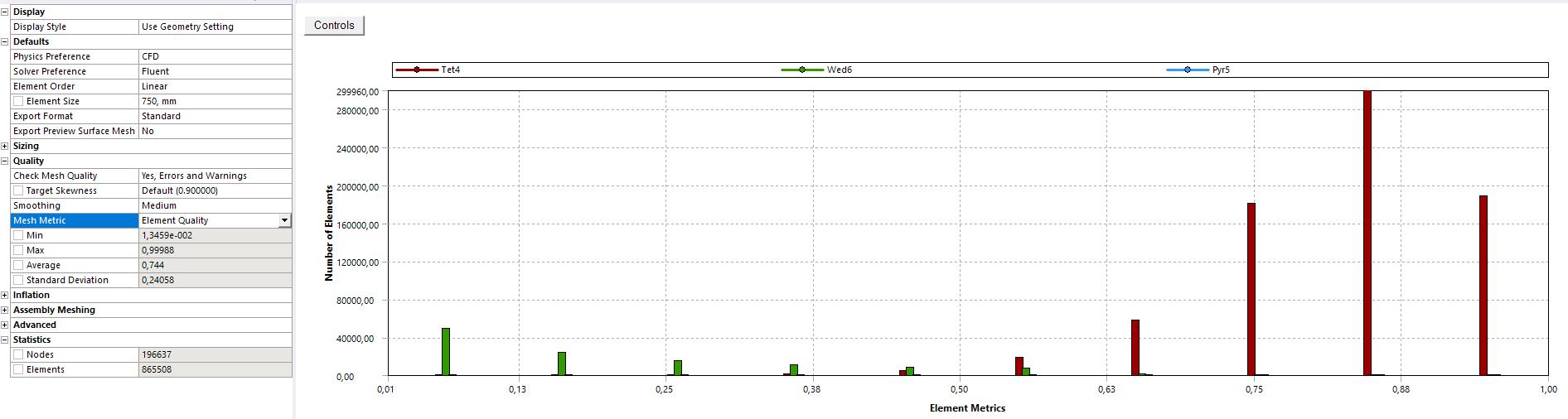
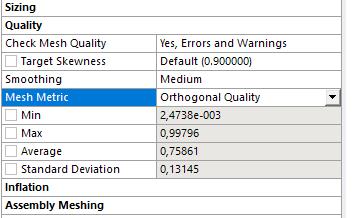
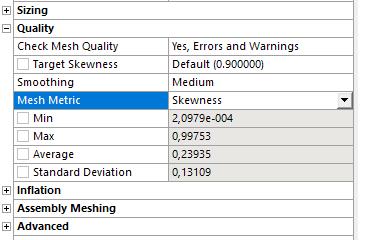
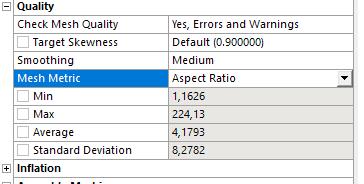
Ansys EmployeeMight due to poor mesh, large time size and wrong model settings / BC's. Provide some more information as screenshots and report the mesh quality.
Â
-
June 9, 2020 at 1:36 pm
-
June 9, 2020 at 1:38 pm
-
June 9, 2020 at 1:39 pm
-
June 9, 2020 at 1:58 pm
-
June 9, 2020 at 3:35 pm
Rob
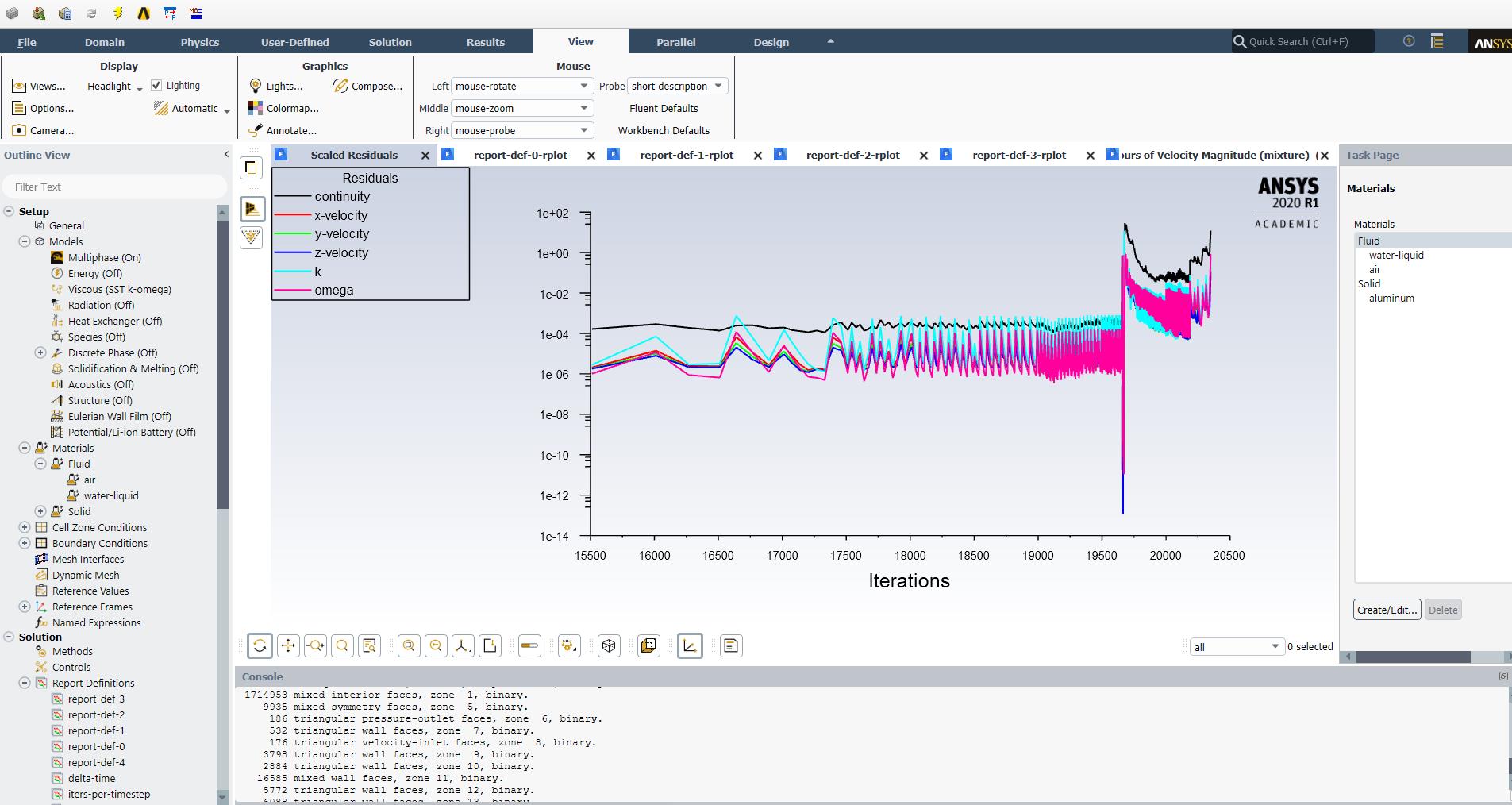
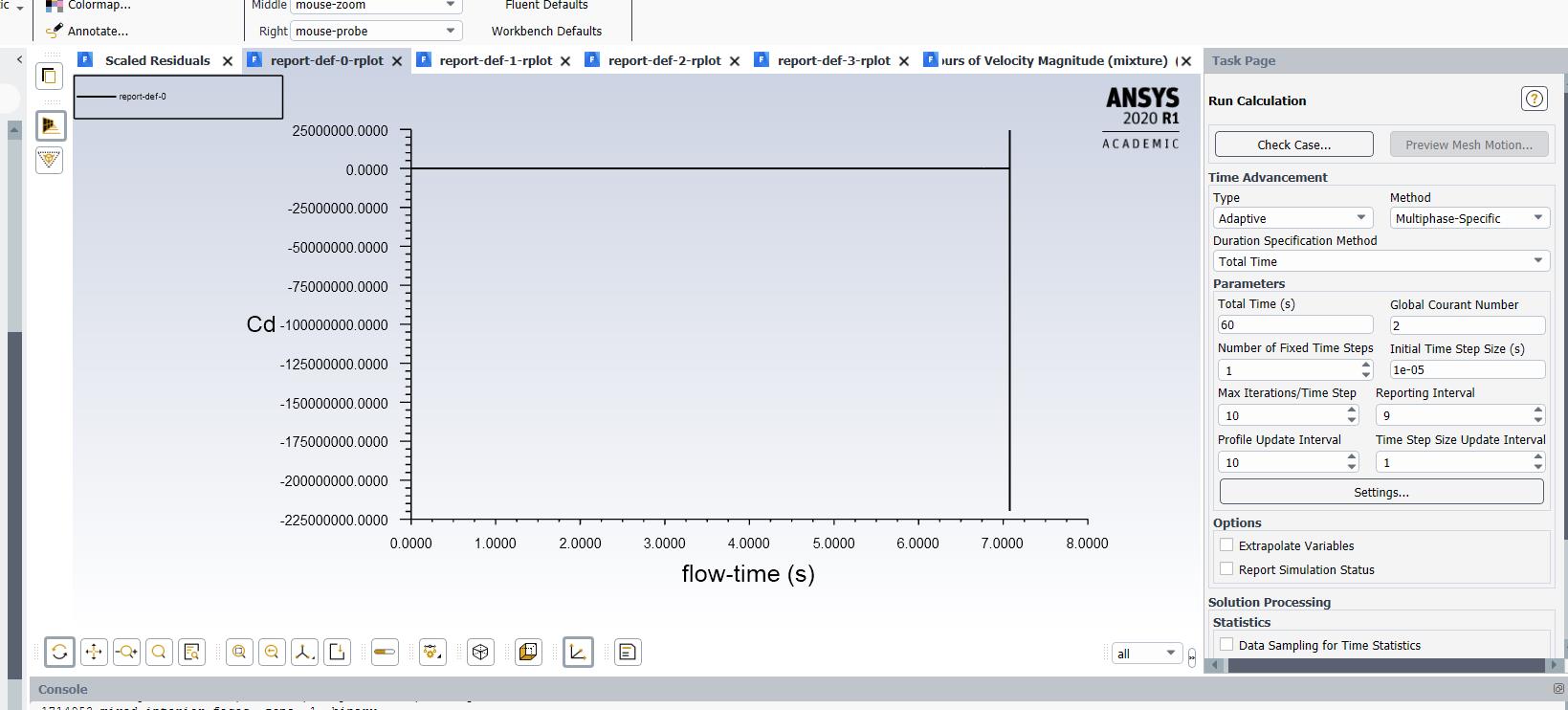
Forum ModeratorThat looks like a convergence issue: something happens at around 7s which causes the problem.Â
-
June 10, 2020 at 12:11 pm
moritz.mantel
SubscriberThat sure is right, but i have no idea why that problem occurs.Â
So does anyone have an idea why these extremely high velocitys in the air are arising ?Â
And is it possible to set the solution back to some time-steps before the error so that i can change the settings and let Fluent calculate further with the changed settings ?Â
Â
-
June 10, 2020 at 1:58 pm
Karthik Remella
AdministratorHello,
This is definitely a convergence issue as Rob points out rightly.
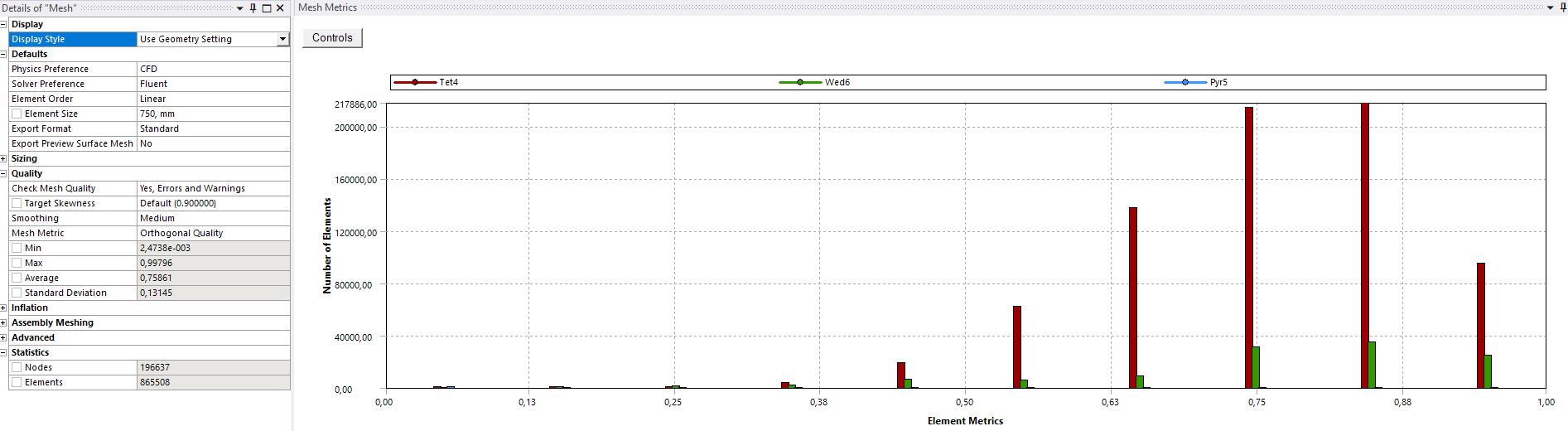
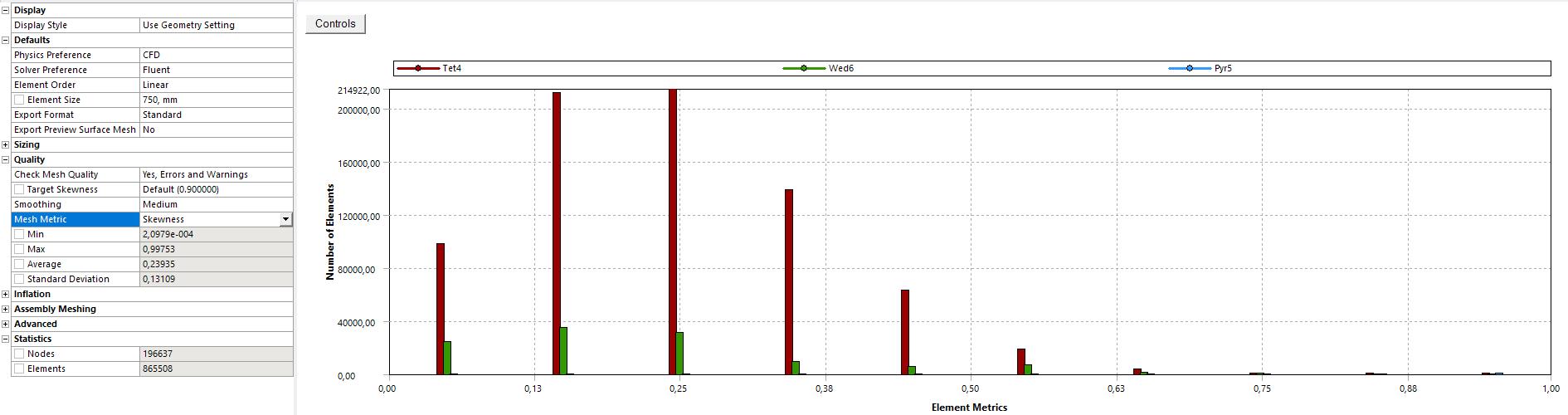
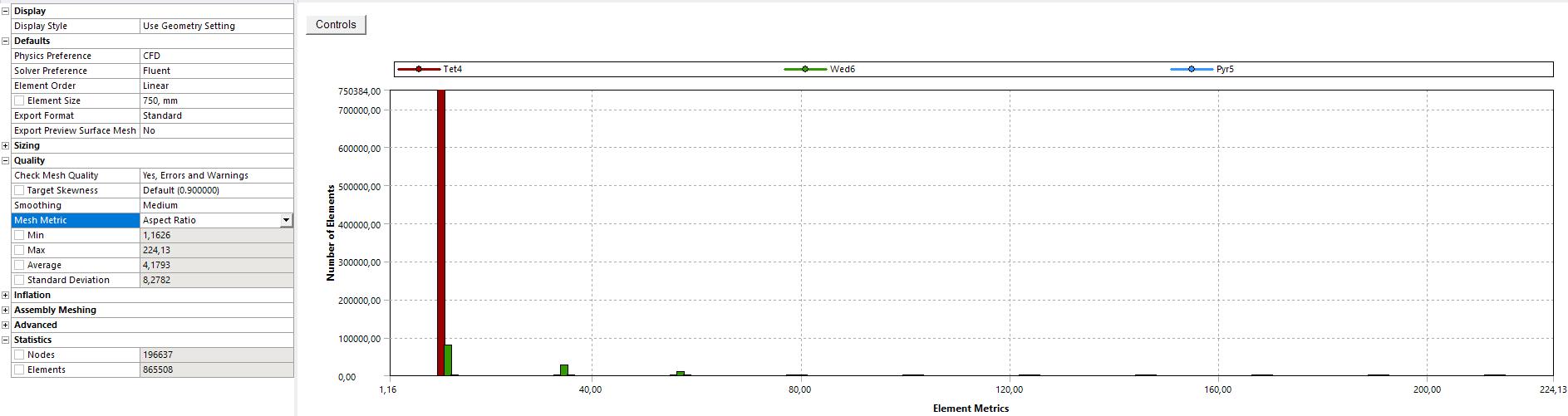
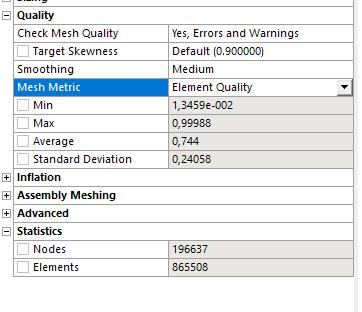
As Amine asked you earlier, what is your mesh quality? Maximum skewness and Minimum orthogonal quality? Could you please share the numbers here? It is not very clear from your screenshot.
Secondly, in your adaptive time-step settings, why is your max step change factor 100? Could you please revert this number to the default factor of 1.2. Also, you need not go as conservative as 1e-10. I'd strongly suggest that you calculate your minimum time-step size based on CFL = 1 and go one order of magnitude (on the conservative side). That should be sufficient.
Also, to answer your last question - unless you have saved the data file before t = 7 s, you will not be able to go back. If you have not done it already, it might be a good idea to periodically write your data file.
Thanks.
Karthik
-
June 10, 2020 at 2:27 pm
moritz.mantel
SubscriberHi Kremella,
thanks for your answer. I just changed the time step change factors, hoping that Fluent could change the time step size enopugh to avoid the error of the global courant number higher than 250. I ran the simulation before with the default time step change factor and the same error occured, also with fixed time steps with different time step sizes.
The problem with the CFL is, that the global velocity magnitude in the simulation is actually around 10-20 m/s, but in one time step, when the error occurs it changes to a completely unrealistic high value of about 100000m/s and Fluent is not able to set the time step small enough to avoid the error of reaching a courant number higher than 250. I guess if i could find the problem which leads to these high velocitys in the air, the simulation would work fine, because until the error occurs everything is looking quite nice and realistic.
-
June 10, 2020 at 2:29 pm
-
June 10, 2020 at 2:33 pm
-
June 10, 2020 at 3:05 pm
Rob
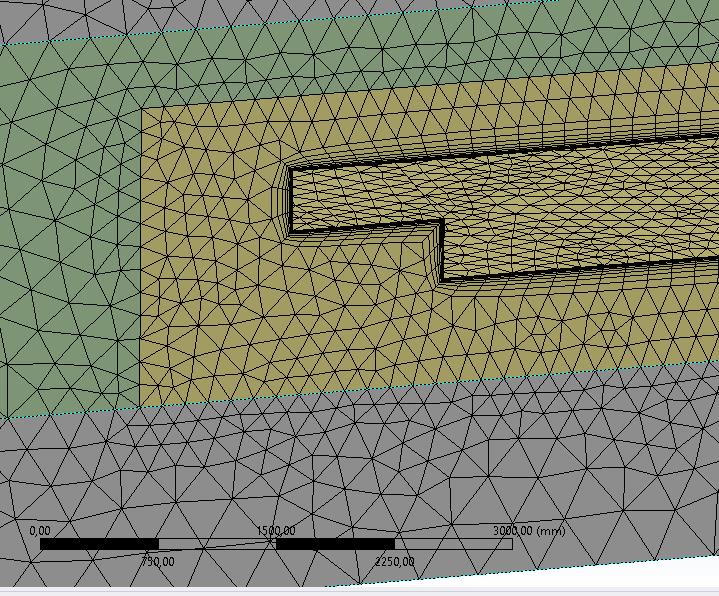
Forum ModeratorYou have cells with over 0.95 skew, if the free surface hits these it's going to have stability issues.Â
Remember inflation meshing is to help with flow that's along a surface. They're not necessarily much use when you have strong separation and or multiple phases.Â
-
June 10, 2020 at 3:15 pm
moritz.mantel
SubscriberYes, the inflation layers are located at the surface i am interested in, to reduce the y+ value along these surfaces. I am looking for the drag coefficient of the body around which i created the inflation layers. The free surface actually should not hit the inflation meshing (except in the beginning of the simulation), because the water is flowing completely over the body.
Thank you for your help
-
June 10, 2020 at 3:20 pm
moritz.mantel
SubscriberDo you think i should refine the Mesh around my body of influence to avoid poor mesh quality in the inflation meshing region ?
I´m not sure if this helps because it seems to me like the error does not occur in the inflation region.
-
June 10, 2020 at 5:30 pm
Amine Ben Hadj Ali
Ansys EmployeeTry to improve mesh quality and increase grid density in the free surface region. Your adaptive time step method is wrong. Use conservative change factors: 0.5 and 1.08. Always store recovery files to get started before point of divergence. Use implicit VOF formulation to be more relaxed regarding CFL. Use max Global CFL as 5. -
June 11, 2020 at 8:25 am
moritz.mantel
SubscriberThank you very much Amine
-
June 11, 2020 at 12:06 pm
moritz.mantel
SubscriberWhen i try to use the implicit formulation the simulation crashes very fast, the velocity magnitude ist going from 10 m/s to 30000000m/s in about three time steps and then a floating point exception is reported.
The Method settings for the Implicit formulation are the default settings.
Do you have an idea why this happens ?Â
Thanks, Moritz

Â
-
- The topic ‘Velocity Error / Initialize with previous time step’ is closed to new replies.
-
4612
-
1515
-
1386
-
1209
-
1021
© 2025 Copyright ANSYS, Inc. All rights reserved.