General Mechanical

General Mechanical

Topics related to Mechanical Enterprise, Motion, Additive Print and more.

Update the time displayed in solution

    • Sam Fares
      Subscriber

      Hello,


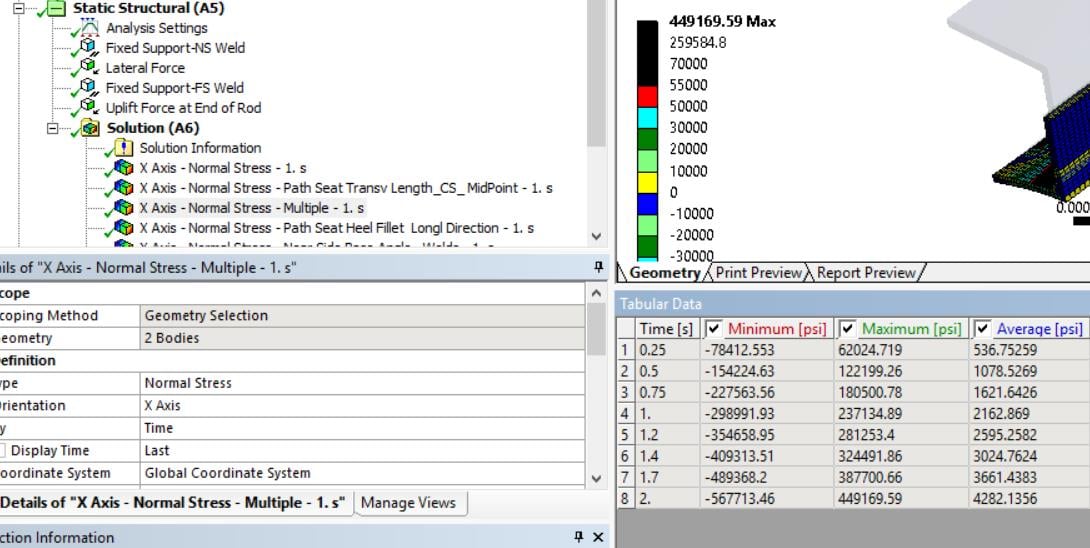
      i noticed when i change the number of steps from 1 to 2, the time or step number  in solution result name doesn't change from  1 to 2 as shown below.


      Is there a way to make it update the defined name to reflect the step number?


      Thanks,


      Sam


    • Sandeep Medikonda
      Ansys Employee

      What analysis type is this?


      When you increase the no. of steps in the analysis settings it should invalidate the results asking you to re-run.

    • Sam Fares
      Subscriber

      This is static nonlinear analysis.


      Please take a look at analysis below. The results are based on step=2 or time=2. 


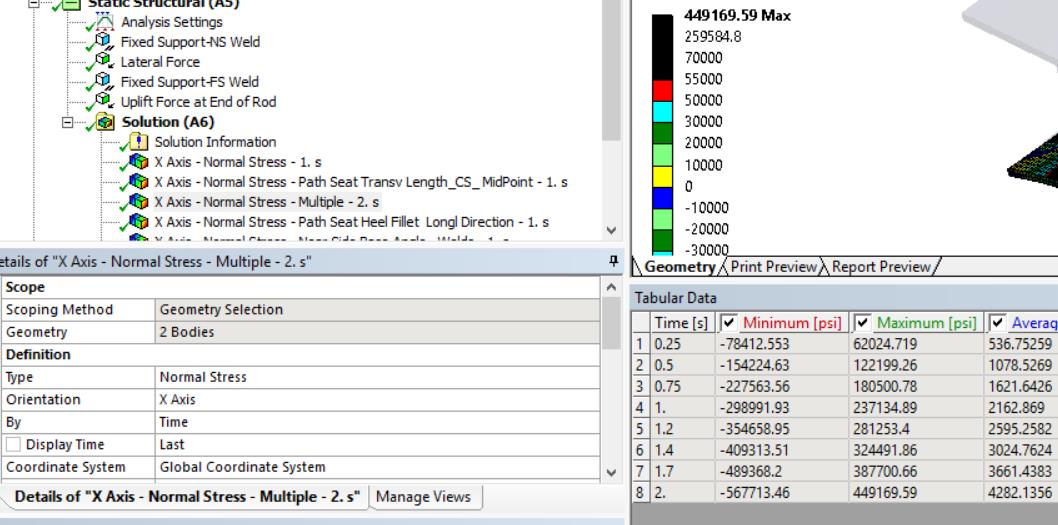
      When i Rename a specific solution Based on Definition then result changes to -2.s as shown in 2nd screen shot. So it doesn't update itself. Thanks!


    • Sam Fares
      Subscriber

      his is static nonlinear analysis.


      Please take a look at analysis below. The results are based on step=2 or time=2. 


      When i Rename a specific solution Based on Definition then result changes to -2.s as shown in 2nd screen shot. So it doesn't update itself. Thanks!


    • Sandeep Medikonda
      Ansys Employee

      That is not a parameter and looks like a text object. So, you would have to manually change it.


      The main thing here is that the results are correctly displayed according to what Display Time shows i.e., Last step.

    • Sam Fares
      Subscriber

      Thank you Sandeep!

Viewing 5 reply threads
  • The topic ‘Update the time displayed in solution’ is closed to new replies.