TAGGED: #meshingerror, mesh
-
-
September 19, 2025 at 6:20 pm
lop9a4phanhuynhquocmylqc
SubscriberGreetings to all! I'm a newbie here. I have a problem with 3d analysis geometry preparation.Â
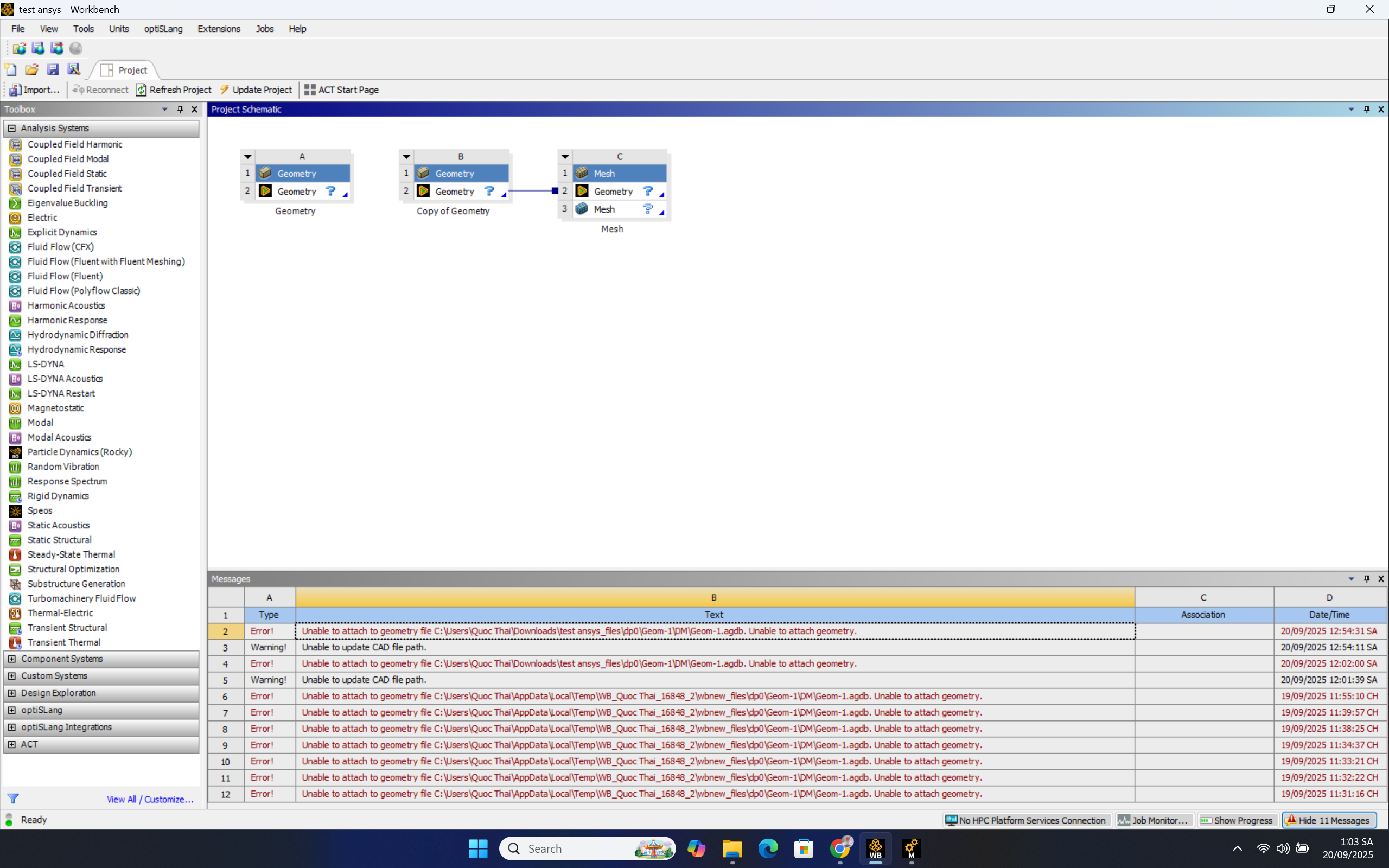
Unable to attach to geometry file C:\Users\Quoc Thai\Downloads\test ansys_files\dp0\Geom-1\DM\Geom-1.agdb. Unable to attach geometry.I created my geometry in Ansys Geometry DesignModeler, and this error appeared when I wanted to mesh.
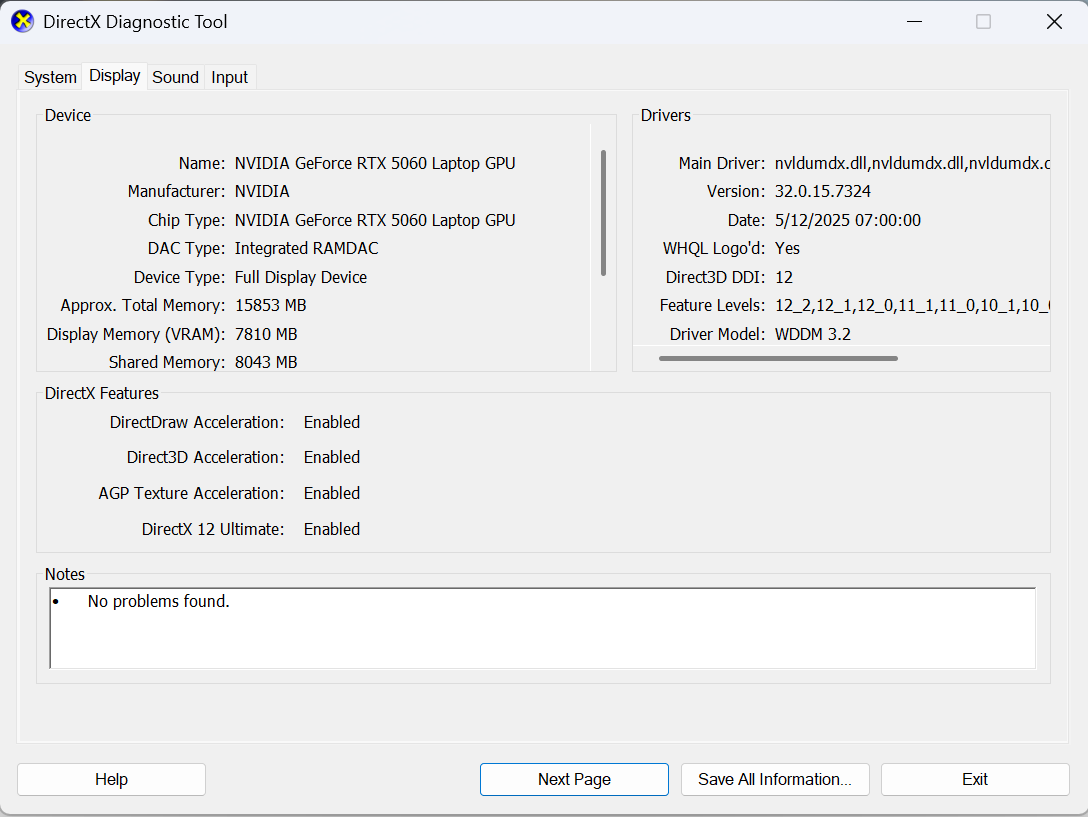
I also turn the GPU Preference to High Performance.Â
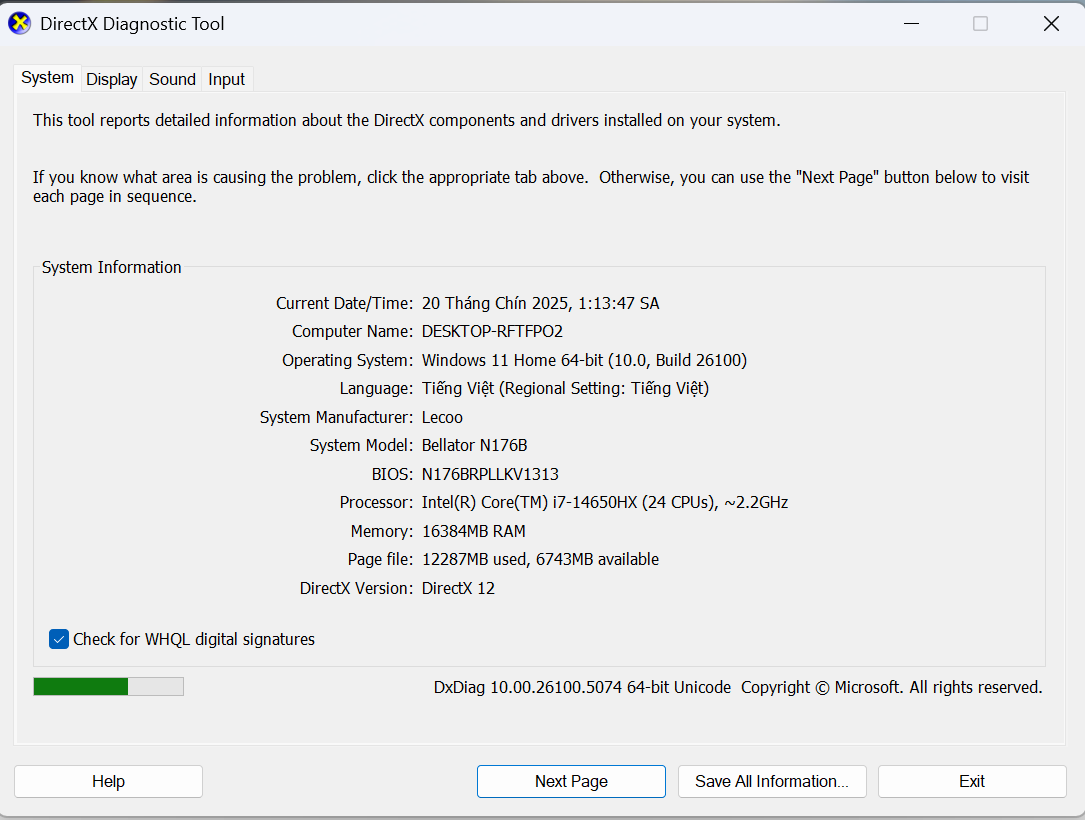
The images below are the error screenshot and the specs of my current laptop.
I do not know that my wrongs or these errors occur. Is there anybody who can help me with these errors? I would appreciate any guidance to solve this issue. Many thanks.
-
September 22, 2025 at 6:43 am
NickFL
SubscriberThe question mark in Geometry means there are errors there that need to be dealt with. If you open your model in DesignModeler, how does it look?Â
-
September 23, 2025 at 10:57 am
Essence
Ansys EmployeeThanks for the reply, Nick.
Additionally, you can also try to import the geometry in SpaceClaim/Discovery and try to repair it if needed.
-
- You must be logged in to reply to this topic.
- Project lines/edges into a face with the direction normal to the face
- No preview in explorer with scdox file
- Add-in Error Excel
- Spaceclaim problem
- Using SpaceClaim scripts vs recorded blocks for parametric optimization workflow
- Different Body Naming and Extra Surfaces after Importing Solid Edge Part
- New Computer
- Inconsistent Script
- MISSING SIMULATION SECTION/RIBBONTAP
- Unable to attach to geometry file 2025R2
-
4618
-
1530
-
1386
-
1209
-
1021
© 2025 Copyright ANSYS, Inc. All rights reserved.