-
-
December 16, 2025 at 4:25 pm
-
December 17, 2025 at 9:40 am
RG
Ansys EmployeeHello,
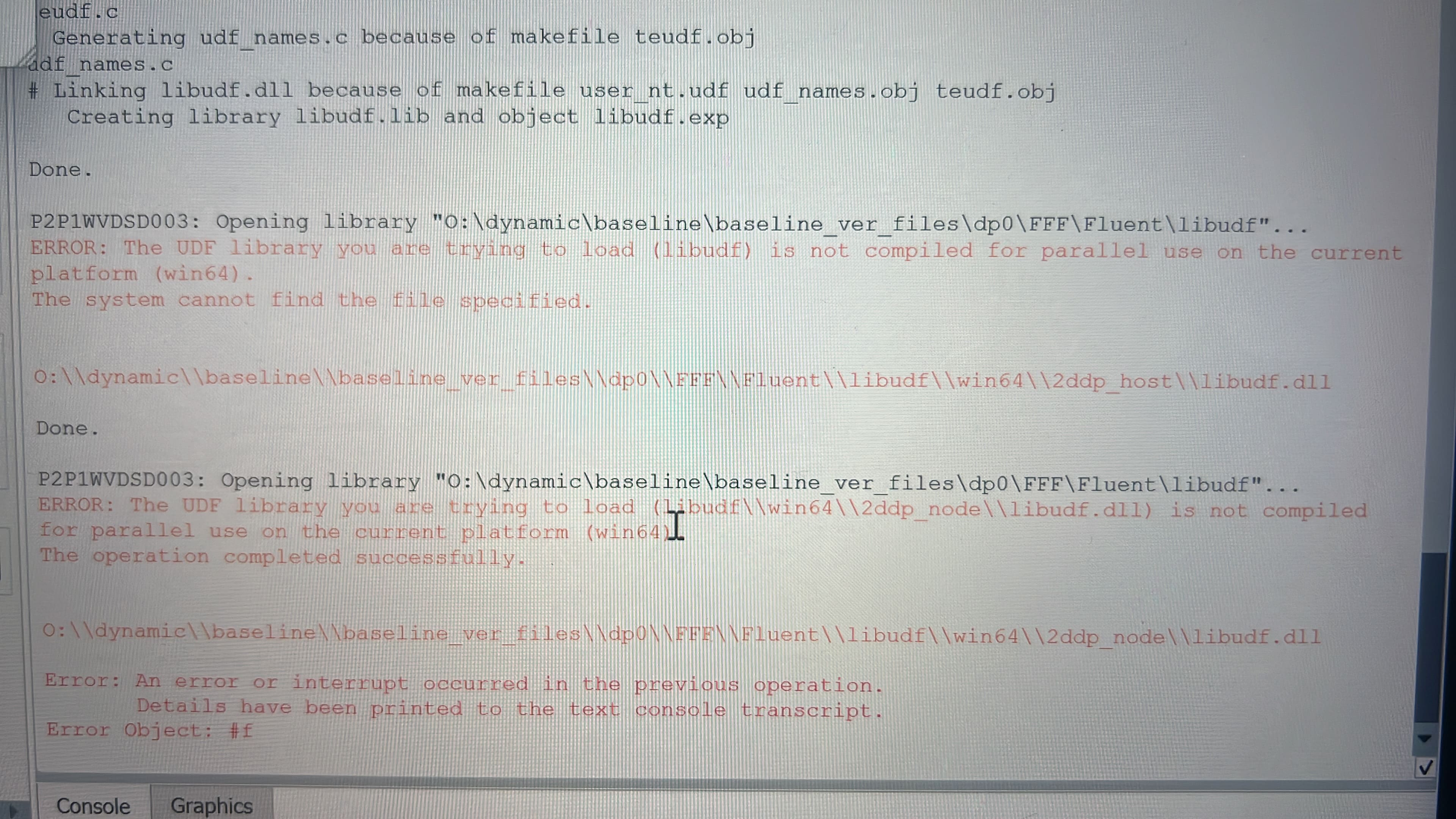
There could be multiple reason for this issue. 1) you need to check if UDF is right from syntax point of view. 2) Next you need to check libudf folder is generated on same OS on which it is being used. 3) Also check if you have use parallel fluent version to compile and generate libudf folder. If any of this is not relevant for you then I will suggest to compile UDF again instaed of using libudf folder.
-
December 17, 2025 at 12:58 pm
Kennymorakinyo25
Subscriberthank you RG, actually what happened is that fluent is compiled my udf in the folder i specified but i can only see "libudf.dll" in "2ddp_node" and not in "2ddp_host" so that means it was compiled in serial if i am right. how can i resolve this please?
-
December 17, 2025 at 8:45 pm
SamW
Ansys EmployeeAre you seeing this after doing a fresh compile, using the built-in compiler? Do you see any warning messages when you compile?
To clarify further what you are seeing – you say you generate a 2ddp_host folder at the “case\library\win64\2ddp_host\” filepath, but the file “case\library\win64\2ddp_host\libudf.dll” does not exist in this folder, while the “case\library\win64\2ddp_node\libudf.dll” file (for the node-side files) exists?
-
December 17, 2025 at 9:40 pm
Kennymorakinyo25
Subscriberthank you, it is compiling without error now. i created a new path like this O:\dynamicUDF\libudf\src and inside "src" i pasted my udf file. Then i also ran workbench from command prompt through visual studio and it worked.
-
- You must be logged in to reply to this topic.
-
4623
-
1535
-
1386
-
1215
-
1021
© 2025 Copyright ANSYS, Inc. All rights reserved.