-
-
January 24, 2019 at 3:26 am
kaiyeungli
SubscriberHi there,
I would like some advice on how to work with rigid bodies in Ansys Workbench in a multi-body, flexible-rigid simulation.Â
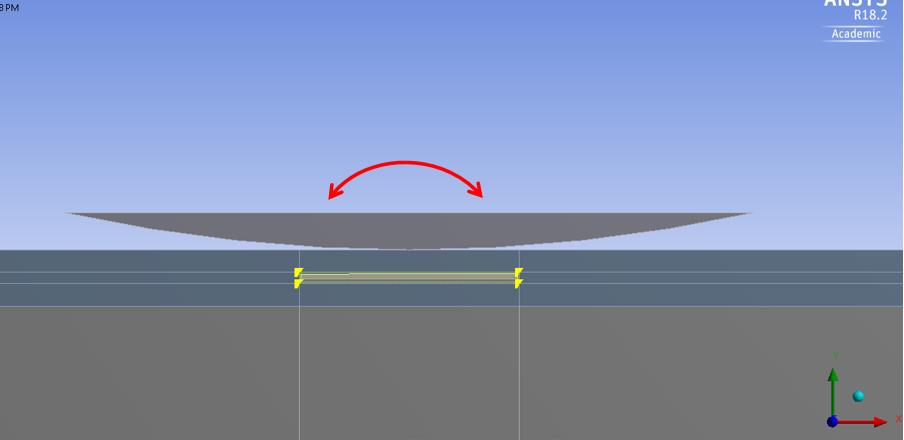
I am trying to simulate a rigid 'rocker' applying a time and spatially varying contact pressure onto the pavement by rocking back-and-forth, as shown in the image below. Essentially, I am modelling an accelerated-pavement-tester.
One way I envisaged doing this, was to split the simulation into two steps:
In the first step, I apply a vertical force onto the rigid rocker via its pilot node, which is located at the center of curvature of the bottom rocker surface, as shown below. I will put a frictional contact between the rigid rocker and the pavement surface. Under the vertical load, both the rocker and the pavement surface would be displaced downwards.
In the second step, I will constrain the y-displacement of the pilot-node, thus maintaining contact pressure onto the pavement, while moving the x-location of the pilot node back and forth, as shown below. This should result in a rolling action due to friction between the rocker and pavement.
Â
Does this seem like a sensible way to modelling this? The issue is that I am unsure how to constrain and apply loads to rigid bodies.Â
I know that their the motion is controlled by one point - in the ANSYS documentation, this is called the 'pilot node', with all BC's applied to that node. However, in Workbench, I cannot find where to define this 'pilot node' or how to reference this point when defining BC's. So far, I could not find this information in the documentation. Does this have to be done in Mechanical APDL?
Any help would be much appreciated.
Kind regards,
Kai-Yeung

Â
Â
-
January 24, 2019 at 7:18 am
jj77
SubscriberÂ
Â
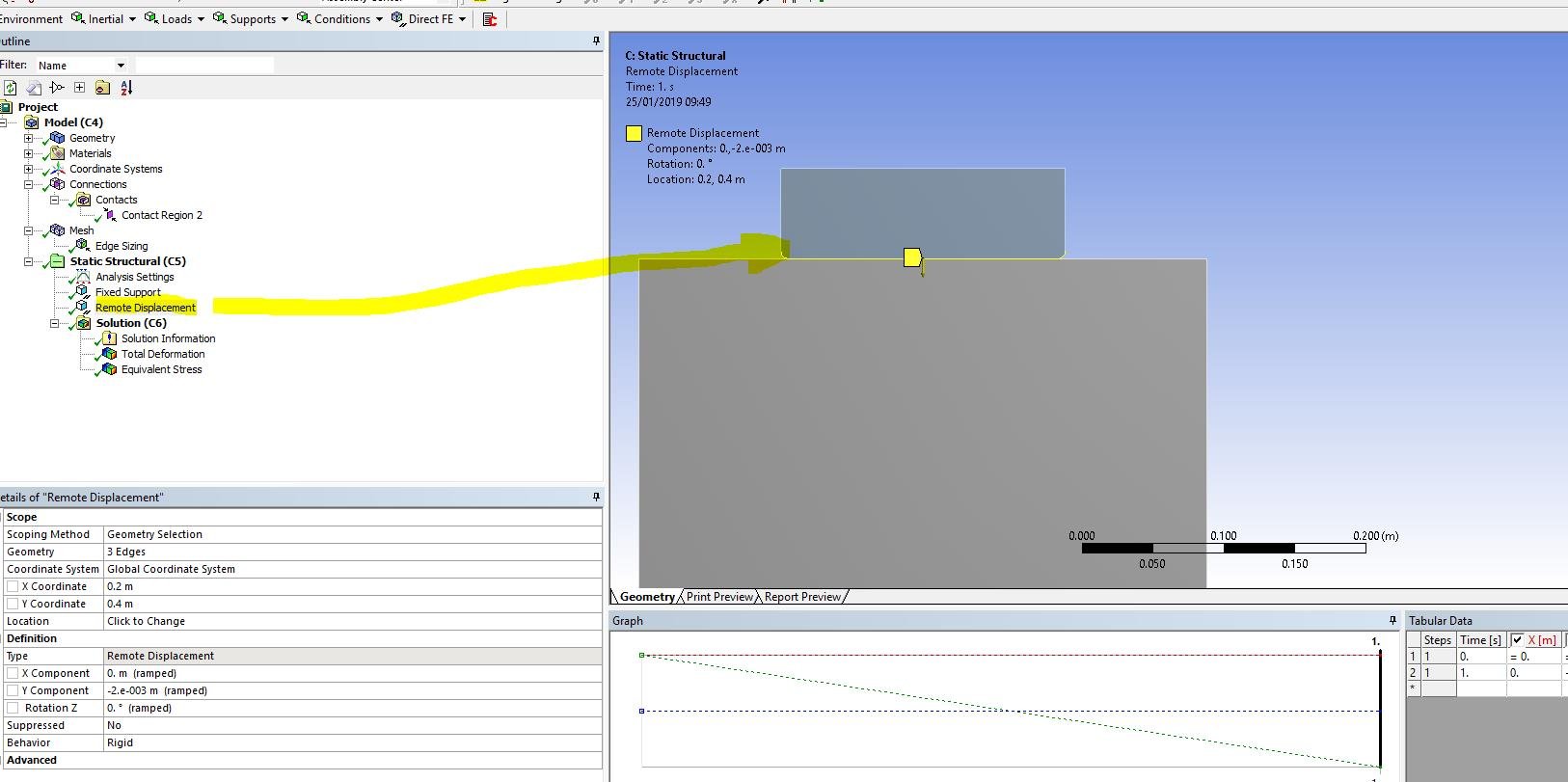
You can apply such a BC (as described in your last paragraph), by using a remote displacement BC (with the point being in the location you need), and set behaviour to rigid if you want it to be rigid.This must I think be applied to a deformable body (also possible on rigid if one picks the surface where the target elements are, can confirm now that this is possible), but by choosing rigid behaviour on the remote disp. you are effectively making that body very very stiff (if you choose the surface as the remote displacement location.).
See remote displacement for more details in ansys help.
Â
If you still want to use rigid body the with then you can define a node and assign to the target elements of the rigid body. On that node you can apply your BC.This video shows how to do this in APDL, so it should be possible to use the eq. commands to add a snippet in ansys workbench. see also defining target surface in help.
https://www.youtube.com/watch?v=dqFygtKZxXo
-
January 25, 2019 at 7:49 am
kaiyeungli
SubscriberHi,
Thanks for the advice. You are correct; using remote points and BCs was the solution.
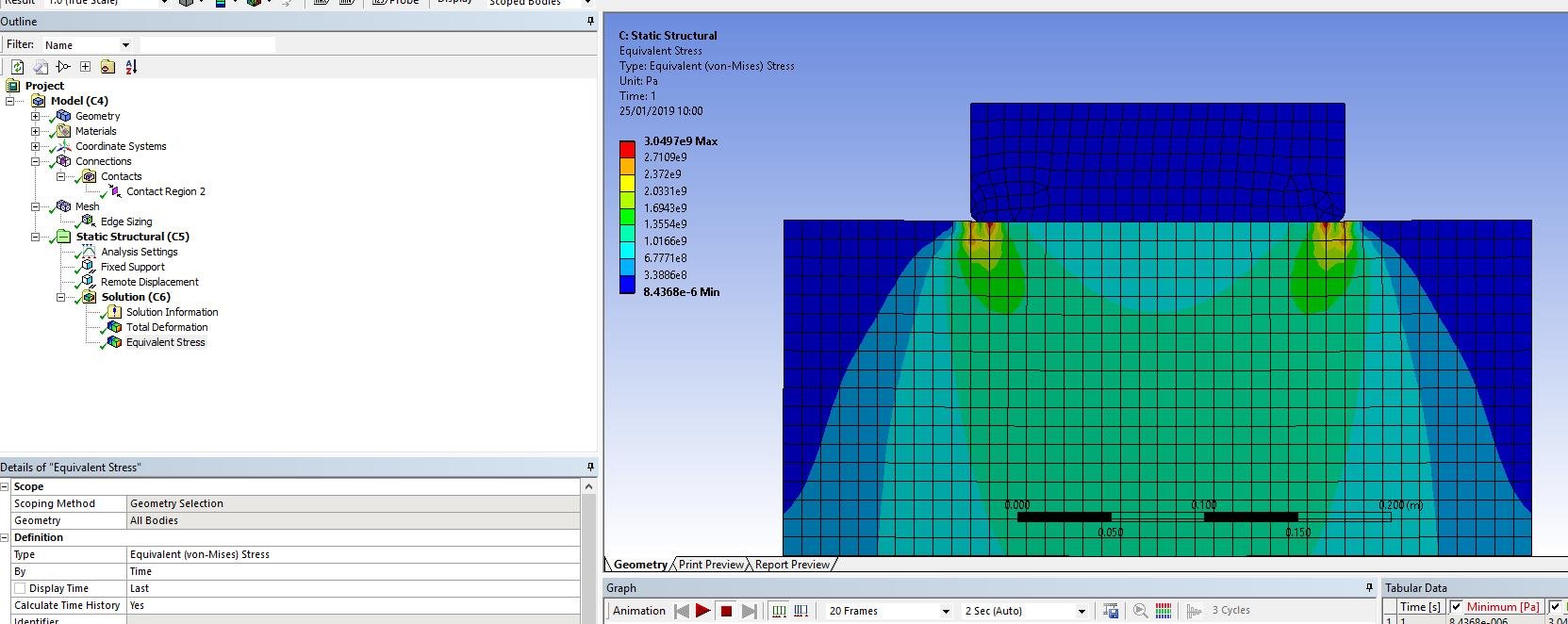
Additional question: rigid bodies are not allowed in 2D plane strain analysis. What is the 'best practice' way of simulating a 2D plane strain problem with a rigid body? Is it to make a 3D model which is 1 element thick in the Z-direction, and constrain both Z-faces? Or to create a remote point scoped to a deformable body, but set the behaviour of the remote point to 'rigid'? I applied the 2nd method to the Hertz contact problem, and it didn't really work too well.
Kind regards,
Kai-Yeung

-
January 25, 2019 at 10:00 am
-
January 27, 2019 at 1:34 am
kaiyeungli
SubscriberHi jj77,
I tried that, and you right correct. It does work a lot better if you define a rigid remote point on the contact edge only, as oppose to the whole surface.
Thanks again for your help jj, I appreciate it.
Kind regards,
Kai-Yeung
-
- The topic ‘Structural simulations with both flexible and rigid bodies’ is closed to new replies.
-
4914
-
1608
-
1386
-
1242
-
1021
© 2026 Copyright ANSYS, Inc. All rights reserved.