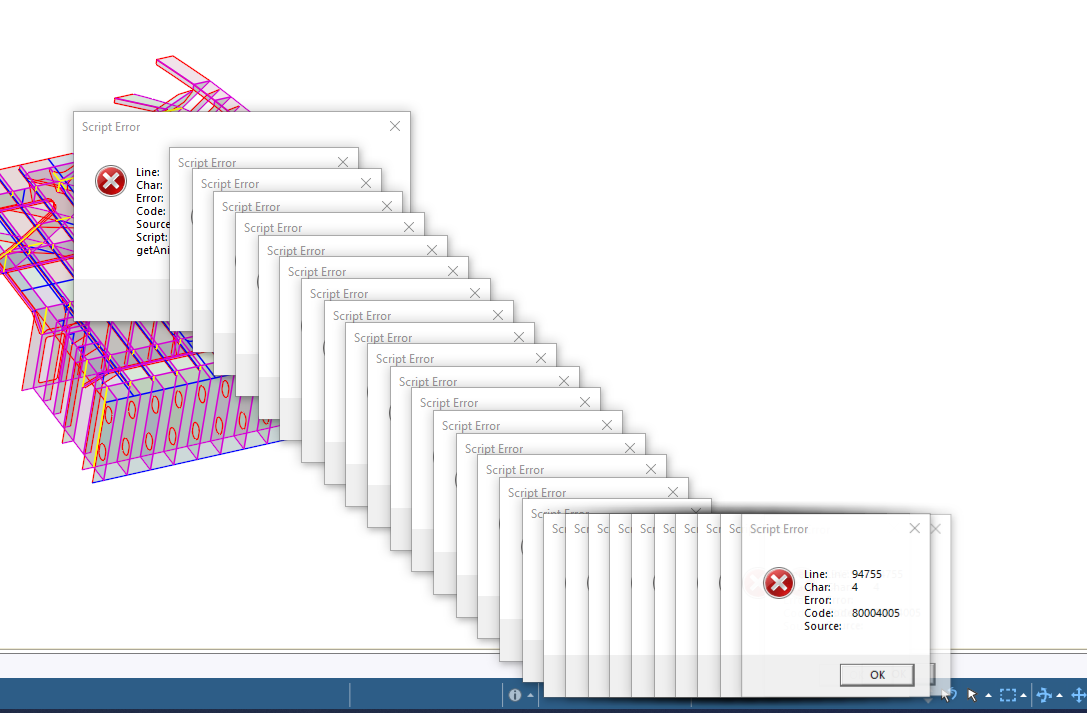
-
-
December 20, 2023 at 6:43 pm
-
December 21, 2023 at 12:52 pm
Sampat Kumar
Ansys EmployeeHi Damian,
Is this error model specific or does it pop up with every WB file?
Have you tried to reset the ansys by clearing %appadata% and %temp%? |
Just type this: %APPDATA%/Ansys in File Explorer and rename the Ansys version (say V231Â to V231.old). similarly type %temp% in the file explorer and rename .ansys to .ansys.old and open the file.Â
Regards,
SampatÂ
Â
Â
-
December 21, 2023 at 2:16 pm
Damian Rodolfo
SubscriberEvery file when i try to open mechcanical. I have done both solutions suggested and it still gives me the string of errors seen above.
-
December 22, 2023 at 11:44 am
Sampat Kumar
Ansys EmployeeOk, I think it’s a problem related to the SpaceClaim and Wb.Â
Will you please try to rename the SpaceClaim folder to spaceclaim.old by entering the %appadata% in the file explorer?
also, reconfigure the CAD integration and let me know if it helped or not.Â
Regards,
Sampat
ÂÂ
-
-
-
- The topic ‘String of scripting errors when trying to launch mechanical from workbench’ is closed to new replies.

-
4613
-
1520
-
1386
-
1209
-
1021
© 2025 Copyright ANSYS, Inc. All rights reserved.