Fluids

Fluids

Topics related to Fluent, CFX, Turbogrid and more.

Separate Cell By Shape

    • Max4
      Subscriber

      Hi,


      I want to separate Cell Zone which have different shapes. I´ve read that I can use the following command:


      /mesh/separate/separate-cell-by-shape   separates cells with different shapes (pyramids, tetrahedra, etc.) into separate cell zones.


      The problem is that I can´t define this in the console in Fluent. Someone had already told me to proceed as follows but I can´t follow the steps in bold.


      " this has to be done in meshing. if you have case file in fluent please use following steps. 


      in fluent you can use


      define beta y y 


      switch to mesh mode


      mesh/separate/separate cells by shape


      switch to solution mode. "


      Maxime



    • Rob
      Forum Moderator

      Which version of the software are you using? The mesh mode access from the solver is R19.x (I think), and does work (most of the time) in R19.2. 

    • Max4
      Subscriber

      I´m using the version R19.2

    • Rob
      Forum Moderator

      Once you've set beta to be active (via the TUI) and used "q" to move back up the command menu tree there's a command in the top level switch-to-meshing-mode which should work and then the rest of the commands will be available. 


      The beta command should be  define beta y ok  which may explain why you're not seeing it. 

    • Max4
      Subscriber

      Thank your for your answer. I have enabled the beta features, but I can´t find the command to switch to meshing mode. This feature works just for 3D-Case.


      Is there any other way to do the same for 2D-Case ?


    • Amine Ben Hadj Ali
      Ansys Employee

      Yes meshing mode is only for 3D.


      You can try if you can split by Cell Element Type.

    • Max4
      Subscriber

      Thank you for the answer. Where can I find this ?


      For example this tutorial at 04:47s, he had several cell zones and it´s a 2D-case :

      &t=5s


      I find this: http://www.afs.enea.it/project/neptunius/docs/fluent/html/ug/node1328.htm


      By using Region, I have to create a boundary in order to separate the single Cell Zone in two or more. Where should I define this Boundary?

    • Amine Ben Hadj Ali
      Ansys Employee

      Cell Element Type can be found under Cell Category.

    • Max4
      Subscriber

      Could you be a little more clear. Should I enter a text command ?


      One of the possibilty is to use in Fluent: adapt/mark , but my geometry is to complex


      Another possiblity is to split the geometry in a number of different bodies in the geometry modeling tool. Thus cell-zones are created, especially different zones for different meshing approaches.

    • Rob
      Forum Moderator

      If it's 2d can you display contours by element type and then mark based on the values? 


      The easier approach is to have multiple surfaces in the meshing stage (multibody part in Designmodeler) and also to label each region fluid-1 etc so you can identify them in Fluent. 

    • Max4
      Subscriber

      I haven´t running any simulation for the moment, and I don´t want to mark cells based on values but based on the "shape".


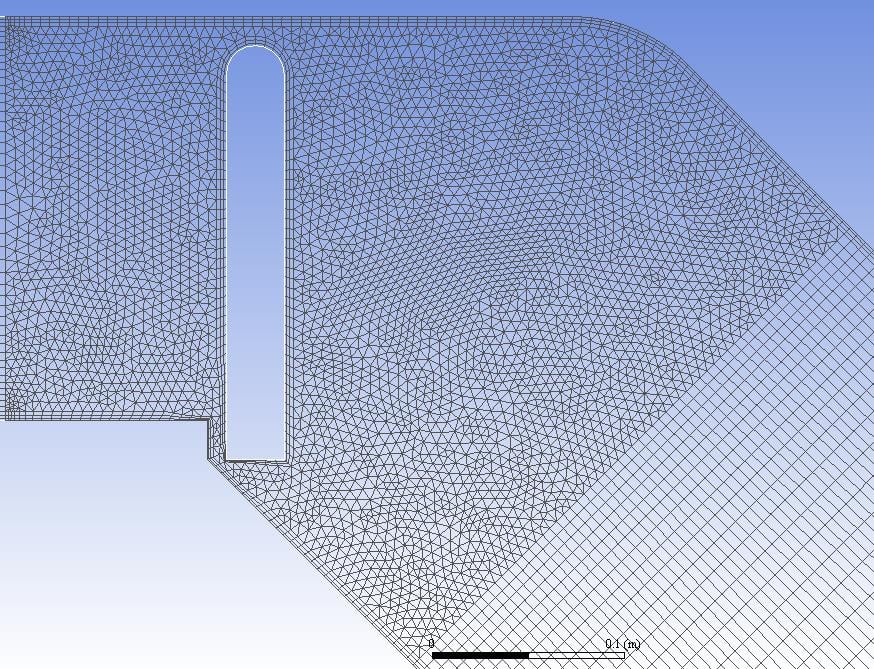
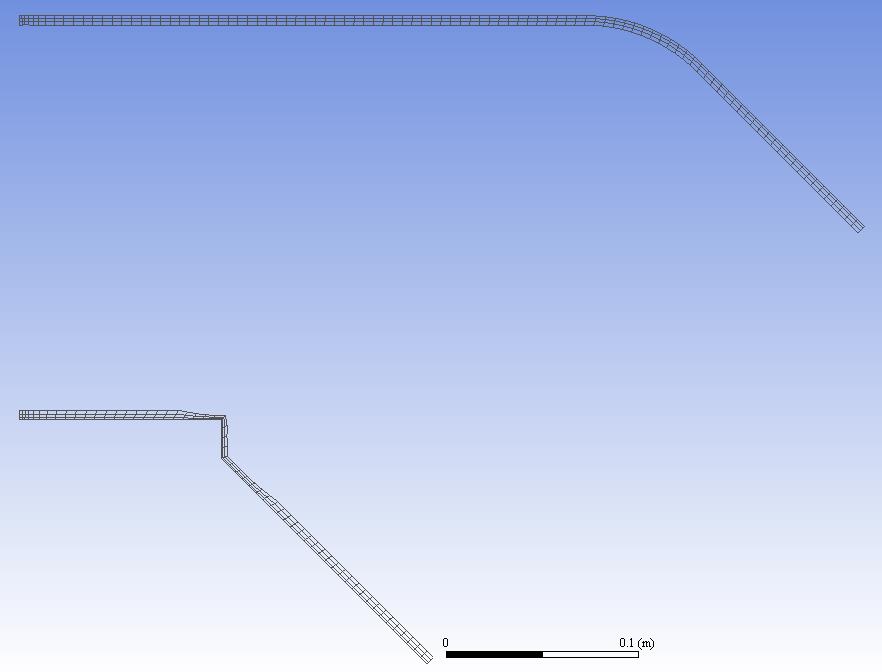
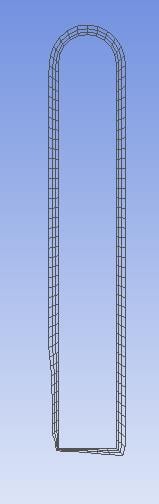
      I´d like to do something like this. It´s a tutorial from ANSYS and a 2D-Case. We can see three zones in the middle: triangle, inflation around the valve and inflation around the pipe.


      And it´s possible to select the different cell zones:


      The solution to have multiple surfaces in the meshing stage is adequate for regions with different mesh, but not if I want to have Inflation. Indeed, I should then create a structure for each simulation.


      Maxime


    • Amine Ben Hadj Ali
      Ansys Employee

      You will need better to create separate zones in pre-processing. That is the best way to have separate zones by shapes.

    • Max4
      Subscriber

      Problem is by doing this, I have to change the structure every time if I want to remesh zones finer. Indeed, the last inflation layer may have the same length of the neighbouring cell.


      You haven´t any idea how the seperate cell zones are made in this tutorial?


      Regards,


      Maxime

    • Amine Ben Hadj Ali
      Ansys Employee

      As far as I know the only way is the creation of register based on cell element type or if you want to accommodate to inflation layers you can manage it by using Boundary Cell register and select the number of inflation layers.


      I am not aware about the tutorial where did you find it?

    • Rob
      Forum Moderator

      Looking in the definitions in 35.4. Alphabetical Listing of Field Variables and Their Definitions of the User's Guide:


      Cell Element Type


      (in the Cell Info... category) is the integer cell element type identification number. Each cell can have one of the following element types:


        triangle     1
        tetrahedron  2
        quadrilateral 3
        hexahedron   4
        pyramid    5
        wedge      6 
        polyhedra  7 


      So if you've not set a separate fluid zone to contain the moving object you can use Mark (adapt) registers to separate zones using the values defined in the definitions above. 

    • Max4
      Subscriber

      Thank your for the answer. I'll find out about this method.


      I find the tutorial from ANSYS How to Videos on Youtube:


      ANSYS Fluent: Setting up a Dynamic Mesh Problem for a Piston and Reed Valve - Part I


      Regards,


      Maxine

    • Max4
      Subscriber

      To separate one cell zones in several cell zones using Mark (adapat), I have the following options.


      What option should I use to separate zones thank to values? The option in grey can just be used after a simulation.


      Maxime

    • Rob
      Forum Moderator

      The options in grey need the model to have been initialised: then you can separate based on iso-value. 

    • Max4
      Subscriber

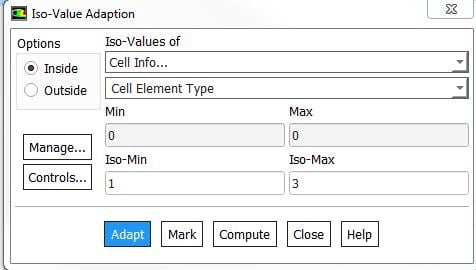
      I have done as following, but it doesn´t create two cell zones. I have just triangles and one inflation layer.I clicked on Adapt.


      What if I have two different inflation for exemple and one mesh in the middle. Thus, I have three zones to be separate. Indeed, I have to define each zones in the dynamic mesh zones.


      Maxime


    • Amine Ben Hadj Ali
      Ansys Employee

      Do not click on adapt: this will refine the mesh. You need to click on mark and then you need to separate the cells based on that register.

    • Max4
      Subscriber

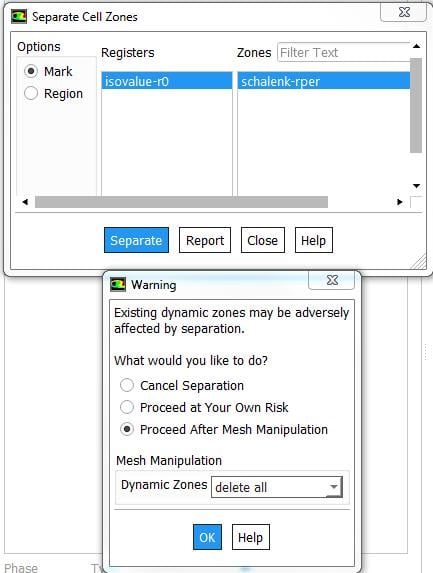
      I have click on Mark, and then Separate -> Cells ->


      When I do this, there is a Warning message: Zone not processed


      Maxime

    • Amine Ben Hadj Ali
      Ansys Employee

      Why do you not disable"dynamic mesh" at first? After you have what you want you can enable dynamic mesh. Please be careful with mesh manipulation in the Workbench as Fluent keeps track of Mesh Operations and this might lead to a conflict if you update mesh upstream.

    • Max4
      Subscriber

      I disabled it, but the warning message with Zone not processed is coming. This is the message in the console.


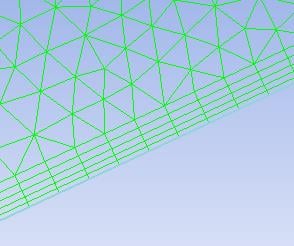
      I have triangle and one inflation (see below).


      Is then this definition okay?


      Maxime

    • Amine Ben Hadj Ali
      Ansys Employee

      I lost the path there: does it mean you cannot separate the zones?


      You want to separate the prism cells from the bulk, don't you? Why not doing a boundary adaption and select the number of cells layers you want to separate.


      Moreover Why not going back to pre-processor and doing all that stuff: is safer and valid for all Fluent cases downstream.

    • Max4
      Subscriber

      Yes, I want to separate the quad cells (inflation) from the prism cells. I´m gonna to show this with the boundary adaption, thank you.


      I think that is the best solution to separate all zones in pre-processor.


      Regards,


      Maxime

    • Houssam100
      Subscriber

      hello please i got the same problem as you are , i did separate all the zones but i have to define on each zone a interface for mesh interface , is that right ? and after preview i got negative cell ? can you tell me exactly how you did ,


      thank you houssam 

Viewing 25 reply threads
  • The topic ‘Separate Cell By Shape’ is closed to new replies.