-
-
January 15, 2025 at 6:34 pm
shink
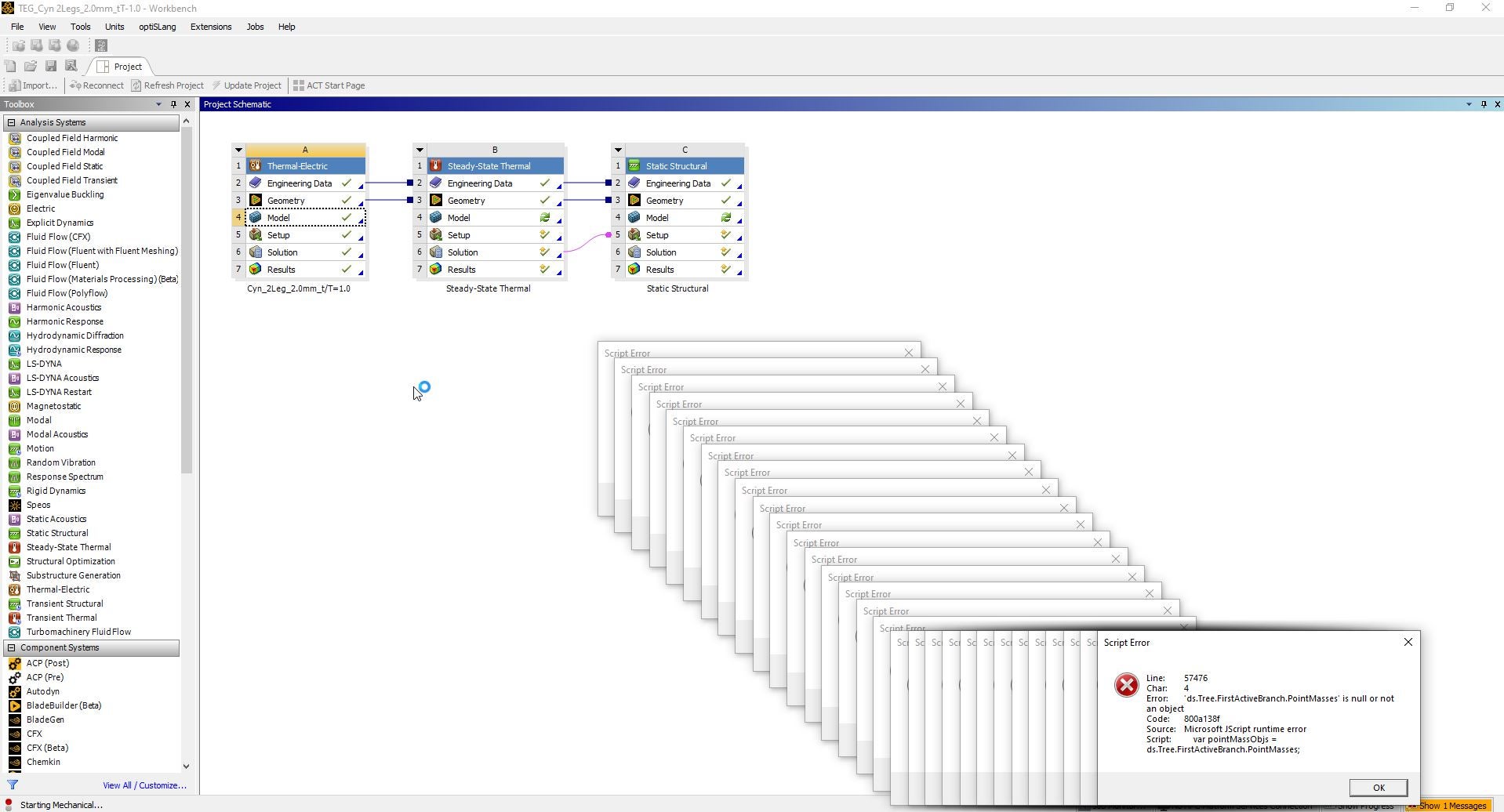
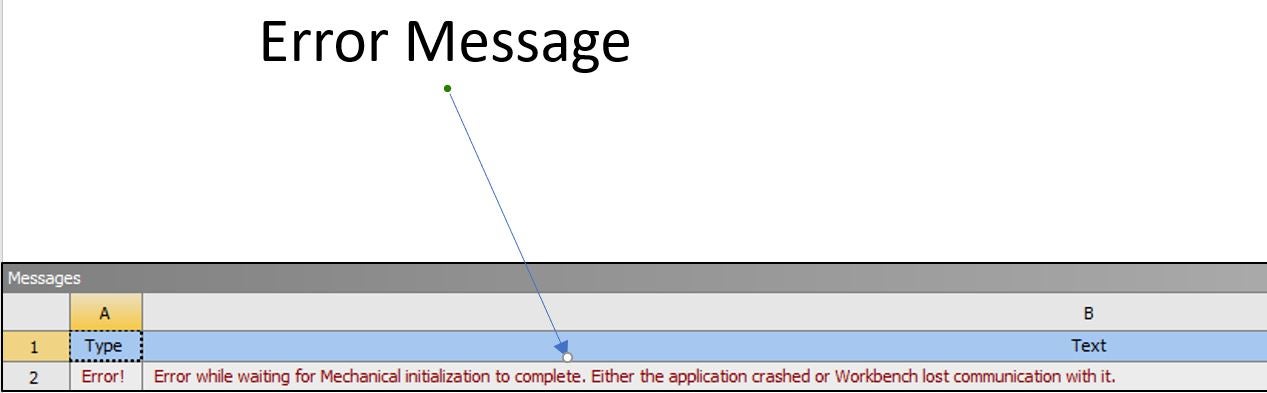
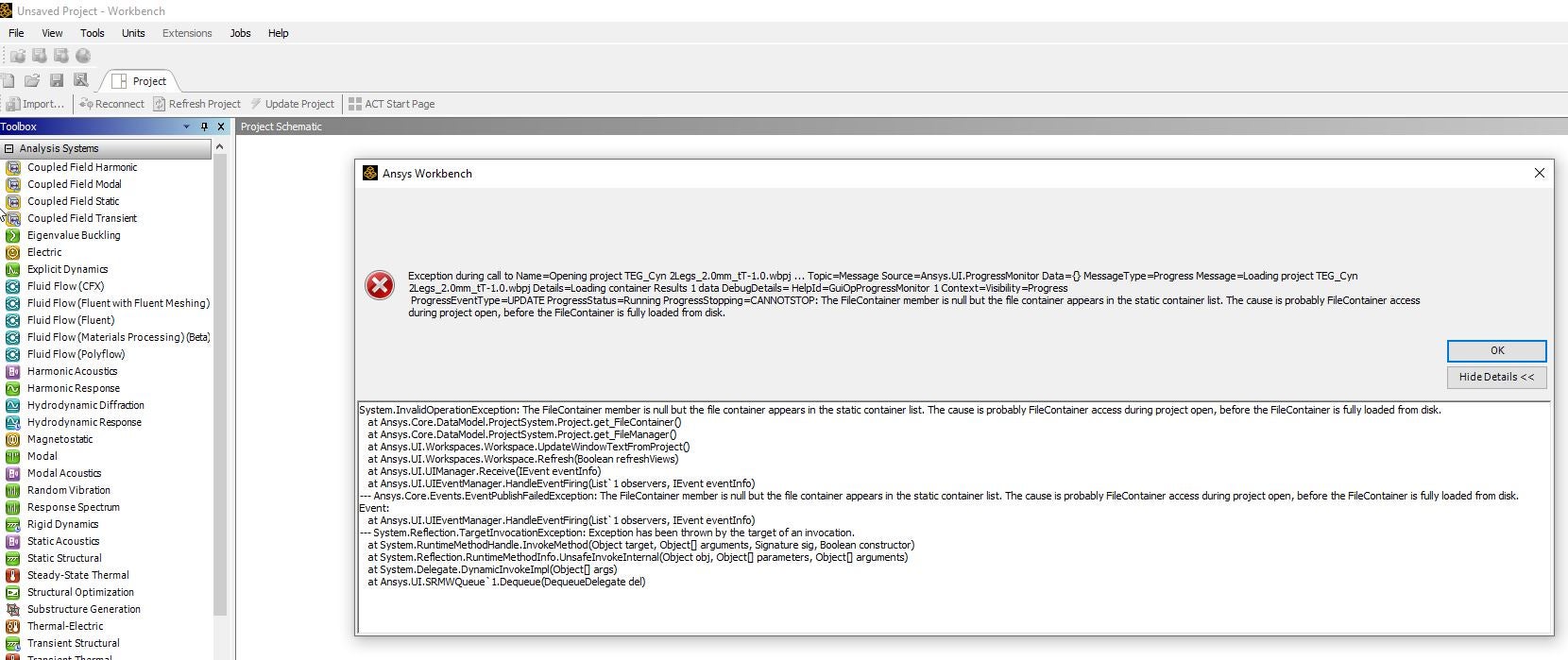
Bbp_participantWhen I start ANSYS WB, it's OK but I meet the problem as soon as I try to run my projects.
I attached file what the problem is included rthe error message.Â
And I uninstalled and reinstalled ANSYS for several times, but it couldn't work.
Please solve the problem ASAP, I have to perform my dissartation and research project.
Â
Â
-
January 16, 2025 at 11:01 am
Rajeshwari Jadhav
Forum ModeratorHi,
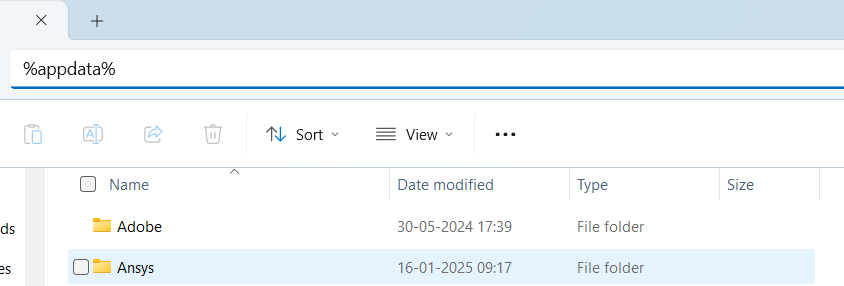
Please rename the Ansys folder (%appdata%) to ansys.old and try to relaunch the application again.
-
January 16, 2025 at 4:34 pm
shink
Bbp_participantDear Rajeshwari Jadhav
Thank you for your reponse, but would you explain it precisely more?
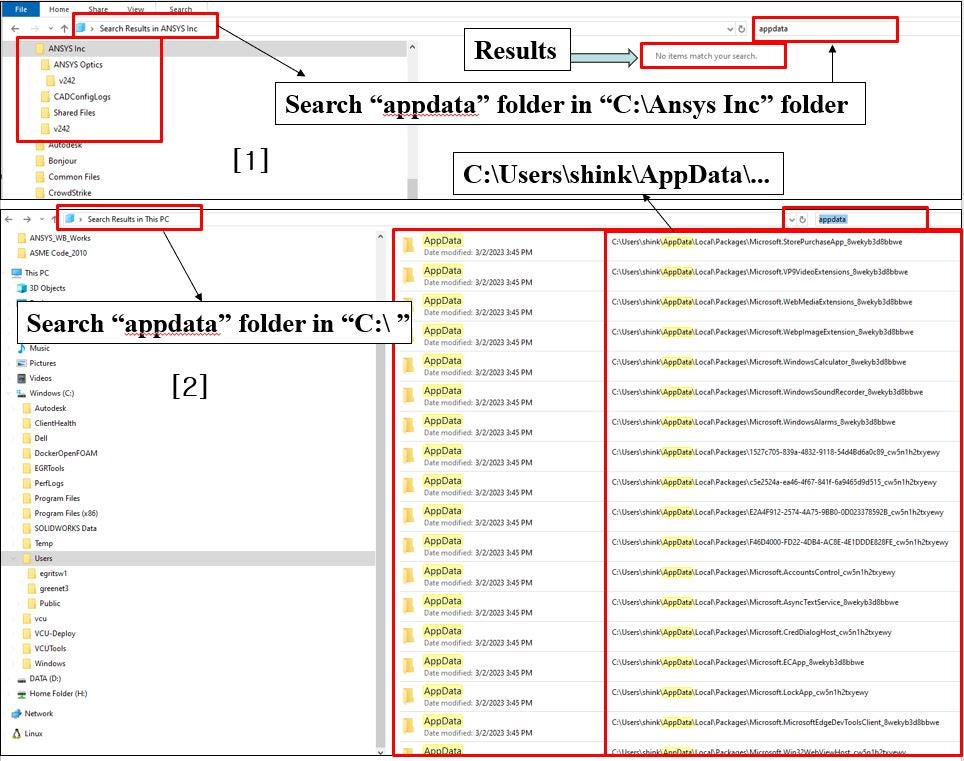
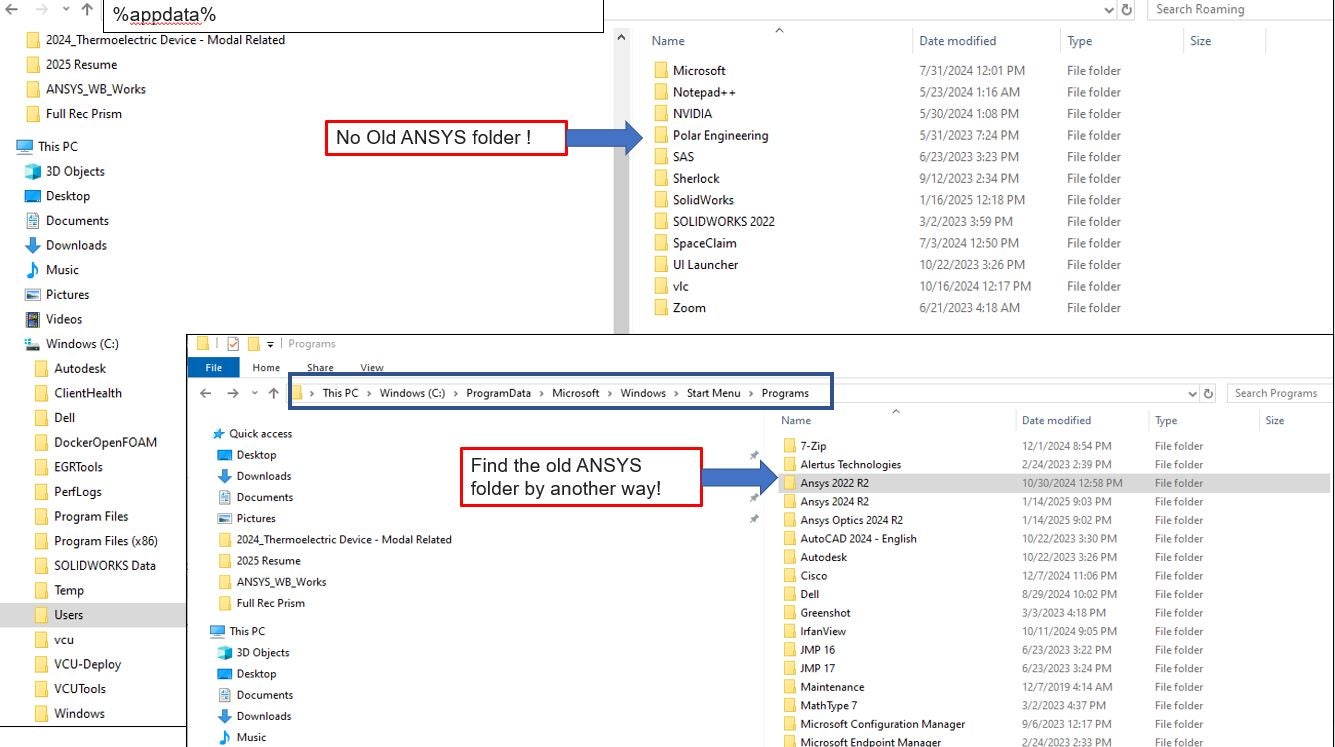
I tried to find the "appdata" folder in [1] "C:\ Ansys Inc"Â and [2] "my computer:\ C:\ and D:\...." , but I couldn't find the "appdata" folder related to ANSYS as an attach file.
It's a urgent problem to me.
Thank you.
Sincerely
-
January 16, 2025 at 5:54 pm
-
January 17, 2025 at 1:30 am
shink
Bbp_participantDear Mr. Rajeshwari Jadhav
Thank you again, but I couldn't solve it yet as an attach file.
Using the "appdata" , there was no ANSYS folder like your picture, the other hand I found the old Ansys folder as "ANSYS 2022 R2" as an attach file.
Do I change the folder name from "ANSYS 2022 R2" to "ANSYS 2022 R2.old" ?
Â
Sincerely
Kyuin Shin
-
January 17, 2025 at 1:34 am
-
January 17, 2025 at 1:47 am
-
- You must be logged in to reply to this topic.
-
4613
-
1520
-
1386
-
1209
-
1021
© 2025 Copyright ANSYS, Inc. All rights reserved.