Ansys Assistant will be unavailable on the Learning Forum starting January 30. An upgraded version is coming soon. We apologize for any inconvenience and appreciate your patience. Stay tuned for updates.
Electronics

Electronics

Topics related to HFSS, Maxwell, SIwave, Icepak, Electronics Enterprise and more.

question on plotting of mode in my transmitter cavity

    • derrick
      Subscriber

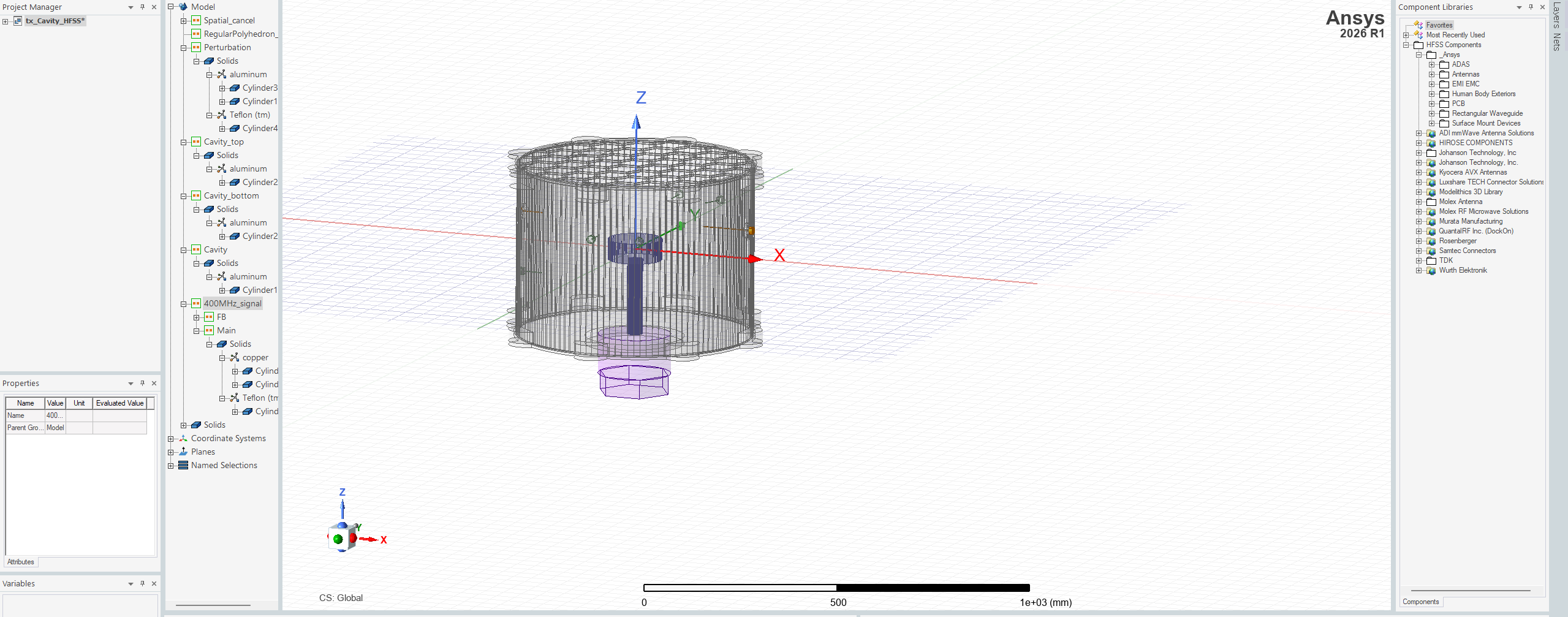
      please can you help me plot the modes after simulating my transmitter cavity i am finding a little difficulty

    • Takeshi Itadani
      Ansys Employee
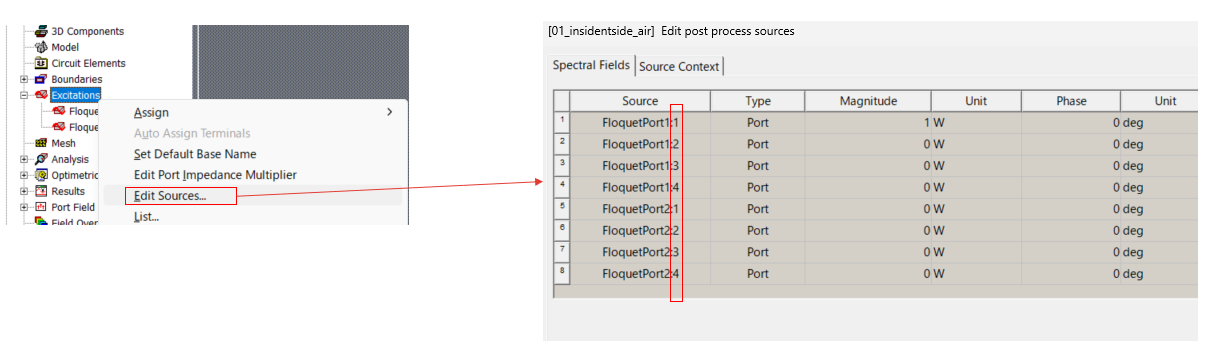
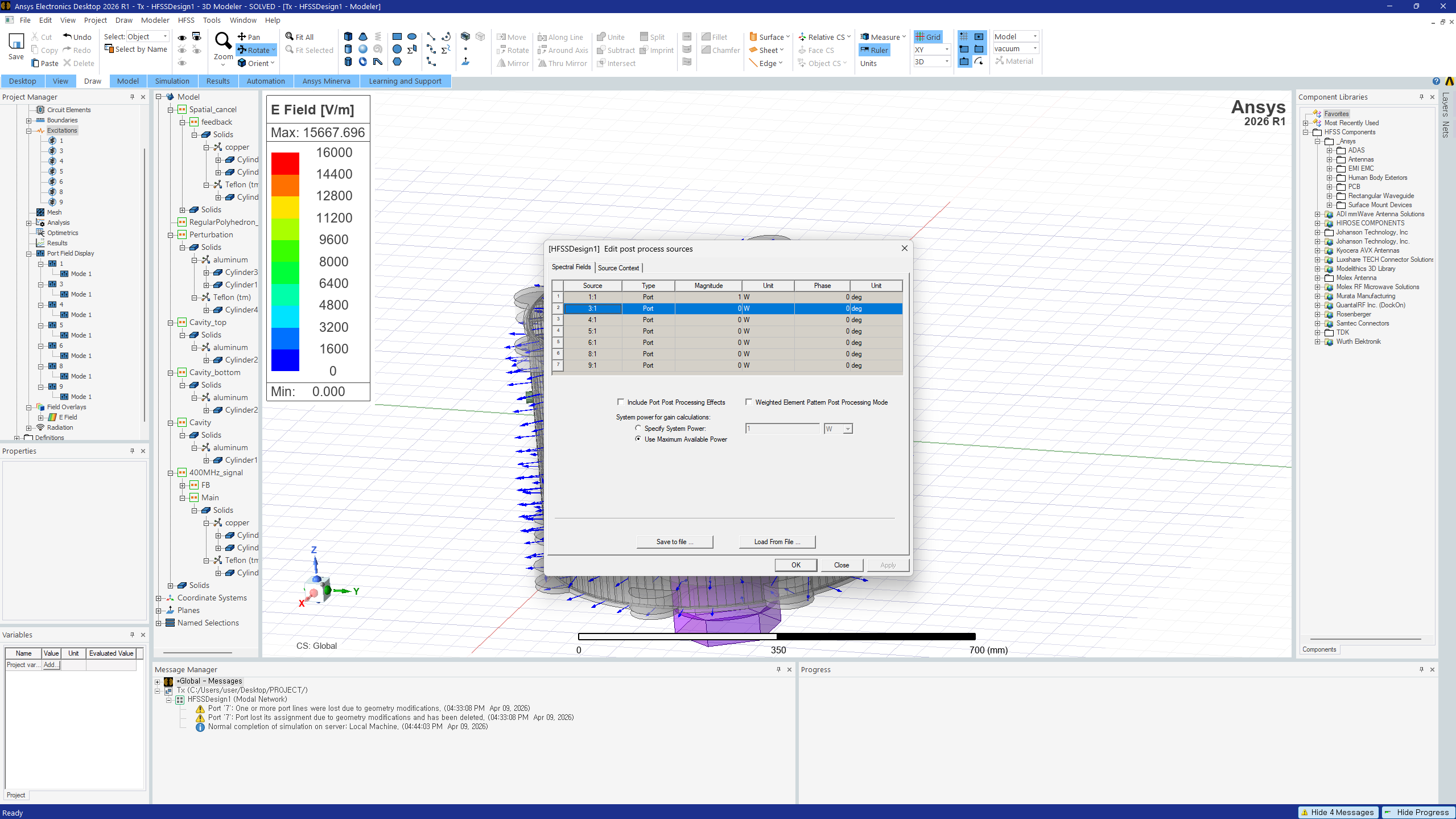
      To plot higher-order modes, right-click on Excitations in the Project Manager and select Edit Sources...
       
      In the Source column of the displayed screen, the ":#" after the port name indicates the mode. By entering a non-zero number in the Magnitude field for the mode you want to check, and entering 0 for the other Magnitudes, you can plot only specific modes.

      • derrick
        Subscriber

        "In the Source column of the displayed screen, the ":#" after the port name indicates the mode. By entering a non-zero number in the Magnitude field for the mode you want to check, and entering 0 for the other Magnitudes, you can plot only specific modes."

        Please how do i plot the specific modes?

    • derrick
      Subscriber

      Also please one more question 
      since is a resonator how can i plot the field distrustion inside the cavity to see it its behaviour anythime i plot it seems the field distubution appear on the outside of the cavity 
      can you help me with more ellaboration?

    • Takeshi Itadani
      Ansys Employee
      > Please how do i plot the specific modes?
       
      As explained in the answer above, set the Magnitude of the mode you want to plot to a number other than 0, and set the Magnitude of all other modes to 0.


    • Takeshi Itadani
      Ansys Employee
      > since is a resonator how can i plot the field distrustion inside the cavity to see it its behaviour anythime i plot it seems the field distubution appear on the outside of the cavity 
       
      How about placing a 2D sheet as "Unassigned" at the location you want to plot inside the cavity, and then plotting on that 2D sheet?
    • derrick
      Subscriber

      from what you have expalined meaning i have only one mode only here?
      please after setting one mode to non zero and others to zero what is the next thing i am supposed to do?

    • Takeshi Itadani
      Ansys Employee

      Since you are using a Lumped Port, you can only analyze one mode. If you want to analyze higher-order modes, please use a Wave Port.
      When setting up a Wave Port, enter the number of modes you want to analyze in "Number of Modes". Perform the analysis in this state, and you will be able to plot the higher-order modes.

      The following video may be helpful;
      https://www.youtube.com/watch?v=KkiCTtLegjQ

    • derrick
      Subscriber

      When setting up a Wave Port, enter the number of modes you want to analyze in "Number of Modes". Perform the analysis in this state, and you will be able to plot the higher-order modes.

      The following video may be helpful;
      https://www.youtube.com/watch?v=KkiCTtLegjQ


      1.following the video i realized that one key difference between wave port and lumped port is that the waave port is excited externally and the lumped port is excited internnaly wanted to ask that, can i still use the lumped port externally ?

      2. also do you have any video that can help me with identification of modes after plotting or can you teach me?
      example after plotting looking at the plot i can say this is TE101 or TE 111 or TM 010? etc
      i am  a bit confused that is why i am asking. 
      i would greatly appreciate your guidance and  efforts 


    • Takeshi Itadani
      Ansys Employee
      > can i still use the lumped port externally ?
       
      No, as explained in the video, Lumped Port can only be used within the analysis space.
       
       
      > 2. also do you have any video that can help me with identification of modes after plotting or can you teach me?
      > example after plotting looking at the plot i can say this is TE101 or TE 111 or TM 010? etc
       
      To determine which mode corresponds to which excitation state of an electromagnetic field, you must actually plot the excitation state of that electromagnetic field and make your own judgment.
       
      This judgment is a matter for design and development.
    • derrick
      Subscriber

      Since you are using a Lumped Port, you can only analyze one mode. If you want to analyze higher-order modes, please use a Wave Port.
      When setting up a Wave Port, enter the number of modes you want to analyze in "Number of Modes". Perform the analysis in this state, and you will be able to plot the higher-order modes.

      No, as explained in the video, Lumped Port can only be used within the analysis space.
       since there is  space inside the ressonator how do i make a wave port inside the resonator because i want to feed the signal externally but only one modes appear but do you have any means you think i can go about it?

      also what about if i simulate it in eigen mode?
    • Takeshi Itadani
      Ansys Employee
      > since there is  space inside the ressonator how do i make a wave port inside the resonator
       
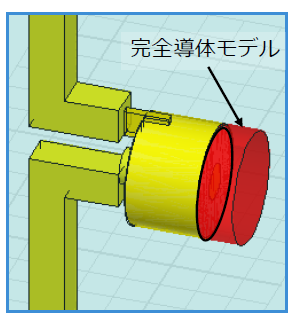
      To place a Waveport in the analysis space, it is necessary to make contact with an object on the opposite side from the side supplying the electromagnetic waves using a perfect conductor, as shown in the diagram below.
      The red area in the diagram below represents the perfect conductor.


      > also what about if i simulate it in eigen mode?
       
      HFSS's Eigenmode analysis investigates what types of electromagnetic waves can be confined in a closed space. No configuration of the analysis space or ports is required.
    • derrick
      Subscriber

      Please my one more question, thank you very much you are really helping me 

      >To determine which mode corresponds to which excitation state of an electromagnetic field, you must actually plot the excitation state of that electromagnetic field and make your own judgment.
      >This judgment is a matter for design and development.

      Please how do i know that my judgement is right? Especially woith the aspect of the patterns how to know hte variations 
      it seem per source i have seen i am abit confused and i trust that you can help me that very much 

      also in the plotting to know that ez = 0 for transeverse electric how do i do that ?
Viewing 11 reply threads
  • You must be logged in to reply to this topic.
[bingo_chatbox]