Hi
I am trying to simulate the temperature profile for a part that I want to print with LPBF, but I have a major issue. The LPBF add-on does not solve in Ansys. Yes I tried different versions of Ansys but still I faced the exact same problem, regardless of whether I am on the student license or the university license.
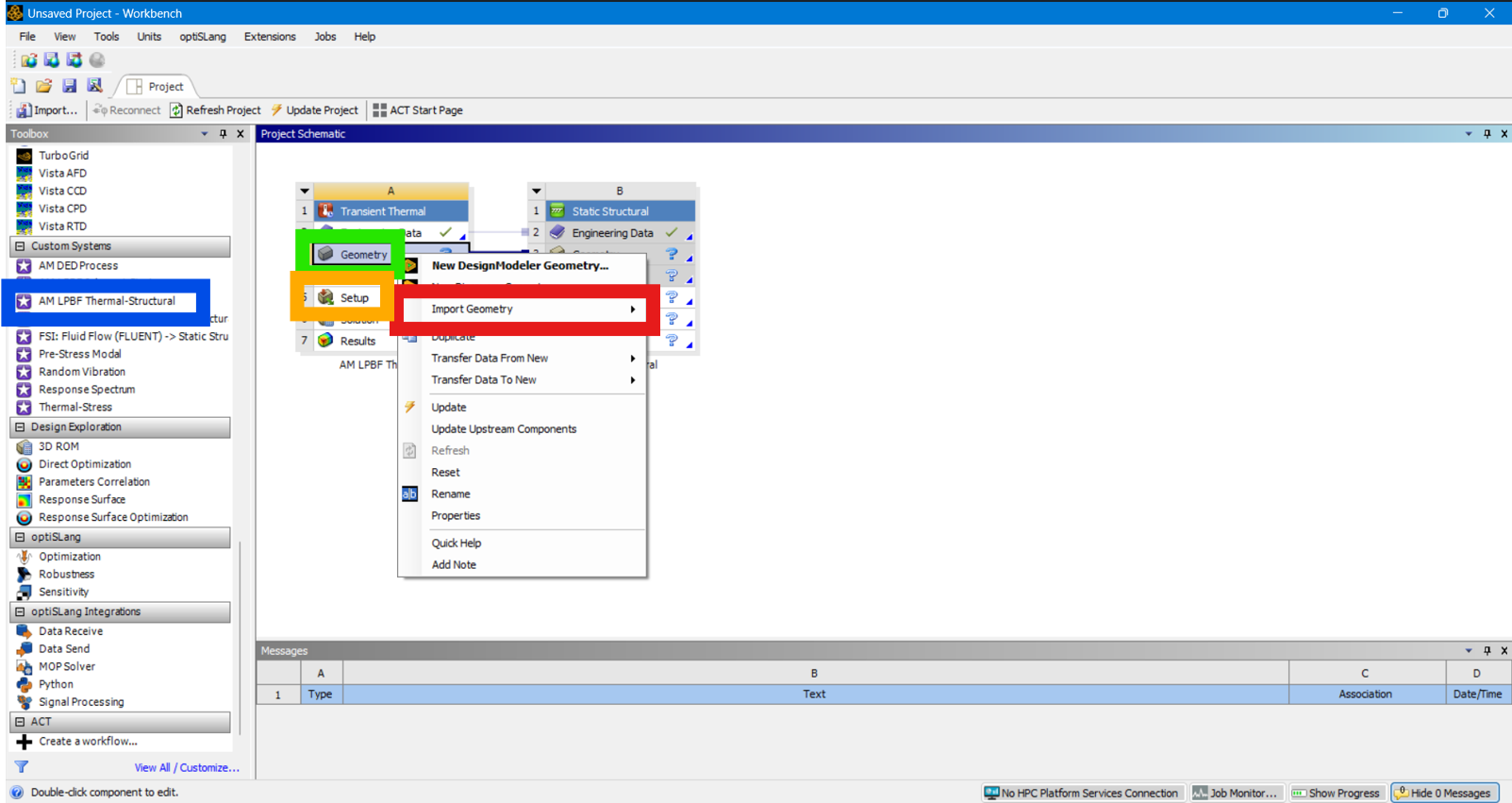
After opening workbench, I press on AM LPBF Thermal-Structural (blue rectangle). Then, I right-click on geometry (Green rectangle) and import my model (red rectangle) and I have tried different formats .STEP .STL and so on to see if that is the problem. Then, I double-click on the orange rectangle to make my setup.
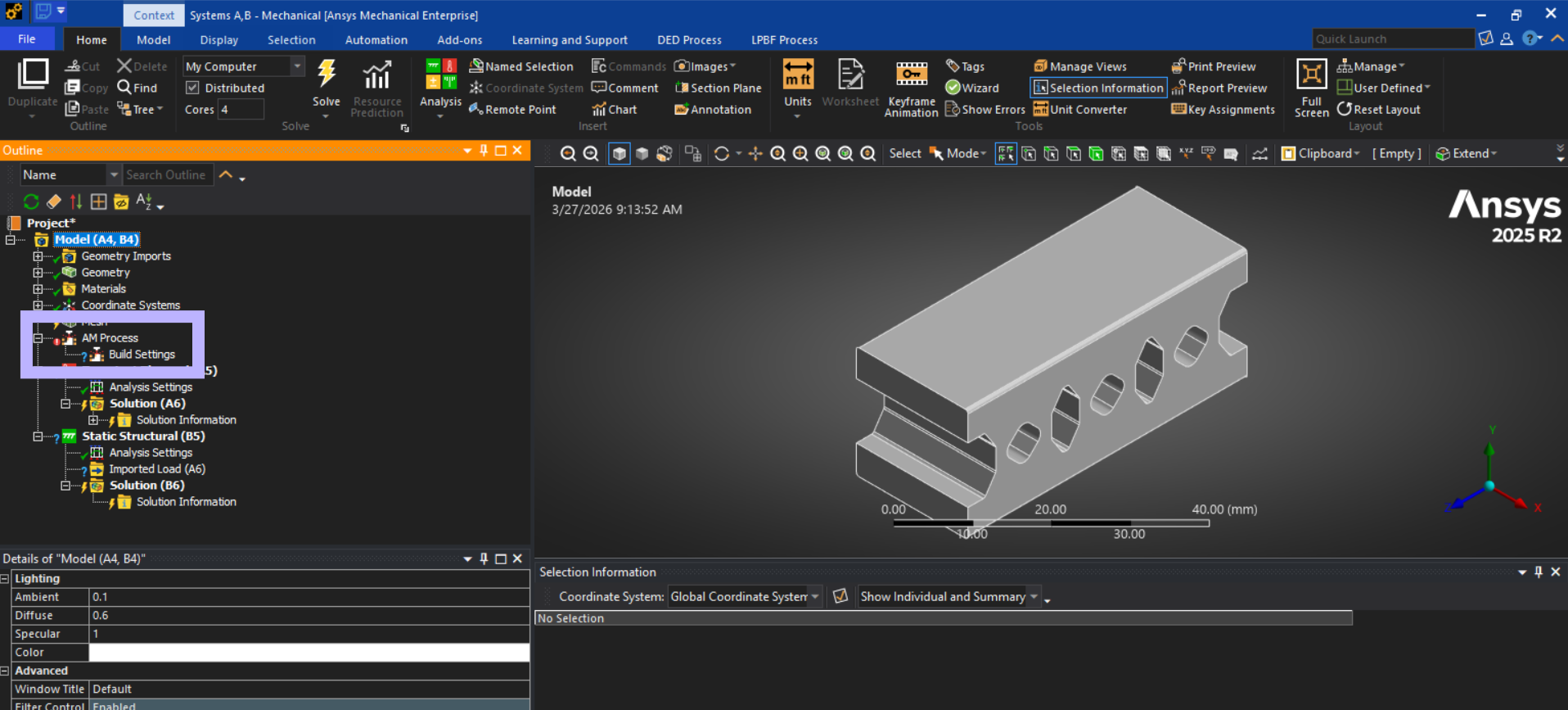
Once Ansys Mechanical loads, without doing anything, just as the program starts, there is a red circle with ! next to AM Process (see the purple rectangle in the following image). I believe this is potential the reason why my solving process gets interrupted because if you refer to the video, you don't see such a thing!
Anyways, let's neglect it for a moment. I followed the exact same steps as the tutorial, but what happens is that after solving for 2 seconds, the program stops, so I just get to see the print bed heating (see "LPBF Failing.mp4"). It is not a license issue, because I tried reducing the number of meshes or nodes, I tried manipulating with the time step setting and so on, but regardless of what I do, the interruption happens. And interestingly I do not get any error for that!
Did I try something similar? Yes! I tried this DED simulation
https://www.youtube.com/watch?v=SJO-Dxq3Cg8, and managed to get a nice simulation result as you can see in the "DED Successful" video I attached. Yes the quality and meshing is awful, but I was just trying to see if it runs).
I have no clue what the problem is, but I am sure that there is something wrong with the LPBF program itself because I went through all the guides I could find, but what happens is that I get a 2-step sequence in the results after solving which is kinda correct because there is a heating and cooling stage, but I think the end time is not controlled for any of them and I only get 1 seconds of heating and 1 seconds of cooling.
Again, refer to LPBF Failing.mp4. In messages tab, there are warnings yes, but I don't think they are the issue. There is one error that says there are no imported loads, but in other iterations that I did, I deactivated the imported load option and nothing changed. At some point I deleted the whole structural analysis section because I only care about temperature profile, but still the interruption took place. I tried applying some loads instead, and still nothing changed! Also, you can see that the thermal and structural part are not solved together.
I need help with figuring out how I can do the LPBF simulation successfully and bypassing these issues which I assume that they are correlated with a bug or a missing step.
Here is the screen recordings I refferred to: https://drive.google.com/drive/folders/1B8aS3wvFsS7MVHTOR3rLgg7xi5vqnYhM?usp=drive_link

















 You are navigating away from the AIS Discovery experience