

TAGGED: ansys-workbench, mechanical, structure
-
-
April 8, 2022 at 8:47 am
Zhang_Z_P
SubscriberDear Friends,
I want to divide a pipe into 3 sections with 2 section planes,and only display the middle section. But it always displays two sections of them. What should I do to solve it?
Thanks a lot.
April 8, 2022 at 9:29 amAkshay Maniyar
Ansys Employee
You can select which side of section plane should be visible. Click on section plane 1, and then click on edit section plane option. Now, you can click on line (dotted or full line) to make that side visible. So, by properly selecting the side for both section plane you can make middle portion visible.
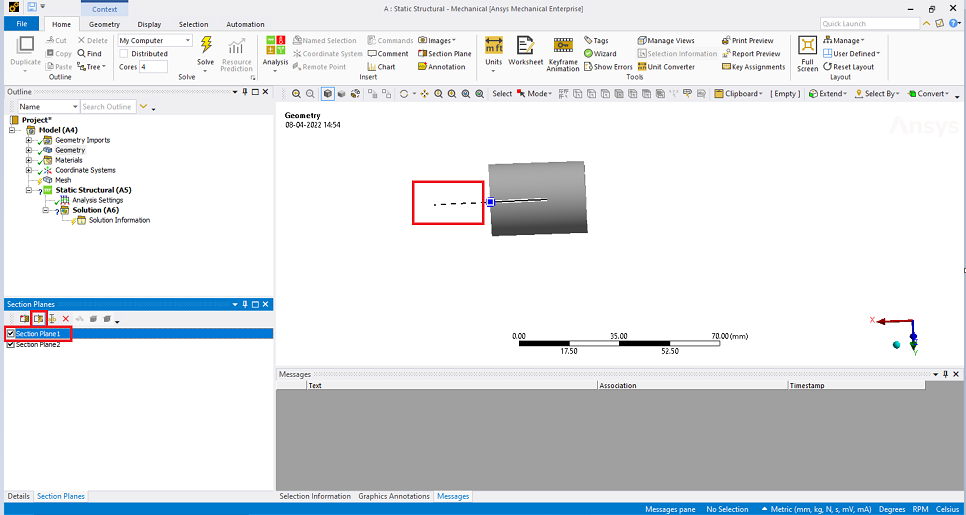 Thanks
Amaniyar
Thanks
Amaniyar
April 8, 2022 at 10:01 amSubscriberHi, Amaniyar
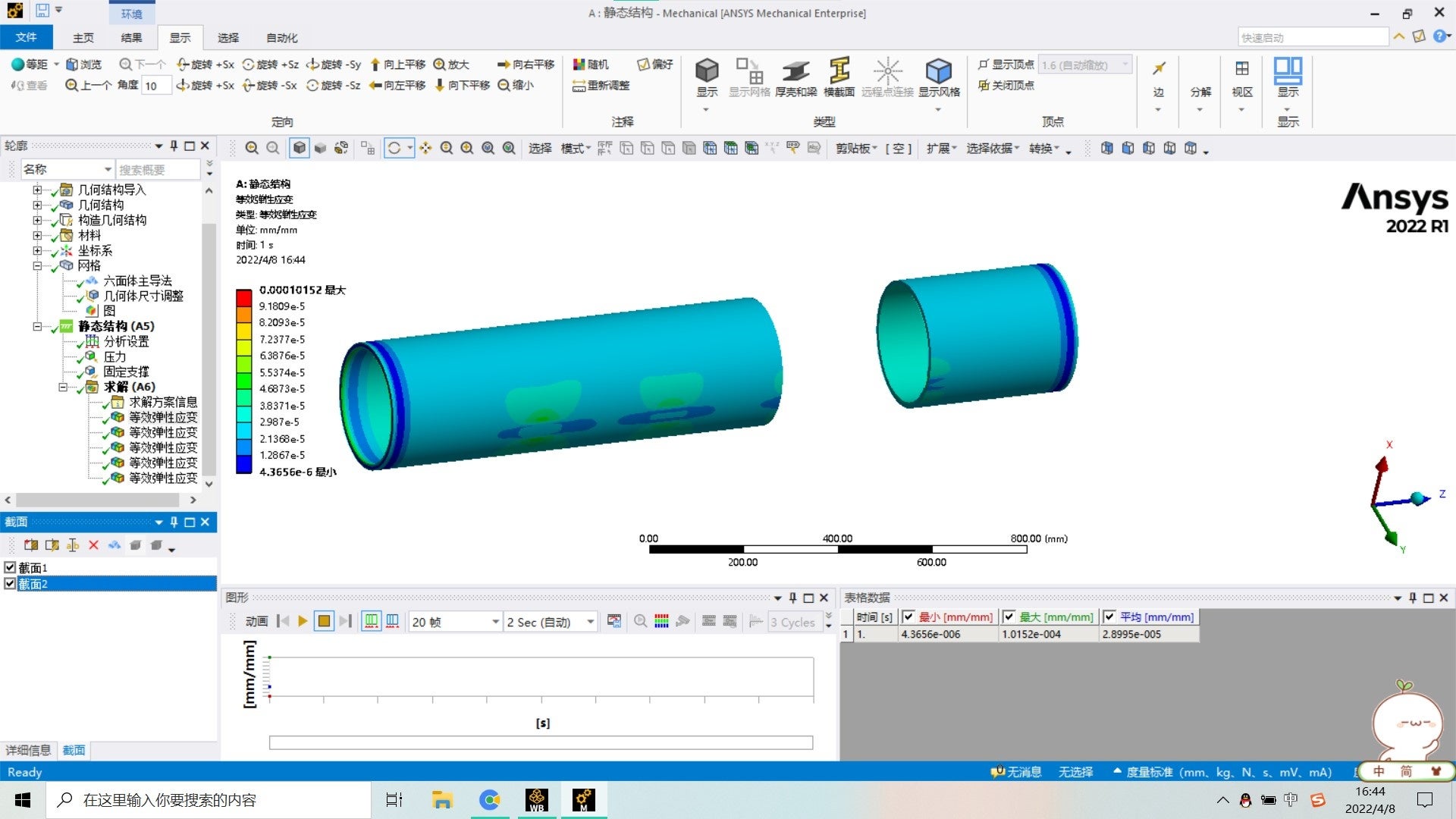
Thank you for your patience. I've tried your opration before but it did not work.As following pics show, I set the section planes correctly but it displays the whole pipe.
thanks again.(Ps:I don't know how to @ somebody)
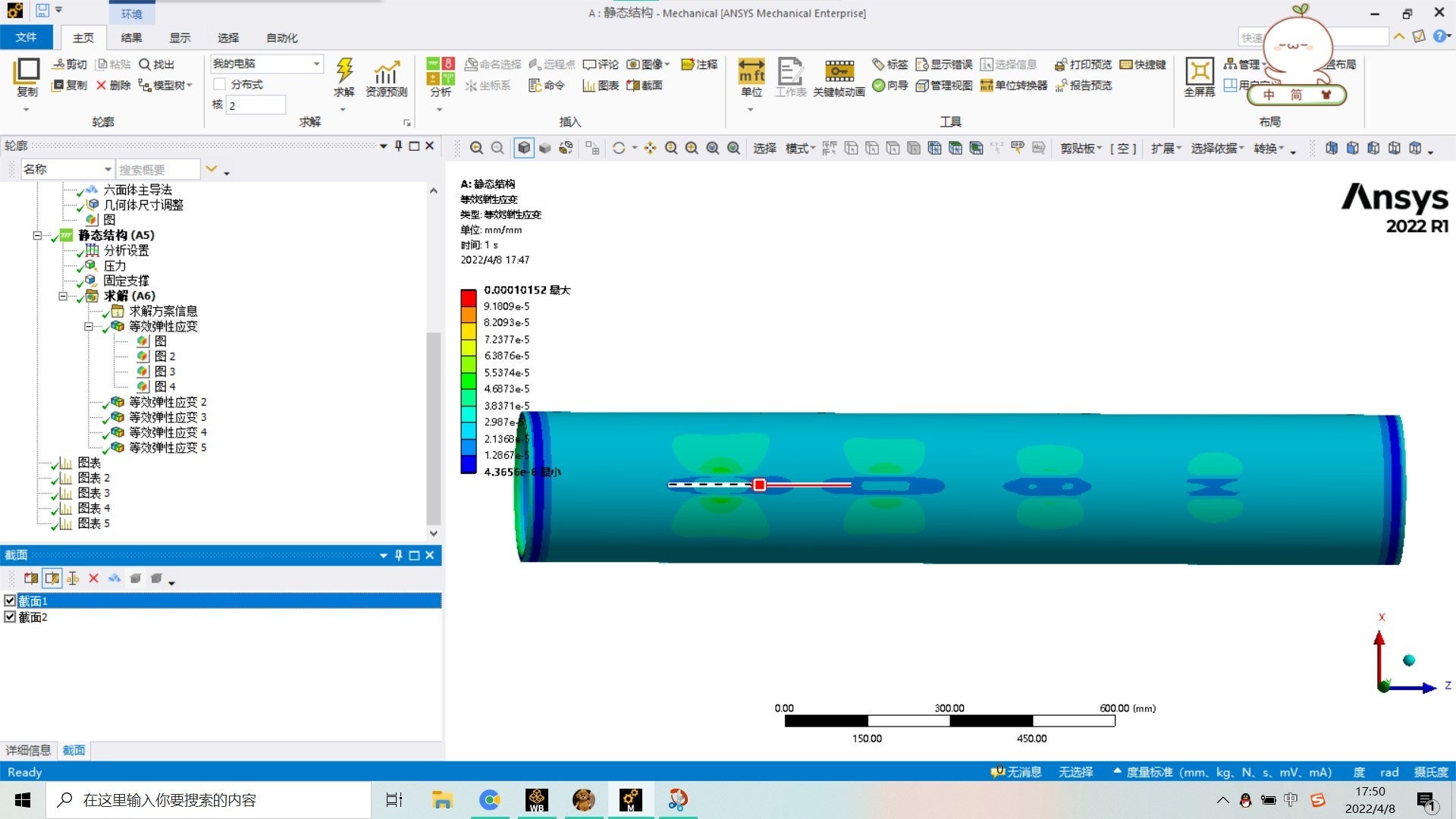
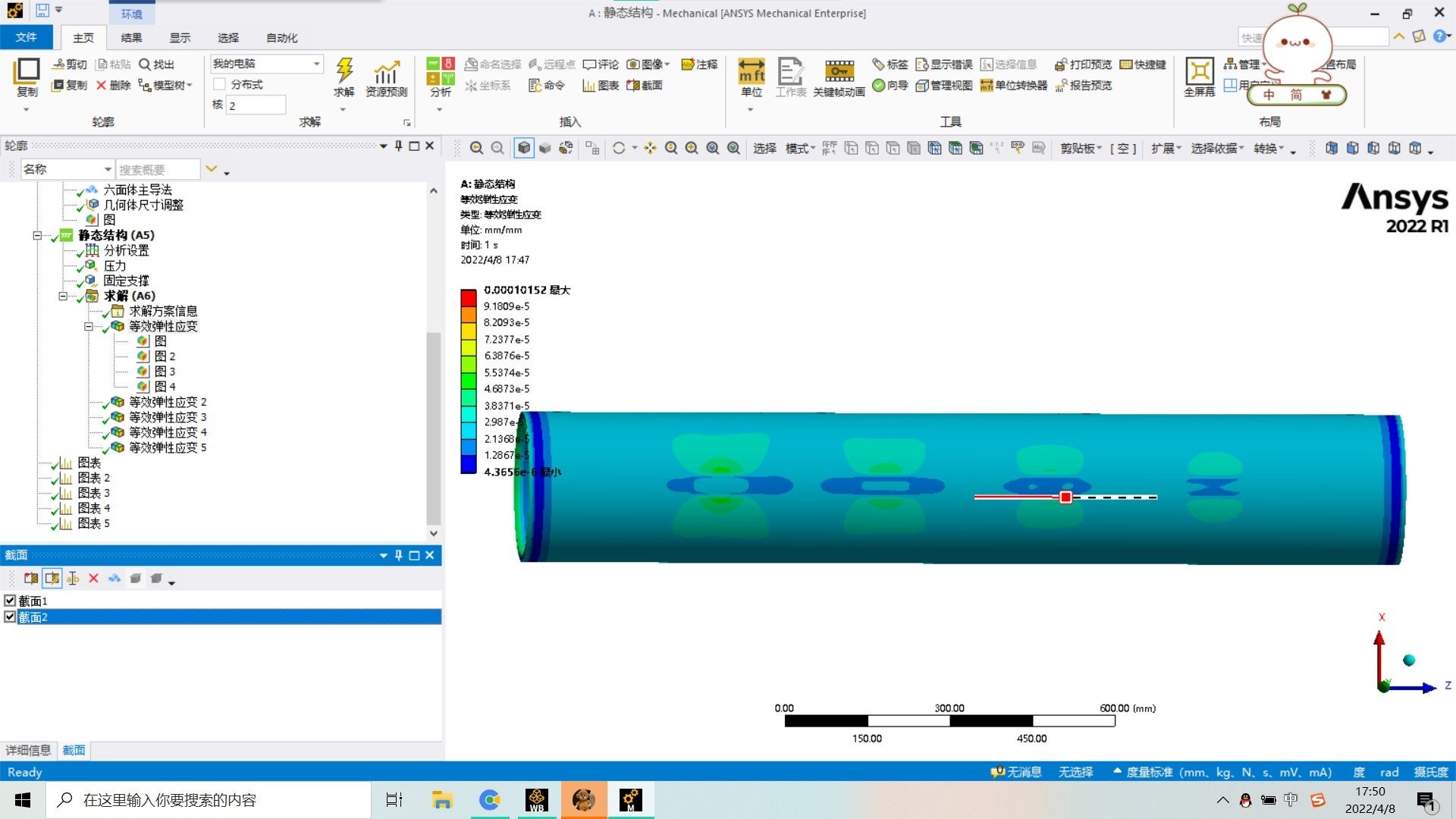
April 8, 2022 at 10:05 amSubscriberby the way, Can you see the 2nd picture?@ Amaniyar
April 8, 2022 at 10:19 amAnsys Employee
Yes, I am able to see both the picture.
Also, I have tried the same way, and it works for me. Please check the full geometry of pipe.
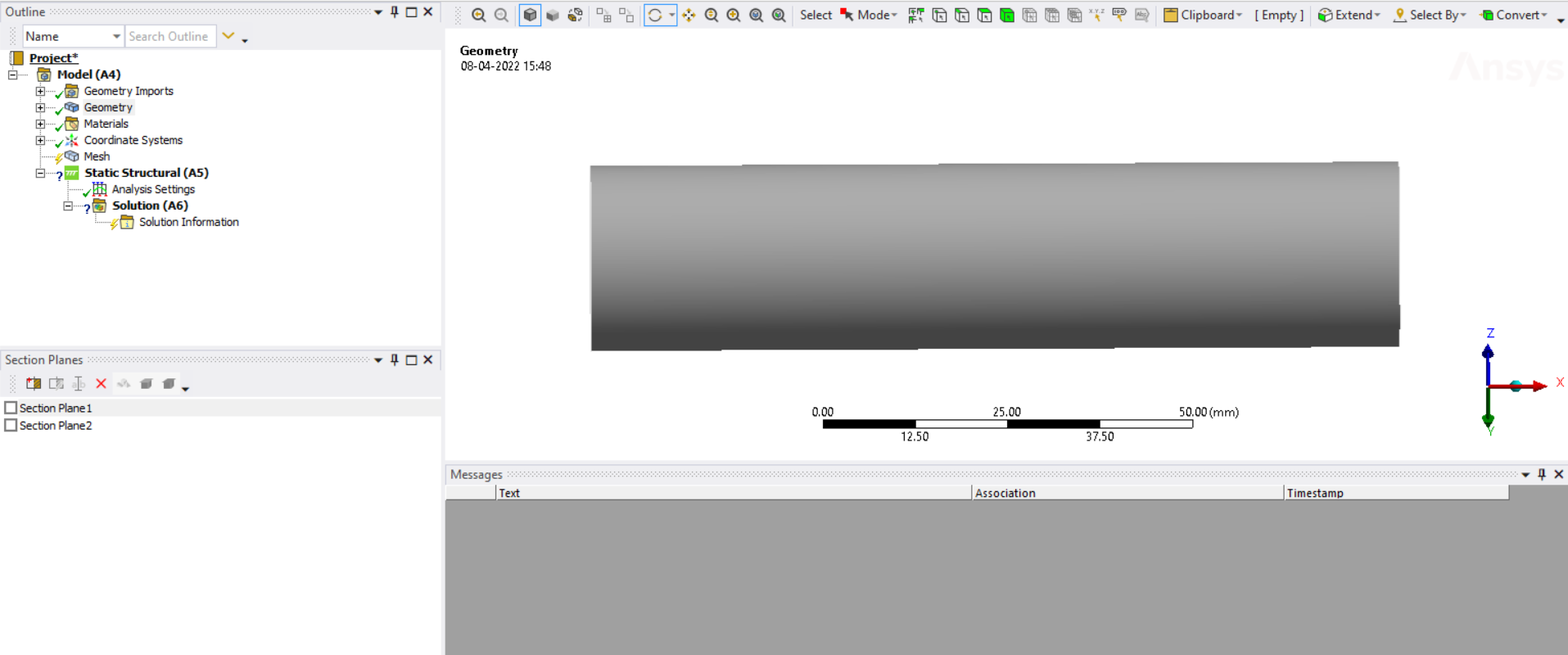 Now, I will turn ON the section plane 1.
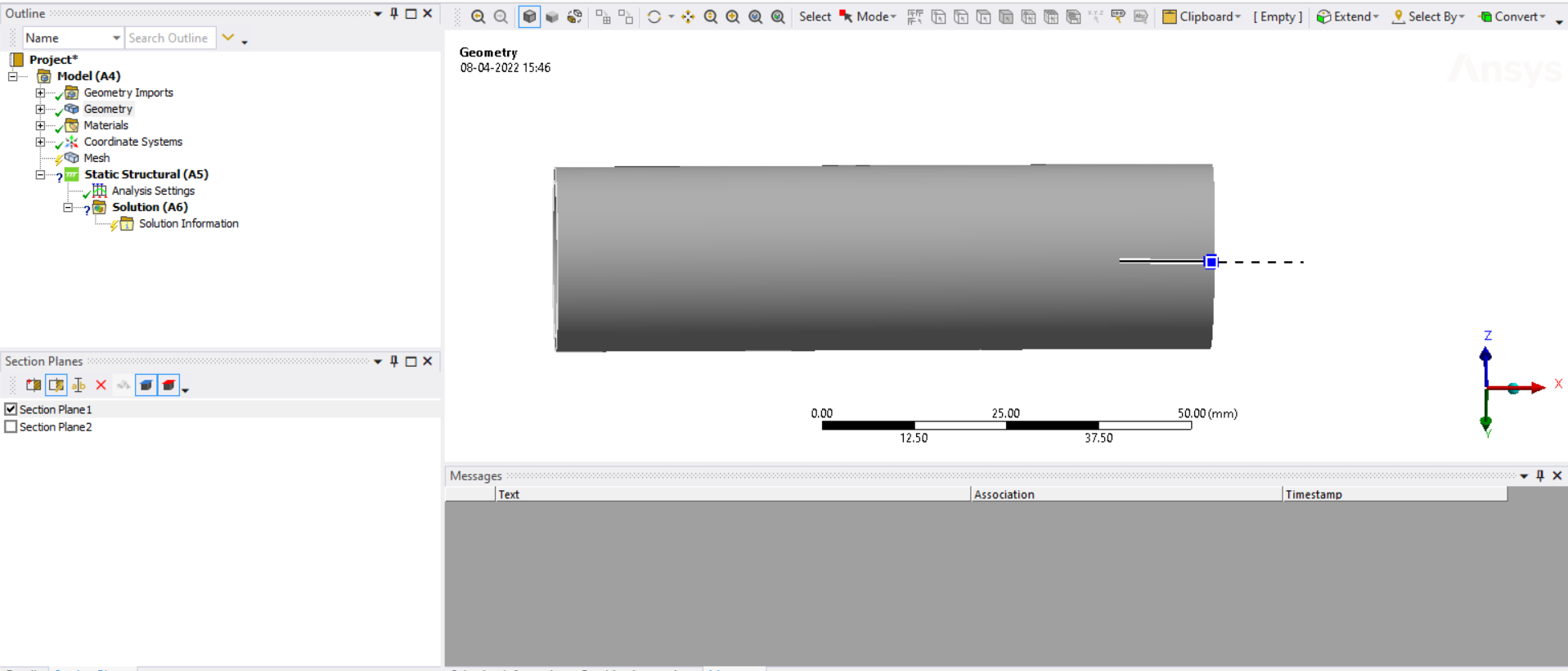 I will turn ON section plane 2.
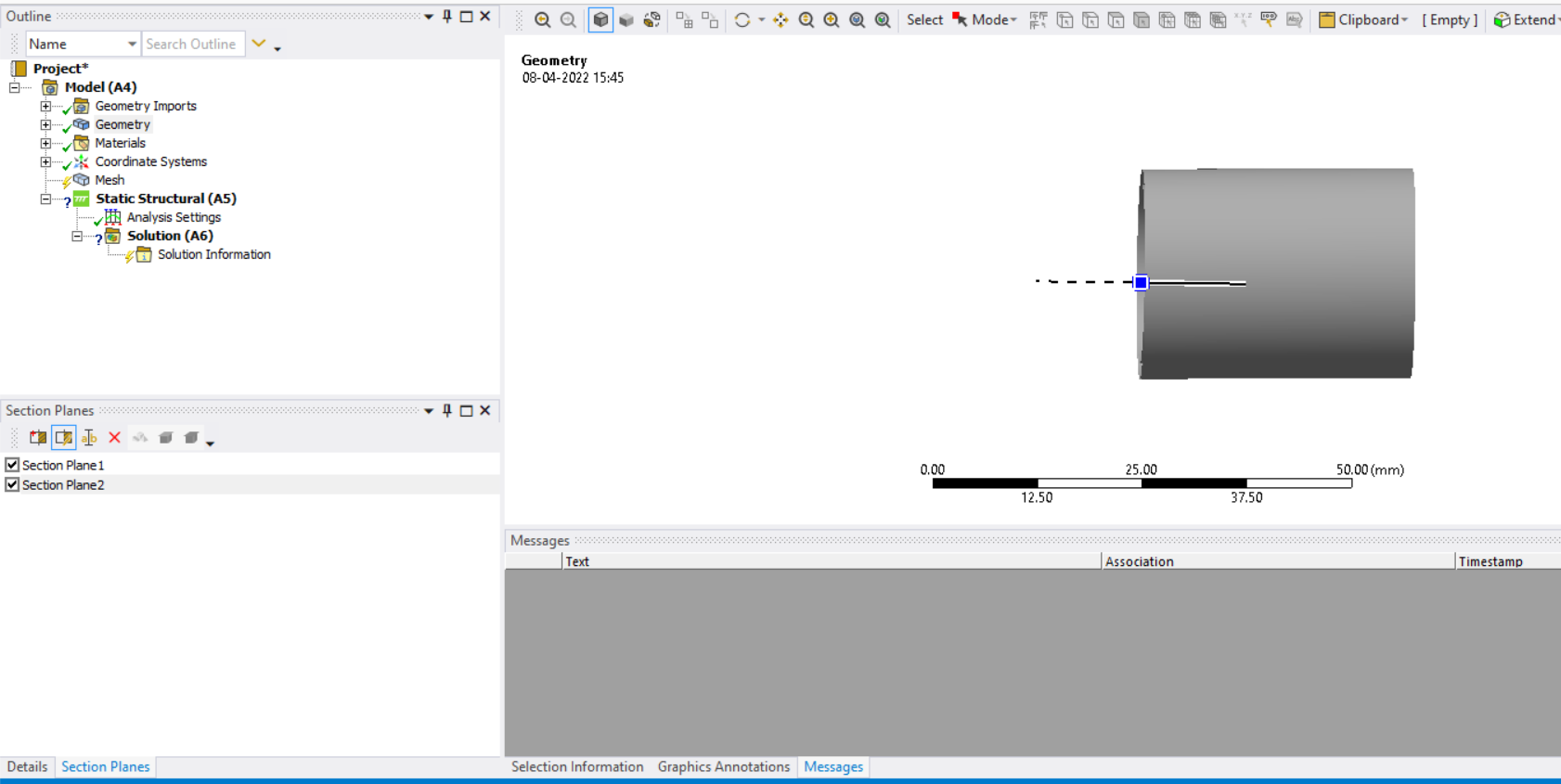 It shows the middle portion properly.
Thanks Amaniyar
April 8, 2022 at 10:36 amSubscriberMaybe I should set the language to English.
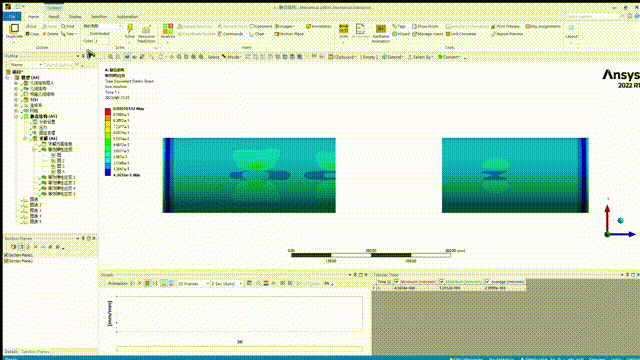
April 8, 2022 at 2:04 pmSubscriberHi´╝î I made a GIF about how I set section planes, I will be appreciated if you can tell me where is the problem.
Thanks Zhang_Z_P
April 8, 2022 at 2:44 pmSubscriberHello, I found a strange phenomenon just now. When I click the "solution", it did display the middle portion, but when I cilcked one of strain contours, it showed the whole pipe again´╝ü
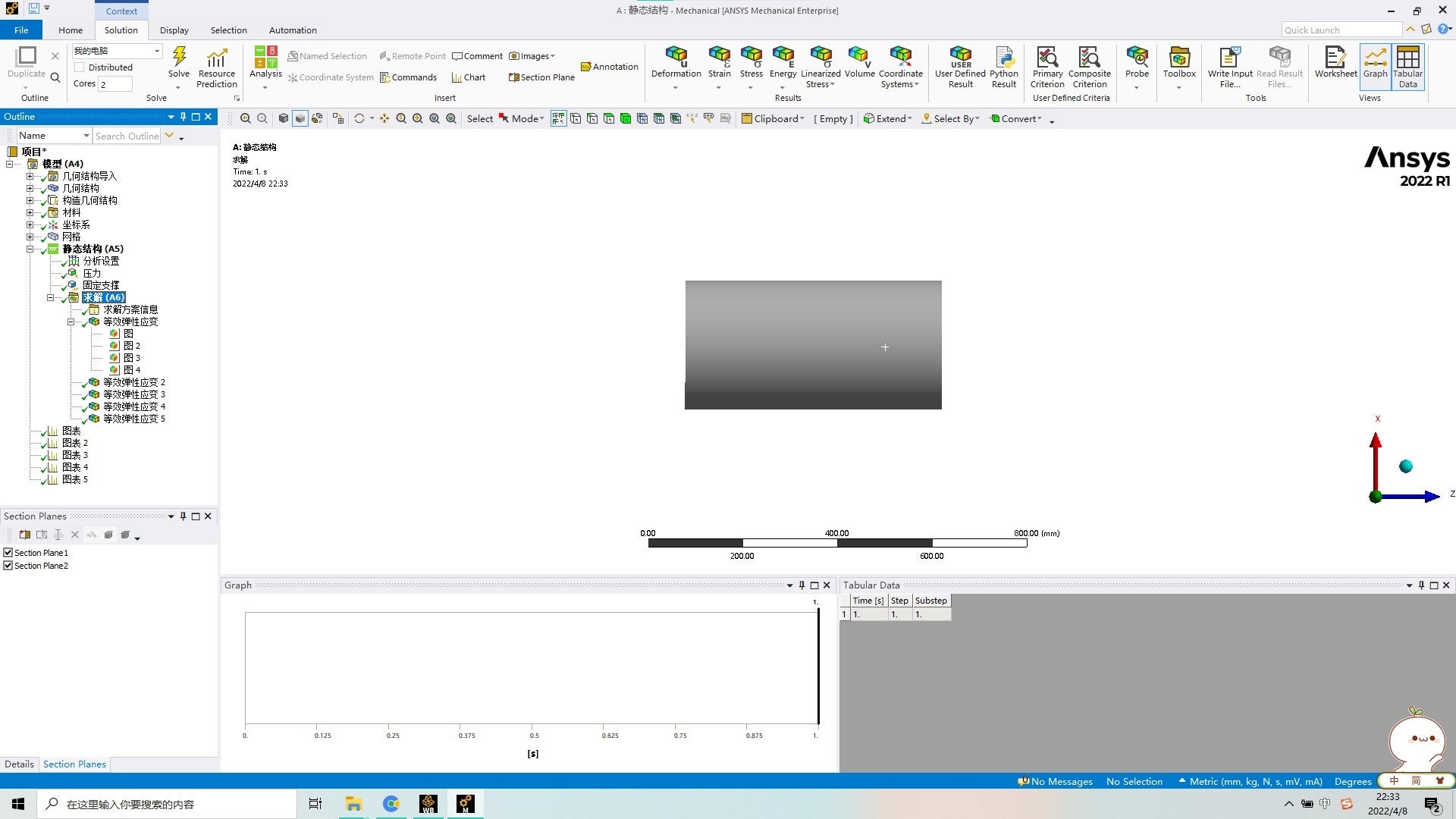
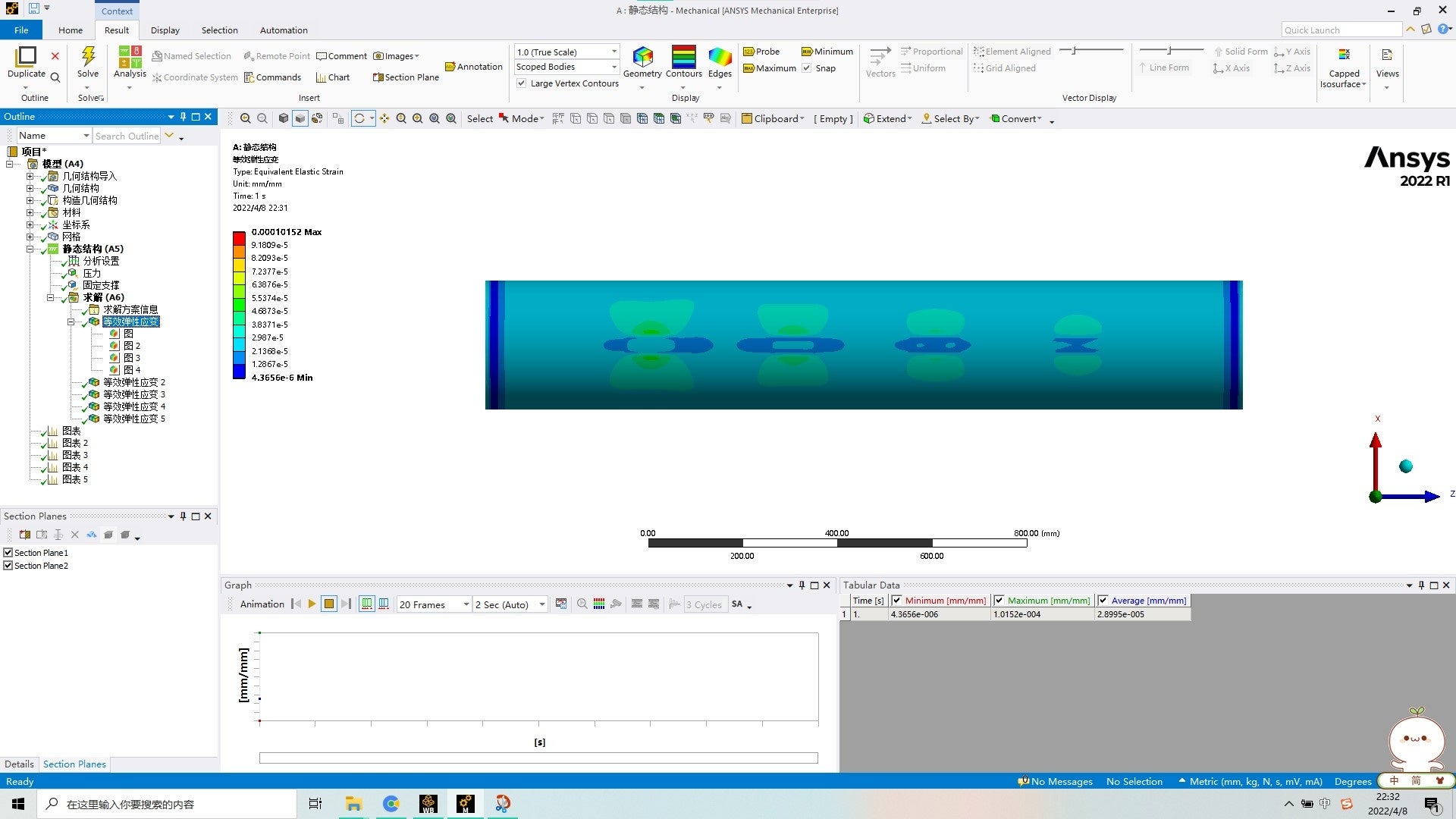 Now I inferring that the two parts on each section plane's visable side are simply overlapped, but not performed ÔÇÿ&ÔÇÖ´╝êAND´╝ë operation.
Do you know how to fix it?
Thanks Zhang
April 8, 2022 at 4:14 pmAnsys Employee
Section planes behave differently for geometry and results. Please check the Ansys help link for more details.When viewing a result or a mesh, the cut is performed by a software algorithm. When viewing geometry, the cut is performed using a hardware clipping method. This hardware clipping cuts away the model in a subtractive method. The software algorithm cuts away the model but always starts with the whole model. Because of this, it is not taking effect of 2 section plane while viewing results.
The workaround which I can think of is to cut the pipe in 3 parts in SpaceClaim and use share topology. So that, you can extract results for middle portion as a separate part.
Thanks Amaniyar
April 9, 2022 at 3:02 amSubscriberThat sounds not easy,,I'll try it later.
Thanks for your patience again.
Best wishse Zhang
Viewing 9 reply threads- The topic ‘problem about section planes’ is closed to new replies.
Innovation Space Trending discussions
 Top Contributors
-
peteroznewman
 5159
5159 -
scabo
 1836
1836 -
Dennis Chen
 1387
1387 -
javat33489
 1249
1249 -
Shyam Prasad V Atri
1021
Top Rated Tags
© 2026 Copyright ANSYS, Inc. All rights reserved.
Ansys does not support the usage of unauthorized Ansys software. Please visit www.ansys.com to obtain an official distribution.
-


The Ansys Learning Forum is a public forum. You are prohibited from providing (i) information that is confidential to You, your employer, or any third party, (ii) Personal Data or individually identifiable health information, (iii) any information that is U.S. Government Classified, Controlled Unclassified Information, International Traffic in Arms Regulators (ITAR) or Export Administration Regulators (EAR) controlled or otherwise have been determined by the United States Government or by a foreign government to require protection against unauthorized disclosure for reasons of national security, or (iv) topics or information restricted by the People's Republic of China data protection and privacy laws.

 You are navigating away from the AIS Discovery experience