-
-
July 11, 2020 at 10:36 pm
cristobal105
SubscriberHello
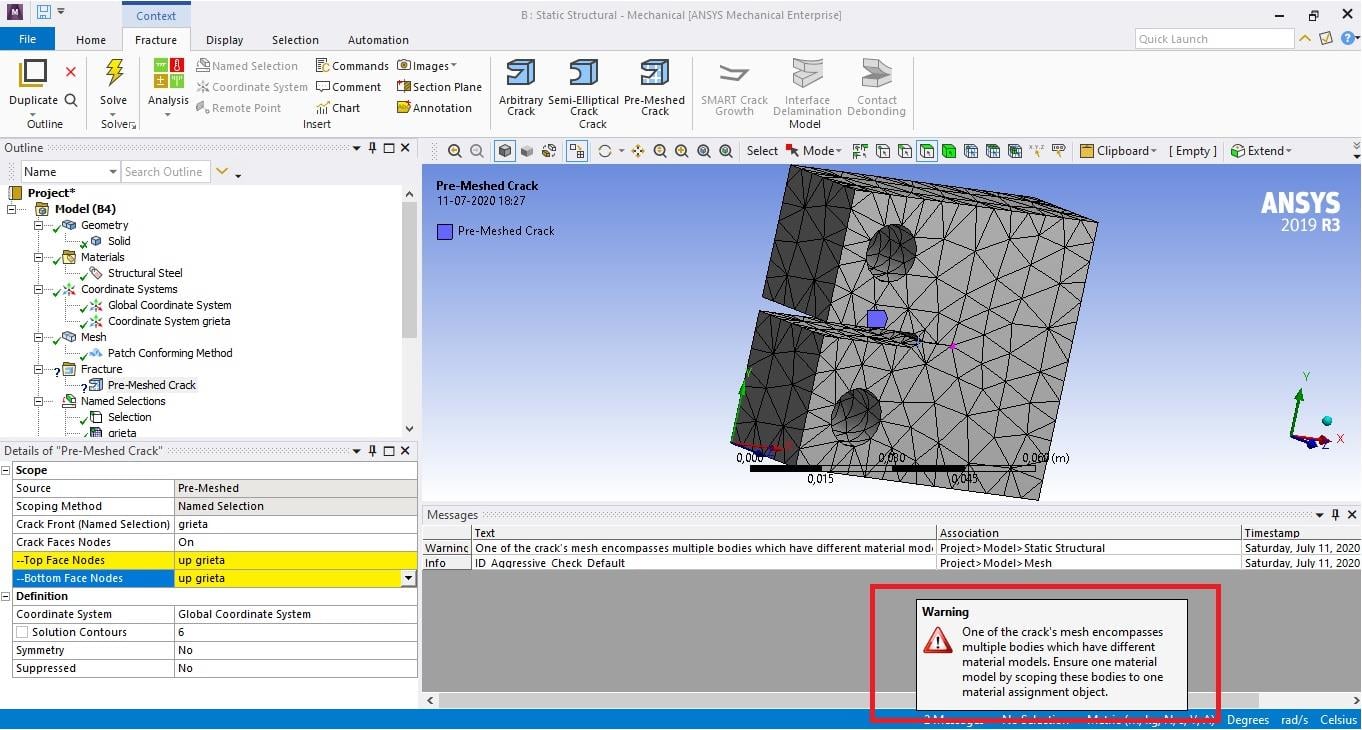
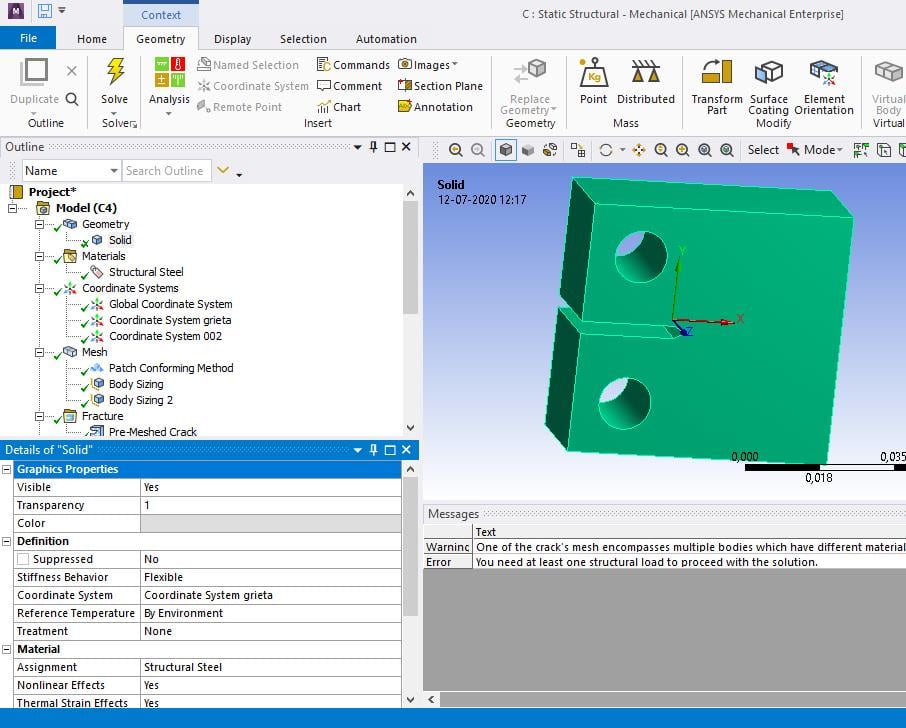
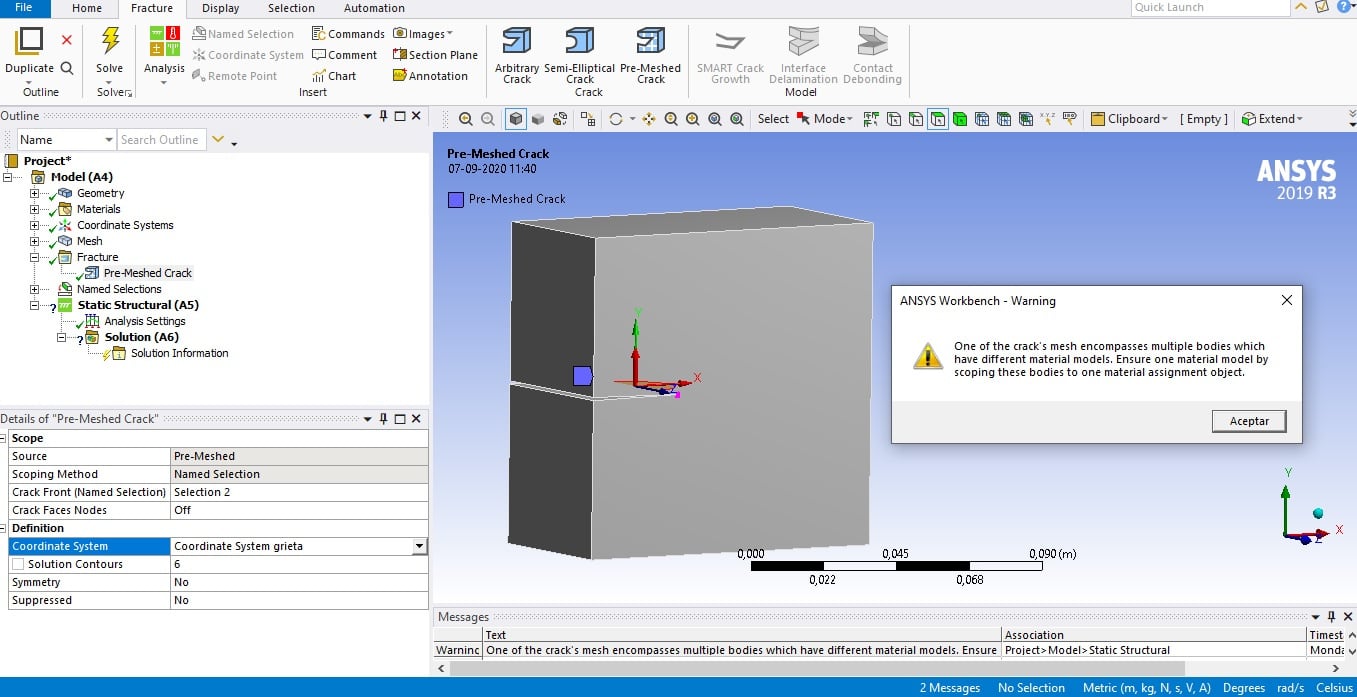
I would like to know how to solve the warning message that appears when I try to define the pre-meshed crack. It says:
One of the crack's mesh encompasses multiple bodies which have different material models. Ensure one material model by scoping these bodies to one material assignment object.
Thanks for your help!
-
July 11, 2020 at 11:31 pm
peteroznewman
SubscriberThe element size is too large for a crack analysis, make the elements smaller by a factor of 10 or more.
You need two separate nodal Named Selections for the two faces on each side of the crack, you only have one Named Selection that you used twice.
Do you have the crack coordinate system oriented correctly? Please use the Insert Image button to show that.
-
July 12, 2020 at 12:01 am
cristobal105
SubscriberThanks for your answer.
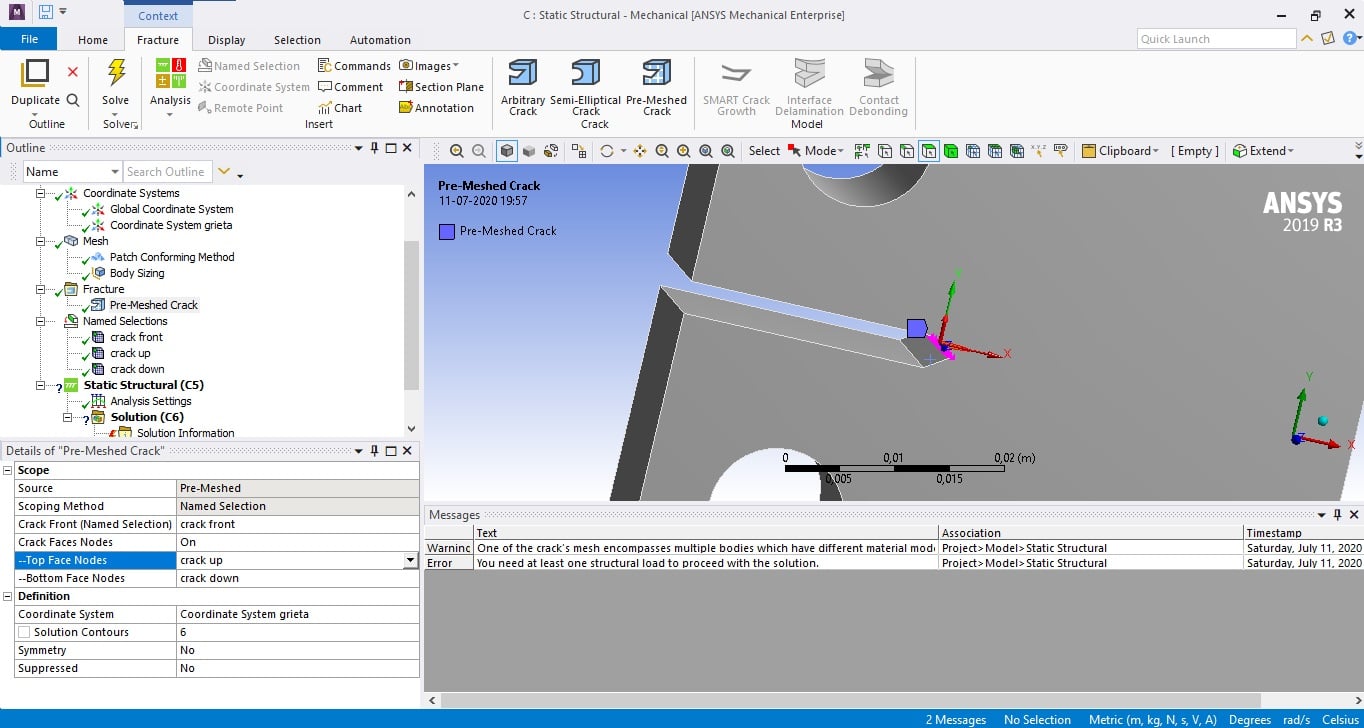
I just used the sphere of influence to get a finer mesh around the edge where the crack will be define.
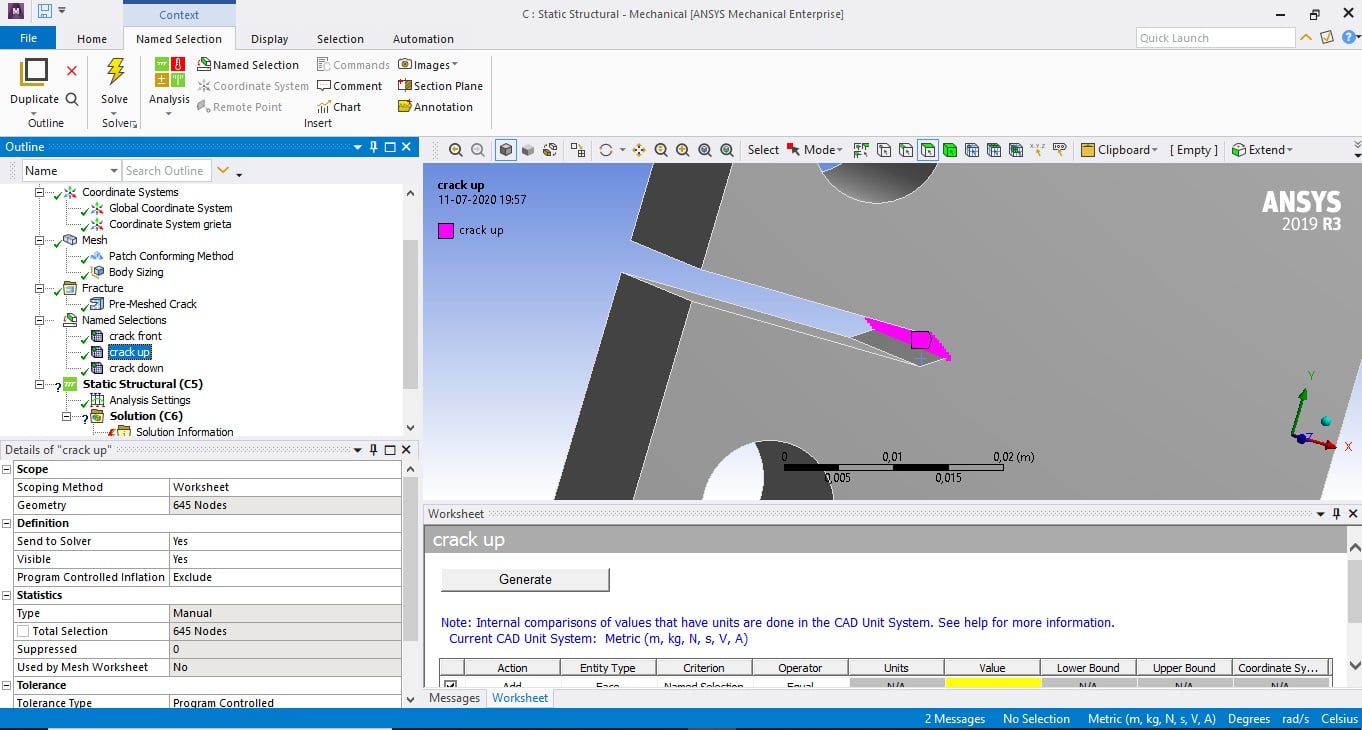
After that, I added the two nodal named selections that you mentioned. The coordinate system is located in the centre of the edge where I'm trying to define the crack. But the same warning apppears once again.
One of the crack's mesh encompasses multiple bodies which have different material models. Ensure one material model by scoping these bodies to one material assignment object.
Thanks for your help.
-
July 12, 2020 at 12:32 am
peteroznewman
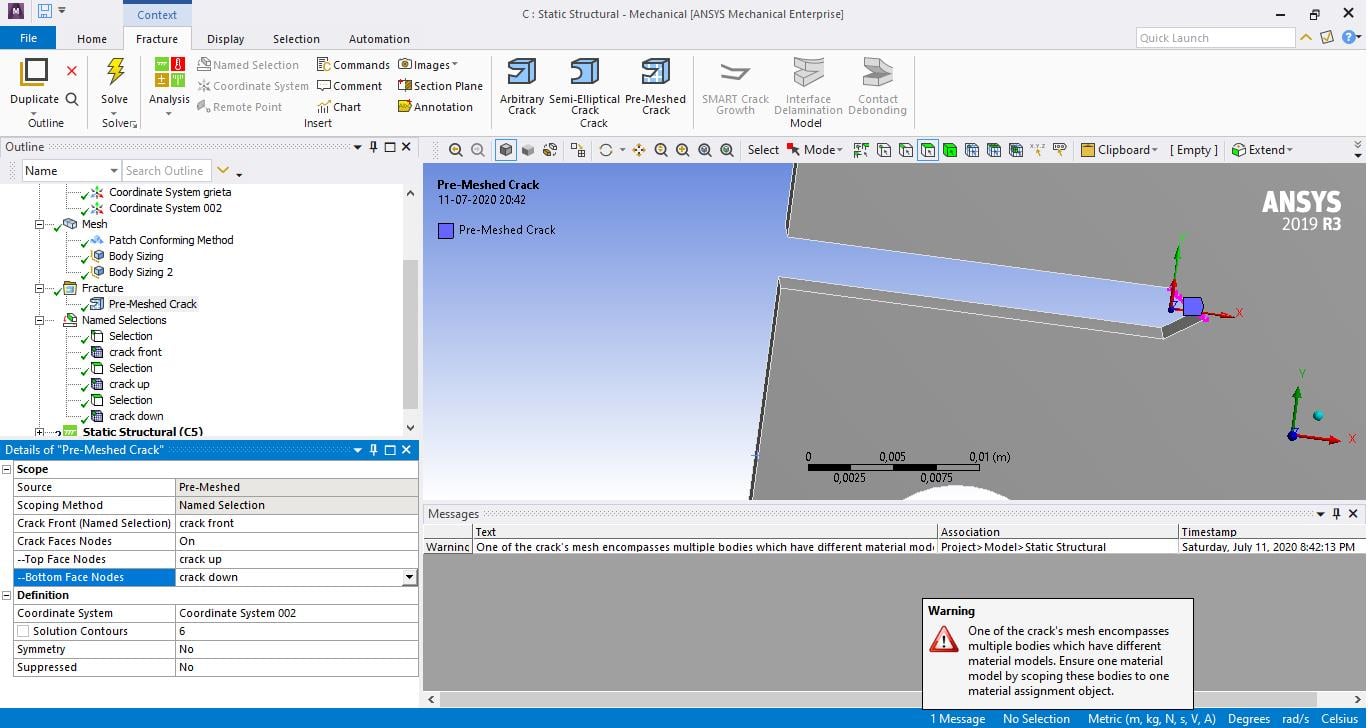
SubscriberMove the origin of the crack coordinate system -0.002 m in the X direction to get it into the open part of the crack.
-
July 12, 2020 at 12:48 am
cristobal105
SubscriberI changed the coordinate system with the number you suggested. The warning message still is there.
What can I do to solve the Ensure one material model by scoping these bodies to one material assignment object. Because the CT specimen is just one body defined with one material, I'm not sure if it is related to that. Thanks again.
-
July 12, 2020 at 12:32 pm
peteroznewman
SubscriberThe last time I saw that error was in a 2D model where the surface was split into multiple faces. Do you have that condition?
-
July 12, 2020 at 4:23 pm
cristobal105
SubscriberThanks. I'm not sure where I can check that condition in particular but I'm sure I haven't used that tool to generate the solid body. But I checked this, maybe it could help.
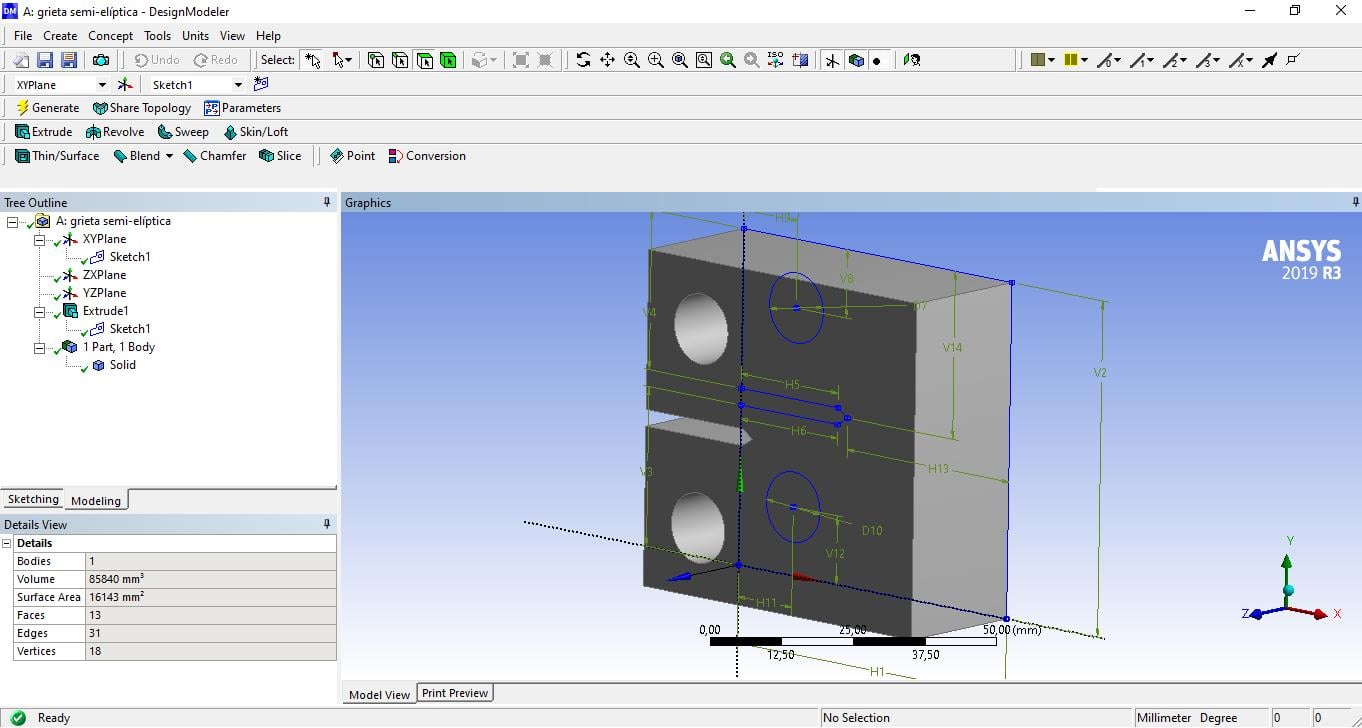
Also, I used DesignModeler to draw the CT specimen and used the tool extrude to give volumen to it. Maybe it is related to the software I used to generate the body, or the way I did? Thanks for your help.
-
September 7, 2020 at 2:43 pm
-
- The topic ‘Pre-meshed crack problem’ is closed to new replies.
- LPBF Simulation of dissimilar materials in ANSYS mechanical (Thermal Transient)
- Real Life Example of a non-symmetric eigenvalue problem
- How can the results of Pressures and Motions for all elements be obtained?
- BackGround Color
- Contact stiffness too big
- Element Birth and Death
- Python-Script to Export all Children of a Solution Tree
- Which equations and in what form are valid for defining excitations?
-
4592
-
1494
-
1386
-
1209
-
1021
© 2025 Copyright ANSYS, Inc. All rights reserved.