Ansys Assistant will be unavailable on the Learning Forum starting January 30. An upgraded version is coming soon. We apologize for any inconvenience and appreciate your patience. Stay tuned for updates.
General Mechanical

General Mechanical

Topics related to Mechanical Enterprise, Motion, Additive Print and more.

Part transform reverts back to its pre-transformed state after a solve (2021R1)

    • pcharles
      Subscriber

      After inserting a part transform (and transforming it), everything appears to be postioned correctly, including when viewing the mesh.  However, after solving (static structural), the parts are shown located at their pre-transformed position, and the results indicate that the transform was not active.  And when viewing the mesh, the parts no longer show as transformed.  Under Part Transform, all looks fine, no lightning bolt indicating update required, etc.

      I have seen this issue at least two other times on different models the last couple years.  In those cases I was able to work-around by deleting or supressing the old Transform and creating a new one (though the new one would typically eventually glitch as well, especially after the model was closed and reopened).  In my current case re-creating is not working.

      Has anyone else run into this?  And have a reliable work-around?

    • Akshay Maniyar
      Ansys Employee

      Hi,

      Can you try the latest version 2023R2 and see if you face a similar issue?

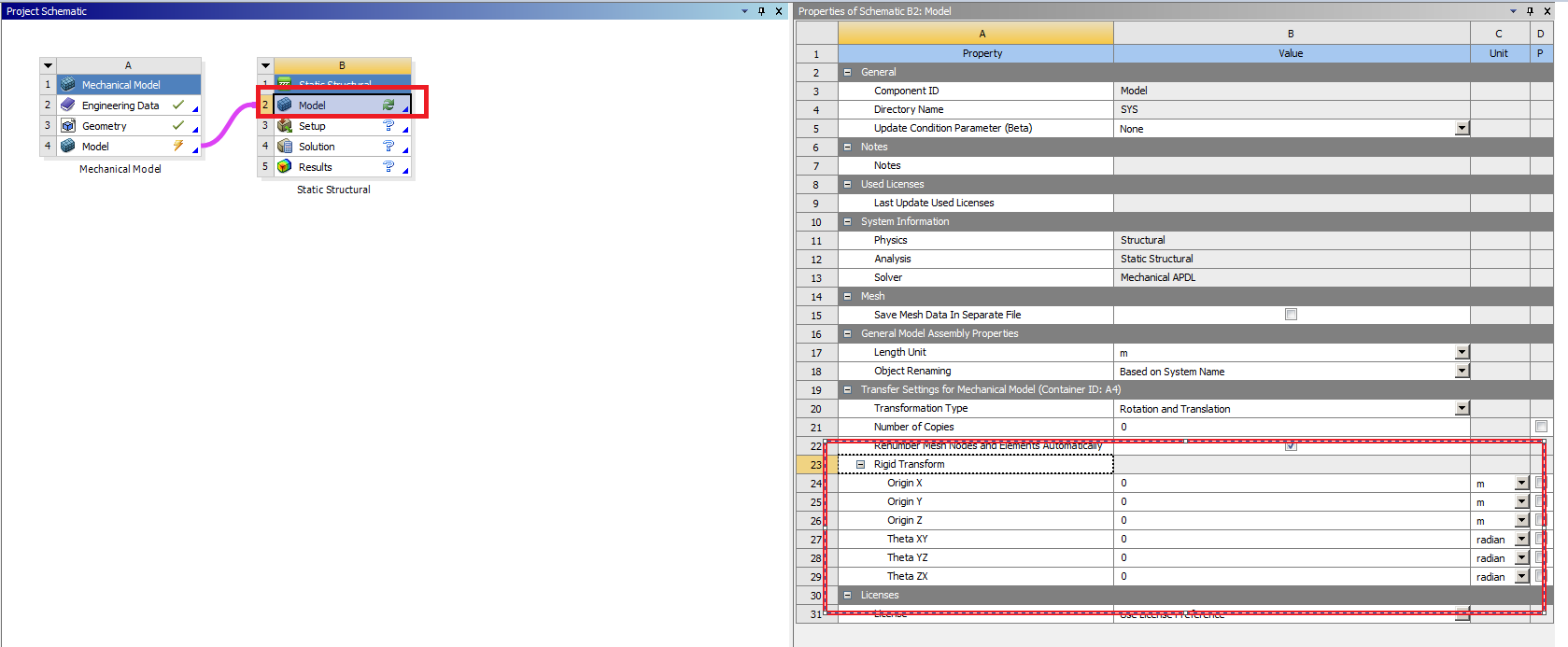
      As a workaround, you can try to use transformation while doing model assembly. 

      Please check below Ansys help link for more details.

      Model Assembly Specification (ansys.com)

      Thanks,

      Akshay Maniyar

Viewing 1 reply thread
  • The topic ‘Part transform reverts back to its pre-transformed state after a solve (2021R1)’ is closed to new replies.

[bingo_chatbox]