Ansys Assistant will be unavailable on the Learning Forum starting January 30. An upgraded version is coming soon. We apologize for any inconvenience and appreciate your patience. Stay tuned for updates.
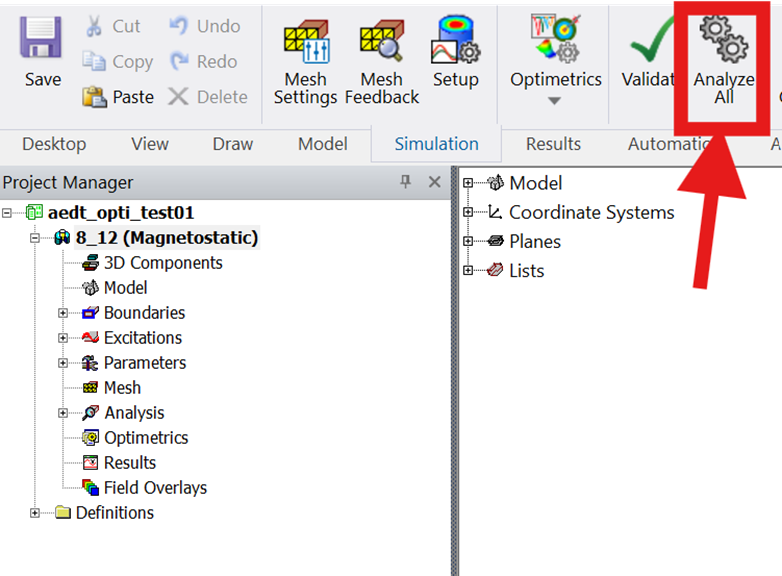
In AEDT, I setup a simple 3D Magnetostatic project and analyzed it:
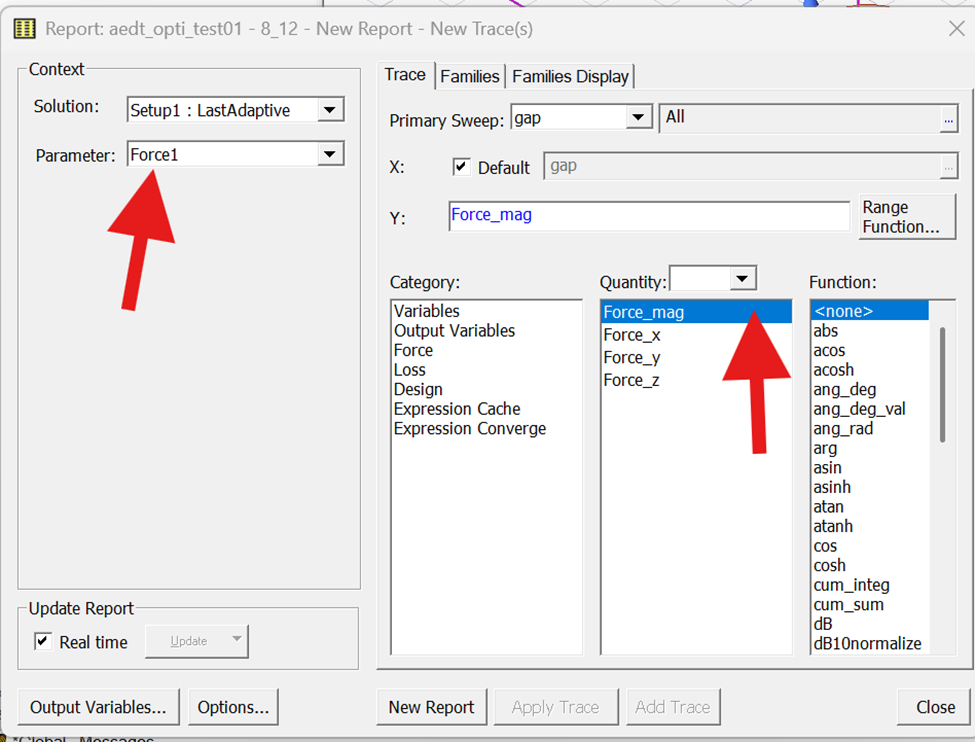
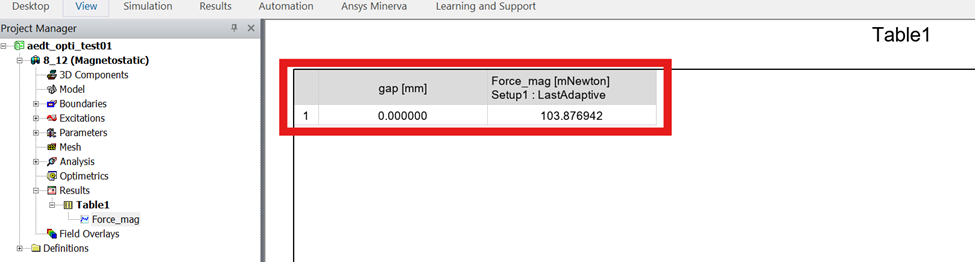
Then in the Project Manager, I right-click on Results -> Create Magnetostatic Report -> Data Table to see the results of the simulation:
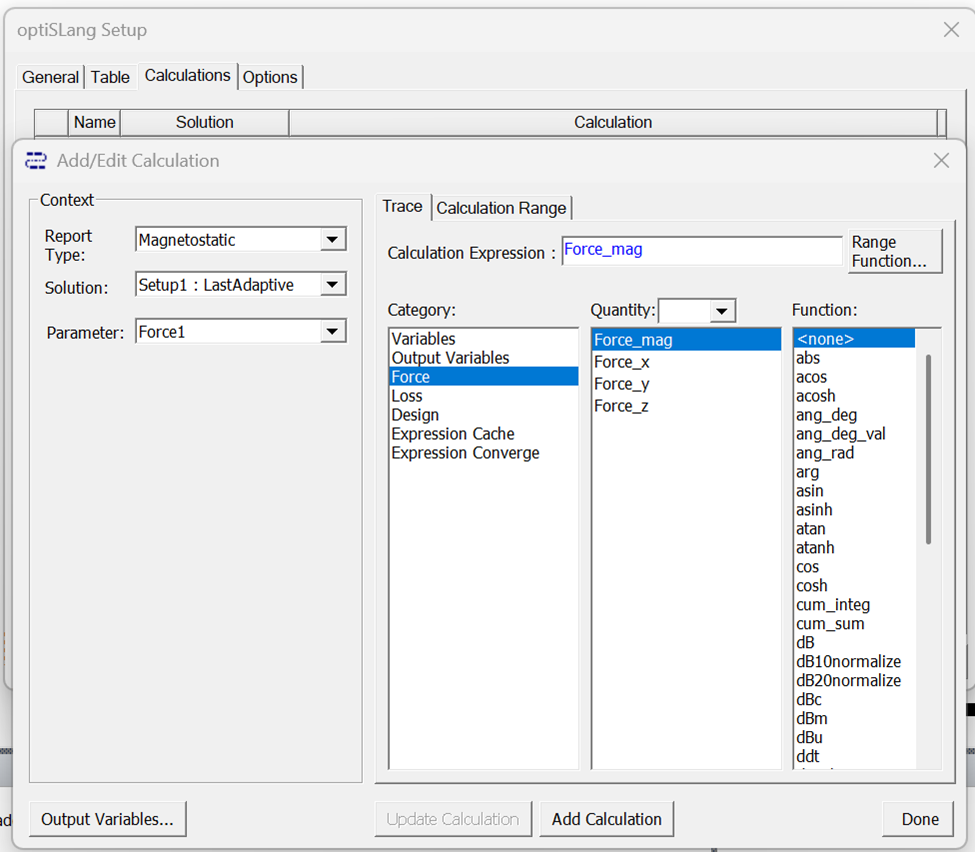
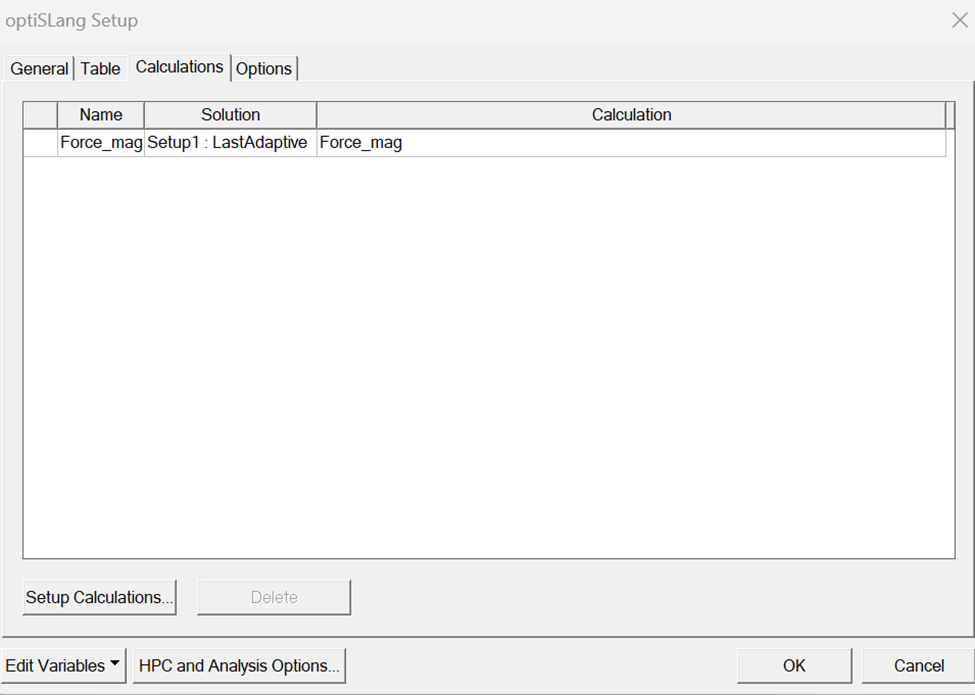
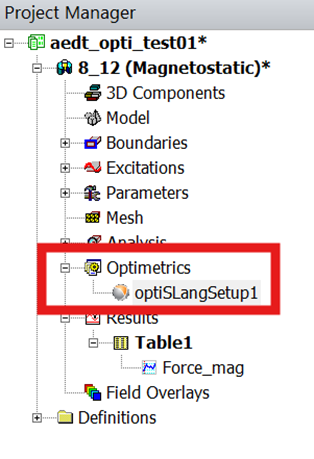
After saving the project, in Project Maneger, I right-click on Optimetrics and added an “optiSLang Setup“. In the optiSLang Setup I added a calculation:
Back in Project Manager, I right-clicked optiSLangSetup1 and selected Create optiSLang Project:
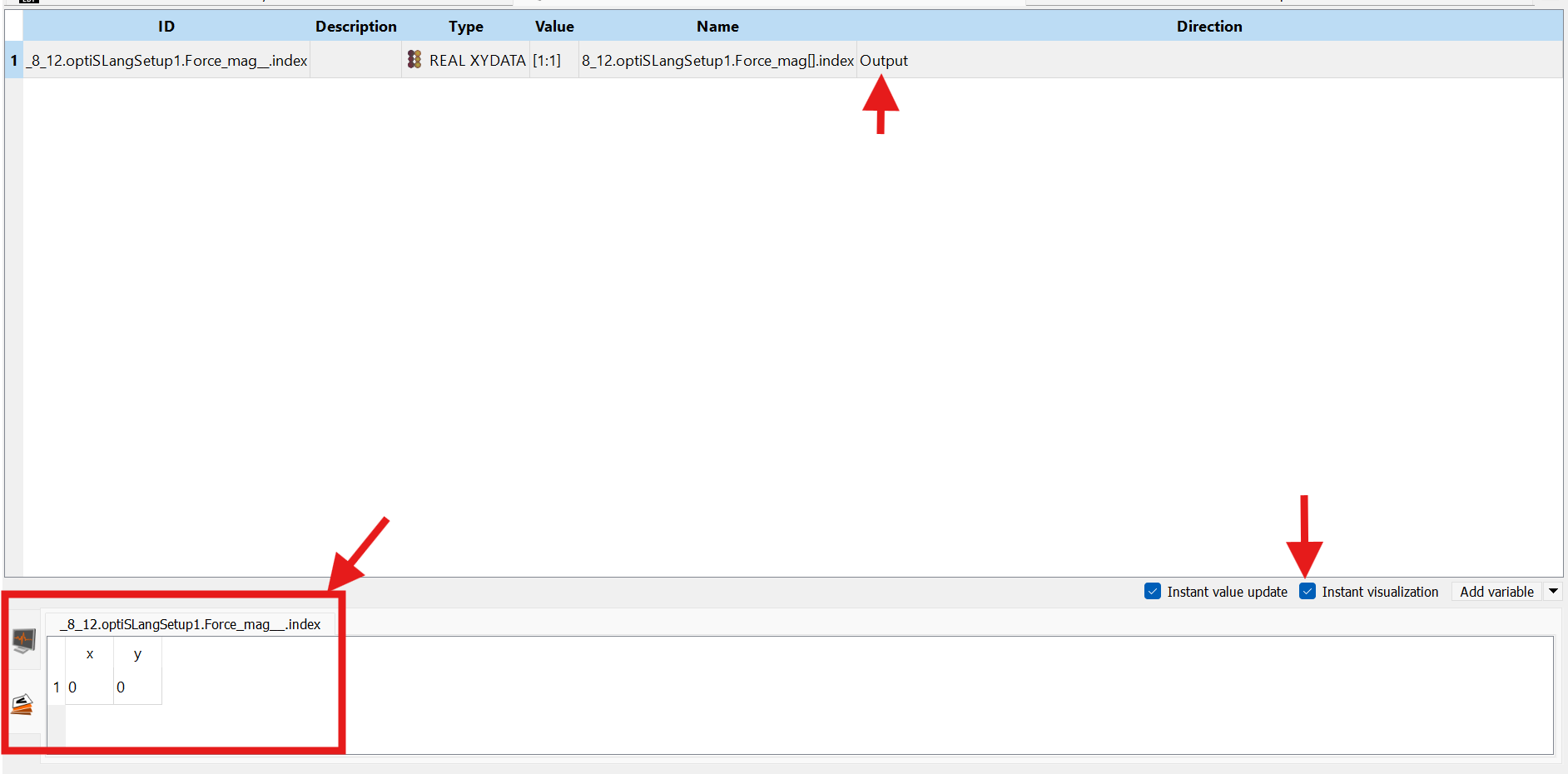
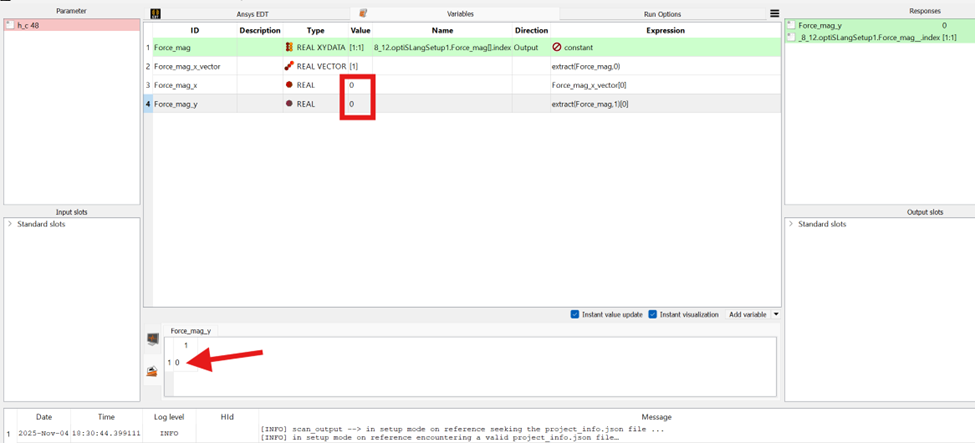
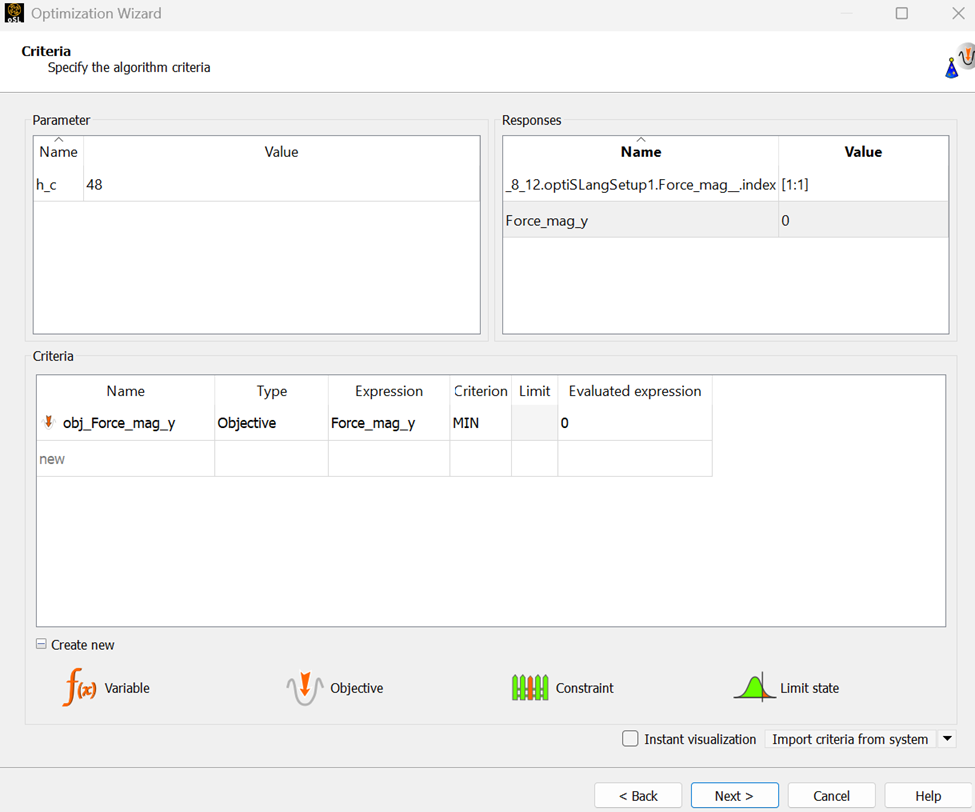
Once optiSLang window opened I noticed that the output was added automatically. I navigated to the Variables tab and clicked on Instant Visulaztion to verify the values of the response:
My question is that why the values of x and y vectors are 0? Please advise if I missed a critical step. I expected these values to match the ones from the Maxell Report (Table1). My goal is to extract a scalar force magnitude (1 value) and use it in the optimization objective. As seen from the Maxwell results, this scalar value is 0.103N.
November 6, 2025 at 6:49 pm
MirandaH
Ansys Employee
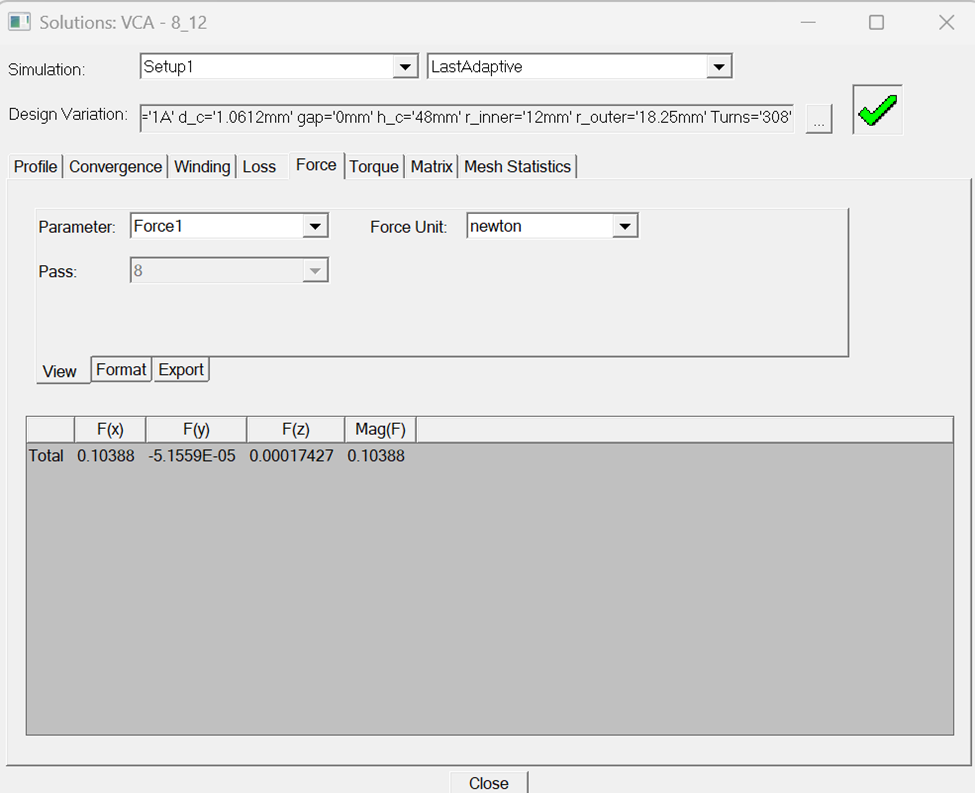
I would like to have more information on this simulation, the force_mag has value in Maxwell, what are the values for force_x and force_y in Maxwell?
November 7, 2025 at 2:34 am
abasirat
Subscriber
Please see the screenshot below from Maxwell simulation solution. Force1 parameter has x, y, and z components:
The Ansys Learning Forum is a public forum. You are prohibited from providing (i) information that is confidential to You, your employer, or any third party, (ii) Personal Data or individually identifiable health information, (iii) any information that is U.S. Government Classified, Controlled Unclassified Information, International Traffic in Arms Regulators (ITAR) or Export Administration Regulators (EAR) controlled or otherwise have been determined by the United States Government or by a foreign government to require protection against unauthorized disclosure for reasons of national security, or (iv) topics or information restricted by the People's Republic of China data protection and privacy laws.
Please Login to Report Topic
Please Login to Share Feed
Edit Discussion
You are navigating away from the AIS Discovery experience
The Ansys Learning Forum is a public forum. You are prohibited from providing (i) information that is confidential to You, your employer, or any third party, (ii) Personal Data or individually identifiable health information, (iii) any information that is U.S. Government Classified, Controlled Unclassified Information, International Traffic in Arms Regulators (ITAR) or Export Administration Regulators (EAR) controlled or otherwise have been determined by the United States Government or by a foreign government to require protection against unauthorized disclosure for reasons of national security, or (iv) topics or information restricted by the People's Republic of China data protection and privacy laws.


















 You are navigating away from the AIS Discovery experience