Hi:
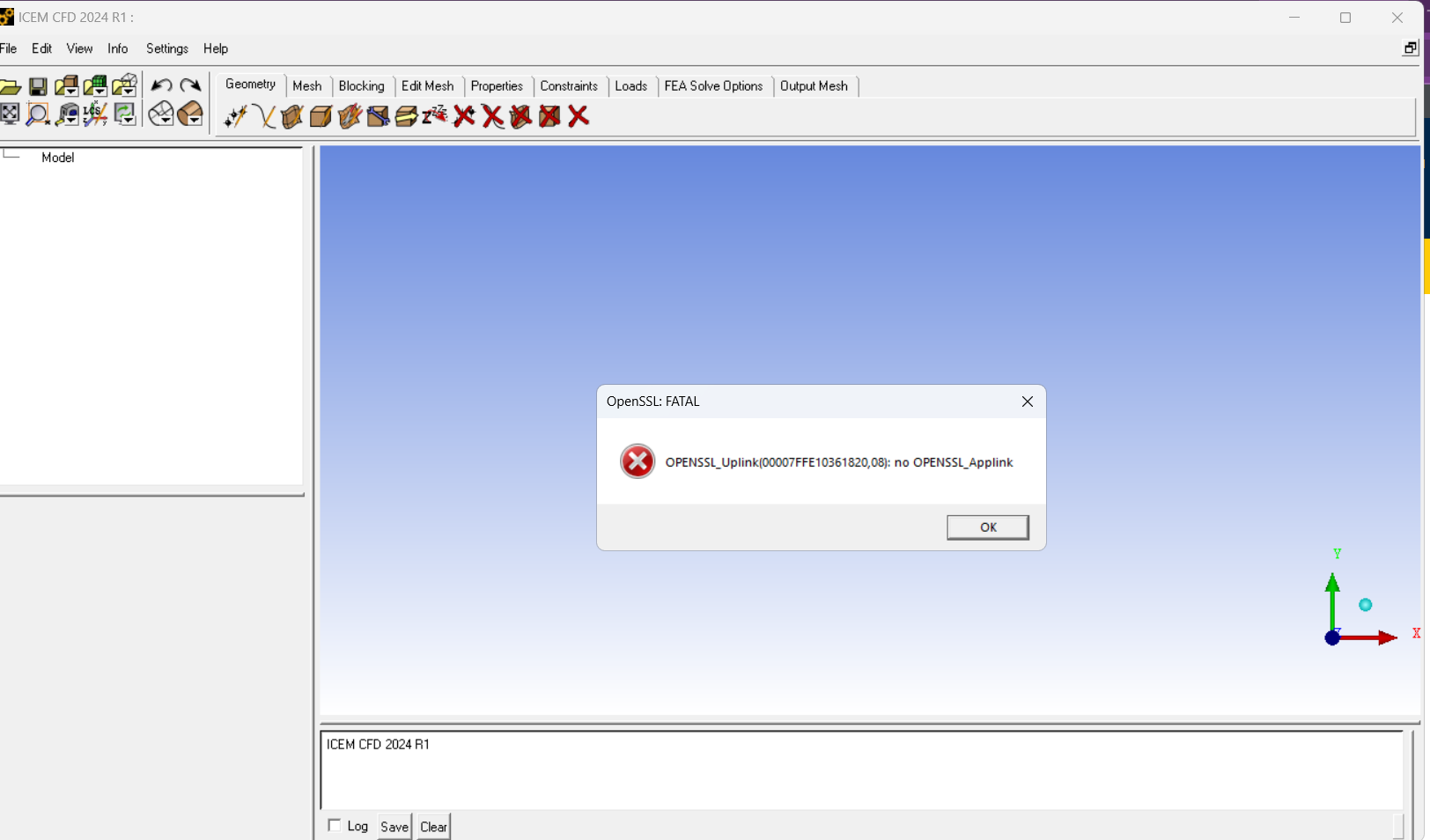
The Windows 11 OpenSSL libraries on your Windows machine may be conflicting with the older ones that ICEM 24.1 is looking for. This comes up when newer versions of OpenSSL place new copies of libraries like libcrypto-1_1-x64.dll and libssl-1_1-x64.dll in the C:\Windows\System32 directory. These libraries are loaded by default due to your PATH variable, and this then conflicts with the OpenSSL version installed with ANSYS software. (I still have a Windows 10 machine, where this problem does not occur.)
To resolve this issue, you can rename the conflicting DLL files in the C:\Windows\System32 directory to prevent them from being loaded. Specifically, you should rename libcrypto-1_1-x64.dll and libssl-1_1-x64.dll to something like libcrypto-1_1-x64.dll_backup and libssl-1_1-x64.dll_backup. This action should prevent ICEM from loading these conflicting libraries and should resolve the error.
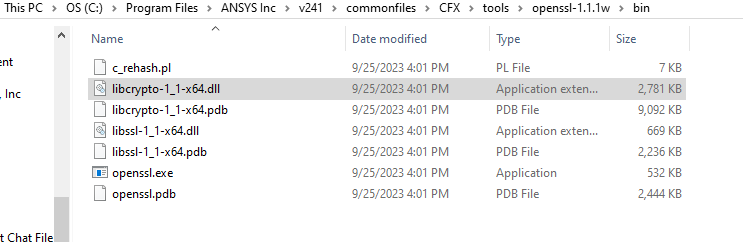
In the 24.1 ANSYS installation, both libraries are in C:\Program Files\ANSYS Inc\v241\commonfiles\CFX\tools\openssl-1.1.1w\bin, so you could also try adding this folder to your PATH if you prefer not to rename the Windows system files. I am not sure if the Windows versions of these files will be encountered first, however.


















 You are navigating away from the AIS Discovery experience