Ansys Assistant will be unavailable on the Learning Forum starting January 30. An upgraded version is coming soon. We apologize for any inconvenience and appreciate your patience. Stay tuned for updates.
Electronics

Electronics

Topics related to HFSS, Maxwell, SIwave, Icepak, Electronics Enterprise and more.

ODB++ to SiWave and further to Q3D analysis Approach

TAGGED: , , ,

    • bsr
      Subscriber
      Hi,
      1. What is the right approach for analyzing i.e. evaluating parasitics of the pcb design with Altium? I am using ODB++ files of Altium, importing in SiWave and then exporting using Q3D extractor?
      2. How do I ensure that the exported design for Q3D analysis has hollow vias? Under export options, this setting is unchecked "100% via fill (overrides per-padstack plating ratio)". Just to give more context, I can only choose top and bottom faces of the vias within Electromangnetic suite while assigning excitation. If hollow vias are available, then I might be able to choose the inner cylinder of the via. How can I validate whether a hollow or filled via is exported using Q3D extractor option?
      I will appreciate all your thoughts.
    • bsr
      Subscriber
      Any thoughts here?
    • Praneeth
      Ansys Employee
      Hi Array,
      Please let us know what kind of analysis that you are trying.
    • bsr
      Subscriber
      Hi Array,
      Q3D analysis where I am trying to extract LCR parameters of a PCB with Vias.
    • Manny R
      Ansys Employee
      Hi Array
      We cannot export lumped RLC or other components to Q3D MCAD and include them in the simulation. You can only simulate the bare board or package without any lumped elements. In SIwave, try using CPA with the Q3D option checked.
      Best,
      Manny
    • bsr
      Subscriber
      Hi Array,
      I am sorry if I have confused you, but as mentioned above I am trying to extract RLC of the PCB's copper tracks. Surely the PCB has vias too. All I want is PCB board's copper tracks to be exported to Q3D, but at present the vias are not hollow, which is not a true representation of the designed PCB.

    • Manny R
      Ansys Employee
      Hi Array ,
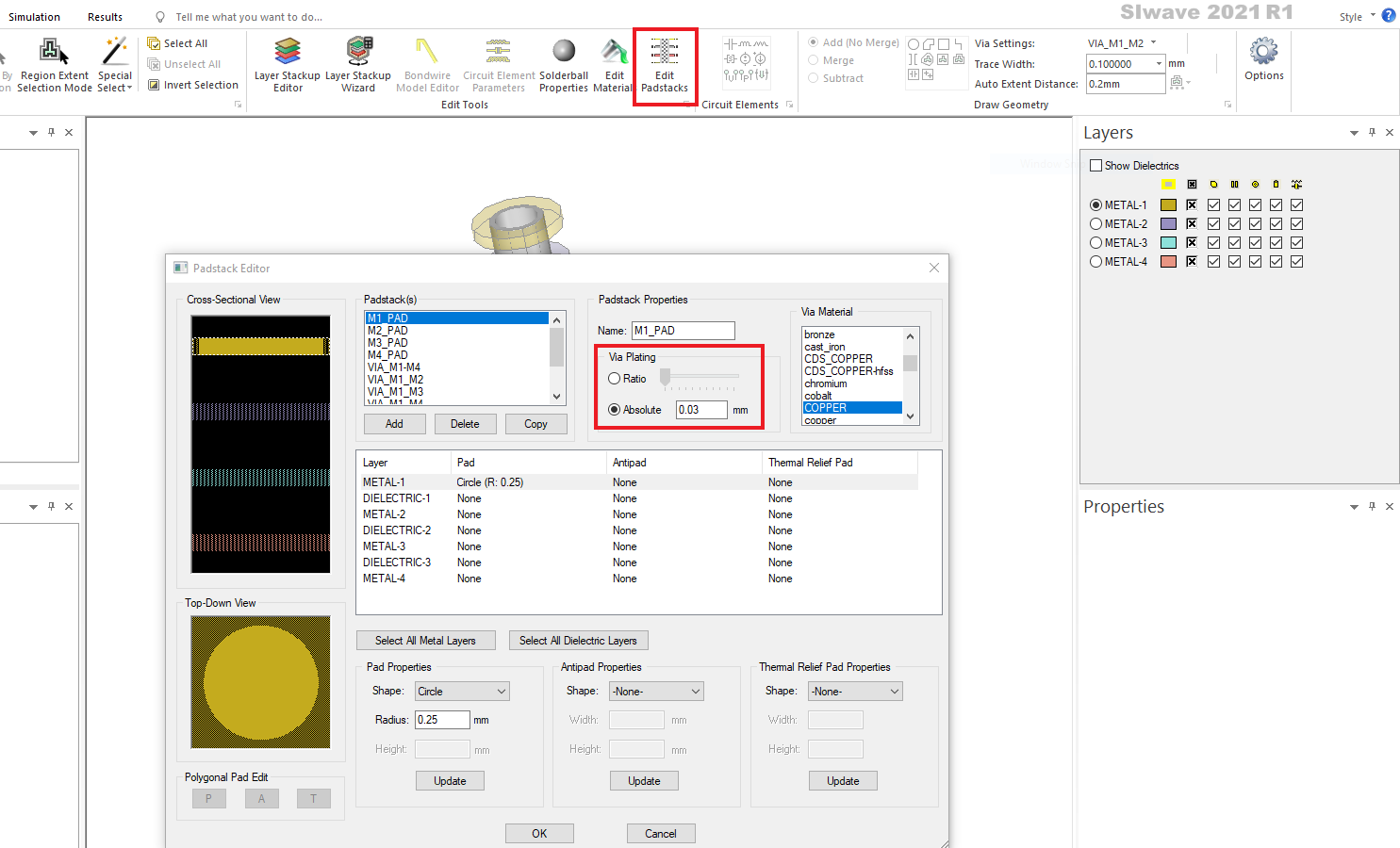
      If you are asking how you can "validate" whether hollow or filled vias are exported to Q3D, to me, the obvious solution would be to open up Q3D after export and look at the vias. Also, the padstacks could be examined first in SIwave before exporting to Q3D to make sure the via plating is not 100%. 
      Best,
      Manny
    • Jackson
      Ansys Employee

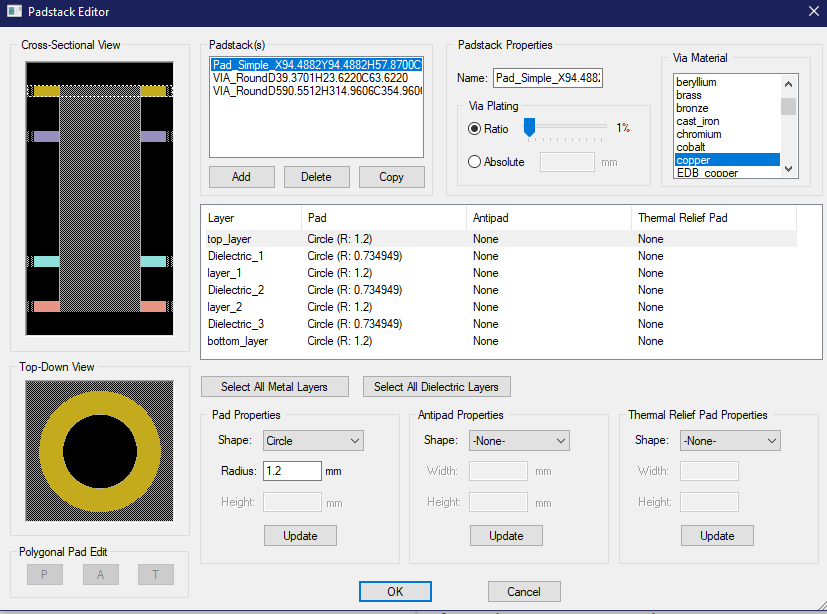
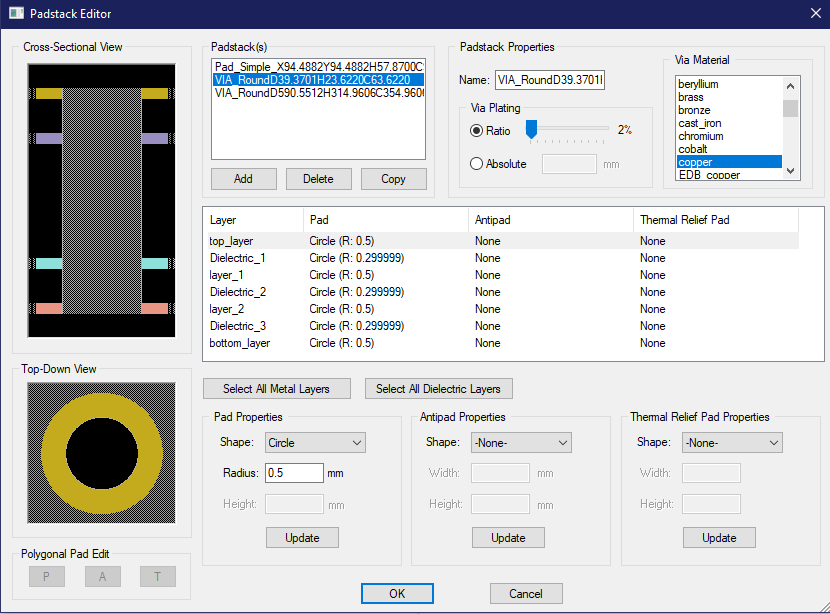
      Via thickness can be checked in SIwave prior to export. You can edit it too if it is not the thickness you want.


    • bsr
      Subscriber

      manny Thanks for your inputs, which makes sense with illustration from Jackson !

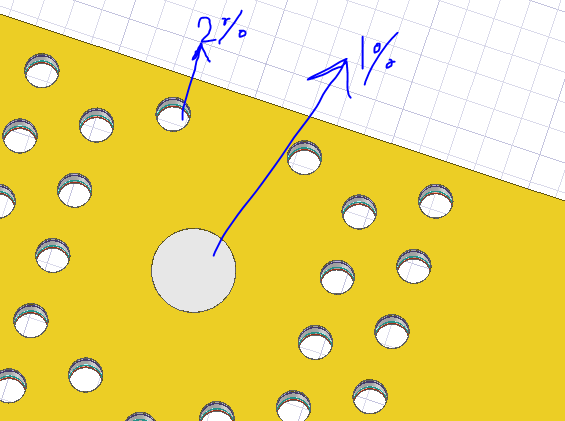
      Jackson Thanks for the pictures, which helps a lot. I am noticing that Via Plating ratio has to be atleast 2% in order to properly see hollow vias in Q3D. I have tried 1% ratio, then once again I am unable to see hollow vias. I am attaching screenshot of the Q3D and SiWave workspaces.

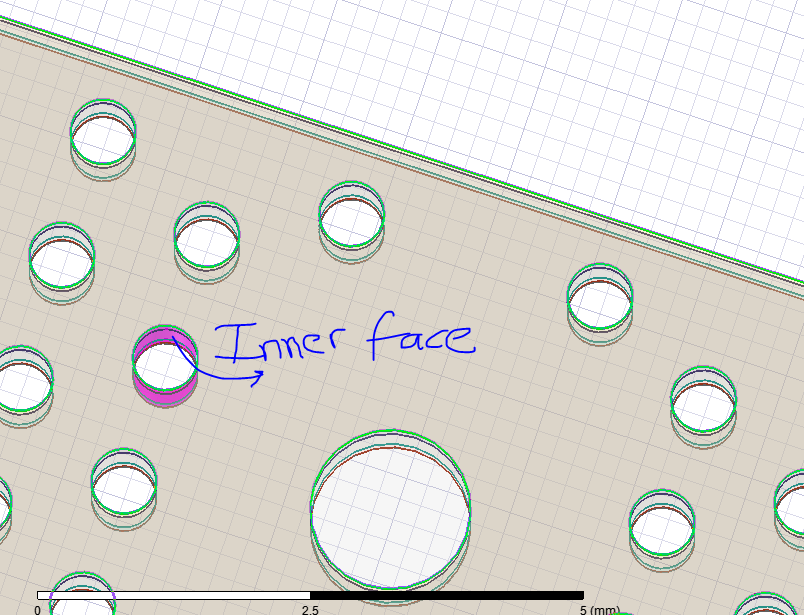
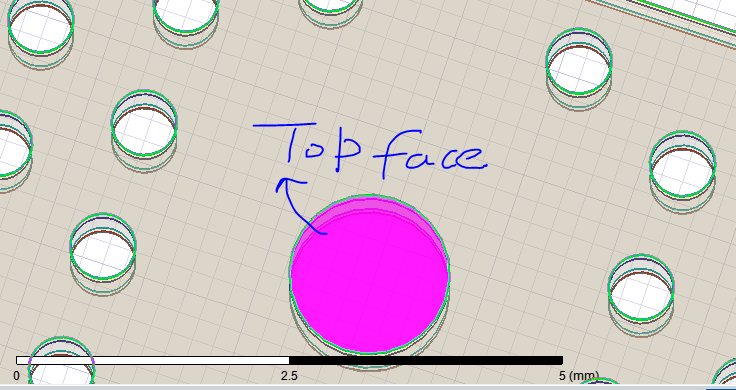
      If the vias are not hollow (the case with 1% plating in SiWave), then I am unable to select the inner face/ring of a the via within Q3D. In this case I can only select top and bottom faces, which in reality should be empty. In the second case with 2% plating, I can select the inner face. See attached images.


Viewing 8 reply threads
  • The topic ‘ODB++ to SiWave and further to Q3D analysis Approach’ is closed to new replies.

[bingo_chatbox]