Preprocessing

Preprocessing

Topics related to geometry, meshing, and CAD.

Need help after meshing! Please

    • Lpluillo
      Subscriber

      Hello,


      I am importing an stl file made in nx into ANSYS.


      My goal is to create composite layers in this one piece design. 


      I am having a lot of difficulty with ANSYS.


      I always get this error when proceeding to the setup stage:


      Acp input validation failure. there is no data contained in the input mesh file.


      Any clue?


       Iam using free student ansys 19.2


      I appreciate it a lot


      Thanks!

    • Lpluillo
      Subscriber


      I also get this error message after meshing?

    • peteroznewman
      Subscriber

      Don't export an STL file from NX to import into ANSYS. STL files create Facet bodies that are difficult to mesh.


      Export a Parasolid from NX instead.


      Open DesignModeler and Import External CAD File to import the Parasolid, or use SpaceClaim to Open the Parasolid.

    • Lpluillo
      Subscriber

      Hello Peter,


      Thanks for your quick response.


      I did exactly as you told me, in Design Modeler and Space Claim. I am still getting the same error.


      Is it that I have to create a Mid Surfarce in Design Modeler? Do you know how to do that?


      I am also doing a quick generate mesh, is this ook? Or do I need to do another type of meshing?


      Or what could it be?


      Thanks Again my friend!

    • peteroznewman
      Subscriber
    • Devang
      Subscriber

      Hello Lpluillo,


      I have a exact issue and cannot find any solution to resolve the error. How did you end up resolving the issue, if you did? I have ANSYS 19.1.

    • Artorious
      Subscriber

      Hello


      I am facing the same issue as above.


      I am not using NX for geometry.


      I m using DesignModeller


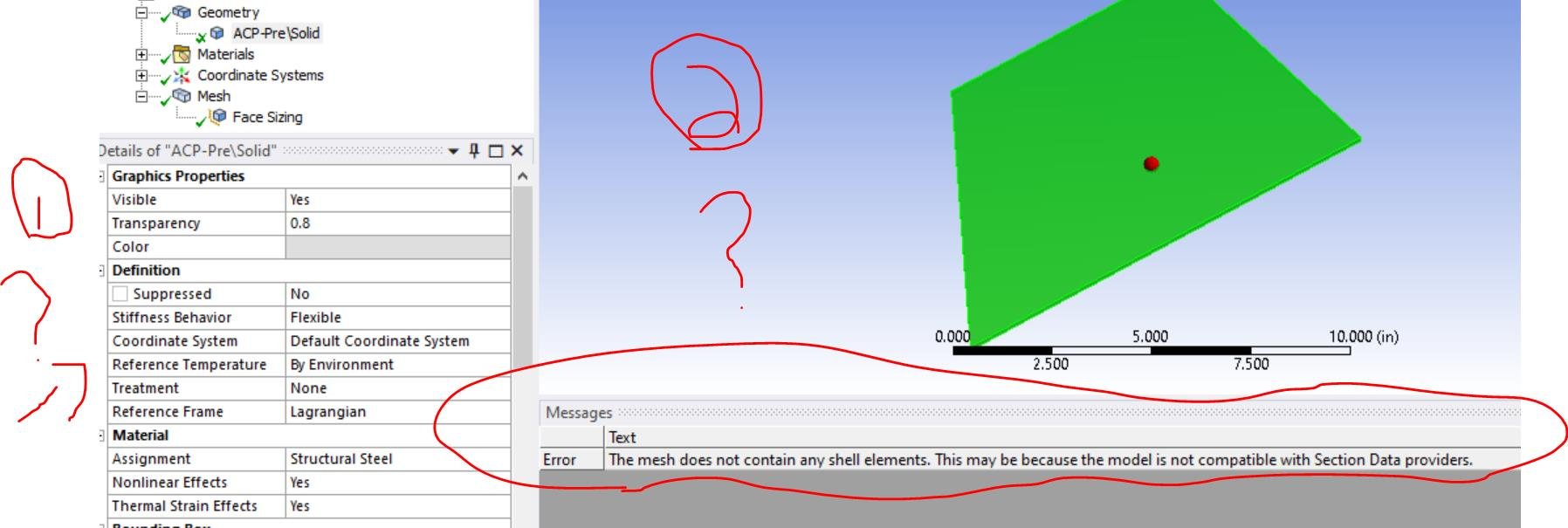
      The problem is, once I generate mesh and mesh is generated but the tick on my Geometry in ACP(Pre): Mechanical gets crossed.


      The above notification pops out if I proceed further.(Update again)

    • peteroznewman
      Subscriber

      Artorious, the crossed check mark in Geometry simply means the geometry was successfully meshed. Nothing is wrong. If you have other questions, please open a New Discussion.

    • kishanv
      Subscriber

      the mesh does not contain any shell elements. This may be because the model is not compatible with Section Data providers.


      can anyone help me with this? iam doing composite analysis of leaf spring in ACP. please give ur mail id i will send u the file. mail me vkishan96@gmail.com 


    • NadjouaB
      Subscriber
      if you managed to solve the problem please let me know how, I'm facing the same problem n
Viewing 9 reply threads
  • The topic ‘Need help after meshing! Please’ is closed to new replies.