Ansys Assistant will be unavailable on the Learning Forum starting January 30. An upgraded version is coming soon. We apologize for any inconvenience and appreciate your patience. Stay tuned for updates.
Ansys Free Student Software

Ansys Free Student Software

Topics cover installation and configuration of our free student products.

Meshing Automatically Crashing when Opening

    • rjf55
      Subscriber

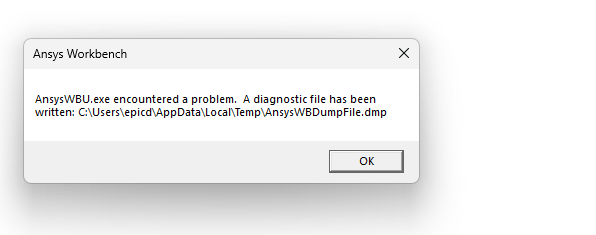
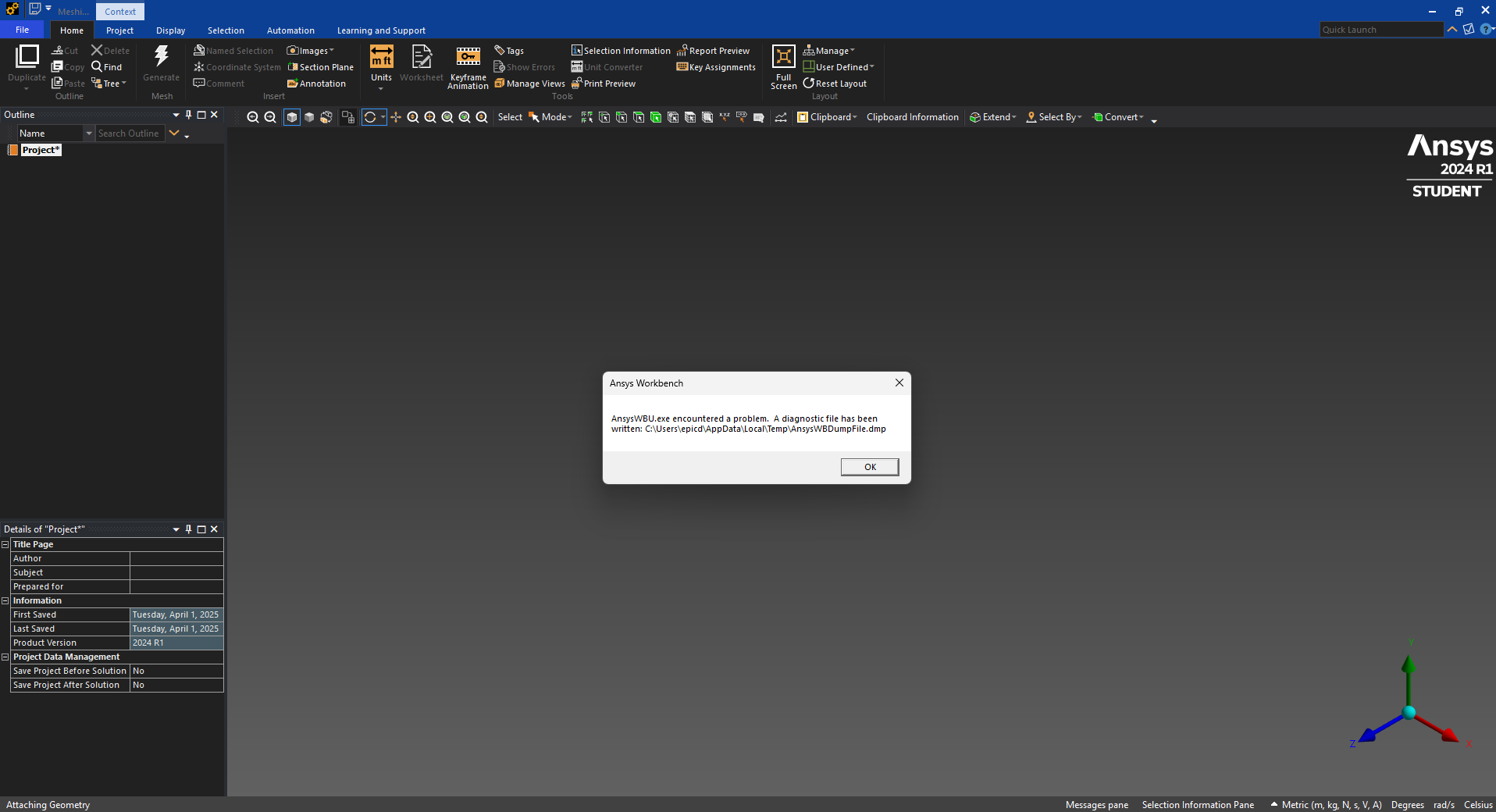
      After working in the geometry section of the Fluent block, whenever I open the meshing section it automatically crashes and gives the following meshing error:

      Here is the error message:

      I've tried using different STP files (different models for the same rocket), and tried uninstalling and redownloading ansys student to no avail. I'd really appreciate any help so I can finally open the meshing window without it crashing every single time. Thank you.

    • Gary_S
      Ansys Employee

      In general, it is rarely necessary to uninstall / reinstall / redownload the program in attempts to fix such issues. 

      It appears you were working in DesignModeler as shown by the .agdb file type.

      If DM works OK, then we can generally rule out graphics card as an issue. 

      Fluent Meshing / Mechanical / etc make use of Windows scripting, Python scripting, network port communications, etc. 
      The crash error is likely caused by a firewall /  endpoint protection program / virus scan program that is blocking any of the above.
      Usually you can run the protection program in a learn mode, and allow you to add exceptions for the Ansys programs. 


      • rjf55
        Subscriber

        I've tried deactivating all antivirus softwares including windows and I still have the same problem. Is there anything else I can do? Thank you.

    • Gary_S
      Ansys Employee


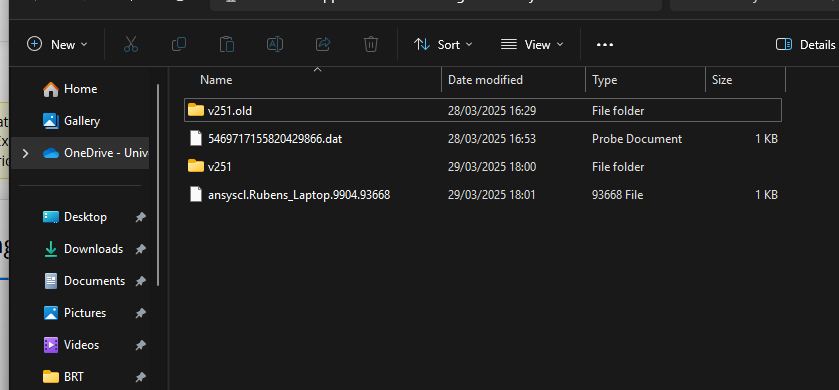
      Try renaming the %APPDATA%\Ansys\v{version} folder for the version you are using:

      Exit Ansys.
      Open File Explorer, 
      In the Address bar, enter: %APPDATA%
      Open the Ansys folder
      If you are using version 2025R1 for example
      Rename the v251 to v251.old
      (other versions similar)


    • rjf55
      Subscriber

      Unfortunately this hasn't fixed it either

    • Gary_S
      Ansys Employee

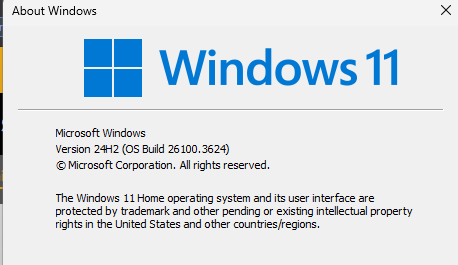
      What is the exact Windows version / Windows update version? (Run winver.exe)
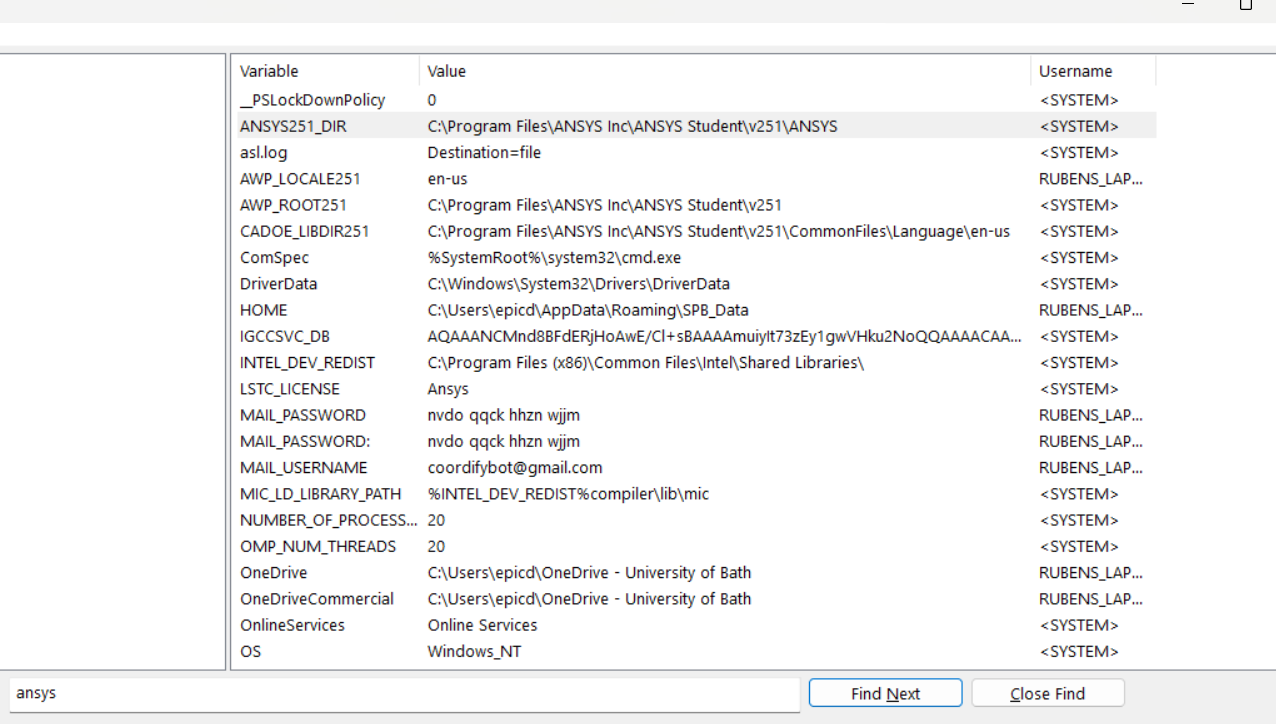
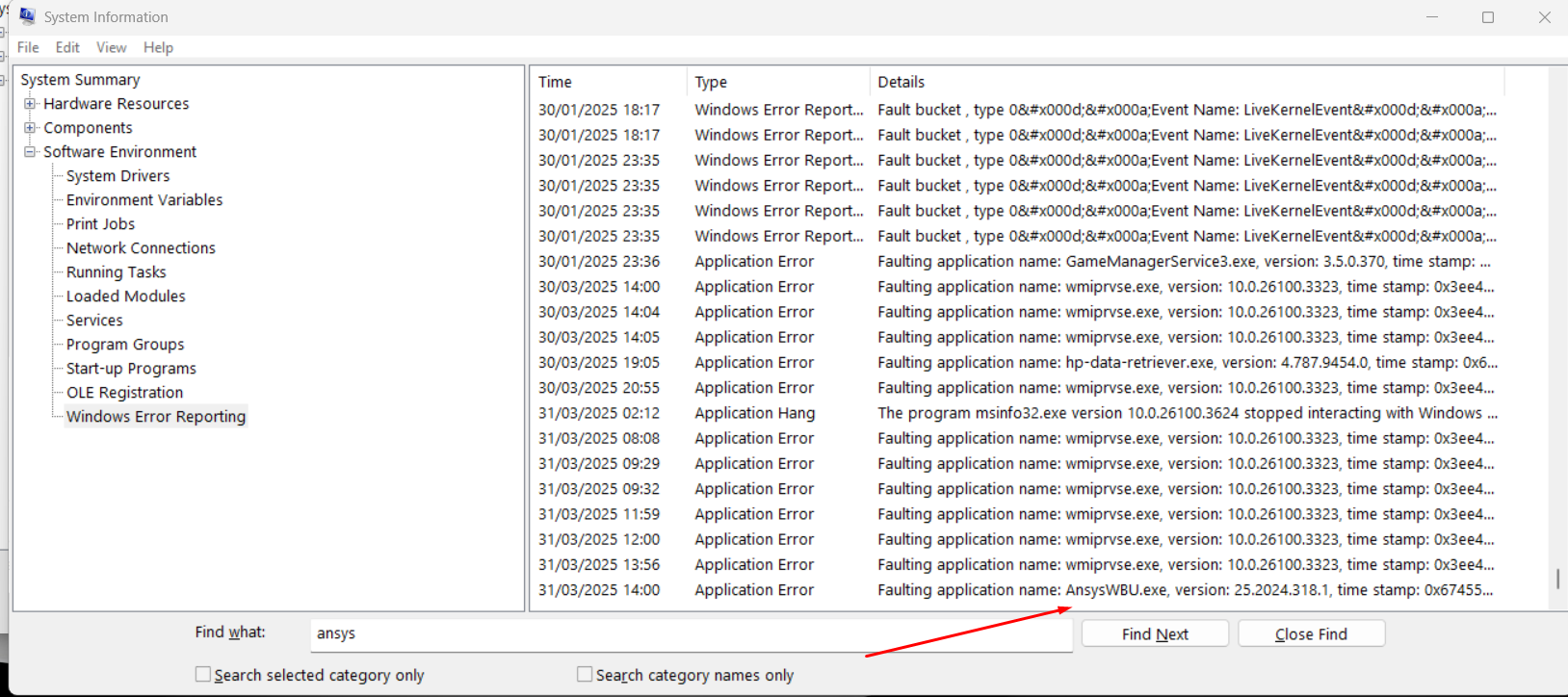
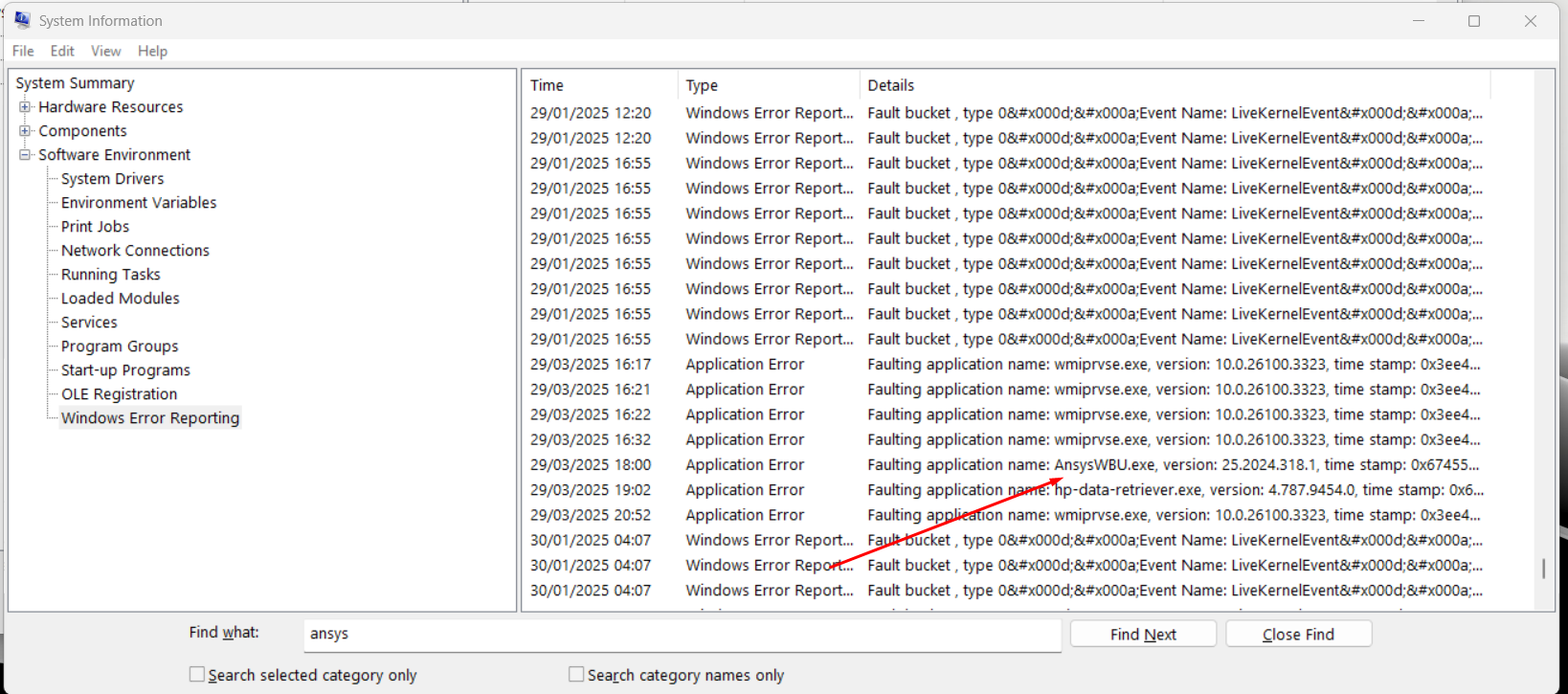
      Run Windows System Information (Run msinfo32.exe)
       Software Environment > Windows Error Reporting

       Tip : File > Export to a .txt file for easirer searching and visibility. 
       Look for anything relating to Ansys, such as AnsysWBU.exe etc. 
       Make note of the .dll where the error is occuring. 


    • rjf55
      Subscriber

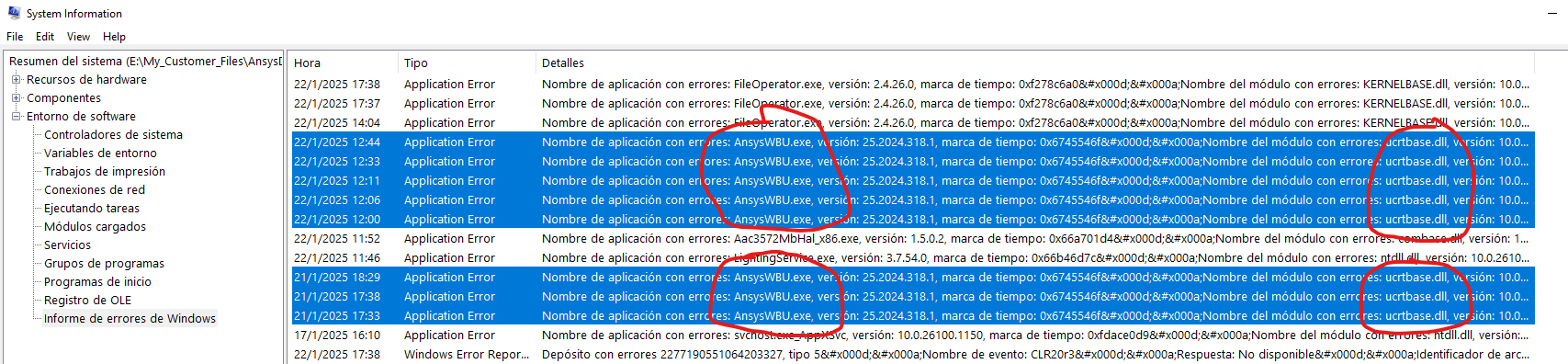
      Here's all the info you requested:

      Thank you very much.

    • Gary_S
      Ansys Employee

      Windows 11 update 24H2 will not be officailly supported by Ansys until 2025R1 + Service Pack 2. 

      In this thread, there is a regristry entry that must be done so as to avoid script errors in any earler Ansys verisons. Please apply it. 
      JavaScript Runtime Error in AQWA Pre on Windows 11 (Version 24H2)

      I'm not sure this will fix your crash issue, but it may get us closer to a solution.
      =============

      For the System Information > Windows Error Reporting
      Here is an example of the information I was looking for...


      • rjf55
        Subscriber

        I modified the register as said by adding JScriptReplacement into main and rebooted the computer, but I'm still getting the same issue. Is there anything else I could try?

    • Gary_S
      Ansys Employee

      Please provice the infomation from the System Information > Windows Error Reporting.
      If we know the .dll where the crash is occuring, we may be able to provide more insight. 


    • Gary_S
      Ansys Employee

      Perfect.
      Q: Do essentially all of the AnsysWBU.exe errors refer to: 
       Faulting module name: ntdll.dll, version: 10.0.26100.3624, time stamp: 0x01de64ae Exception code: 0xc0000374  ?

      If yes, the crash might be caused by the Realtek Audio driver package and / or Nahimic services.

      In your Windows Add/Remove programs, look for anything related to Realtek Audio or Nahimic services and uninstall it. 
      Reboot. Then see if Ansys runs. 

      • rjf55
        Subscriber

        Yes, all of the errors are due to that line (ntdll.dll). I've uninstalled realtek audio driver and I don't have any Nahimic services. I restarted my pc but I'm still getting the same issue unfortunately

    • Gary_S
      Ansys Employee


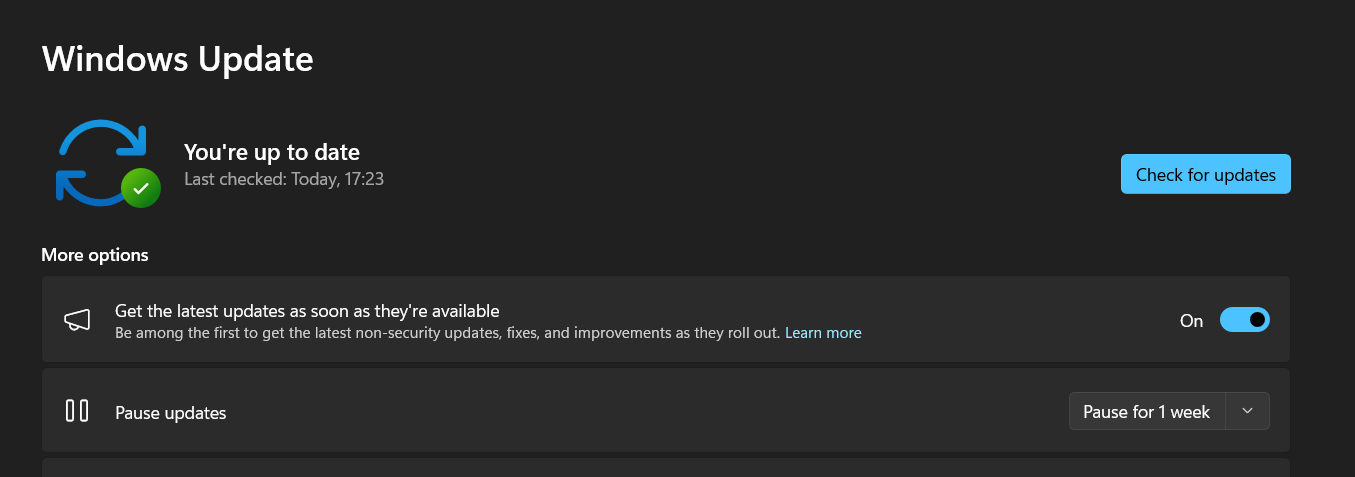
      Try Windows Update to see that all is current.
      Then: 
      At a Command Prompt As Administrator:
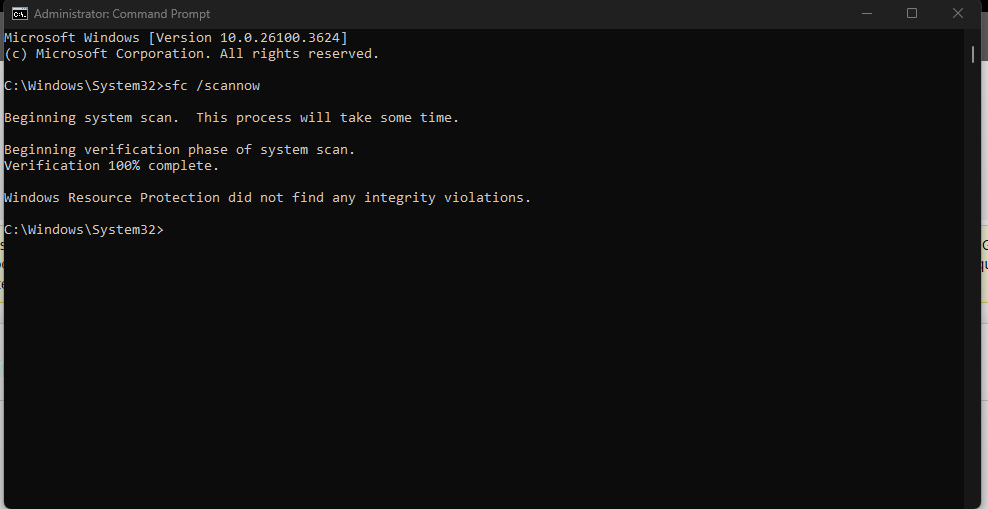
      1. sfc /scannow
      2. Dism.exe /Online /Cleanup-Image /RestoreHealth
      3. Dism.exe /online /Cleanup-Image /StartComponentCleanup

      • rjf55
        Subscriber

        I tried all three commands and it still doesn't work unfortunately

    • Gary_S
      Ansys Employee


      Can you try installing one of the eariler versions 24.1 or 24.2? 

      Download Ansys Student | Workbench-based Simulation Tools

      Reason for suggesting is that in 25.1, there is a known issue where STEP geometry import improperly requests a Parasolid rdpara license.
      It may or may not be related. If older versions fail in same way, it will at least give a clue. 


      • rjf55
        Subscriber

        I deleted ansys 2025 and all the files related (including in %appdata%) 

        I then downloaded ansys 2024 R1 and I still get the same error

        • Gary_S
          Ansys Employee


          OK. So it is very likley something with the machine or the user environment, not the Ansys programs itself. 
          If you want to look, see if it is the same error log entries as before… Similar to: AnsysWBU.exe … Faulting module name: ntdll.dll … Exception code: 0xc0000374 

          ==================

          At a Command Prompt, 
          C:\> set >> env.txt

          Remove any lines that contain user information
           Copy paste the contents of the resulting env.txt and reply. 


        • rjf55
          Subscriber

          Yes, it is the same error with the same application name and exception code.

          Here is the env.txt file:

          ALLUSERSPROFILE=C:\ProgramData
          ANSYS241_DIR=C:\Program Files\ANSYS Inc\ANSYS Student\v241\ANSYS
          asl.log=Destination=file
          AWP_LOCALE241=en-us
          AWP_LOCALE251=en-us
          AWP_ROOT241=C:\Program Files\ANSYS Inc\ANSYS Student\v241
          CADOE_LIBDIR241=C:\Program Files\ANSYS Inc\ANSYS Student\v241\CommonFiles\Language\en-us
          CommonProgramFiles=C:\Program Files\Common Files
          CommonProgramFiles(x86)=C:\Program Files (x86)\Common Files
          CommonProgramW6432=C:\Program Files\Common Files
          ComSpec=C:\WINDOWS\system32\cmd.exe
          DriverData=C:\Windows\System32\Drivers\DriverData
          HOME=[REDACTED]
          HOMEDRIVE=C:
          HOMEPATH=[REDACTED]
          INTEL_DEV_REDIST=C:\Program Files (x86)\Common Files\Intel\Shared Libraries\
          NUMBER_OF_PROCESSORS=20
          OMP_NUM_THREADS=20
          OnlineServices=Online Services
          OS=Windows_NT
          Path=C:\Program Files (x86)\Razer\ChromaBroadcast\bin;C:\Program Files\Razer\ChromaBroadcast\bin;C:\Program Files (x86)\Common Files\Intel\Shared Libraries\redist\intel64\compiler;C:\windows\system32;C:\windows;C:\windows\System32\Wbem;C:\windows\System32\WindowsPowerShell\v1.0\;C:\windows\System32\OpenSSH\;C:\Program Files (x86)\NVIDIA Corporation\PhysX\Common;C:\Program Files\NVIDIA Corporation\NVIDIA NvDLISR;[REDACTED USER PATHS];C:\Program Files\dotnet\;C:\Program Files\MATLAB\R2023b\bin;C:\Program Files\HP\HP One Agent;C:\Program Files\Common Files\Autodesk Shared\;C:\Program Files\Microsoft SQL Server\150\Tools\Binn\;C:\Program Files\Git\cmd;
          PATHEXT=.COM;.EXE;.BAT;.CMD;.VBS;.VBE;.JS;.JSE;.WSF;.WSH;.MSC
          platformcode=M7
          PROCESSOR_ARCHITECTURE=AMD64
          PROCESSOR_IDENTIFIER=Intel64 Family 6 Model 186 Stepping 2, GenuineIntel
          PROCESSOR_LEVEL=6
          PROCESSOR_REVISION=ba02
          ProgramData=C:\ProgramData
          ProgramFiles=C:\Program Files
          ProgramFiles(x86)=C:\Program Files (x86)
          ProgramW6432=C:\Program Files
          PROMPT=$P$G
          PSModulePath=C:\Program Files\WindowsPowerShell\Modules;C:\WINDOWS\system32\WindowsPowerShell\v1.0\Modules
          PUBLIC=C:\Users\Public
          P_SCHEMA=C:\Program Files\ANSYS Inc\ANSYS Student\v241\AISOL\CADIntegration\Parasolid\PSchema
          QSYS_ROOTDIR=C:\intelFPGA\23.1std_lite\quartus\sopc_builder\bin
          QUARTUS_ROOTDIR=C:\intelFPGA\23.1std\quartus
          RegionCode=EMEA
          RG_GPU_FRAMEWORK_ENGINE_RESOURCEDIR=C:\Program Files\Red Giant\RGFX
          SESSIONNAME=Console
          SOPC_KIT_NIOS2=C:\intelFPGA\23.1std\nios2eds
          SoS_debug_exe=C:\Program Files\ANSYS Inc\ANSYS Student\v241\optiSLang\sos\sos_console.exe
          SoS_exe=C:\Program Files\ANSYS Inc\ANSYS Student\v241\optiSLang\sos\sos.exe
          SoS_install_dir=C:\Program Files\ANSYS Inc\ANSYS Student\v241\optiSLang\sos
          SystemDrive=C:
          SystemRoot=C:\WINDOWS
          TEMP=[REDACTED]
          TMP=[REDACTED]
          VBOX_MSI_INSTALL_PATH=C:\Program Files\Oracle\VirtualBox\
          windir=C:\WINDOWS
          ZES_ENABLE_SYSMAN=1
          __PSLockDownPolicy=0

        • Gary_S
          Ansys Employee

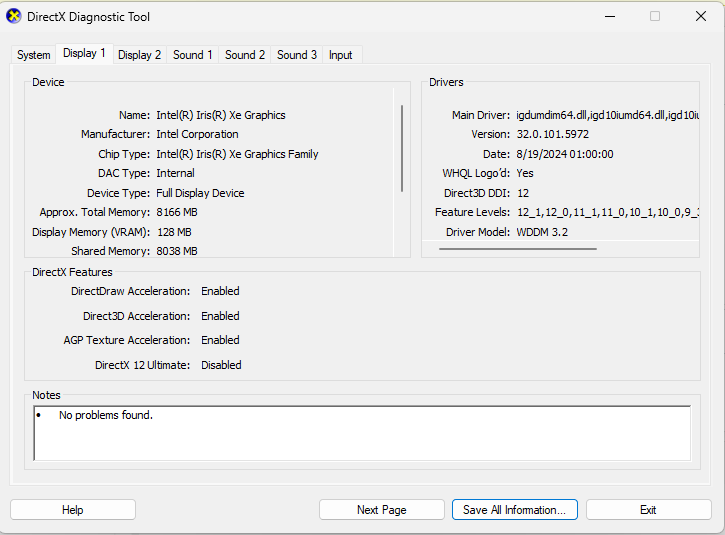
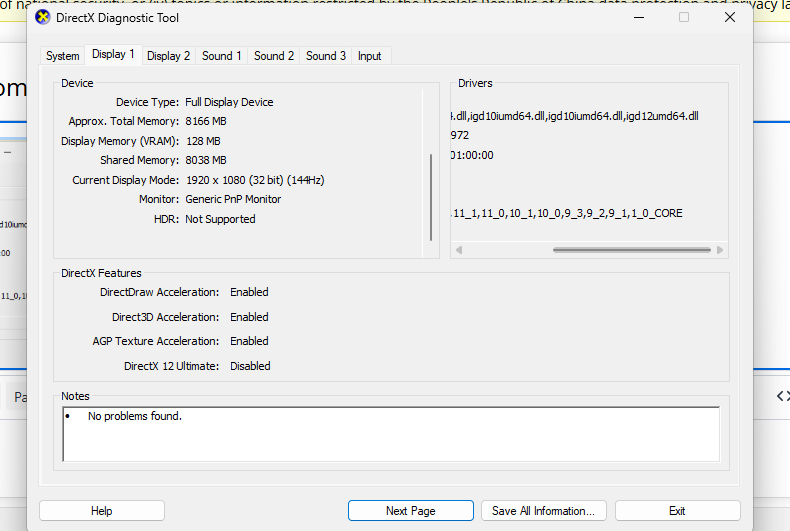
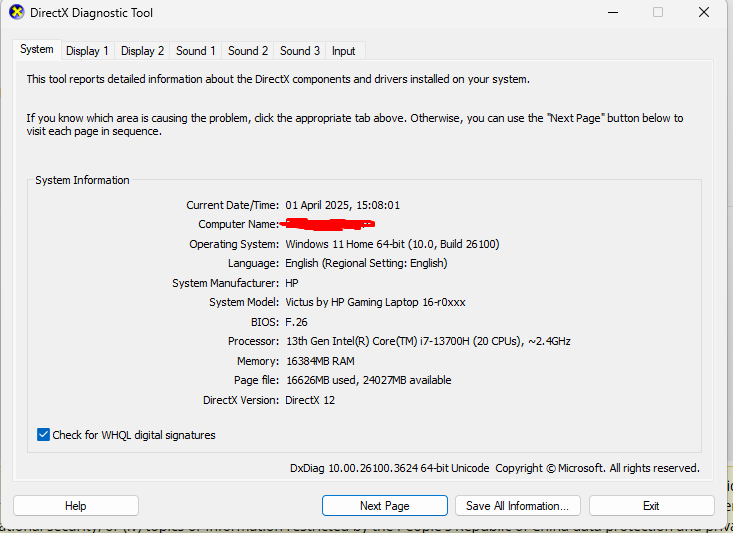
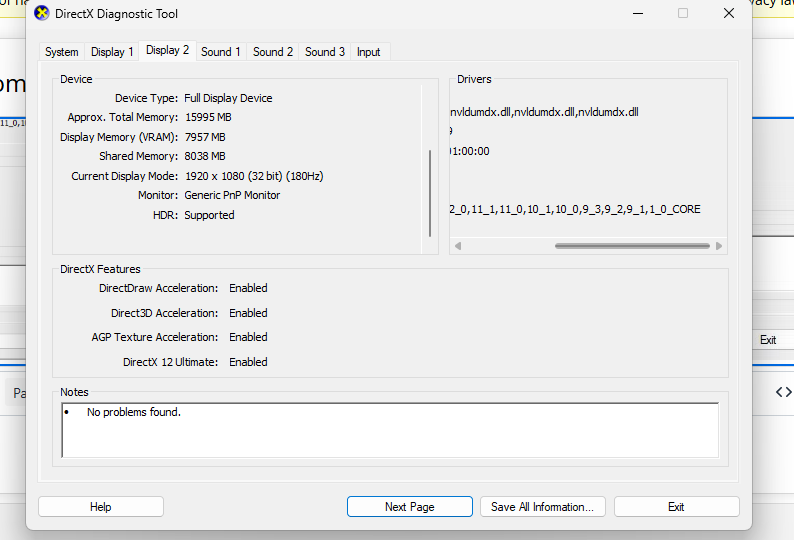
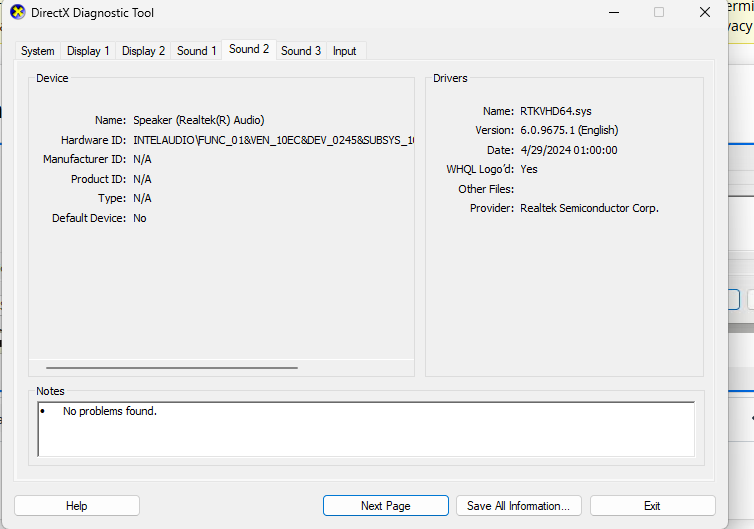
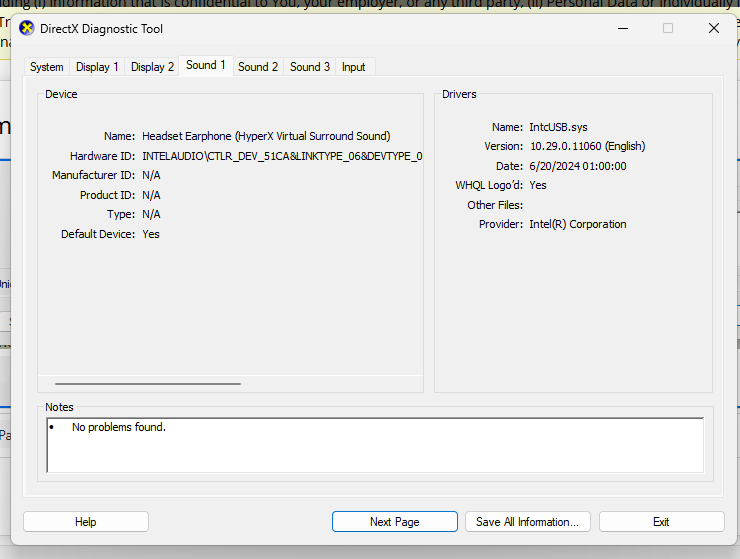
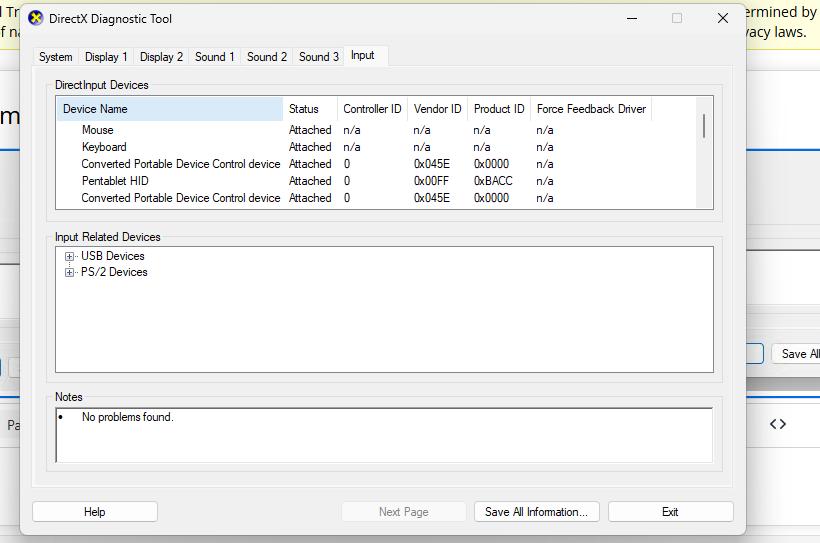
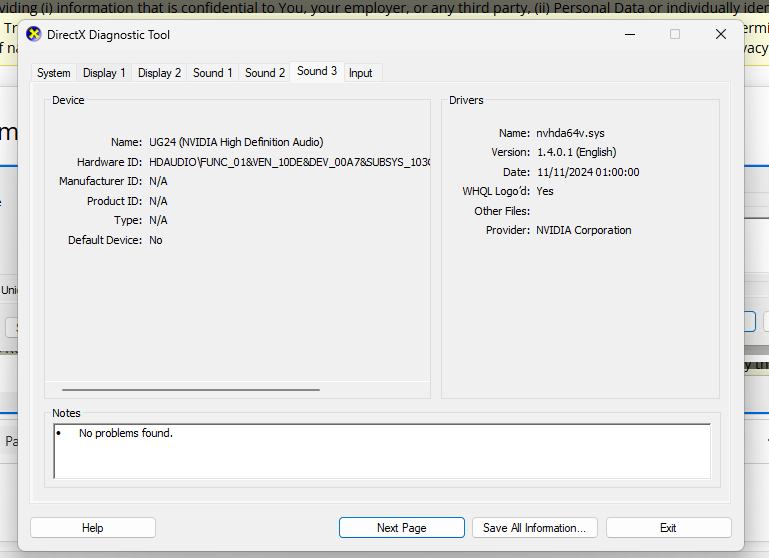
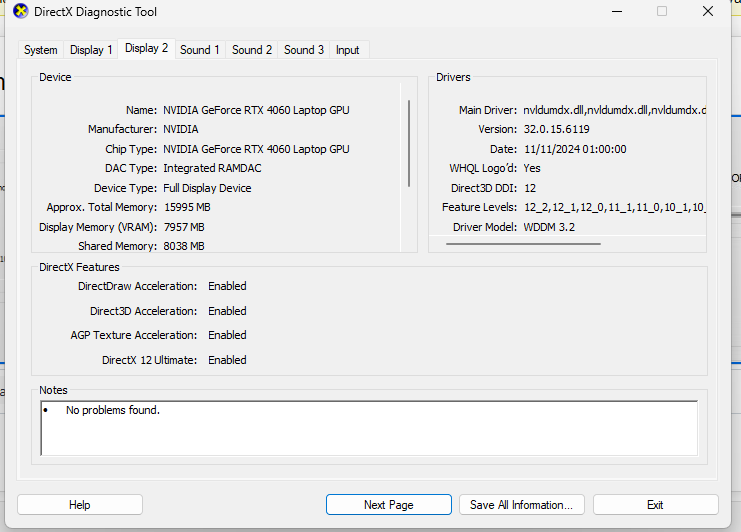
          Run: DxDiag.exe
          It will have tabs across the top Display1, Display2..
          Send a screen capture of each page.


        • rjf55
          Subscriber

          Here's a screen capture of each page:

        • Gary_S
          Ansys Employee
          I can see that your laptop has two graphics cards 
          Try this and see if any difference.
           

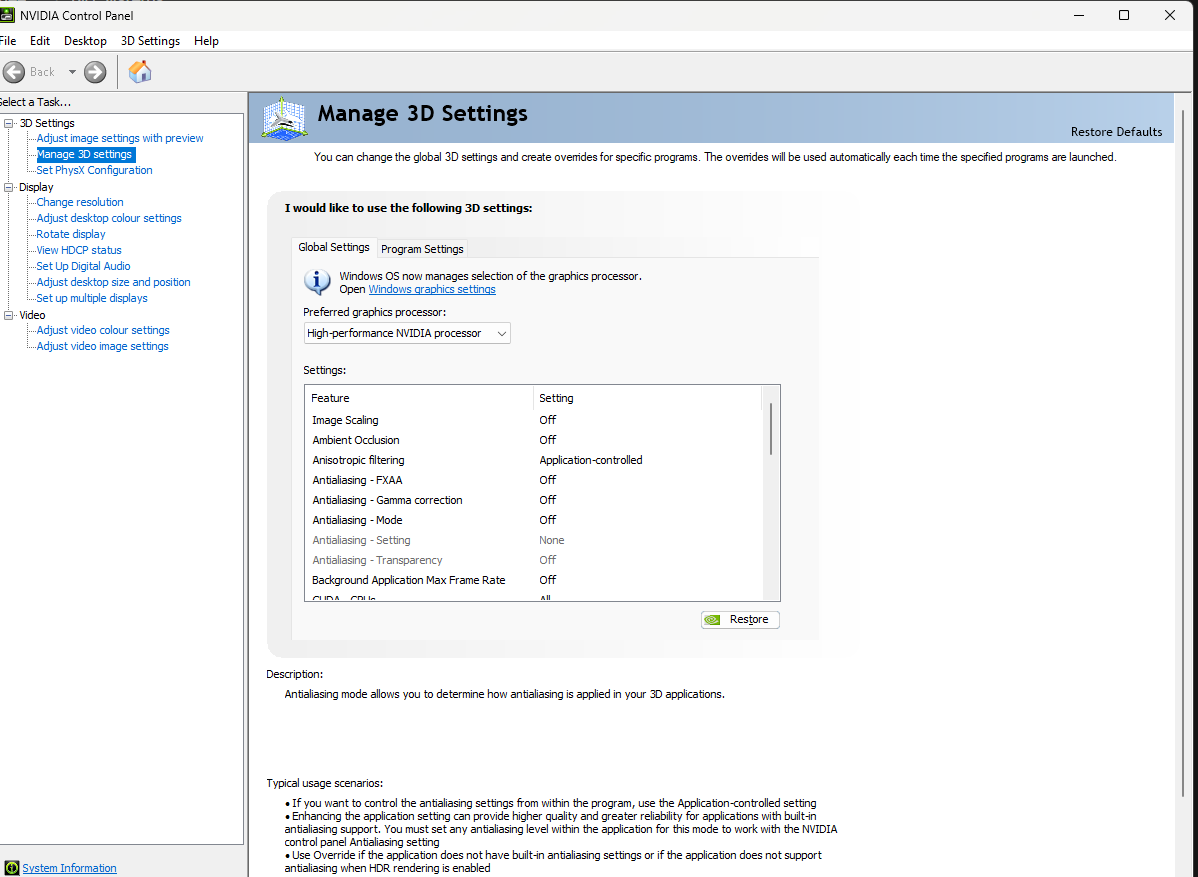
          See if you have a Program "Nvidia Control Panel" in your Windows settings.
          Some computers have 2 graphics processors, often one is "Intel" and the other is an "nVidia"
           We need to set the Nvidia to be the "preferred" graphics adapter
          See if you can find "Nvidiacontrol panel.
            Control Panel > Nvidia control Panel > go to 3D settings > Manage 3D settings > Under Preferred Graphics Processor > choose Nvidia > Apply.
           Start Workbench and try again.


        • rjf55
          Subscriber

          The preferred graphics card processor is already set to nvidia processor by default

        • Gary_S
          Ansys Employee


          I dont have much more to add here.
          If you internert search for Faulting module name ntdll.dll Exception code: 0xc0000374 
          or just: ntdll.dll 0xc0000374
          …you’ll find references to Memory Heap Errors and the usual checklist of Windows updates, drivers, prerequisties and so on. 

          My thought is that something is resident in memory. Endpoint protection programs often stay resident even if they are set to disabled.
          Also, VPN programs. Even if they are not being used, they stay resident. Maybe even browser “protection” type plugins.

          I would try installing on another machine, or consider reinstalling Windows from scratch. 


    • rjf55
      Subscriber

      31/03/2025 14:00    Application Error    Faulting application name: AnsysWBU.exe, version: 25.2024.318.1, time stamp: 0x6745546f Faulting module name: ntdll.dll, version: 10.0.26100.3624, time stamp: 0x01de64ae Exception code: 0xc0000374 Fault offset: 0x0000000000115f55 Faulting process id: 0x5E50 Faulting application start time: 0x1DBA2452DFBFF6D Faulting application path: C:\Program Files\ANSYS Inc\ANSYS Student\v251\aisol\bin\winx64\AnsysWBU.exe Faulting module path: C:\WINDOWS\SYSTEM32\ntdll.dll Report Id: 32369405-5c93-457d-8971-cbde3227a2a4 Faulting package full name: Faulting package-relative application ID:    

Viewing 10 reply threads
  • You must be logged in to reply to this topic.
[bingo_chatbox]