-
-
December 18, 2018 at 1:27 pm
Bots
SubscriberHello,
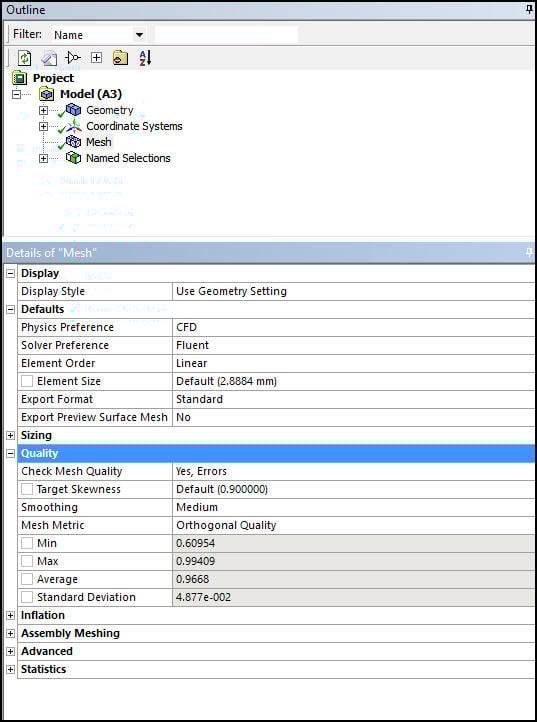
i am a student new to using ansys. i have found some wonderfull tutorials to help me get familiar with the software, however i am currently stuck at meshing. i am not able to find the option "Mesh Metrics" which should be found the statistics tab according to the tutorials.
does anyone know where to find it in ansys version 19.2
Â
kind regards
-
December 18, 2018 at 1:32 pm
-
December 19, 2018 at 6:51 am
Bots
SubscriberI found it thank you
-
December 19, 2018 at 8:14 am
Keyur Kanade
Ansys EmployeeGood.
Can you please mark this post as 'is solution' to help others on forum.Â
-
April 8, 2020 at 7:55 pm
ayodele1
SubscriberHi,
I am meshing in Workbench 19.2 and have checked the mesh "skewness". The histogram is rather upside down and is without the axes labels. When I highlight the bars, the affected elements are also not revealed in the model.Â
Please guide me on how to properly orient the histogram showing the labels, and the elements indicated on the model when I highlight each of the bars on the histogram.
Thanks in anticipation.
Ayodele
-
April 9, 2020 at 5:12 am
Keyur Kanade
Ansys Employeeincrease height of histogram 'window'.Â
this will decrease height of graphics window.Â
Regards,
Keyur
Â
If this helps, please mark this post as 'Is Solution' to help others.
Guidelines on the Student Community
How to access ANSYS help links
Â
-
April 9, 2020 at 8:42 pm
ayodele1
SubscriberThanks Keyur.
It worked. How do I mark this as "Is Solution"? Â
Ayodele
-
- The topic ‘mesh metrics option in ansys 19.2’ is closed to new replies.
-
4803
-
1576
-
1386
-
1242
-
1021
© 2026 Copyright ANSYS, Inc. All rights reserved.