

-
-
August 19, 2021 at 1:21 am
cmart283
SubscriberHello,
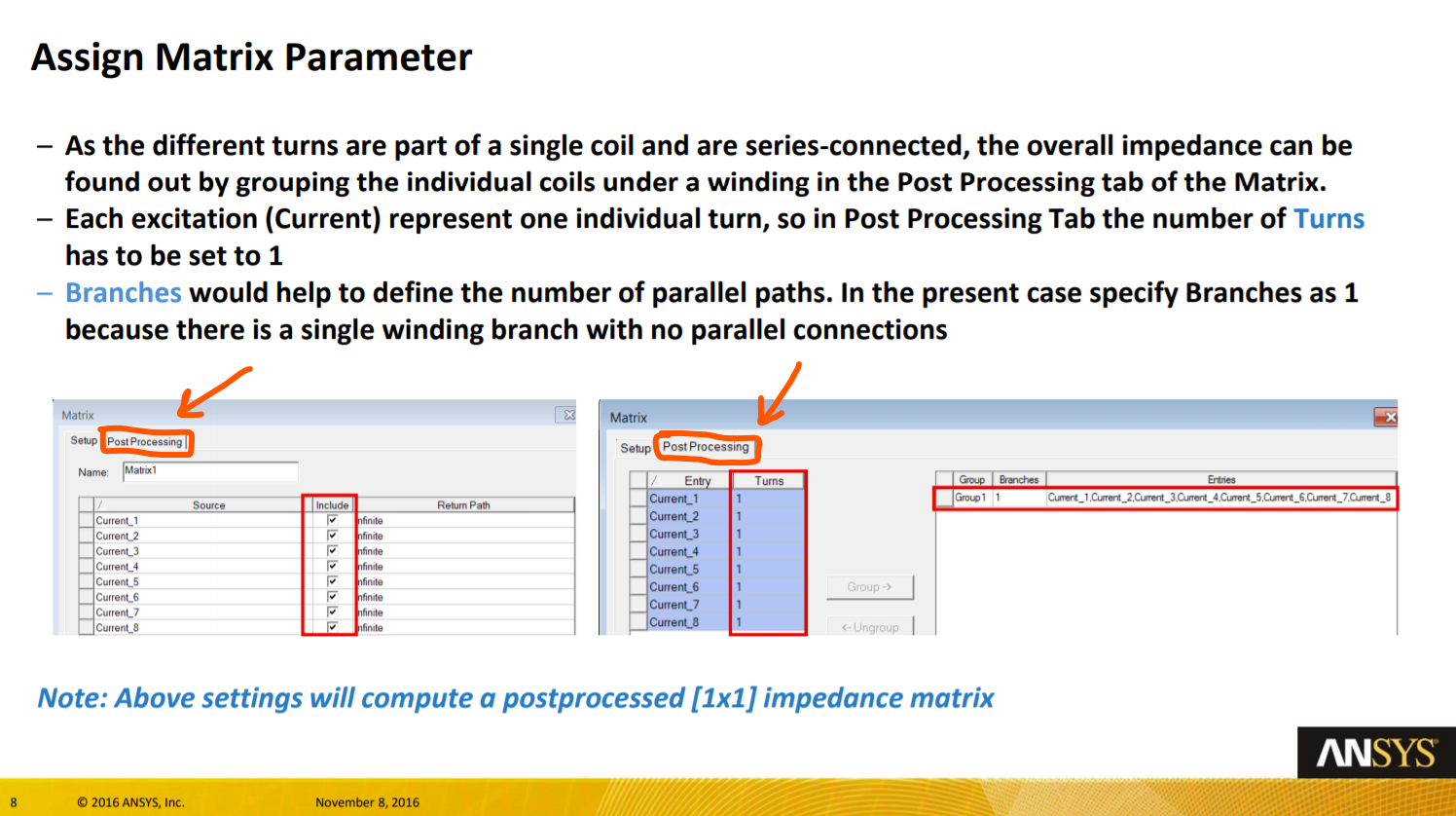
I am working on the Electronics desktop through the virtual labs of my university and I cannot find a specific tab (post processing) to complete a module I am working on (see below for screenshot). Where can I find this feature on the current version? I only have the Setup tab.
August 19, 2021 at 10:39 amNKC
Forum ModeratorHi @cmart283 In the latest version, after defining the matrix, go to project manager window Right-click on Matrix and select join in series(for the case above since all coils are in series) then select all the coils to the group.
then the group will appear under reduced matrix.
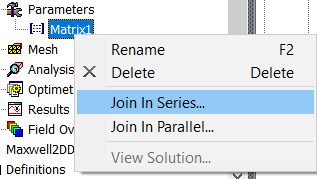
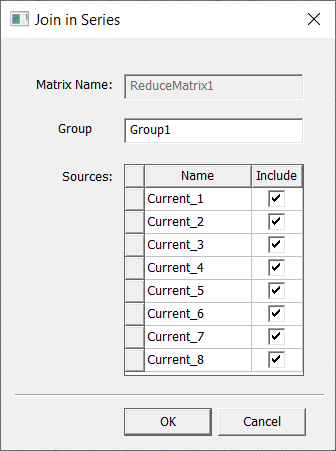
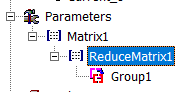
Regards Navya
August 19, 2021 at 2:49 pmSubscriberGreat, thanks so much!
Cheers Cesar
August 19, 2021 at 4:16 pmSubscriberHow would I edit the settings which are located under the Post Processing Tab in the latest version? From the module, I need to change the number of turns and branches to be set to 1.
Or is this accounted for by joining them in series?
August 25, 2021 at 7:10 pmDELI
Ansys Employeethis post processing tab has been removed in the latest version. If you would like to set number of turns and connection mode, you can use Winding:
1.right mouse click on excitaiton->Add Winding...
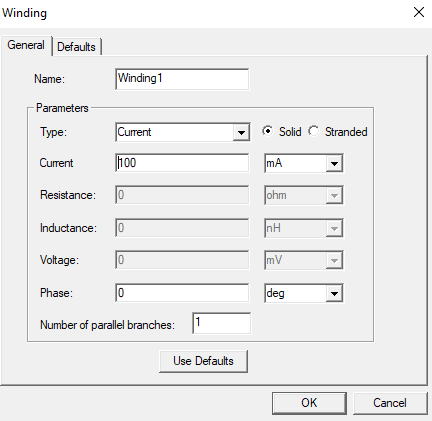
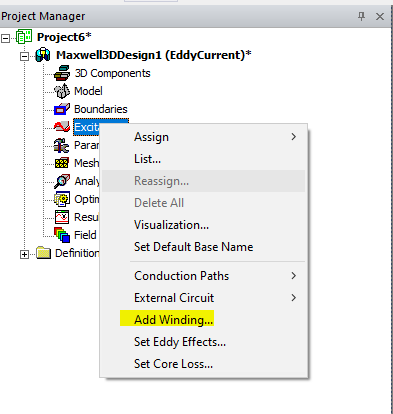 2.Select current type and enter current value, choose stranded or solid winding type:
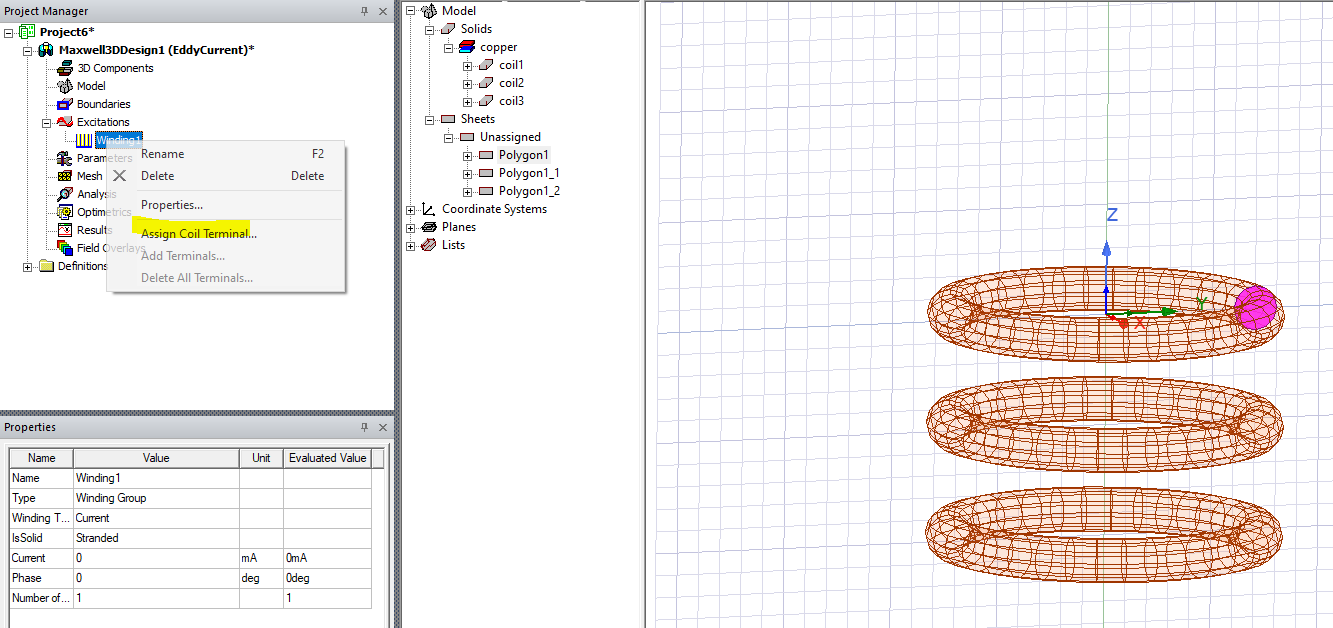
3.select coil cross section->right mouse click on Winding1->Assign Coil Terminal
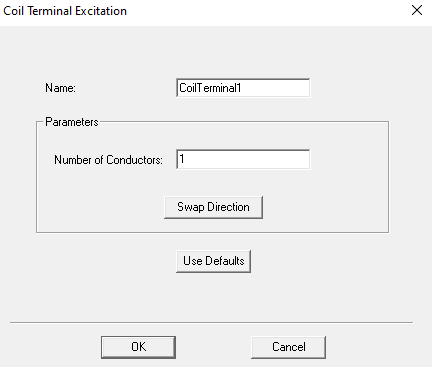
4.Enter Number of conductors
 5.repeat the same step to other in series coil terminal.
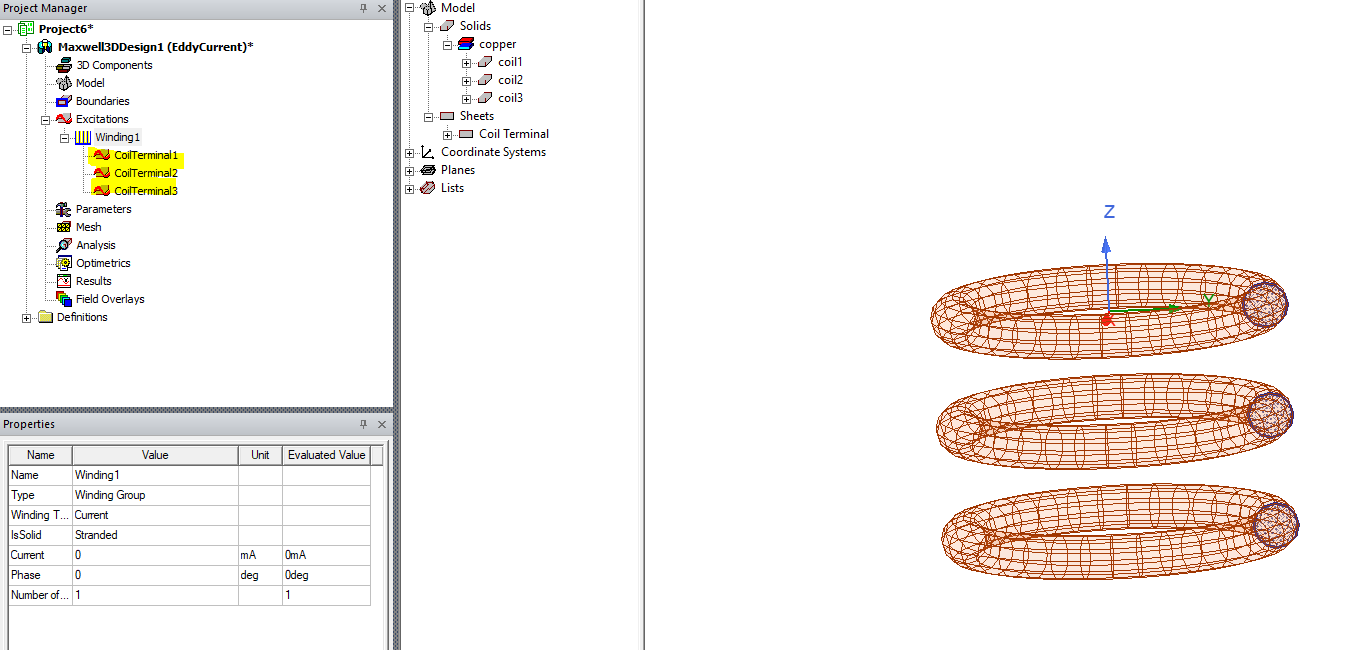 And you can use matrix parameters to calculate winding inductance and resistance.
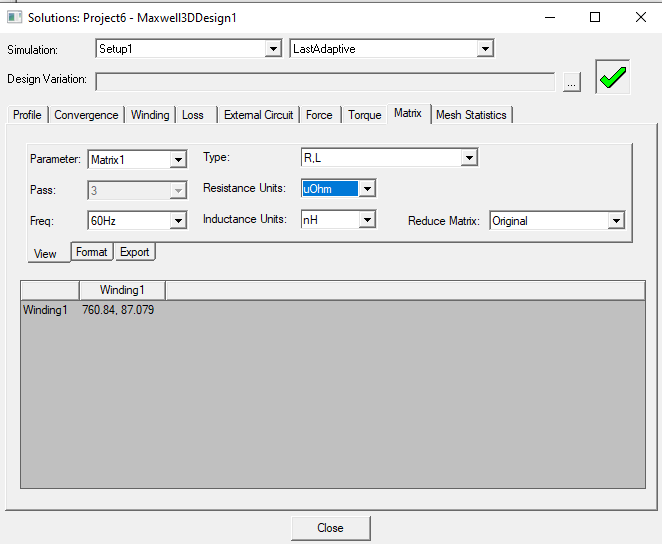
Hope this helps :)
Viewing 4 reply threads- The topic ‘Matrix Parameter Tab Missing’ is closed to new replies.
Innovation Space Trending discussions
 Top Contributors
-
peteroznewman
 4838
4838 -
scabo
 1587
1587 -
Dennis Chen
 1386
1386 -
javat33489
 1242
1242 -
Shyam Prasad V Atri
1021
Top Rated Tags
© 2026 Copyright ANSYS, Inc. All rights reserved.
Ansys does not support the usage of unauthorized Ansys software. Please visit www.ansys.com to obtain an official distribution.
-


The Ansys Learning Forum is a public forum. You are prohibited from providing (i) information that is confidential to You, your employer, or any third party, (ii) Personal Data or individually identifiable health information, (iii) any information that is U.S. Government Classified, Controlled Unclassified Information, International Traffic in Arms Regulators (ITAR) or Export Administration Regulators (EAR) controlled or otherwise have been determined by the United States Government or by a foreign government to require protection against unauthorized disclosure for reasons of national security, or (iv) topics or information restricted by the People's Republic of China data protection and privacy laws.

 You are navigating away from the AIS Discovery experience

