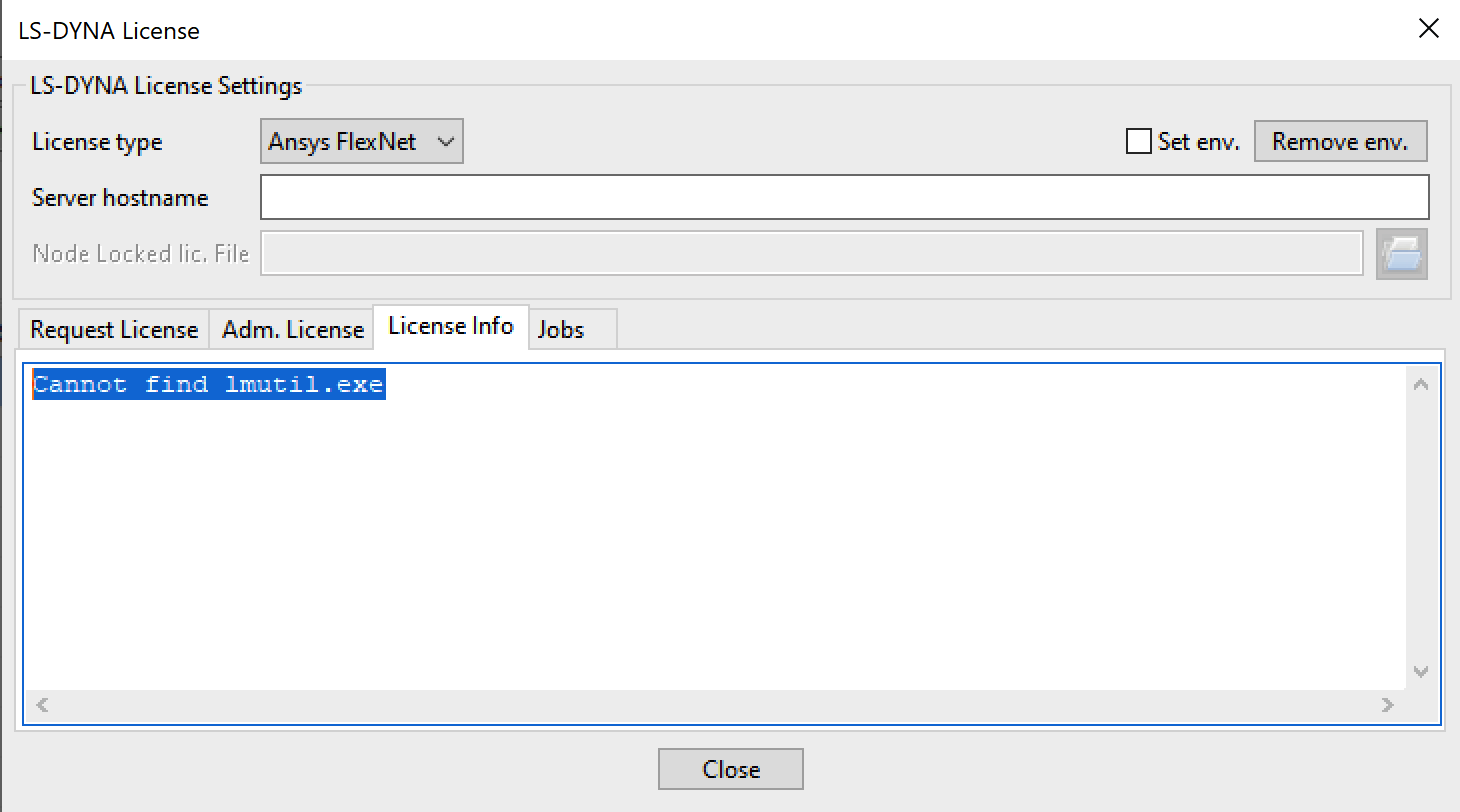
LSDYNA License not found but Licensing Settings 2024 R1 get Licenseserver infos
TAGGED: #anysys-#licences
-
-
February 27, 2024 at 9:29 am
Jörg Rademann
SubscriberHi at all,Â
I have a problem with licensing LSDYNA. I have installed Ansys structure only the LSDYNA packages. In addition, other packages were installed by default, such as Ansys Licensing Settings 2024 R1.ÂWhen I start this program, I get all license information from my license server.ÂIf I now start the program LS-Run 2024 R1 and check under License whether the licensing has worked, I get the message "Cannot find lmutil.exe".ÂÂI have set the following environment variables:ÂANSYS_SYSDIR - C:\Program Files\ANSYS Inc\v241\ANSYSANSYSLMD_LICENSE_FILE - 1055@...LSTC_LICENSE - ANSYSANSYS241_DIR - C:\Program Files\ANSYS Inc\v241\ANSYSÂAll these variables are useless.ÂHowever, the file - lmutil.exe in the directory "c:\Program Files\ANSYS Inc\v241\licensingclient\winx64\" finds all license data.ÂHow do I get the LSDYNA environment to run?ÂThank you very much for your help and regards -
February 27, 2024 at 11:39 pm
George Karnos
Ansys EmployeeCopy the lmutil.exe fromÂ
c:\Program Files\ANSYS Inc\v241\licensingclient\winx64\
To:
C:\Program Files\ANSYS Inc\Shared Files\licensing\winx64\Now try to run.
-
February 28, 2024 at 8:08 am
Jörg Rademann
SubscriberHi Mr Karnos,Â
thank you for the quick and successful help.
Now it works fine.Â
Greetings Jörg
-
February 28, 2024 at 2:05 pm
George Karnos
Ansys EmployeeHello Mr, Rademann,
Excellent!
I will go ahead and mark this thread as answered!Take Care!
George Karnos
ANSYS Inc.
-
Viewing 3 reply threads
- The topic ‘LSDYNA License not found but Licensing Settings 2024 R1 get Licenseserver infos’ is closed to new replies.

Innovation Space
Trending discussions
Top Contributors
-
5059
-
1770
-
1387
-
1248
-
1021
Top Rated Tags
© 2026 Copyright ANSYS, Inc. All rights reserved.
Ansys does not support the usage of unauthorized Ansys software. Please visit www.ansys.com to obtain an official distribution.