TAGGED: error
-
-
April 27, 2021 at 10:41 am
eitan-k
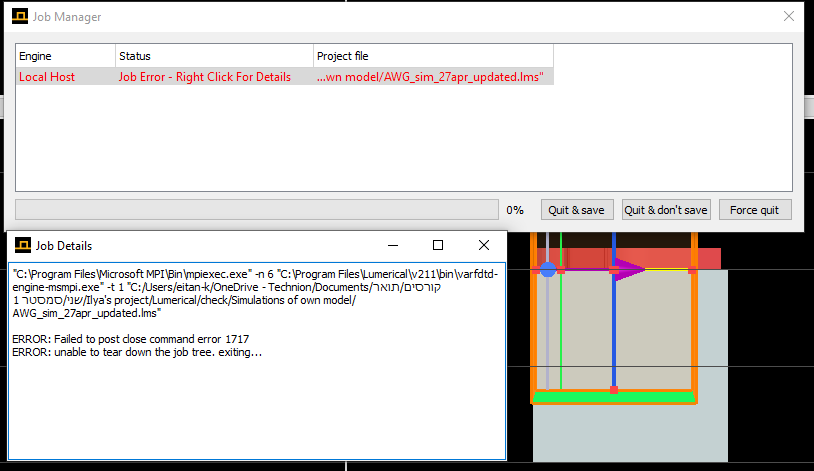
SubscriberHi everyone,nWhen I try to run a varFDTD simulation I get the next error:n
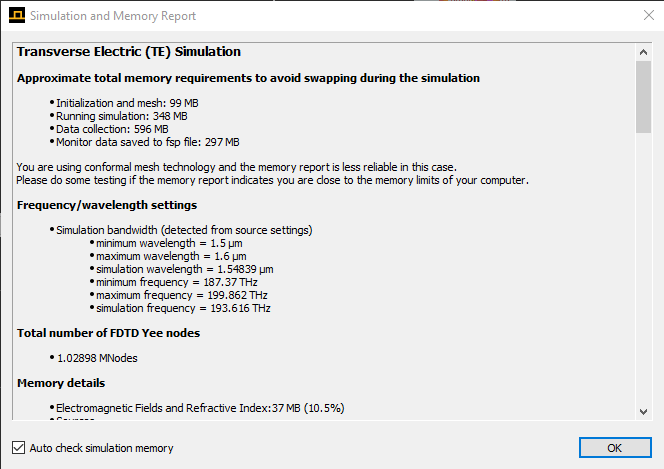
Until yesterday everything worked just fine, but suddenly it showed me this error.nI tried to reinstall Lumerical but it didn't help. Also, when I run a simulation on FDTD it works well.nMy memorey requirements are normal:n
Does anyone know what might be the problem? I have tried to look it up on the internet but couldn't find anything.nThanks a lot,nEita
-
April 27, 2021 at 10:53 pm
Lito
Ansys Employee.ethank,
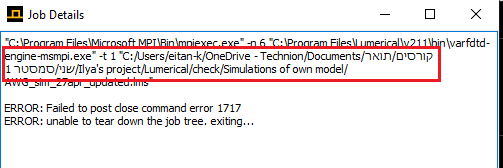
Can you try to save the simulation file on a location on your local drive where you have write access. Do not save to One Drive. You can copy the simulation file later after running the simulation job. Also a directory or folder that does not have special characters - only English text/characters. Let me know if this helps.
. -
April 28, 2021 at 6:33 am
eitan-k
Subscriber.Hi Lito,
Thank you very much for the response.
Unfortunately I tried to do what you said but it didn'y help. I got the same error.
But now I found the reason for the error. The reason was the integration with matlab. I have integrated matlab via this window:
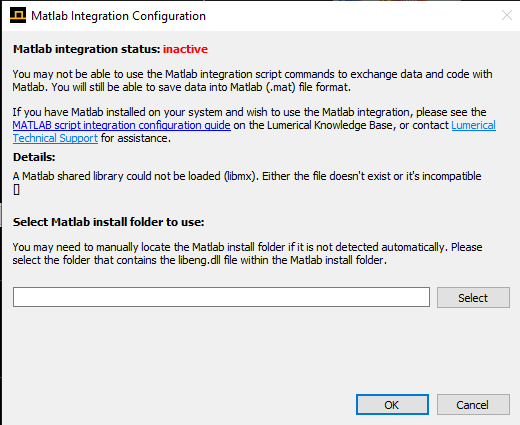
When I inactivated the integration, everything returned to normal. I don't know why.Thanks for the help anyway!
. -
April 28, 2021 at 10:54 pm
Lito
Ansys EmployeeArray,
That is odd that the Matlab integration is affecting you simulation job. Unless Matlab is running in your machine. Glad to hear that you resolved the issue.
-
September 20, 2021 at 9:46 am
-
September 20, 2021 at 7:36 pm
Lito
Ansys Employee.Polang,
Sorry do you mean that the simulation works if you disable or set "inactive" the Matlab integration in Lumerical? Try removing the "FDTD Solutions.ini" file from your machine. Open a Windows command prompt and Run;
del %AppData%Lumerical"FDTD Solutions.ini"Also try running with Local Computer as your job launching preset. See this post for details.
Best,
Lito
. -
November 9, 2021 at 7:52 am
Rabi4_
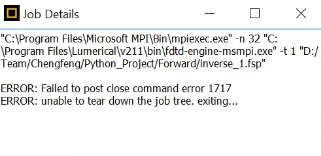
Subscriber.I have tried this but still doesn't work. I am getting the same error in JobManager.
. -
November 10, 2021 at 2:36 am
Lito
Ansys Employee.Rabi4_, did you try to unset the Matlab integration (inactive) in the Lumerical CAD? Did you try running using Local Computer as the Job launching preset? Paste a screenshot of the error message here when you run using Local Computer as the job launching preset.
. -
November 8, 2022 at 5:13 am
Liu Xianghua
SubscriberI also have this problem....
-
- The topic ‘Job error 1717’ is closed to new replies.
-
4929
-
1623
-
1386
-
1242
-
1021
© 2026 Copyright ANSYS, Inc. All rights reserved.