-
-
April 7, 2020 at 6:57 pm
dicarlo5
SubscriberOrdinarily, when I try to export a mesh I made in the "meshing" application of ANSYS Student 2020, a dialog box would open to allow me to save the mesh to wherever I needed. Recently, however, the dialog box will not open making it impossible for me to save the mesh file.Â
-
April 8, 2020 at 6:26 am
Keyur Kanade
Ansys Employeedo you have named selections defined in meshing?
right click on named selection and use fix overlapping named selection option.Â
what elements you used?
check quality of meshing.
min orthogonal quality should be above 0.1.Â
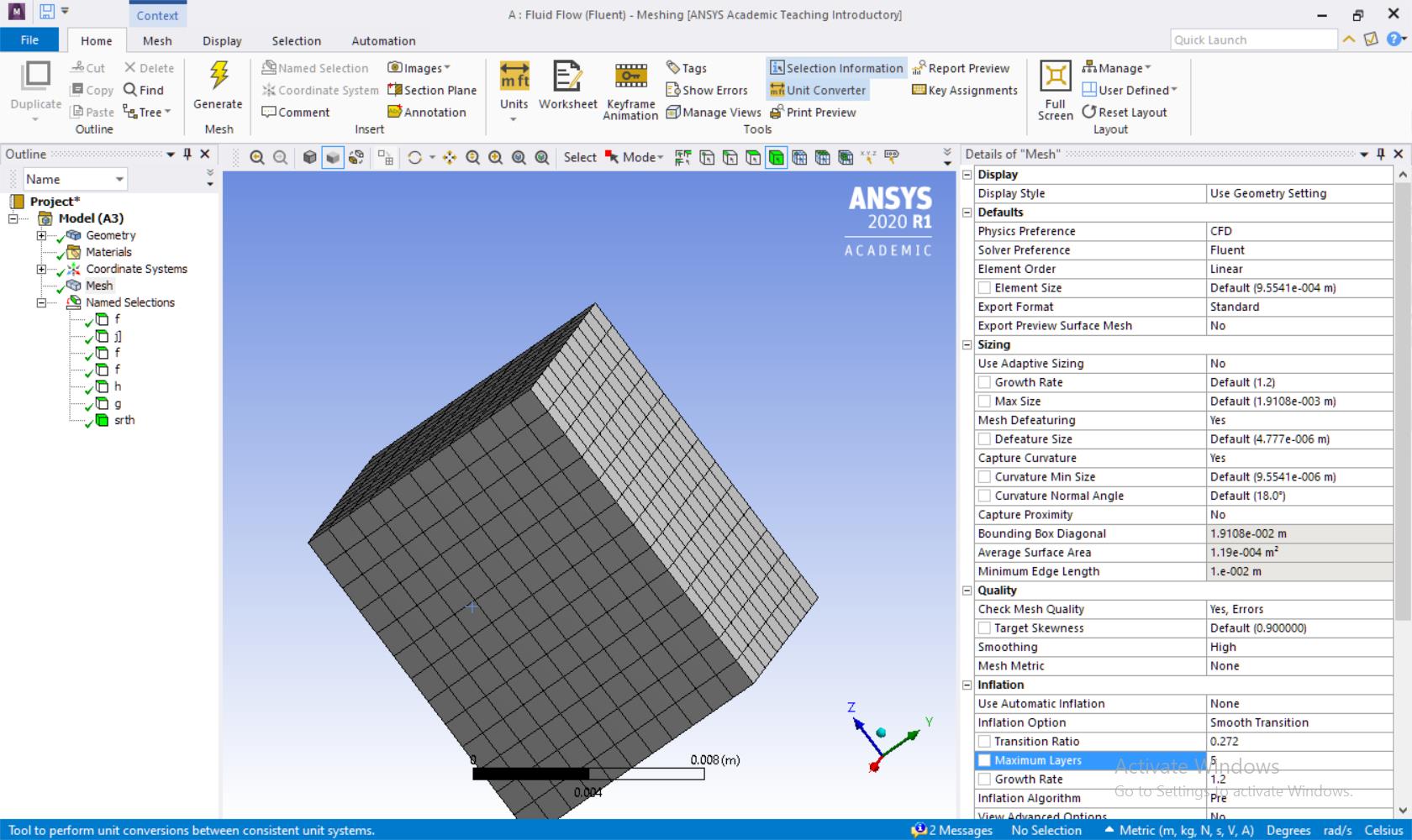
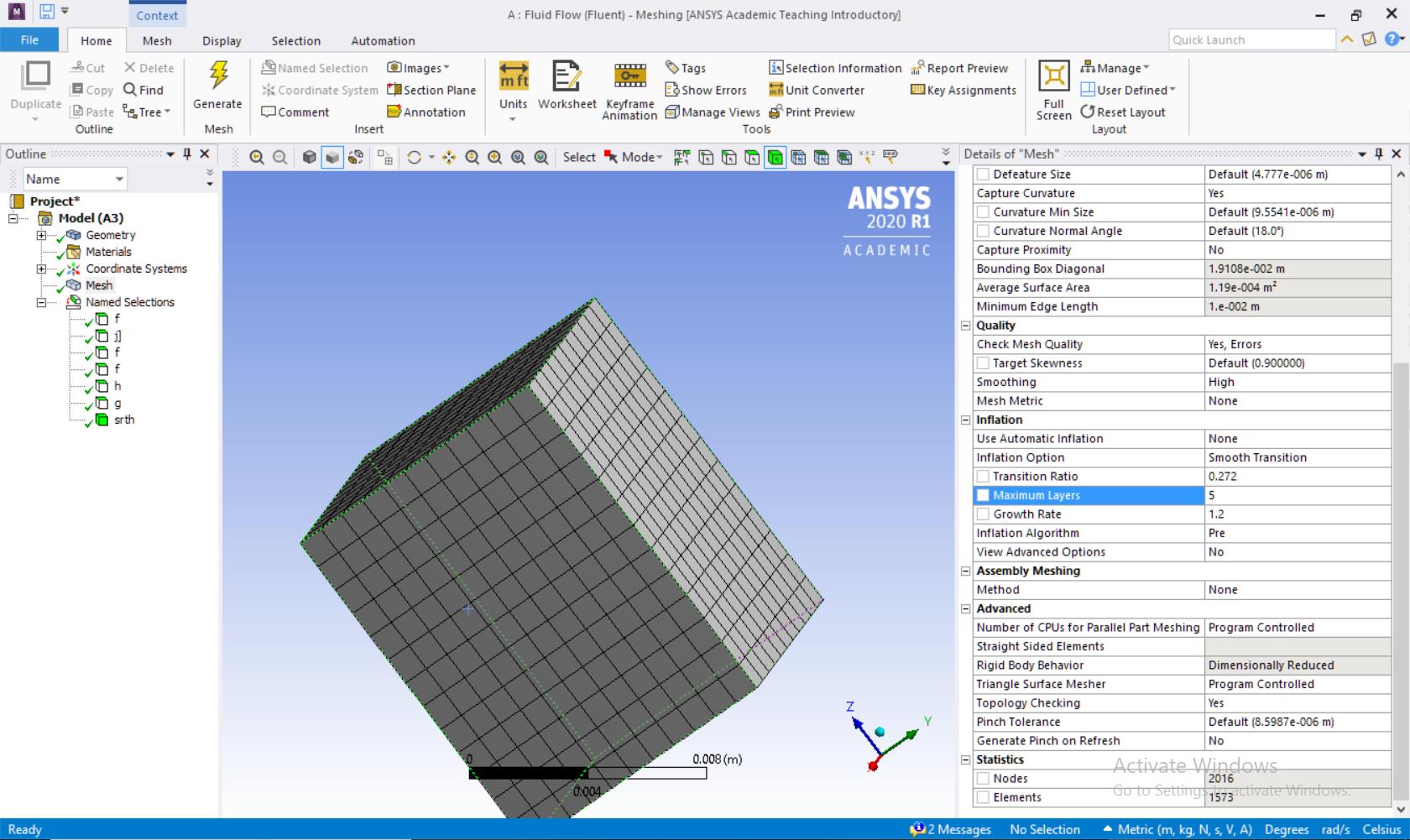
check on a simple case like cube and check if you can export mesh.Â
Regards,
Keyur
Â
If this helps, please mark this post as 'Is Solution' to help others.
Guidelines on the Student Community
How to access ANSYS help links
Â
Â
-
April 8, 2020 at 2:57 pm
dicarlo5
Subscriber1. I have 7 named sections for my cube: 6 faces and one body section
2. I have attempted this yet the problem persists
3. I am using linear elements in the standard export format with no specialization to the mesh
4. The quality of the meshing is high
5.Everything is at its default settingÂ
-
April 9, 2020 at 4:36 am
Keyur Kanade
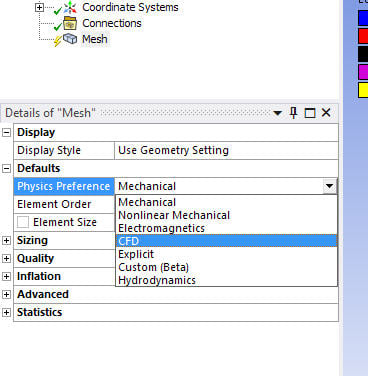
Ansys Employeein meshing did you select 'cfd' preference?
-
April 9, 2020 at 4:37 am
Keyur Kanade
Ansys Employee
Here is option.Â
Regards,
Keyur
Â
If this helps, please mark this post as 'Is Solution' to help others.
Guidelines on the Student Community
How to access ANSYS help links
Â
-
April 9, 2020 at 8:14 pm
-
April 13, 2020 at 5:30 am
Keyur Kanade
Ansys Employeeyou inserted images.Â
are you able to export?
-
April 13, 2020 at 3:08 pm
dicarlo5
SubscriberNo, I am still not able to export.Â
-
April 15, 2020 at 1:33 am
dicarlo5
SubscriberI have tried uninstalling and reinstalling all of ANSYS and that did not remedy my problem. I will try it again to see if this will solve my issue.
-
April 15, 2020 at 3:15 am
dicarlo5
SubscriberThis did not work. After uninstalling and reinstalling the program and readjusting my display, my problem still persists and I am unable to export my mesh files to fluent .msh files.
-
April 22, 2020 at 3:31 pm
dicarlo5
SubscriberThe solution I have been able to figure out is:
1. Develop the Geometry and Mesh as you normally would.
2. Update the Meshing in the Workbench.
3. Open Fluent and go to "Read Mesh"
4. Go to the workbook folder.
5. Open the following folders in order   Â
         a. dp0
                  i. FFF
                          a. MECH
A mesh called FFF.msh should be in that location, and as long as it says "Successfully transferred to Fluent", the file should be there.

-
January 4, 2021 at 7:07 am
Anandhi
SubscriberThe export option in meshing is not working in ansys 2020a, we have to open the project folder->dp0->MECH and find the .msh file.nAlso in 2020a, the reset window layout in ansys design modeler is not working.nn -
January 4, 2021 at 12:21 pm
Rob
Forum ModeratorWeird, it was working fine on my PC for a project I've been working on. The steps are to create the mesh, then File-Export pick the mesh for Fluent and save to a location of your choosing. n -
January 20, 2021 at 3:12 am
Anandhi
SubscriberMesh export as fluent input file is working in system with windows 10 and is not working in windows 7.n -
January 20, 2021 at 11:36 am
Rob
Forum ModeratorI don't think we support Win7 any more so it's quite possible you've found where the operating system has changed/revised a dll or the like that we're using. n -
October 28, 2023 at 8:38 pm
ram.6
Subscribercan you please tell me how to export a file in .msh format by using script like for import there is code   ExtAPI.Application.ImportGeometry('path')  so can you give me a code for exportÂ
actually i want to import multiple file using for loop then mesh them and export as .msh formatÂ
-
October 31, 2023 at 4:32 pm
Rob
Forum ModeratorPlease post in a new topic for attention.Â
-
- The topic ‘Issues Exporting a Mesh as a .msh file’ is closed to new replies.
-
4838
-
1587
-
1386
-
1242
-
1021
© 2026 Copyright ANSYS, Inc. All rights reserved.