Never mind, I just figured it out. There's a space in between the "File" and corresponding number which is not how Mechanical can them.
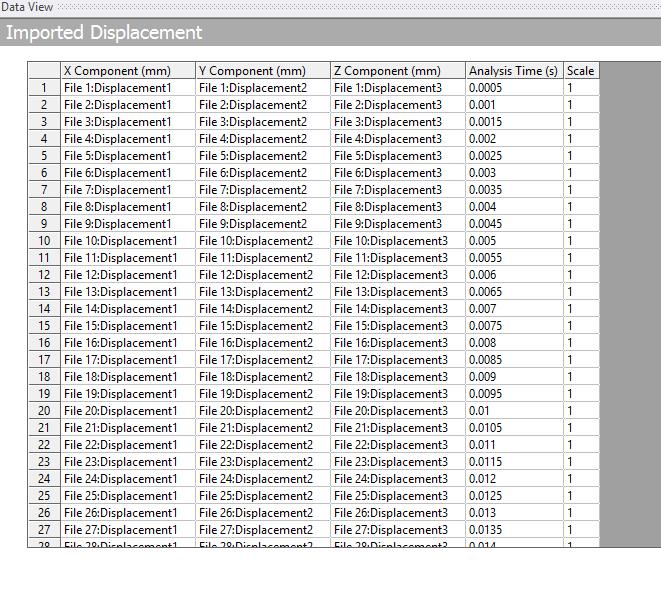
For anyone who's curious, the process in which you can import displacements into Mechanical is pretty straightforward. You simply develop a .txt file with the x, y, and z coordinates of your nodes with their corresponding displacements (i.e, Displacement 1, 2, and 3). When you load into Mechanical, you need to specify which file goes with which time step. Typically, this is done via a drop-down menu in the "Imported Displacement" table shown above. For instance, File 1 would go with my first time step (0.0005 s) and so on and so forth. The process is easy to do when your data set is < 20 time points, but less so at higher values. This is where Excel becomes valuable; using the command "CONCATENATE", you can string two cells together to create one cell (i.e., string "File1" together with " isplacement1" to form "File1isplacement1"). This makes it much easier to work with.
When I performed the command, however I did not notice that I had added a space between the "File" and "number", meaning that Mechanical would not be able to read my files. Fortunately, this is a simple fix, but one that was easily avoidable.


















 You are navigating away from the AIS Discovery experience

